
Web scraping quietly powers a huge part of the internet today. But if you scrape the wrong way, websites can (and will) block you, killing a good workflow. However, with the right approach, you can scrape smoothly, ethically, and without constantly worrying about getting blocked. Let’s break down how to do that exactly.
Note: Always scrape publicly available data, follow site terms where applicable, and respect user privacy. Responsible scraping helps keep the ecosystem healthy for everyone.
How Websites Detect Web Scrapers
Here are some of the main signals websites use:
1. IP Tracking & Rate-Limiting
If too many requests come from the same IP in a short time, alarms start ringing. Because humans don’t refresh a page 500 times a minute. Bots do.
So when traffic looks too fast, too frequent, or too repetitive, websites introduce rate limits, temporary blocks, or permanent bans.
2. Header Fingerprinting
When a normal browser visits a website, it sends along certain details like the device type, browser version, and accepted languages. These are called headers.
So if your requests show missing headers, unusual browser strings, or default library signatures, then the website thinks that the movement doesn’t look like a real user and starts tightening security.
3. JavaScript Execution Checks
Many modern websites rely heavily on JavaScript. Real browsers load and execute that JavaScript automatically, but simple scrapers don’t. Some sites run small tests like:
- Can this visitor execute JavaScript?
- Does the browser behave like Chrome or Firefox should?
If the answer is no, that traffic gets flagged as automated.
4. CAPTCHAs
Once the system senses bot-like behavior, it throws a CAPTCHA at you to confirm you’re human, which is great for security but not so great for scraping flow.
10 Best Practices to Avoid Getting Blocked
Let’s explore some of the best practices used by teams that scrape at scale every single day.
1. Rotate IP Addresses Smartly
IP rotation is one of the most powerful defenses against blocking. A few smart rules make a big difference:
- Rotate frequently enough to avoid patterns. But not so aggressively that it looks artificial.
- Prefer residential or mobile IPs where possible. These look like real users, because they are real users’ networks.
- Avoid hammering from the same subnet. If dozens of rotating IPs still belong to the same narrow range, websites may still detect and block them together.
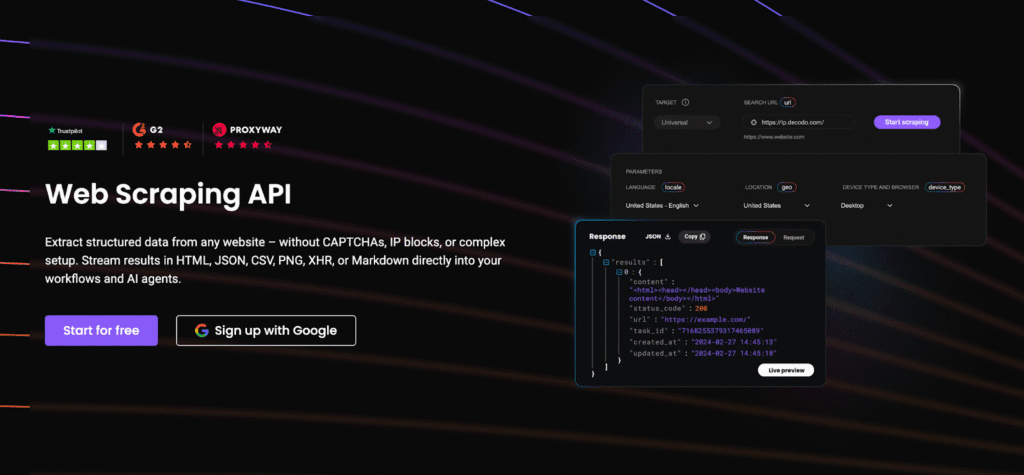
Note: If you’d rather not manage rotation yourself, platforms like Decodo’s Web Scraping API automatically rotate residential and mobile IPs across millions of clean endpoints, helping reduce detection while keeping latency stable. It means fewer headaches managing proxies and more focus on the data you actually need.
2. Use Realistic User-Agents
User-Agents change constantly. So when a scraper keeps sending the same exact User-Agent for weeks or months, it starts to look suspicious. Real users don’t freeze in time. That’s why rotating modern, believable User-Agents helps your traffic appear more natural.
A few simple practices go a long way:
- Avoid stale or outdated strings. User-Agents from 2017 are basically waving a bot flag.
- Match your UA to your scraping setup. If you claim to be Safari on iPhone, don’t behave like a Linux server.
- Rotate between real browsers. Just like everyday users do.
Tip: Rotate genuine browser profiles such as:
- Google Chrome
- Apple Safari
- Mozilla Firefox
3. Send Complete Browser-Like Headers
To stay under the radar, make sure your scraper sends complete, realistic browser-style headers, such as:
- Accept: what content formats your client supports.
- Accept-Language: preferred language settings
- Accept-Encoding: e.g., gzip/br compression
- Cookies: like a returning visitor
- Cache-Control: how responses should be stored
- Referer: showing where you came from
4. Randomize Request Timing
Instead of scraping at a fixed cadence, introduce natural randomness into your timing:
- Add random jitter. Vary the delay between requests so they feel more human.
- Use adaptive slowing during peak load. If the site seems slow or busy, ease off instead of pushing harder.
- Always respect server limits. Your goal isn’t to overwhelm a site. It’s to blend into normal traffic patterns.
5. Use a Natural Referer
To keep your traffic behaving more like genuine visitors, add a natural, believable Referer when it makes sense, such as:
- Google search results
- Social media platforms
- Other pages on the same site
Tip: Use Referers only where a normal user would realistically come from. Don’t force it everywhere.
6. Use Headless Browsers for Dynamic Pages
A headless browser works just like Chrome or Firefox. It loads JavaScript, renders content, scrolls, clicks, and behaves like a real user. The only difference is that it runs without the visible window.
They’re especially useful for:
- JavaScript-heavy web apps
- Scrolling feeds or lazy-loaded content
- Login or multi-step workflows
Popular tools include Puppeteer, Playwright, and Selenium. These tools make your traffic look more realistic.
Note: Headless browsers are more resource-intensive than simple requests. They use more CPU, memory, and bandwidth, so it’s best to reserve them for pages that truly require dynamic rendering instead of using them everywhere by default.
7. Detect & Avoid Honeypots
Some websites set subtle traps specifically designed to catch scrapers. These are called honeypots.
They usually appear as:
- Hidden links (e.g., display:none )
- Zero-size elements (0x0 pixels)
- Transparent or invisible text
So your scraper should be trained to:
- Ignore hidden DOM elements
- Skip invisible links
- Avoid crawling structurally suspicious URLs
8. Monitor Layout Changes
When a website changes structurally, your scraper can suddenly start failing or returning empty data. Repeated retries from a broken scraper can look like suspicious traffic.
A few smart safeguards help massively:
- Add unit tests for critical selectors. So you know immediately when something stops matching.
- Track crawler health metrics. Like success rates, response codes, and extraction accuracy.
- Set up alerts for selector failures. So errors trigger notifications.
9. Handle CAPTCHAs Where Needed
If you’re seeing frequent CAPTCHAs, it’s usually a sign that something upstream needs tuning. The goal is to handle CAPTCHAs gracefully when they appear. You generally have two options:
- Use integrated scraping APIs. Some scraping platforms automatically detect and bypass CAPTCHAs as part of their workflow, so you don’t need to manage it manually.
- Use CAPTCHA-solving services. These can be AI-based or human-assisted. They work, but they come with an added cost, so they’re best used only when necessary.
10. Use Cached Pages as Backup
Cached sources reduce load on the original website and lower your chances of being flagged, because you’re not repeatedly hitting the same endpoint. They’re especially useful for:
- Research
- Historical Analysis
- Non-time-sensitive content
When real-time data isn’t critical, consider pulling from cached data first. It’s lighter on the server and often more than enough for your use case.
Ethical & Responsible Scraping Guidelines
Here are a few guiding principles to always keep in mind:
- Scrape only publicly available data. Treat other data as off-limits unless you have explicit permission.
- Respect rate limits & server stability. Keep your request volume reasonable and adaptive.
- Protect personally identifiable information (PII). Avoid collecting user data unless you have a legal and ethical reason.
- Follow regional laws & platform terms. Regulations like GDPR, CCPA, and local data laws matter.
- Never disrupt infrastructure or degrade service. If your scraping impacts the normal user experience, something needs adjusting.
Reputable scraping platforms such as Decodo emphasize ethically sourced IPs and responsible scraping practices, which helps ensure compliance and platform trust.
When Managed Scraping Platforms Make Sense
As your scraping needs grow, so does the complexity behind the scenes. What starts as a simple script can quickly evolve into a full-blown infrastructure layer.
Managing all of that internally doesn’t just require technical depth. It also demands ongoing maintenance, compliance awareness, and dedicated engineering time. At scale, this can become resource-intensive and operationally heavy.
That’s where managed scraping platforms come in. Instead of building everything from scratch, you can lean on infrastructure that’s already been optimized for reliability, stability, and ethical sourcing.
Note: Solutions like Decodo help teams abstract away much of this, offering ethically-sourced residential and mobile IPs, automatic rotation, geo-targeting, and scraping infrastructure, so developers can stay focused on data workflows rather than proxy engineering and anti-bot logistics. Tools like Decodo are particularly helpful for teams that want reliability without building proxy and rotation systems internally.
Common Mistakes to Avoid
Here are some of the most common pitfalls to watch out for:
- Scraping too fast. If your request rate looks robotic, expect blocks.
- Relying only on datacenter IPs. These IPs are cheap and fast, but also the most frequently flagged.
- Hardcoding a single User-Agent. Real browsers update constantly, and one frozen UA string is a giveaway.
- Retry-spamming failed requests. If something fails repeatedly, don’t force it. That behavior raises your risk score fast.
- Skipping CAPTCHA preparation entirely. Even well-tuned scrapers will encounter CAPTCHAs occasionally. Plan for them ahead of time.
- Ignoring the warning signs of blocking. Treat error spikes, throttling, or partial responses as early alerts.
When you understand how websites detect bots, and you design your scraper to behave more like real, respectful traffic, everything becomes smoother, more reliable, and far less stressful.
Take it step-by-step, scrape thoughtfully, and build systems that respect both users and platforms. Done right, scraping isn’t just possible, it’s sustainable.
Check out our other expert guides on web scraping:
- 10 Best AI Web Scraping Tools in 2025
- Best Chrome Extensions for Web Scraping
- Best Web Scraping Proxies in 2025
- Large-Scale Web Scraping
FAQs
Even if data is publicly visible, there may still be legal restrictions. Regulations like GDPR and CCPA also apply if personal data is involved. Always scrape responsibly, avoid collecting PII, and consult legal guidance when in doubt.
You can rotate proxies by cycling through a list of proxy IPs in your scraping script and assigning a new one per request (or per batch). Many developers use proxy pools, residential networks, or managed APIs that handle rotation automatically, helping prevent blocks without reinventing infrastructure yourself.
DIY scraping gives you full control, but it also means maintaining proxies, rotation rules, CAPTCHA handling, browser simulation, and reliability monitoring. Managed scraping APIs handle most of this for you, offering ready-made infrastructure, ethically sourced IPs, and rotation logic.
The key is to avoid looking robotic. Start slow, introduce random timing, monitor response codes, and respect server capacity. If failures or CAPTCHAs increase, slow down.
Disclosure – This post contains some sponsored links and some affiliate links, and we may earn a commission when you click on the links at no additional cost to you.