Web Traffic and Social Metrics Add-On for Google Slides
Auto-populate Google Slides with website traffic stats, traffic source breakdowns, top countries, and social media follower counts, no cut-and-paste required.
How to Use the Web Traffic and Social Metrics Add-On?
You might need website traffic and social media stats for competitor benchmarking, campaign planning, or executive reports. But jumping between dashboards, APIs, and spreadsheets is time-consuming and error-prone. This page shows you how to simplify the process, with an add-on that delivers all those insights directly into Google Slides, ready to present.
1. Install the Google Sheets Add-on
Start by installing the Web Traffic and Social Metrics Add-On from the Google Workspace Addons. It’s browser-friendly and only requires a Gmail account.
2. Open Extensions in Google Slides:
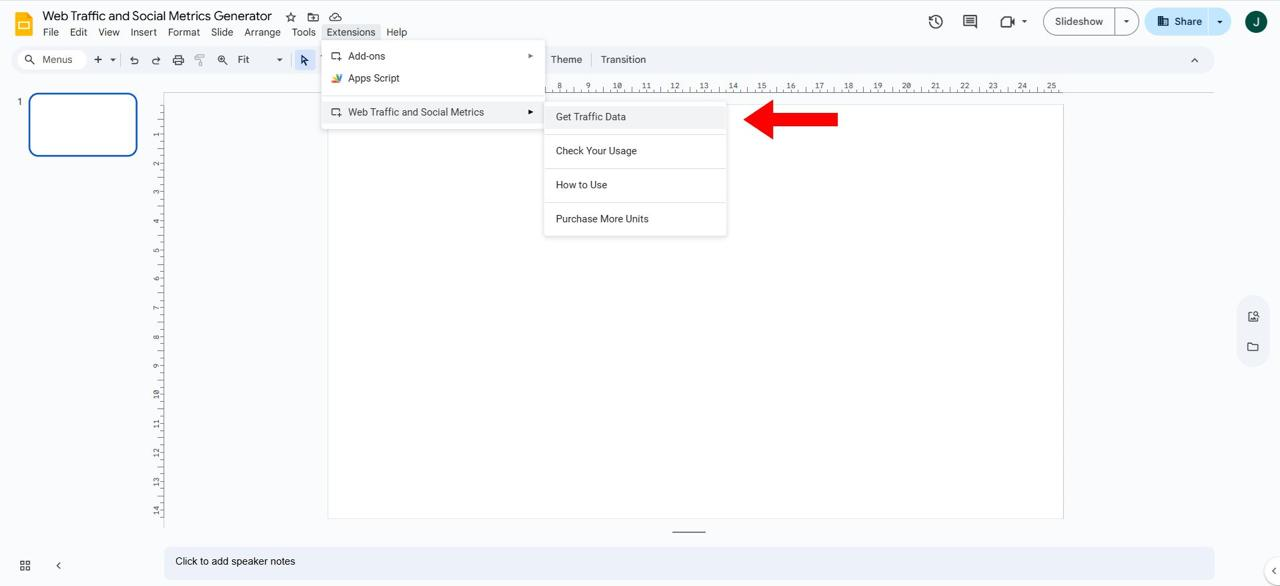
After installing, open Extensions, select Web Traffic and Social Metrics, then click Get Traffic Data.
3. Enter Website URLs:
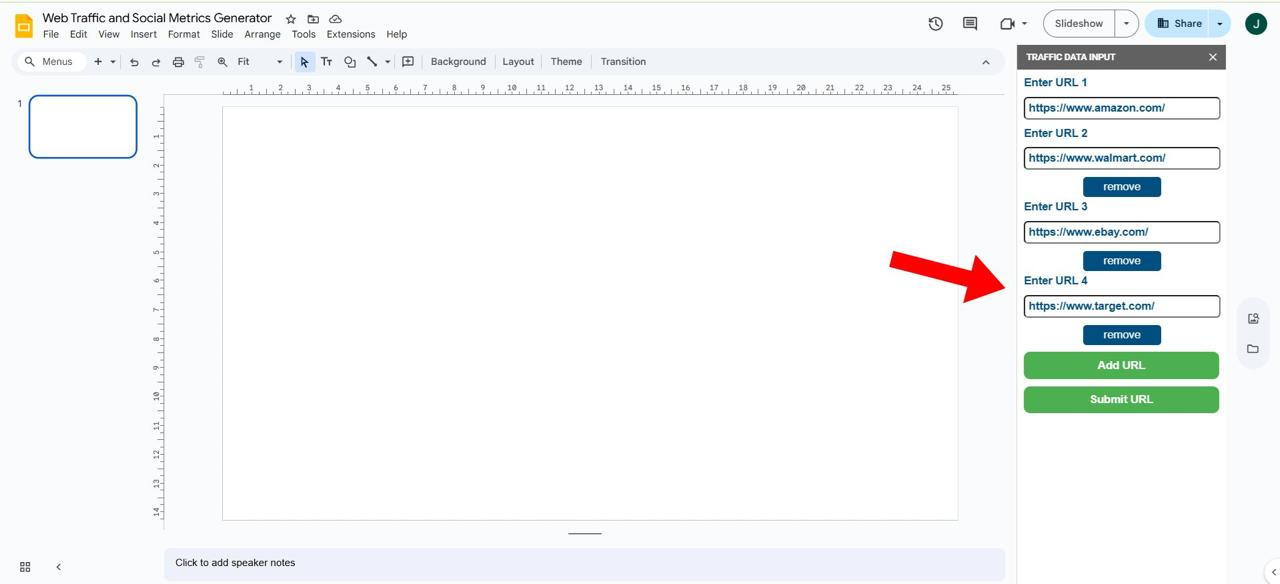
In the sidebar, paste up to 4 target URLs you want to analyze. These could be your sites or your competitors.
4. Submit to Auto-Populate Slides:
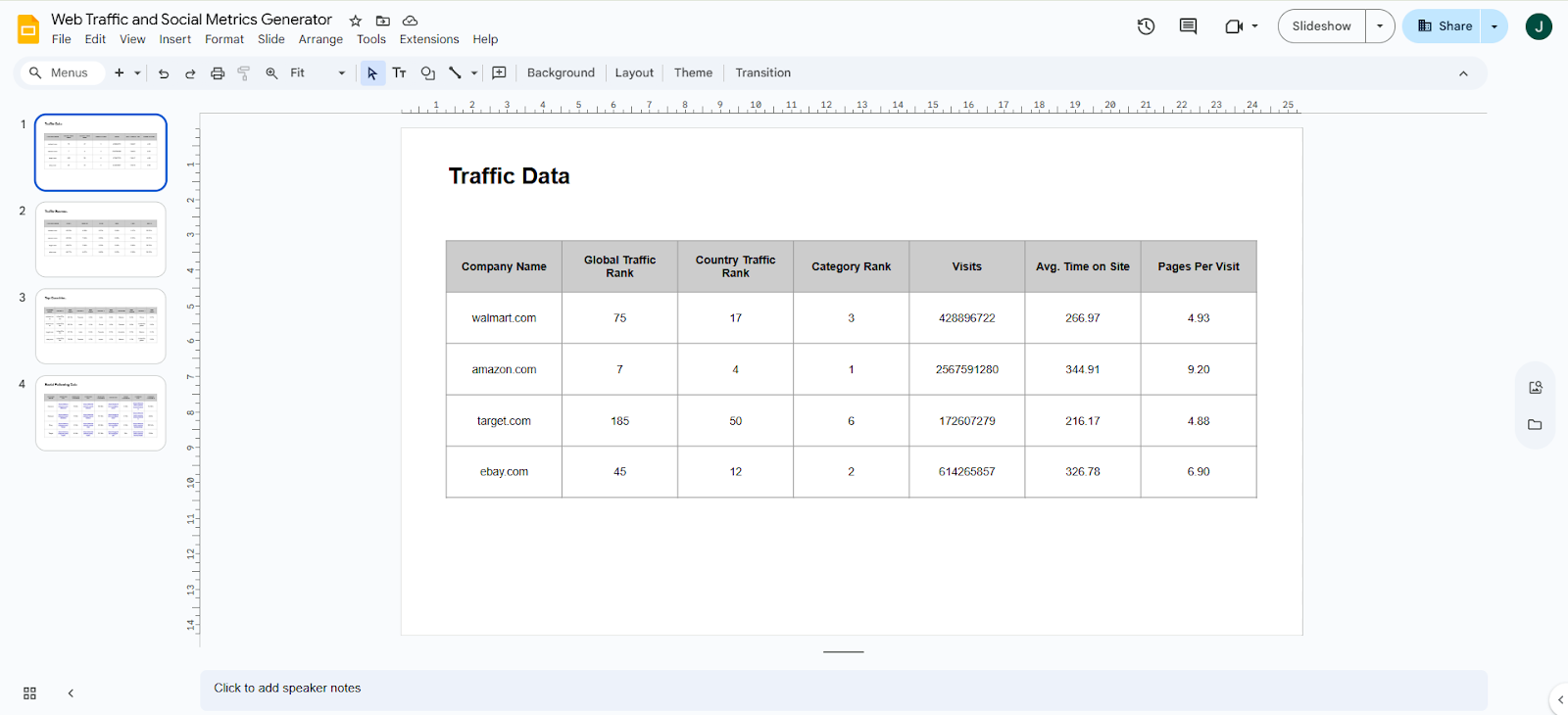
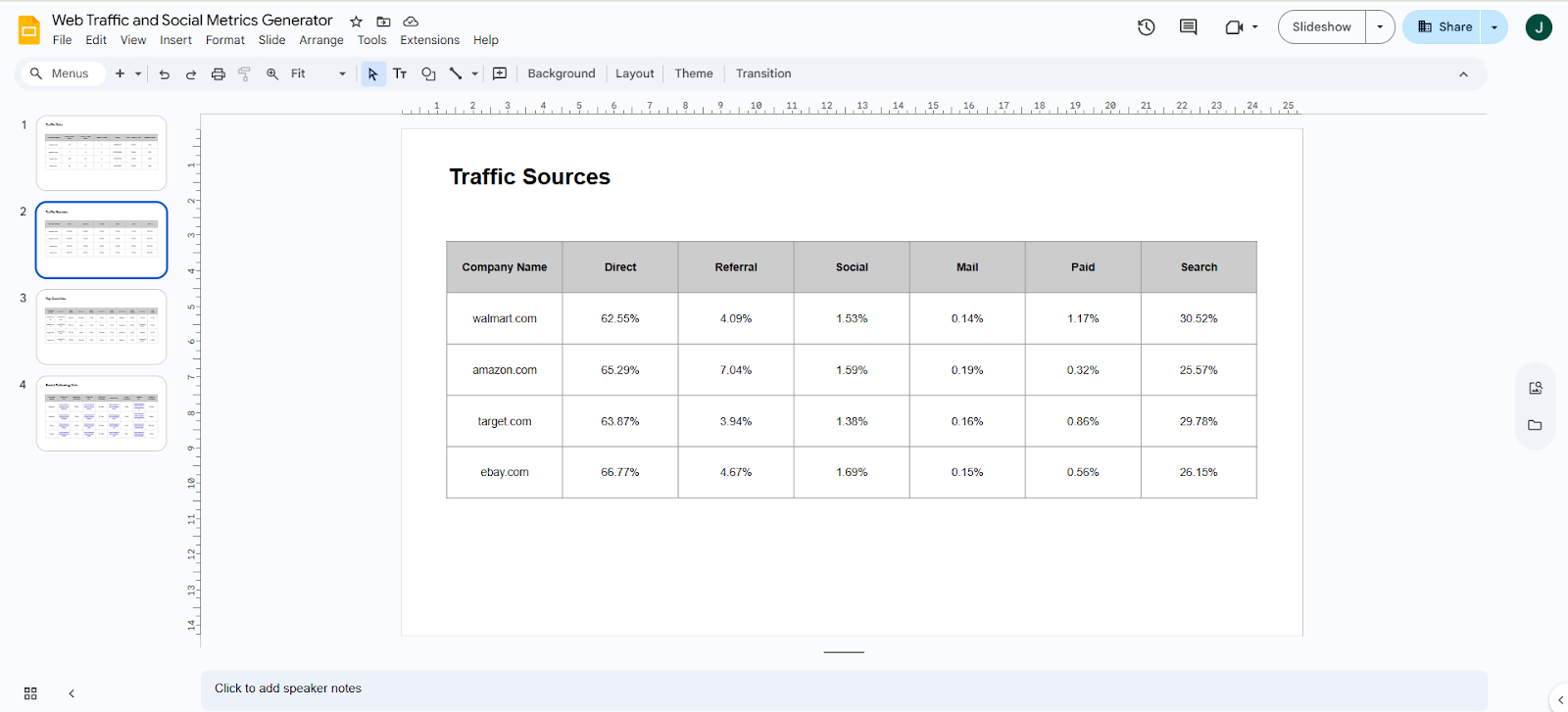
Click “Submit” and let the tool do the rest. It automatically creates 4 fully formatted slides:
Slide 1: Website Traffic Analytics – global rank, visits, and average time on site (via Similarweb)
Slide 2: Traffic Source Breakdown – Direct, Organic, Social, Referral, and more
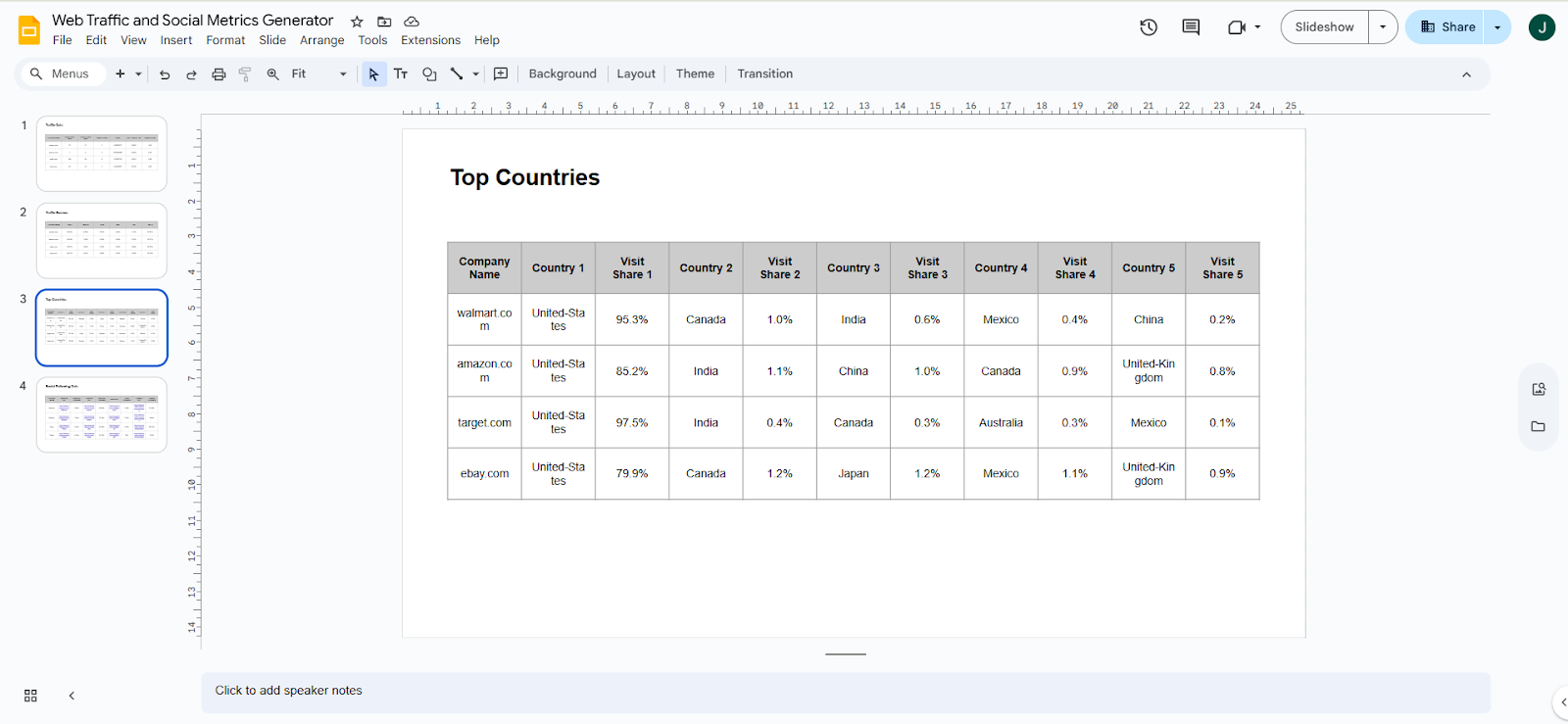
Slide 3: Top Countries – biggest traffic drivers
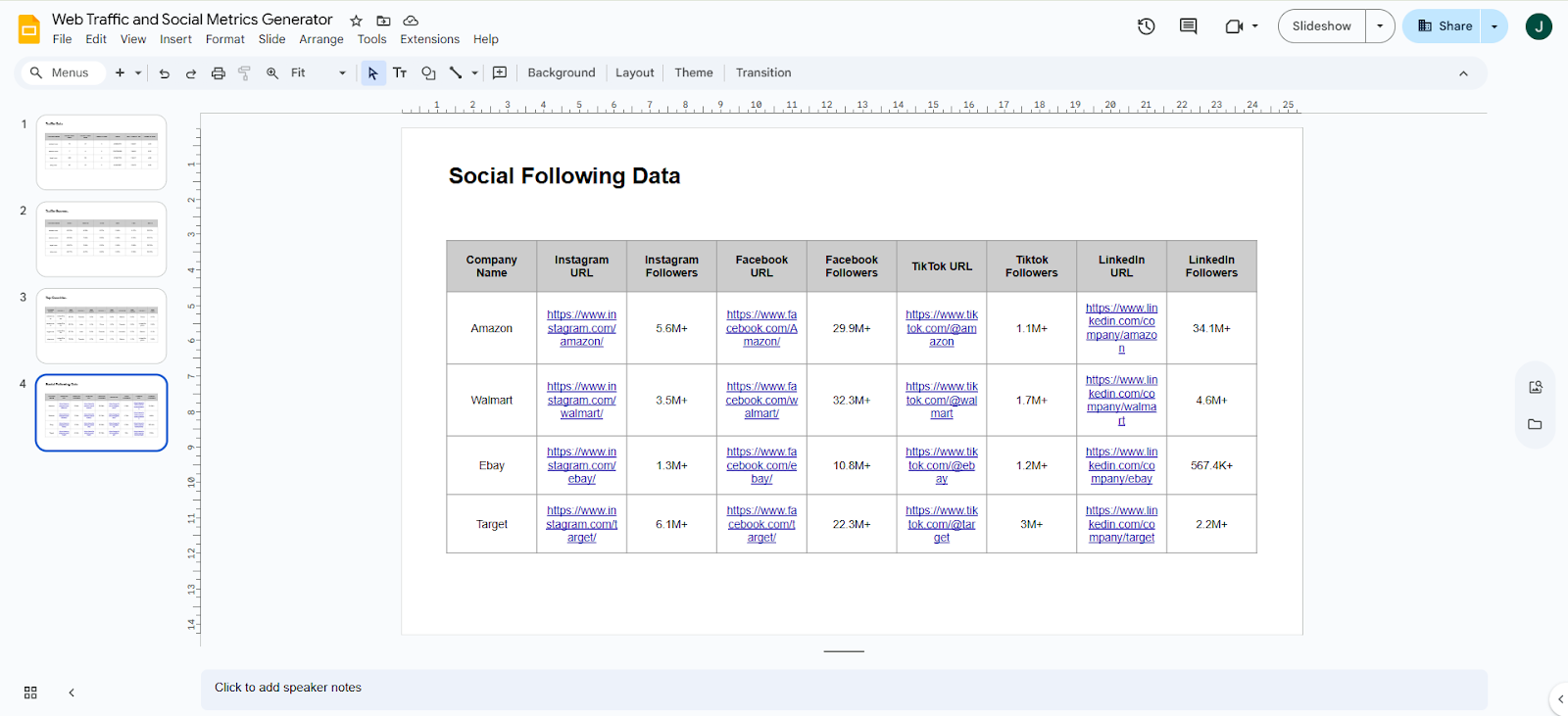
Slide 4: Social Media Metrics – official page URLs and follower counts for Facebook, Instagram, TikTok, and LinkedIn
Pricing
No monthly commitments – pay only for credits you need