From replying to emails and drafting reports to capturing leads on the go, dictation tools have quietly become a go-to productivity hack for professionals across industries. As work gets faster and more digital, typing everything out just doesn’t make sense anymore.
That’s where AI dictation tools come in. Today’s tools can turn your voice into clean, usable text in seconds. The right dictation tool can save time, reduce effort, and help you focus on your ideas.
What is AI Dictation Software?
AI dictation software turns spoken language into written text, but in 2026, it does a lot more than just transcription. Modern tools are built to understand how you speak, not just what you say, making the output far more natural and usable.
They can automatically apply punctuation, understand sentence structure and intent, and format content based on context. Many tools also go a step further by rewriting or summarizing your words, and even acting on dictated text like saving notes, organizing files, sharing content, or triggering simple workflows.
What Makes a Great AI Dictation Tool?
Here are a few core qualities that make them truly usable in day-to-day work:
1. Accuracy Comes First
Even the smartest features don’t matter if the words are wrong. The tools worth using consistently deliver 92%+ accuracy, making them reliable for everyday writing.
2. Minimal Friction
Great dictation tools stay out of your way. A simple shortcut or single tap should be enough, no complex setup, no constant microphone switching.
3. Smart Formatting
Punctuation, paragraphs, lists, and capitalization should just happen, without you having to dictate every comma or line break.
4. Context Awareness
The tool should understand what you’re writing, and adapt accordingly.
5. Cross-Platform Support
Work doesn’t happen on one device anymore. The best dictation tools work smoothly across desktop, mobile, and web, wherever you need them.
Comparison Table of Best AI Dictation Tools in 2026
| Tool | Best For | Platform(s) | Free/Paid |
| Apple Dictation | Free dictation for Apple users | iOS, macOS | Free |
| Microsoft Voice Access | Free Windows dictation + commands | Windows | Free |
| Nuance Dragon | Customization pro dictation | Windows (main) | Paid |
| Wispr Flow | Teams & cross-app dictation | Mac, Windows, iPhone | Paid |
| Google Gboard | Free mobile dictation | Android | Free |
| Google Docs Voice Typing | Dictation inside Google Docs | Web (Docs) | Free |
| Letterly | Structuring messy dictation | Web/Mobile | Freemium/Paid |
| Every Monologue | Context-aware dictation | Mac (main) | Paid |
| Voicenotes | Chat-style editing | Web/Mobile | Freemium/Paid |
Best AI Dictation Tools in 2026
| Table of Contents |
| 1. Apple Dictation |
| 2. Microsoft Voice Access |
| 3. Nuance Dragon |
| 4. Wispr Flow |
| 5. Google Gboard |
| 6. Google Docs Voice Typing |
| 7. Letterly |
| 8. Every Monologue |
| 9. Voicenotes |
Best Free Dictation (Apple Users)
1. Apple Dictation
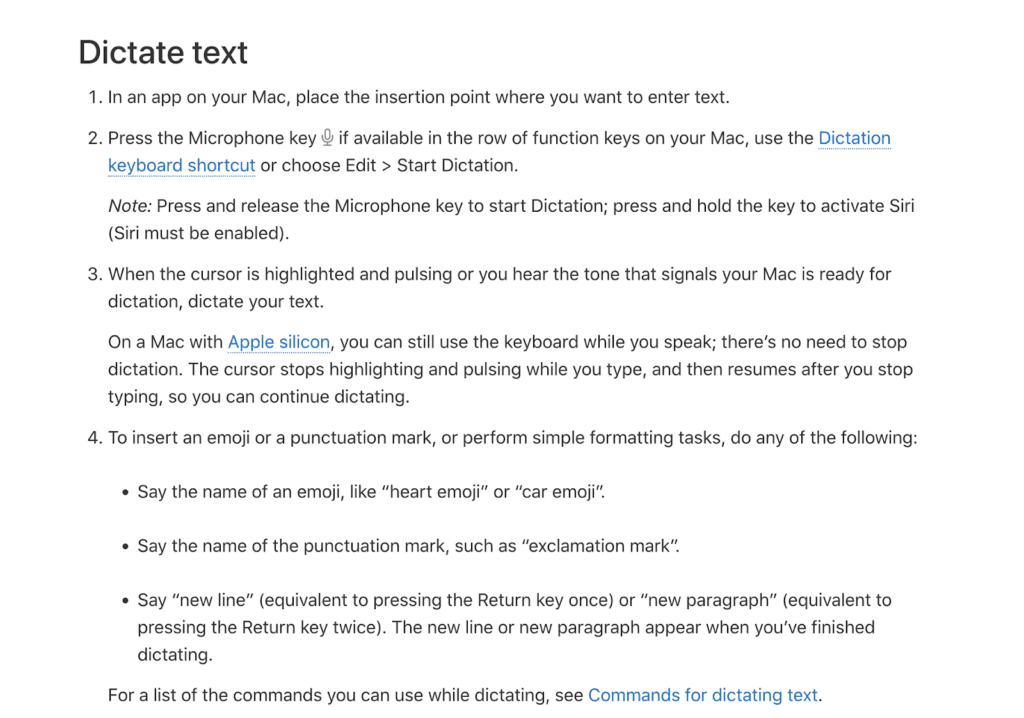
If you’re on an Apple device and want reliable, no-cost dictation that “just works,” Apple Dictation is one of the easiest ways to turn your voice into text. It’s built into iOS and macOS, works offline for short dictations, and integrates seamlessly with your apps and keyboard shortcuts.
Key Features
- System-Wide Integration: Dictate anywhere you can type, without installing anything extra.
- Live Punctuation & Formatting: Smart dictation handles basic punctuation and capitalization automatically as you speak.
- Offline Mode: For brief notes, you can dictate without needing an internet connection.
- Shortcut-Driven Workflow: Toggle dictation with a simple keyboard shortcut or tap, so you’re not fumbling with menus.
Cons:
- Limited for Long Text: Offline dictation is capped in length, and longer sessions still depend on an internet connection.
- Less Context Awareness: Compared with premium AI dictation tools, Apple Dictation doesn’t rewrite, format, or interpret based on context.
Review: Apple Dictation is a great starting point, especially if you already live in the Apple ecosystem. It’s quick to access, reliably accurate for short to medium dictation, and doesn’t require subscriptions or extra apps. For everyday work, it’s hard to beat what’s already built into your device.
Best Free Dictation (Windows Users)
2. Microsoft Voice Access
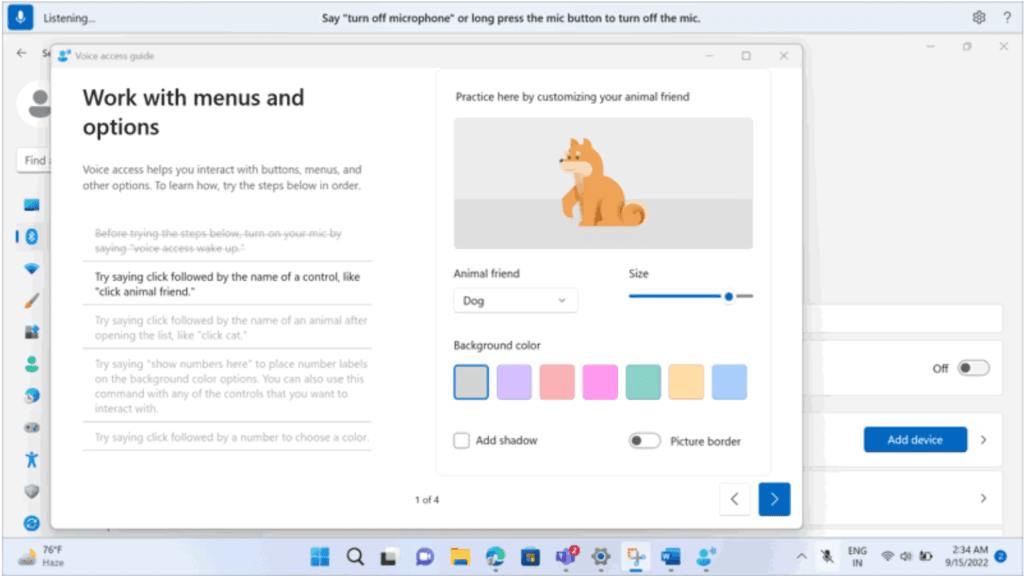
For Windows users who want built-in voice typing without paying for extra software, Microsoft Voice Access is the go-to option, and it’s become more capable in recent updates. Voice Access lets you dictate text, insert symbols, and even control your PC using just your voice, all without installing third-party apps.
Key Features:
- Built-In & Free: Voice Access is native to Windows 11, so you don’t need to install anything extra to start dictating.
- Dictation + Commands in One: You can dictate text and use voice commands to interact with menus, navigate apps, and perform tasks hands-free.
- Automatic Punctuation & Symbols: Voice Access can insert punctuation and special characters as you speak, making dictation smoother and more readable.
- Offline Support & Accessibility: Unlike some cloud-only solutions, Voice Access can run without an internet connection and is designed to be accessible for different users.
Cons:
- Not as Advanced as Premium AI Tools: It doesn’t offer deep context-aware rewriting or AI-enhanced editing like dedicated dictation apps.
- Focused on Accessibility First: Some features may be limited ot require newer hardware to be most effective.
Review: Microsoft Voice Access is a solid free option for dictating text on Windows without subscriptions or add-ons. It offers dependable, system-level dictation that’s easy to start and free to use, perfect for emails, notes, or simple documents.
Best Customizable Dictation Software
3. Nuance Dragon
If you want a professional-grade dictation tool that goes beyond simple speech-to-text, Nuance Dragon is the gold-standard choice for heavy users and power users alike. Known for its deep customizable options and flexible workflows, Dragon has been a leader in speech recognition for years.
Key Features:
- Ultra-High Accuracy & Adaptive Learning: Dragon’s deep learning engine is trained to recognize your voice over time and supports industry-level accuracy.
- Custom Commands & Voice Control: Beyond dictation, Dragon lets you create custom voice commands, shortcuts, and auto-text phrases that automate repetitive tasks or insert blocks of content just by speaking.
- Personalized Vocabulary: You can build and expand your own vocabulary with specialized terms, acronyms, or industry-specific language to improve recognition.
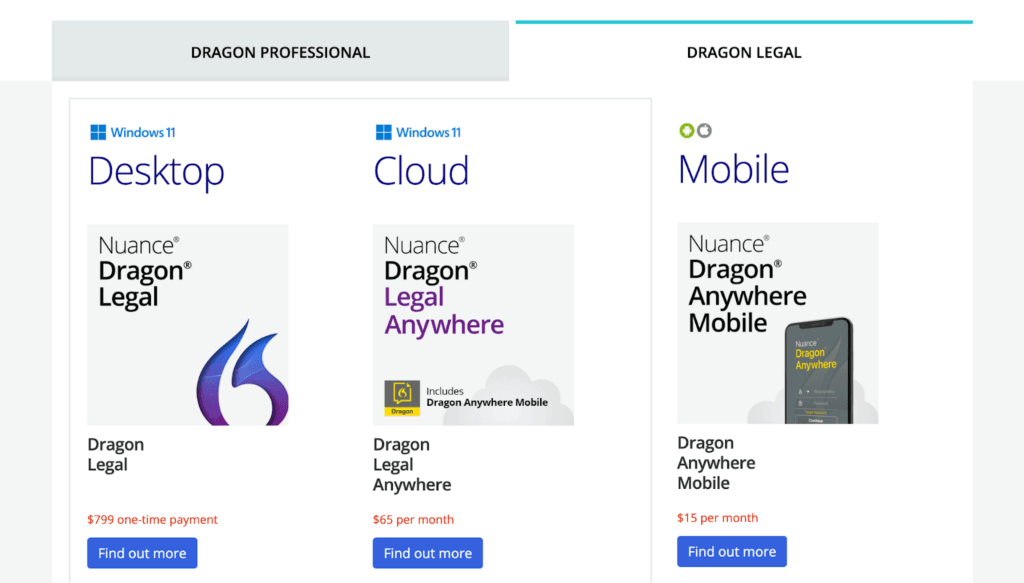
- Wide Professional Versions: It comes in versions tailored for individual users and enterprise or cloud workflows.
Cons:
- Premium Price Tag: The higher the service tiers, the higher the added up costs.
- Windows-Centric: Nuance Dragon’s full feature set is primarily built for Windows, with limited or no support on macOS in the latest versions.
Review: Nuance Dragon stands out in the professional dictation space by offering deep customization and control that basic tools simply don’t match. For writers, lawyers, researchers, and business pros who rely on dictation daily, it’s a premium choice, even if it means paying for the privilege.
Best AI Dictation for Teams and Cross-Platform Use
4. Wispr Flow
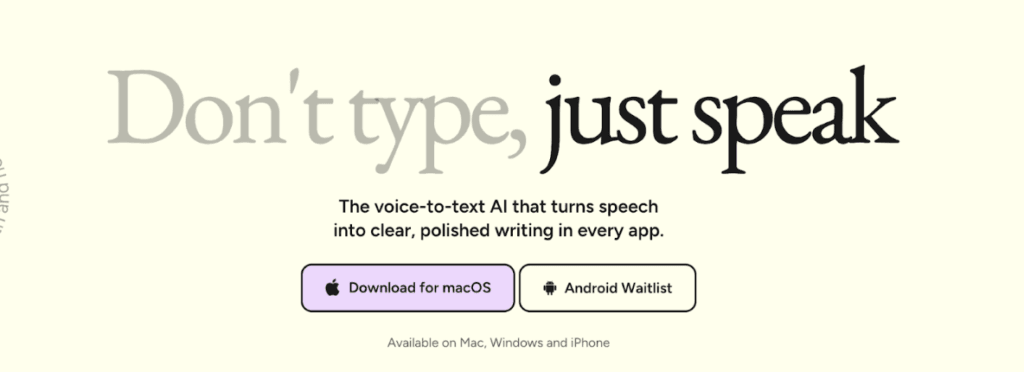
If you and your teams need a dictation tool that works everywhere your work happens, Wispr Flow is one of the most versatile AI dictation platforms in 2026. It’s built to keep teams fluid, productive, and less tied to keyboards.
Key Features:
- Cross-Platform Compatibility: Wispr Flow runs on Mac, Windows, and iPhone, letting you dictate text in practically any app.
- Seamless Dictation in Any App: You just speak, and Wispr Flow types directly wherever your cursor is.
- AI-Powered Auto-Edits & Formatting: It auto-forms punctuation, capitalizes sentences correctly, and cleans filler words.
- Massive App Integration: You can work on Google Docs, Gmail, Slack, Notion, or development environments.
Cons:
- Subscription-Based Model: Wispr Flow generally uses a paid plan to unlock its best features and cross-app support.
- Privacy & Cloud Processing: Much of the processing happens in the cloud, which may raise concerns for teams.
Review: Wispr Flow stands out as ateam-ready, cross-platform dictation powerhouse in 2026. It’s designed not just to transcribe speech but to integrate voice input into everyday workflows. Its real-time AI editing makes dictated text cleaner and more professional, making it a strong option.
Best Free Mobile Dictation
5. Google Gboard
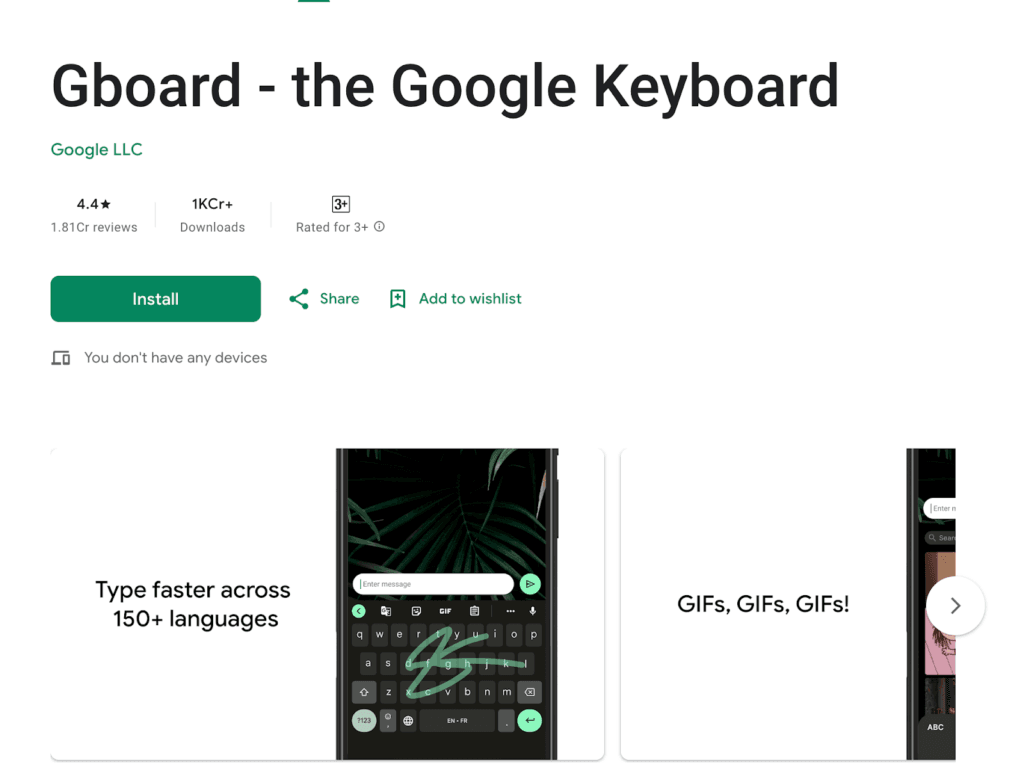
If you want free and easy dictation on your phone, Google Gboard is one of the simplest ways to turn your voice into text while you’re on the go. It’s a full keyboard app that most Android devices support, and voice typing is built right into it, so you can dictate in almost any app you already use.
Key Features:
- Everywhere You Can Type: Once Gboard is your keyboard, you can tap the microphone and start dictating anywhere without switching tools.
- Automatic Speech-to-Text: Speak naturally, and Gboard turns your words into text, with support for punctuation and many languages.
- Multi-Mode Input: You get more than dictation; voice typing works alongside glide typing, handwriting, and emoji and GIF search for a smoother mobile experience.
- Built-In & Free: There’s no subscription or separate app required.
Cons:
- Not as Smart as Desktop AI Tools: It doesn’t offer deep context rewriting or advanced AI editing like some dedicated tools.
- Varies by Android Version: Some features may work best on newer devices or versions of Android.
Review: Google Gboard is a fantastic no-cost mobile dictation option that’s perfect for quick notes, messages, emails, and basic writing without typing. While it doesn’t have the deep AI features, its ease of use and wide language support make it a good option.
Best Dictation Inside Google Docs
6. Google Docs Voice Typing
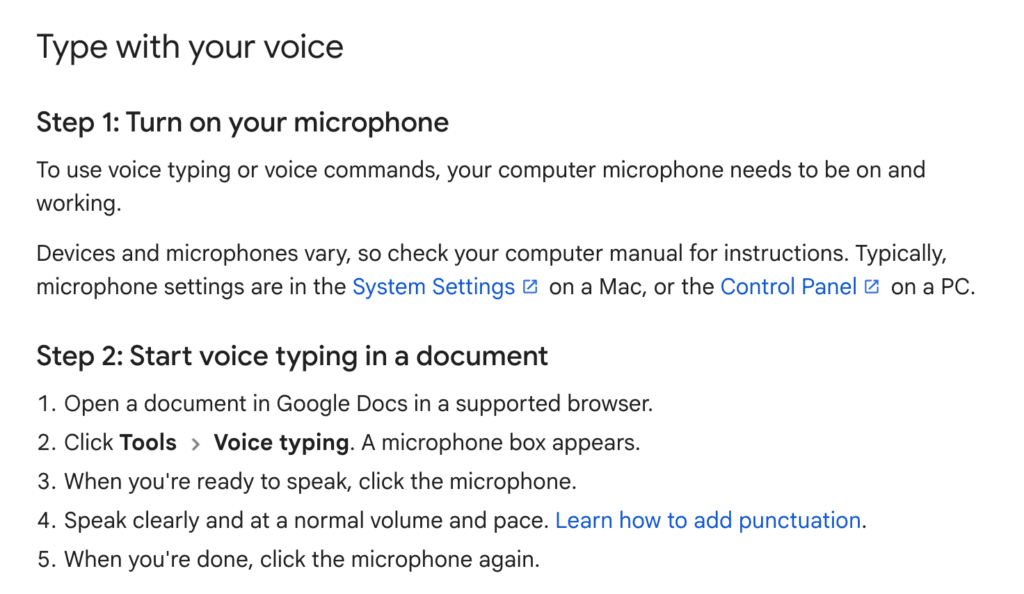
If you spend a lot of your writing time in Google Docs, using the built-in Voice Typing feature can save you hours of typing, and it’s completely free. With a simple command, you can start speaking, and Google Docs will turn your words into text in real time, right where you’re already working.
Key Features:
- Built Directly Into Google Docs: You just open your Google document and start speaking.
- Easy Activation: With a single click from the Tools menu, you can enable voice typing.
- Punctuation & Commands: Google Docs recognizes natural speech along with common formatting commands.
- Works in Multiple Languages: This helps you dictate comfortably, no matter where you’re speaking from.
Cons:
- Requires Internet: Voice Typing works only when your device is online.
- Limited to Docs: This feature won’t follow you outside of Google Docs.
Review: For anyone writing in Google Docs, Voice Typing is one of the simplest and most accessible ways to use your voice instead of the keyboard. It’s perfect for everything from first drafts and brainstorming to long-form writing without ever touching the keyboard.
Best for Structuring Messy Dictation
7. Letterly
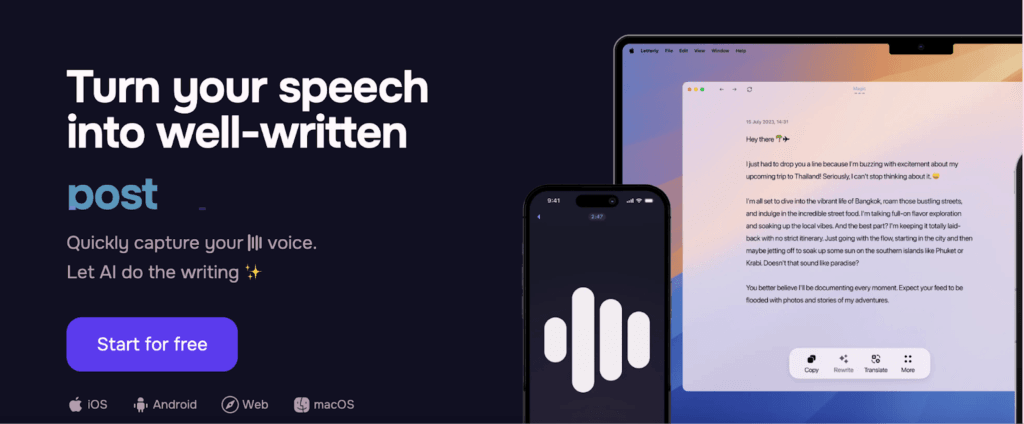
If your spoken thoughts often come out messy, unstructured, or scattered, then simply converting speech to text isn’t enough; you need a tool that can clean it up or organize it for you. Letterly does exactly that.
Key Features:
- Intelligent Cleanup & Reorganization: Letterly restructures sentences, removes filler words, and organizes ideas into clear paragraphs, so long, rambling thoughts become coherent writing.
- Purpose-Driven Templates: With built-in templates for common formats, you can dictate freely, then let Letterly shape it into the right structure.
- Tone & Style Options: Letterly lets you tweak tone after dictation so your message fits the occasion.
- Cross-Device Access: Dictate on mobile or desktop and grab your cleaned-up content wherever you work.
Cons:
- Not a Full Dictation App Alone: It’s not designed as your primary everyday dictation tool; you’ll likely pair it with something that does raw speech-to-text first.
- Subscription Model: Some advanced cleanup and template features require a paid plan.
Review: Letterly is a great companion for anyone who thinks out loud but writes structured content. If your challenge isn’t getting words down, but making them make sense, this tool can be a real productivity booster.
Best Context-Aware Dictation
8. Every Monologue
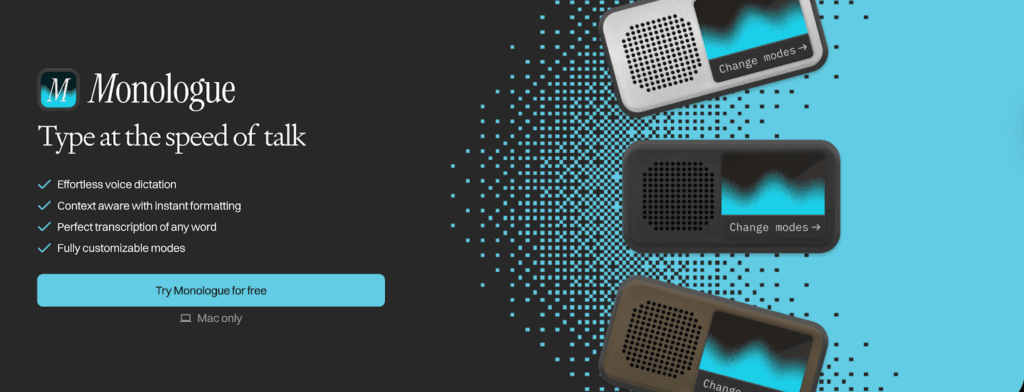
If what you want isn’t just speech-to-text but a tool that actually understands what you’re trying to say and how you work, Monologue is one of the smartest AI dictation apps in 2026. It goes beyond straight transcription to capture the meaning, context and structure of your voice, making your dictations feel much closer to polished writing.
Key Features:
- Context-Aware Formatting: It automatically formats words in a way that suits whatever you’re working on by interpreting the context.
- Learns Your Style & Vocabulary: It adapts to your writing style, personal vocabulary, and even specialized terms.
- Deep Multilingual Support: Monologue handles more than 100 languages, letting you switch naturally between languages or dialects as you speak.
- Custom Modes for Different Uses: You can tailor it to your workflow. Monologue’s modes help it interpret what you mean.
Cons:
- Mac-Only: Monologue is currently available primarily for Mac users.
- Paid Access Required for Full Features: Getting the full context-aware experience typically means a paid subscription.
Review: Monologue shines when your dictation is messy, detailed, or context-heavy. Instead of spitting out raw text that you still have to clean up, it structures voice input into readable, polished writing with much less editing. It really feels like you’re talking to your writing assistant rather than a plain dictation engine.
Best for Chatting With Your Dictations
9. Voicenotes
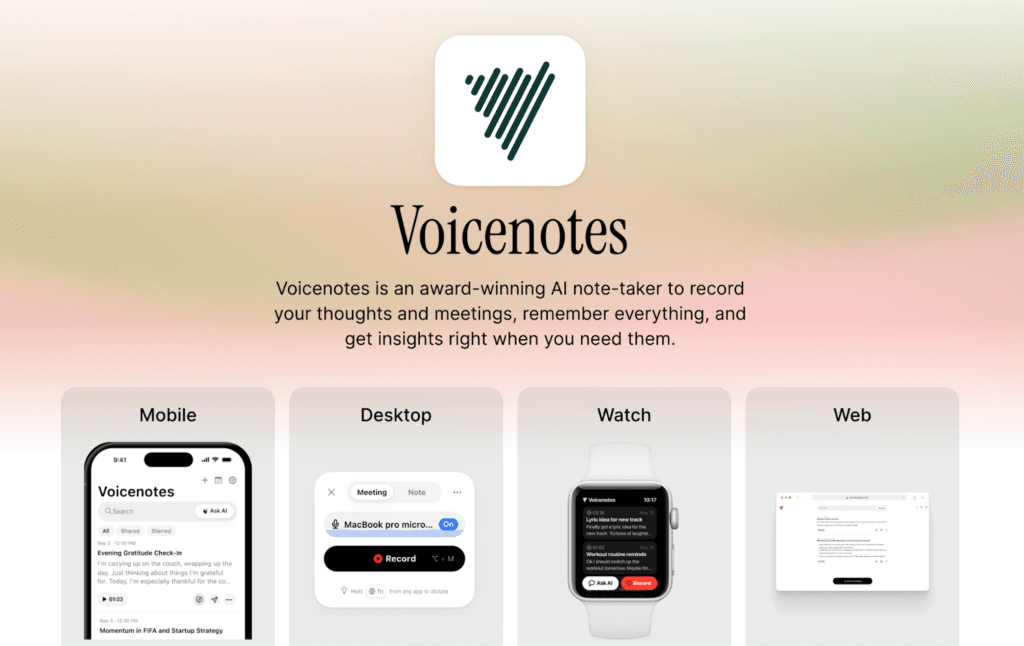
Voicenotes is built not just to transcribe your voice, but to let you interact, edit, and iterate through chat-style conversations with your dictated text, making it a great choice for brainstorming, messaging, or writing with a conversational flow.
Key Features:
- Conversational AI Interaction: Voicenotes lets you dictate and then talk to the text, asking it to rephrase, expand, shorten, or adjust tone.
- Voice-Activated Commands: You can use your voice to edit your dictation, add instructions, or make changes without ever touching the keyboard.
- Quick Export & Sharing: Voicenotes makes it easy to export or share your content.
- Multi-Use Scenarios: It is great for anyone who wants to interact with their ideas verbally rather than type corrections or edits manually.
Cons:
- Not a Fully-Featured Dictation Engine: It isn’t meant as a full desktop-grade dictation solution for long documents or professional workflows.
- Subscription Required for Best Features: Accessing the most advanced chat and editing tools usually means signing up for a paid plan.
Review: Voicenotes turns dictation into something that feels more like talking to your talking partner than just talking at your keyboard. For chat-style interaction and voice-driven editing, it’s one of the most fun and engaging options out there.
AI dictation in 2026 is a practical, everyday way to write. The key is choosing the right tool for how you work. Some tools are perfect for quick notes, others shine in structured writing, team collaboration, or context-aware editing. Once you find the right fit and build a few simple habits, dictation can save time, reduce effort, and help you focus more on thinking, not typing.
In short, if writing is part of your daily workflow, AI dictation isn’t something to experiment with anymore. It’s something worth adopting.
Check out some of our other AI recommendations:
- AI Infographic Generator Tools
- Best AI Agents for E-Commerce
- Best Rank Tracking Tools for AI Overviews in 2025
FAQs
Yes. Most people speak 2-3x faster than they type. Dictation can significantly speed up first drafts and brainstorming, even if you still edit later.
It depends on the tool. Built-in dictation often processes data locally or within the OS, while advanced AI tools may use cloud processing. Always check where audio is processed and whether recordings are stored.
Accuracy is highest with clear audio and consistent language use, but mixed-language dictation works well in most leading tools.
Absolutely. Many professionals use it for first drafts and then do a quick edit pass to ensure tone, clarity, and polish before sharing.
Disclosure – This post contains some sponsored links and some affiliate links, and we may earn a commission when you click on the links at no additional cost to you.