YouTube crossed 2.7 billion logged-in monthly users in 2024 and shows no signs of slowing down. For marketers, that scale means one thing: there is more competitor activity, creator content, and audience conversation happening on the platform than any team can monitor manually.
That is where a YouTube data scraper comes in. Instead of opening tabs, copying numbers, and building reports by hand, a scraper pulls structured data directly from YouTube channels, videos, and comment sections into a format you can actually work with. When you add AI to the mix, that data becomes a source of real strategic intelligence rather than just a pile of numbers.
This guide covers the best YouTube data scrapers and AI-powered tools available to marketers in 2026, what each one does well, and how to build a data workflow that drives better decisions.
What Is a YouTube Data Scraper?
A YouTube data scraper is a software tool that automatically collects publicly visible data from YouTube and organises it into structured rows and columns. This typically includes metrics like subscriber counts, video view counts, like counts, comment counts, upload dates, video durations, tags, and the text of user comments.
The difference between a scraper and the official YouTube Data API comes down to accessibility. The YouTube API requires a Google Cloud account, OAuth configuration, quota management, and usually some level of coding knowledge. A dedicated YouTube data scraper is built for non-technical users. You provide the channel or video URL, the tool does the rest, and the output lands somewhere useful like a spreadsheet or CSV file.
For marketing teams, the practical applications include:
- Tracking competitor channel growth and content cadence over time
- Building creator shortlists for influencer and sponsorship campaigns
- Researching which video formats and topics drive the highest engagement in a given niche
- Extracting comment data for audience sentiment analysis and content ideation
- Producing client-ready channel audit reports backed by real performance data
Why YouTube Data Matters More in 2026
YouTube has transformed significantly over the past two years. The rise of YouTube Shorts has blurred the line between short-form and long-form strategy. AI-generated video summaries now appear directly in Google Search results, giving YouTube content additional organic reach beyond the platform itself. And YouTube’s shopping integrations have made the platform a serious contender in the purchase funnel, not just the awareness stage.
All of this means that decisions around YouTube, whether for your own channel or a client’s, need to be grounded in data. Brands that rely on gut feel about what works on YouTube are losing ground to competitors who are systematically tracking performance, identifying content gaps, and scaling what actually resonates.
A YouTube data scraper gives marketing teams the raw material for that kind of systematic approach. The challenge is knowing which tool to use and how to structure the workflow around it.
Top YouTube Data Scrapers for Marketers
Here is a side-by-side comparison of the leading YouTube data scrapers available to marketers in 2026.
| Tool | Type | Coding Required | Best For | Platform Coverage | Pricing Model |
| Marketing Data Extractor (Smacient) | Google Sheets Add-On | No | No-code YouTube + multi-platform extraction in Sheets | YouTube, Instagram, TikTok, Google Maps, Meta Ads | Free tier + one-time credits |
| PhantomBuster | No-Code Automation | No | Recurring, scheduled channel monitoring | YouTube + other social platforms | Monthly subscription |
| Bright Data | Managed Dataset Service | No | Enterprise-scale ready-made datasets | YouTube and the broad web | Custom/subscription |
| Octoparse | Visual Scraper | No | Custom flexible extraction without coding | Any website, including YouTube | Free tier + paid plans |
| SerpApi | API | Yes | YouTube keyword and search result tracking | YouTube search results | Pay-per-use API credits |
Table of Contents
1. Marketing Data Extractor for Google Sheets (Smacient)
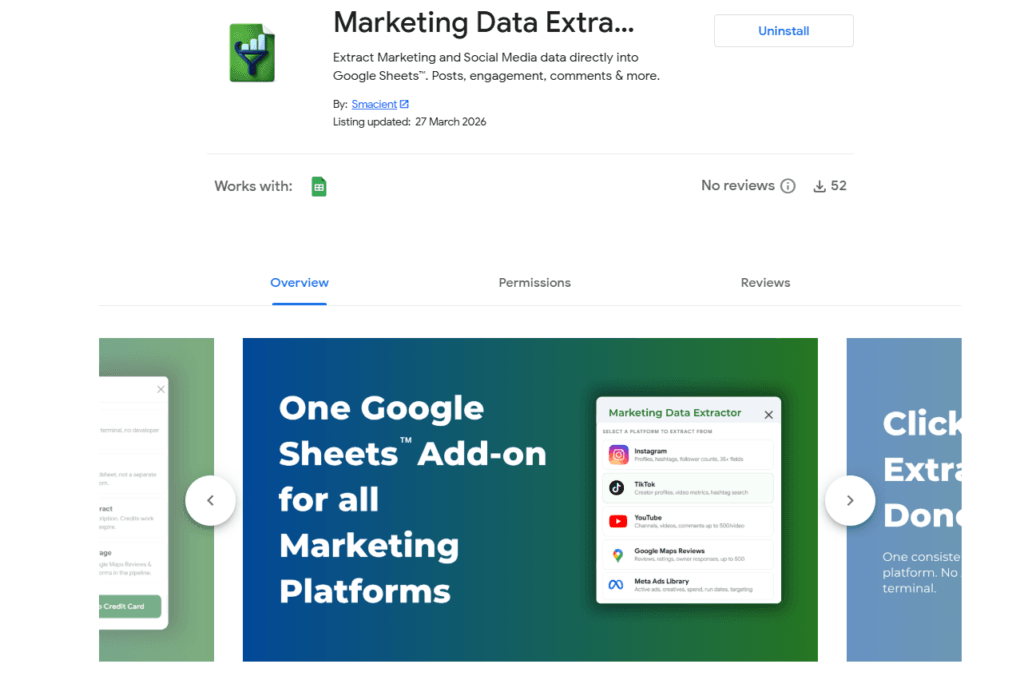
The YouTube Data Extractor for Google Sheets by Smacient is a Google Sheets add-on that lets you pull YouTube data directly into a spreadsheet using just channel handles or video URLs. It runs entirely inside Google Sheets with no API keys, no developer setup, and no need to leave the spreadsheet environment.
The add-on supports three extraction modes: channel data, video performance data, and comment extraction. You can run bulk extractions across a full column of inputs in a single operation. Output is structured into named columns that work natively with Sheets formulas, filters, and charts.
What makes it particularly useful for agencies and marketing teams is that it sits inside a broader Marketing Data Extractor add-on that also covers Instagram, TikTok, Google Maps Reviews, and Meta Ads Library. One installation, one credit balance, multiple data sources. If your reporting spans platforms, that consolidation saves significant time and tooling cost.
Best for: No-code YouTube data extraction inside Google Sheets, ideal for agencies, social media managers, and marketing ops teams who also need data from other platforms.
2. PhantomBuster
PhantomBuster is a no-code automation platform that includes a YouTube channel scraper among its library of social media data tools. It can collect channel metadata, recent video lists, and subscriber data on a recurring schedule. Results export to Google Sheets, CSV, or JSON.
PhantomBuster is well-suited for ongoing monitoring use cases where you need to check a fixed list of channels or creators on a weekly or monthly basis. Its phantom chaining feature lets you automate multi-step workflows, for example, pulling a YouTube creator list from a spreadsheet, scraping each profile, and pushing updated metrics back automatically.
Best for: Recurring, automated YouTube channel monitoring for influencer tracking and competitive intelligence.
3. Bright Data YouTube Dataset
Bright Data takes a different approach. Rather than providing a DIY scraping interface, it offers pre-collected, structured YouTube datasets available for purchase or subscription. These datasets cover video performance, channel profiles, trending content, and comment volumes across categories.
For enterprise marketing teams and data analysts who need clean, large-scale YouTube data without managing scraping infrastructure, Bright Data’s dataset products are a time-saving option. The trade-off is cost and lower flexibility compared to tools where you define exactly which channels or videos to collect.
Best for: Enterprise teams needing ready-made, large-scale YouTube datasets without building or managing scrapers.
4. Octoparse
Octoparse is a visual web scraping tool with a point-and-click interface. Users build scraping workflows by visiting YouTube pages in Octoparse’s built-in browser, selecting the data elements they want, and letting the tool generate the extraction logic automatically.
It supports cloud-based running and exports to Excel, CSV, Google Sheets, and databases. Octoparse is a reasonable option for teams that want more control over exactly what they collect but do not have developers available to write custom scripts.
Best for: Custom, flexible YouTube data extraction for mid-market teams without coding capability.
5. SerpApi

SerpApi is a real-time SERP scraping API that includes a YouTube search results scraper. Instead of scraping individual channels or video pages, SerpApi returns structured data from YouTube search results pages based on any keyword input.
For marketing teams focused on search visibility and keyword strategy on YouTube, SerpApi is useful for tracking which videos, channels, and content formats rank for target queries over time. It requires some technical setup but is well-documented and widely used.
Best for: YouTube keyword tracking and search result monitoring for SEO and content strategy teams.
AI Tools That Turn YouTube Data Into Marketing Intelligence
Raw YouTube data in a spreadsheet is a starting point. The marketers getting the most value from a YouTube data scraper are pairing that data with AI tools that can analyse patterns, surface insights, and generate actionable recommendations at speed.
Here is a comparison of the leading AI tools marketers are using alongside YouTube data in 2026.
| Tool | Type | Coding Required | Best For | YouTube Data Input | Pricing Model |
| Smacient MCP for Claude | AI Integration | No | AI-powered analysis of scraped marketing data | Works directly with extracted data | Contact for pricing |
| Tubular Labs | Enterprise Platform | No | Cross-platform video intelligence at scale | Native data collection | Enterprise pricing |
| VidIQ | Browser Extension + Dashboard | No | Content strategy and keyword optimization | Native YouTube data | Free tier + subscription |
| TubeBuddy | Browser Extension | No | In-platform content optimization | Native YouTube data | Free tier + subscription |
| Brandwatch | Social Listening Platform | No | Comment sentiment and brand monitoring | Native + imported data | Enterprise pricing |
Table of Contents
1. Claude with MCP Integration (Smacient)
The Smacient Marketing Context for Claude connects your marketing data directly to Claude, Anthropic’s AI assistant, through an MCP (Model Context Protocol) integration. Once your YouTube data is in the system, you can ask Claude analytical questions in plain language and get structured responses based on actual data rather than generic advice.
For example, after collecting performance data from a set of competitor channels, you could ask: “Which content categories are generating the highest comment-to-view ratios?” or “What posting frequency pattern do the top three channels share?” Claude processes the structured dataset and delivers an analysis that would take hours to produce manually.
This kind of AI layer on top of scraped YouTube data, especially when collected through the Marketing Data Extractor, is one of the most effective intelligence workflows available to marketing teams in 2026.
Best for: AI-powered analysis and natural language querying of scraped YouTube and marketing data.
2. Tubular Labs
Tubular Labs is a video intelligence platform that uses AI to analyse performance data across YouTube and other video platforms at scale. It is designed for media companies, publishers, and large agencies that need cross-platform video benchmarking, audience overlap analysis, and content trend forecasting.
Tubular’s AI surfaces patterns across large volumes of video data to show which content formats are growing, which creators are gaining momentum in specific categories, and how brand performance compares against category benchmarks.
Best for: Enterprise video intelligence with AI-driven trend forecasting and cross-platform analytics.
3. VidIQ
VidIQ is an AI-powered YouTube optimisation platform that functions as both a browser extension and a web-based dashboard. Its AI tools include keyword research, competitor channel tracking, and an AI coach that recommends content topics based on your channel’s audience and performance history.
VidIQ is primarily designed for teams that actively publish content on YouTube. The competitive data it surfaces, including estimated view velocity and keyword opportunity scores, is generated through AI analysis rather than direct data export. It is a strong tool for content strategy, but has limited utility for bulk data collection.
Best for: YouTube content strategy, keyword optimisation, and AI-driven topic recommendations for publishing teams.
4. TubeBuddy
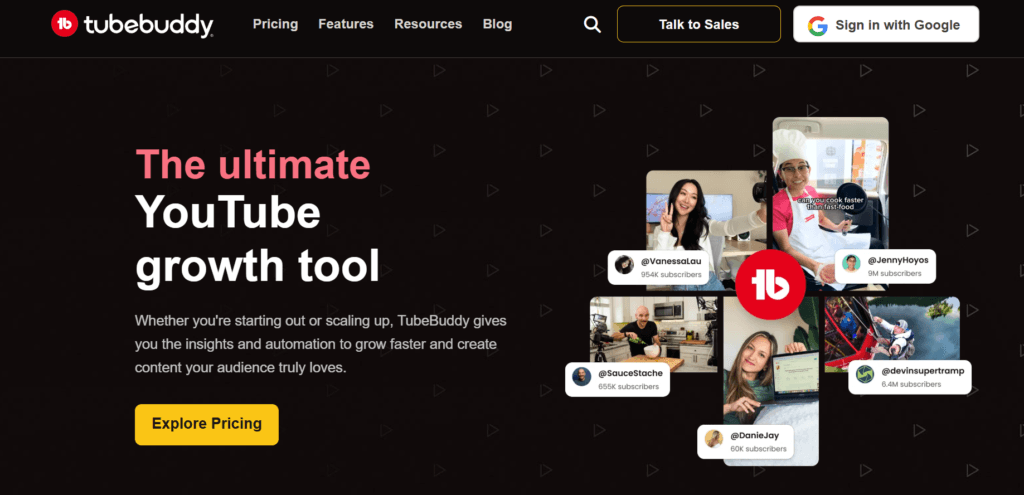
TubeBuddy is a YouTube-focused browser extension that overlays AI-powered insights directly onto YouTube pages as you browse. It includes tag recommendations, thumbnail A/B testing, SEO scorecards for videos, and competitor analysis summaries.
For marketing teams that manage YouTube channels and want AI assistance baked into their day-to-day content workflow, TubeBuddy reduces the friction of optimisation decisions. Like VidIQ, it is better suited for content management than raw data collection.
Best for: In-platform YouTube content optimisation for teams managing active brand or client channels.
5. Brandwatch
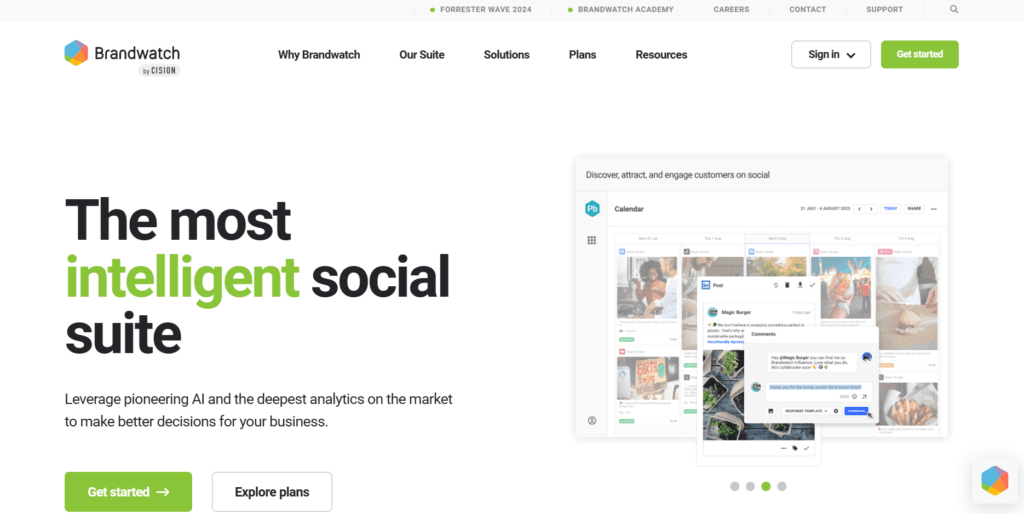
Brandwatch is a social listening platform that includes YouTube comments and video monitoring as part of its broader data coverage. Its AI-powered sentiment analysis and trend detection tools can process large volumes of YouTube comment data to surface audience themes, emerging topics, and brand perception signals.
For marketers running brand tracking or audience research programs, Brandwatch provides a way to make sense of YouTube comment data at a scale that manual analysis cannot match.
Best for: Brand monitoring, sentiment analysis, and audience research using YouTube comment data.
How to Build a YouTube Data Workflow That Actually Gets Used
The biggest reason marketing teams fail to get value from a YouTube data scraper is not the tool itself. It is the absence of a structured workflow around it. Data collected once and then left in a spreadsheet is not competitive intelligence. It is noise.
Here is a repeatable workflow framework that makes YouTube data extraction a genuine marketing asset:
Define the question before you collect. Start every extraction with a clear question. You might want to understand which content formats drive the most engagement, evaluate potential creator partners, or audit a client’s channel before building a strategy. Ultimately, your objective determines what data you need, where to source it from, and how often to collect it.
Standardise your data structure. Use consistent column names, date formats, and URL conventions across every sheet where YouTube data lands. This makes it far easier to compare data pulled at different times and to connect YouTube data with other marketing data sources. Tools like the Marketing Data Extractor help here because the output lands in clean, named columns every time without any manual formatting.
Set a collection cadence and stick to it. Ad hoc data collection produces ad hoc insights. For ongoing competitive monitoring, a weekly extraction cadence on a fixed day gives you a consistent baseline for comparison. For influencer vetting, extract once per campaign cycle and archive the output.
Document your sources. Note which tool you used, when you extracted, and what inputs you provided. When a number looks surprising in three months, you will want to know exactly how it was collected.
Connect data to decisions. Every YouTube data report should end with a specific action or recommendation. If you cannot articulate what the data suggests you do differently, it has not been analysed deeply enough. This is where pairing your YouTube Data Extractor output with an AI tool like Claude adds the most value, turning raw numbers into concrete strategic guidance.
Choosing the Right YouTube Data Scraper for Your Team
The right tool depends on what your team actually needs to accomplish:
For teams working primarily in Google Sheets, a fast, no-code solution like the Smacient YouTube Data Extractor is ideal. It pulls data from YouTube channels and videos directly into Sheets and also supports Instagram, TikTok, Google Maps, and Meta Ads, eliminating the need for multiple tools.
For recurring, scheduled scraping with multi-step automation, PhantomBuster is a strong fit.
Enterprise teams with large-scale data needs and limited interest in managing scraping infrastructure should consider Bright Data’s dataset products.
Meanwhile, for YouTube SEO and keyword tracking, rather than channel or video data, SerpApi is well-suited to the task.
Legal Considerations When Using a YouTube Data Scraper
YouTube data scrapers collect publicly available information, the same data visible to anyone browsing the platform without an account. For most marketing research purposes, this falls within acceptable use. That said, there are practical boundaries to observe.
YouTube’s Terms of Service restrict automated access that places undue load on its infrastructure. Using a scraper that makes rapid, high-volume requests from a single IP address creates a risk of rate limiting or blocking. Reputable scraping tools handle this through request pacing, proxy infrastructure, or managed data services.
The data you collect should be used for internal analysis and decision-making rather than redistribution or resale. Comment data in particular contains personal information that falls under privacy regulations in many regions. Always ensure your data practices align with GDPR, PDPA, or the applicable framework for your market.
Related Blog Topics
- How to Scrape Instagram Data into Google Sheets (No Code)?
- How to Extract Google Maps Reviews: 5 Methods
- How to Extract Amazon Reviews: 5 Methods
- 6 Tools to Extract Quick Commerce Data When There Is No Official API
- Peec AI Alternatives: The Best Tools for AI Visibility in 2026
Frequently Asked Questions
A YouTube data scraper is a tool that automatically collects publicly available data from YouTube channels, videos, and comments and exports it into a structured format like a spreadsheet or CSV.
No, many modern YouTube scrapers are designed for non-technical users and require no coding, API keys, or developer setup to get started.
Depending on the tool, you can typically extract channel subscriber counts, video view counts, like and comment counts, upload dates, video titles, descriptions, tags, and individual comment text.
Scraping publicly visible YouTube data for internal marketing research is generally permissible, but you should follow YouTube’s Terms of Service, avoid overwhelming platform infrastructure, and comply with applicable data privacy laws in your region.
The YouTube Data API requires a Google Cloud account, OAuth credentials, and coding knowledge to use, while a dedicated YouTube scraper tool is designed for marketers to use without any technical setup.