
Short-form video continues to dominate social media, and for good reason! For brands, creators, agencies, and startups, this presents both an opportunity and a challenge.
Audiences want more video content than ever before, but creating a steady stream of high-quality videos can quickly become time-consuming and expensive. From brainstorming ideas and writing scripts to editing clips and adding captions, the process can feel overwhelming when you’re trying to publish consistently.
With AI, the tasks that once took hours can now be completed in minutes. AI can help generate scripts, edit footage, create voiceovers, add captions, build digital avatars, and even turn a simple prompt into a finished video.
The latest generation of AI short-form video tools can help marketers create weeks of content in hours instead of days. But with so many options available, which tools are actually worth your time?
In this guide, we’ll compare the best AI tools for short-form video creation in 2026, explore their video creation in 2026, explore their standout features, and help you find the right platform for your content goals.
How We Evaluated These AI Short-Form Video Tools
| Evaluation Criteria | Why It Matters |
| Ease of Use | A simple interface helps creators produce content faster without a steep learning curve. |
| AI Editing Capabilities | The ability to automate cuts, transitions, scene selection, and video enhancements. |
| Caption Generation | Accurate, customizable captions are essential for engagement and accessibility. |
| Video Generation Quality | The overall quality, realism, and consistency of AI-generated videos. |
| Avatars & Voice Features | Useful for creating presenter-style videos without appearing on camera. |
| Repurposing Workflows | How effectively the tool converts long-form content into short-form clips. |
| Pricing | Whether the platform delivers good value for individuals, teams, and businesses. |
| Best Use Cases | The specific content creation scenarios where the tool performs best. |
Best AI Tools for Short-Form Video Creation in 2026
| Tool Name | Best For | Repurposing | Difficulty |
| Opus Clip | Podcasts | Excellent | Easy |
| Descript | Editors | Good | Easy |
| LTX Studio | Storytelling | Good | Medium |
| Synthesia | Training | Limited | Easy |
| Runway | Creative teams | Moderate | Advanced |
| Pika | Social clips | Moderate | Easy |
| HeyGen | Marketing videos | Good | Easy |
| InVideo AI | General use | Good | Easy |
Table of Contents
| 1. Opus Clip |
| 2. Descript |
| 3. LTX Studio |
| 4. Synthesia |
| 5. Runway |
| 6. Pika |
| 7. HeyGen |
| 8. InVideo AI |
1. Opus Clip
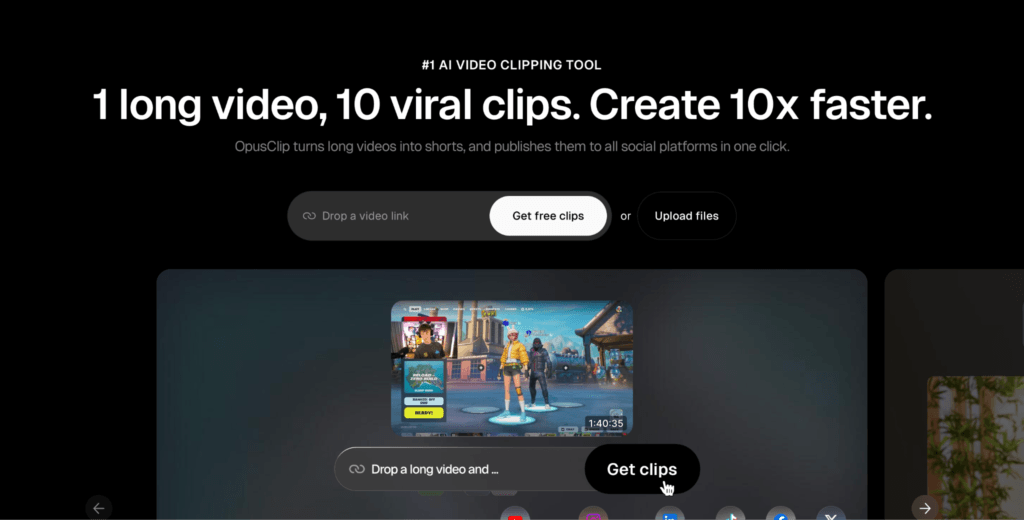
If you’re creating podcasts, webinars, interviews, or long-form YouTube content, Opus Clip can automatically find the most engaging moments and turn them into ready-to-publish short videos in minutes.
Key-Features:
- Podcast & Webinar Clipping: Automatically identifies highlight-worthy moments from long videos.
- AI Virality Scoring: Predicts which clips have the highest potential for engagement.
- Auto Reframing: Keeps speakers and important elements centered in vertical formats.
- Auto Captions: Generates accurate, social-media-friendly subtitles automatically.
- Content Repurposing: Converts a single long video into multiple short-form clips for different platforms.
Pros:
- Fast and highly automated workflow.
- Excellent for repurposing existing content.
- User-friendly and beginner-friendly.
- Saves significant editing time.
Cons:
- Limited manual editing compared to professional editors.
- AI-selected clips may occasionally need refinement.
- Not designed for generating videos from scratch.
Review: Opus Clip is one of the best AI short-form video tools for creators, marketers, and businesses that regularly produce long-form content. If your goal is to turn one podcast or webinar into dozens of social clips, Opus Clip is hard to beat.
2. Descript
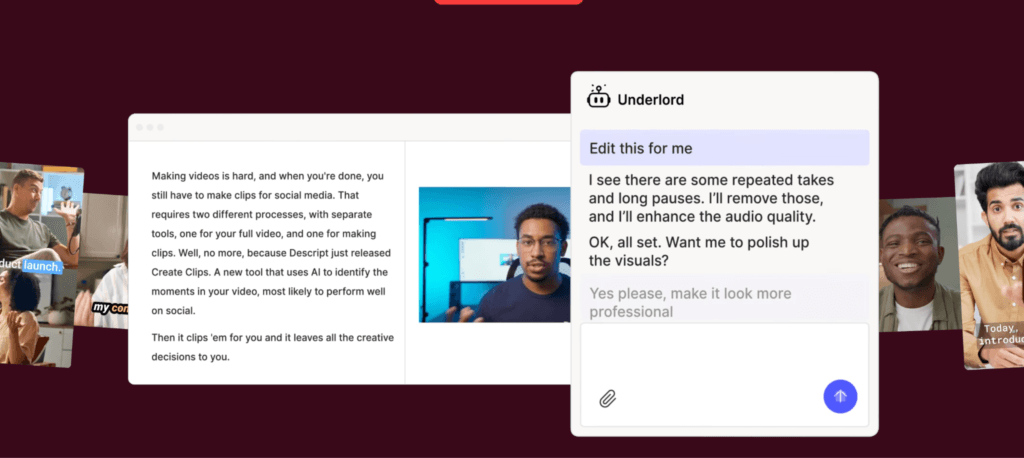
Traditional video editing can feel overwhelming, especially if you’re not an experienced editor. Descript takes a completely different approach by letting you edit videos and podcasts simply by editing text. If you can edit a Word document, you can edit a video in Descript.
Key Features:
- Text-Based Editing: Edit video and audio by deleting or modifying text in the transcript.
- Filler Word Removal: Automatically removes “ums,” “uhs,” and awkward pauses within a single click.
- AI Voice Correction: Fix mistakes and update recordings using AI-generated voice clones.
- Podcast Workflows: Design specifically for podcast recording, editing, and publishing.
- Screen Recording: Record tutorials, demos, presentations, and walkthrough videos directly within the platform.
Pros:
- Extremely beginner-friendly editing experiences.
- Saves hours on podcast and interview editing.
- Excellent transcription accuracy.
- Powerful AI tools for cleaning up recordings.
- Great for content creators, educators, and marketers.
Cons:
- Advanced video editing options are limited.
- AI voice features may require additional setup.
- Can feel less flexible than traditional editing software for complex projects.
Review: For creators who want professional-looking videos without learning traditional editing software, Descript is an excellent choice. Its text-based workflow makes it incredibly easy to edit podcasts, interviews, webinars, and talking-head content.
3. LTX Studio
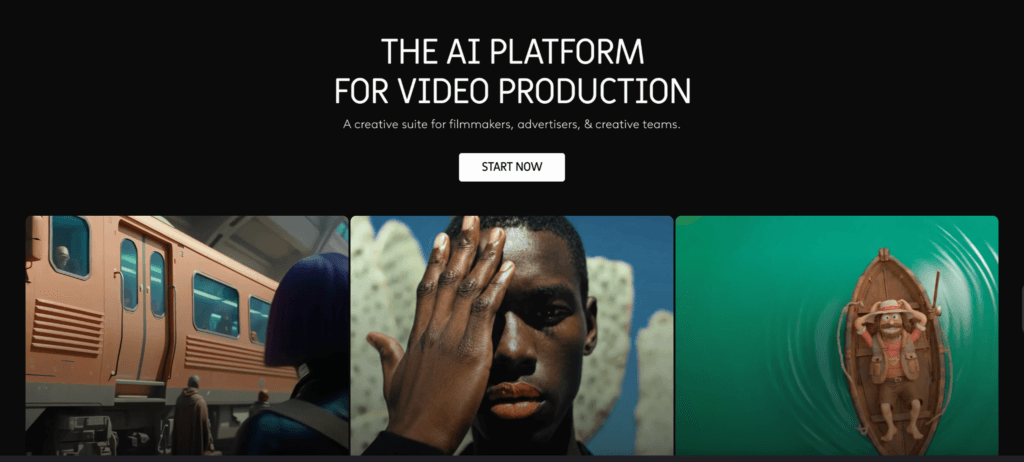
As AI video creation evolves beyond simple editing, platforms like LTX Studio are changing how videos are planned, produced, and scaled. Instead of starting with footage, creators can start with an idea, script, or prompt and turn it into a complete visual story.
Key Features:
- Script-to-Video Workflows: Transform ideas and scripts into structured video projects with AI assistance.
- Scene Generation: Automatically generates scenes based on story context and creative direction.
- Character Consistency: Maintains consistent characters and visual elements across multiple scenes.
- AI Storyboarding: Creates visual storyboards that help plan and refine content before production.
- Multi-Platform Video Production: Develop content that can be adapted for YouTube, Meta, TikTok, and other social platforms.
Pros:
- Excellent for storytelling-driven content.
- Reduces the time required for video planning and pre-production.
- Strong character and scene consistency.
- Great for creators, marketers, and creative teams.
- Helps generate multiple content concepts quickly.
Cons:
- Requires creative direction for the best results.
- Learning curve is slightly higher than simple AI editors.
- Not primarily designed for clipping existing videos.
Review: LTX Studio stands out from many AI short-form video tools because it focuses on the entire creative process, not just editing. If tools like Opus Clip help repurpose existing content, LTX Studio helps generate new content from the ground up.
4. Synthesia
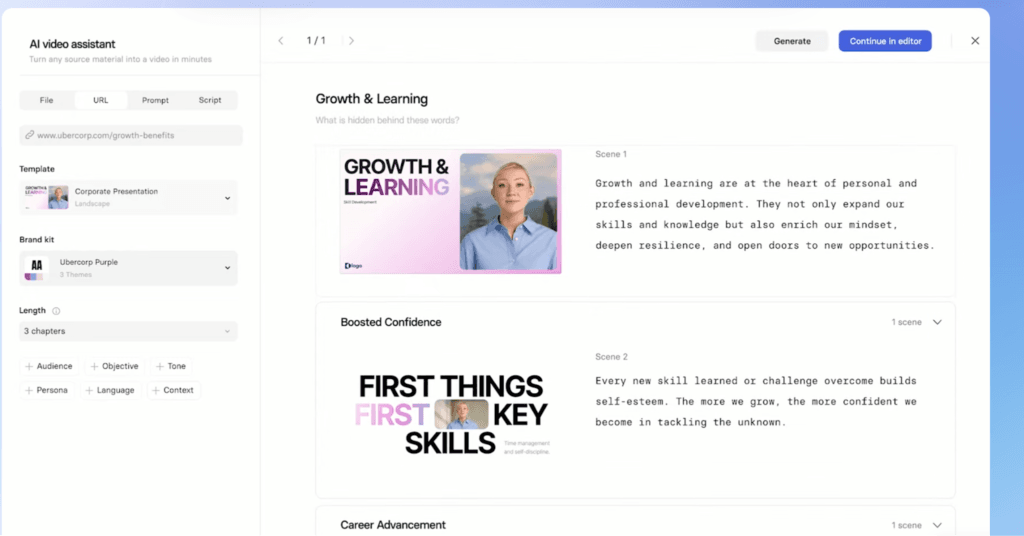
Not every business has the time, budget, or resources to record videos with real presenters. That’s where Synthesia comes in. The platform allows you to create professional-looking videos using AI avatars that can deliver your script naturally, making it a popular choice for training, education, internal communications, and product marketing.
Key Features:
- AI Presenters: Choose from a wide range of realistic AI avatars to present your content.
- Training Content Creation: Build onboarding, compliance, and educational videos without filming.
- Product Explainers: Create professional product walkthroughs and feature demonstrations quickly.
- Multiple Languages: Generate videos in numerous languages and accents to reach global audiences.
- Custom Branding: Add logos, brand colors, and visual elements to maintain consistency.
Pros:
- No cameras, studios, or presenters required.
- Fast and cost-effective video production.
- Excellent multilingual capabilities.
- Ideal for training and corporate communications.
- Beginner-friendly interface.
Cons:
- Avatar-based videos may feel less personal than real human presenters.
- Limited creative flexibility compared to traditional video production.
- Best suited for informational content rather than highly dynamic social content.
Review: If your goal is to create polished videos without appearing on camera, Synthesia is one of the strongest options available in 2026. Its realistic AI avatars, multilingual support, and streamlined workflow make it especially valuable for training materials, product explainers, and educational content.
5. Runway
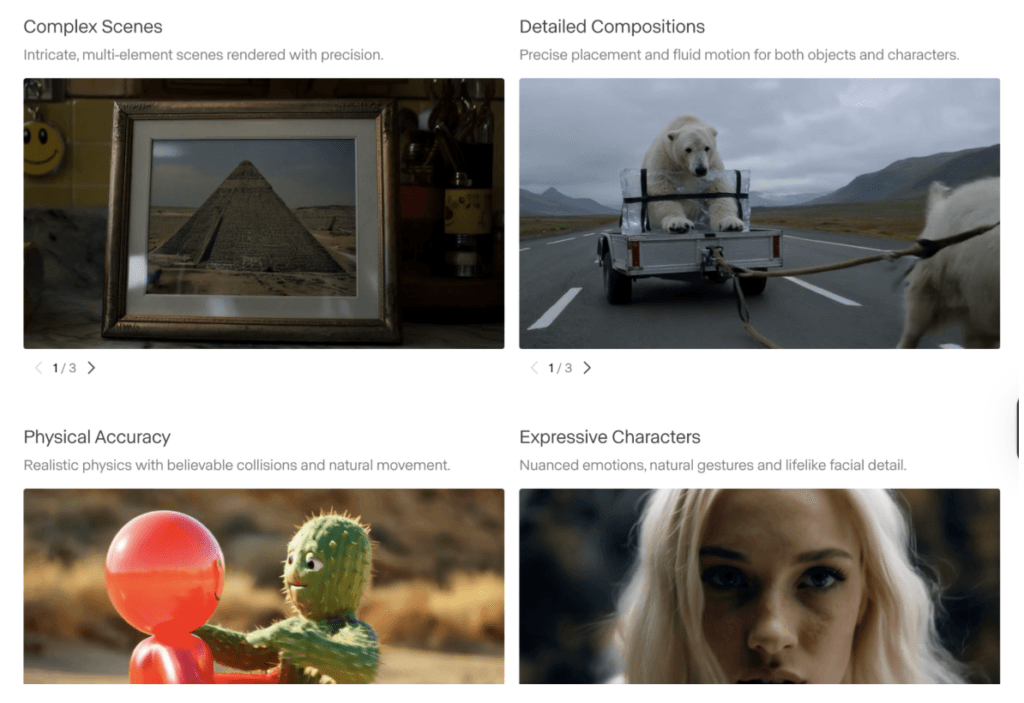
If you’re looking to create videos from scratch rather than edit existing footage, Runway is one of the most powerful tools available today. Known for pushing the boundaries of generative AI, Runway allows creators to generate cinematic videos from text prompts, images, and creative concepts, making it a favorite.
Key Features:
- Text-to-Video Generation: Turn simple text prompts into fully generated video sequences.
- Image-to-Video Creation: Animate static images and transform them into dynamic video content.
- Motion Controls: Fine-tune camera movement, subject motion, and scene dynamics for greater creative control.
- Creative Storytelling Tools: Build visually engaging narratives without traditional filming or production.
- AI-Powered Visual Effects: Enhance videos with advanced generative editing and creative effects.
Pros:
- Exceptional video generation quality.
- Powerful creative control compared to many AI video platforms.
- Ideal for storytelling, advertising, and concept creation.
- Continuously evolving with new AI capabilities.
- Useful for both short-form and long-form content.
Cons:
- Higher learning curve than beginner-focused tools.
- Generated outputs may require experimentation and refinement.
- Premium features can become costly for heavy users.
Review: Runway is one of the most impressive AI short-form video tools for creators who want to move beyond simple editing and into true AI-powered video generation. Its text-to-video and image-to-video capabilities open up entirely new creative possibilities.
6. Pika
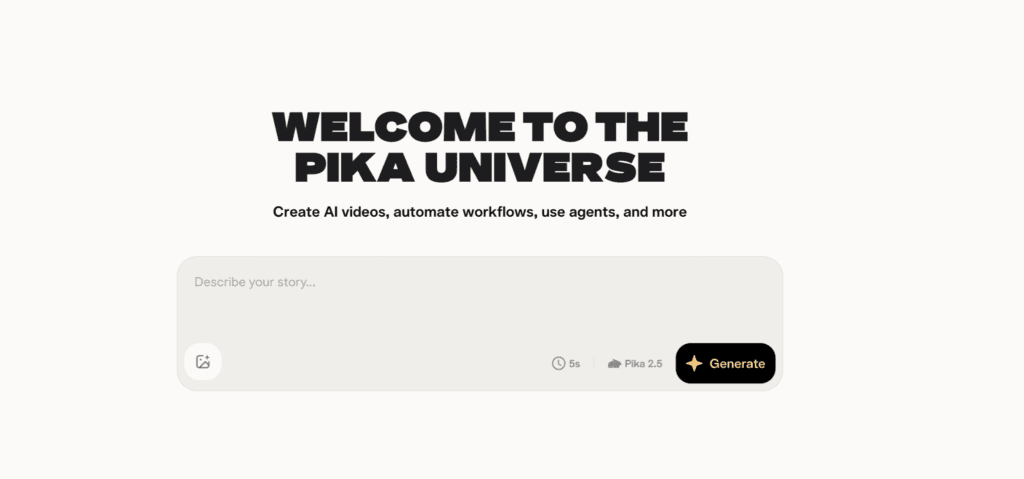
Sometimes you don’t need a full production workflow; you just need a scroll-stopping video fast. That’s where Pika shines. Designed for speed and simplicity, Pika helps creators generate short videos from text prompts and images, making it an excellent choice for social media content, marketing campaigns, and creative experiments.
Key Features:
- Fast AI Clips: Generate short-form videos in minutes from simple prompts.
- Animation Tools: Bring static images, illustrations, and concepts to life with AI-powered animation.
- Product Visuals: Create engaging product showcases and promotional content without filming.
- Social-First Content: Designed for platforms like TikTok, Instagram Reels, and YouTube Shorts.
- Easy Prompt-Based Creation: Turn ideas into videos without advanced editing skills.
Pros:
- Extremely fast video creation process.
- Beginner-friendly interface.
- Great for social media marketers and creators.
- Useful for product marketing and promotional content.
- No complex editing experience required.
Cons:
- Less creative control than advanced platforms like Runway.
- Generated videos may need multiple iterations for the best results.
- Better suited for short-form content than complex storytelling projects.
Review: If your goal is to create quick, eye-catching content for social media, Pika is a strong choice. Its focus on speed, simplicity, and social-first content makes it ideal for those who need engaging videos without investing significant time in production.
7. HeyGen
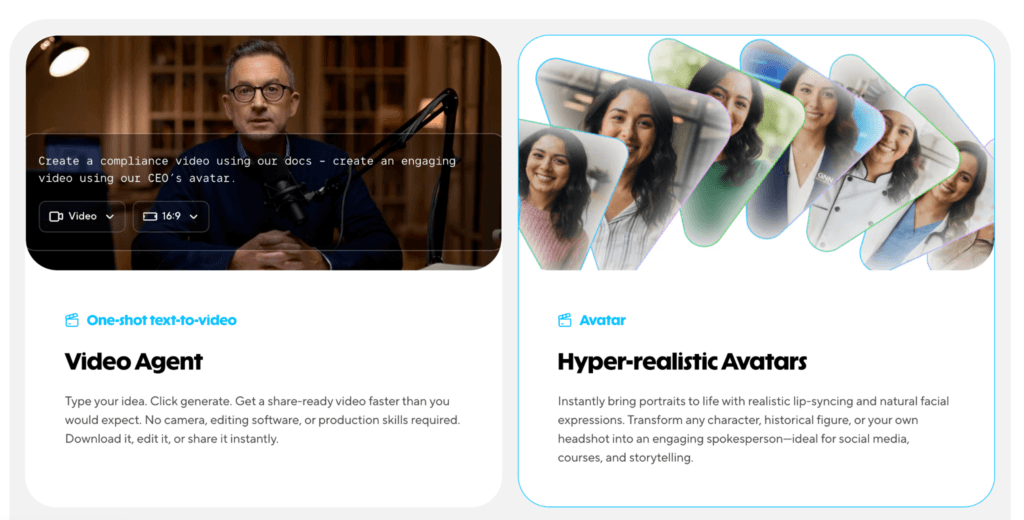
Creating personalized videos at scale used to require a lot of recording, editing, and production effort. HeyGen simplifies the process with AI avatars, realistic voice generation, and localization features that help businesses create professional videos for marketing, sales, training, and customer communication.
Key Features:
- AI Avatars: Create presenter-style videos using realistic AI-generated avatars.
- Advanced Lip Sync: Delivers natural-looking speech and facial movements for more engaging videos.
- Localization Tools: Translate and adapt videos into multiple languages while maintaining a natural presentation.
- Sales Outreach Videos: Create personalized video messages for prospects, customers, and lead-generation campaigns.
- Custom Avatar Creation: Build branded avatars for a more personalized and consistent experience.
Pros:
- Excellent for personalized marketing and outreach.
- Strong multilingual and localization capabilities.
- High-quality avatar and lip-sync technology.
- Saves time compared to traditional video production.
- Easy for non-technical users to get started.
Cons:
- Avatar-based videos may not suit every content style.
- Advanced customization features may require higher-tier plans.
- Less suitable for highly cinematic or creative storytelling projects.
Review: HeyGen’s combination of AI avatars, realistic lip sync, and powerful localization features makes it easy to create personalized videos for different audiences without recording multiple versions. For teams looking to scale video outreach and global communication, HeyGen is a strong contender in 2026.
8. InVideo AI
If you want to go from an idea to a finished video without juggling multiple tools, InVideo AI is worth a look. The platform is designed to handle the entire video creation process, making it a popular choice.

Key Features:
- Prompt-to-Video Creation: Generate complete videos from a simple text prompt or idea.
- Stock Footage Integration: Access a large library of stock videos, images, and media assets directly within the platform.
- AI Voiceovers: Create professional voiceovers in multiple voices, accents, and languages.
- Social Media Workflows: Quickly generate videos optimized for TikTok, Instagram Reels, YouTube Shorts, LinkedIn, and other platforms.
- Automated Video Assembly: AI handles scene selection, visuals, transitions, and timing.
Pros:
- Complete video creation workflow in one platform.
- Beginner-friendly and easy to use.
- Large stock media library reduces production costs.
- Fast content creation for social media marketing.
- Good balance between automation and customization.
Cons:
- Generated videos may require some manual refinement.
- Less creative control than advanced editing tools.
- Output quality can vary depending on prompt quality.
Review: InVideo AI is one of the most versatile AI short-form video tools available in 2026 because it covers the entire content creation process from start to finish. For those looking to produce content quickly and consistently, InVideo AI delivers an impressive all-in-one solution.
Which AI Short Form Video Tool is Right for You?
| User Type | Recommended Tool |
| Content Creators | Opus Clip, Pika, Runway |
| Marketers | InVideo AI, HeyGen, Opus Clip |
| Agencies | LTX Studio, Runway, InVideo AI |
| Educators & Trainers | Synthesia, Descript |
| Podcast Creators | Opus Clip, Descript |
| Startups | InVideo AI, HeyGen, LTX Studio |
The best AI short-form video tools are no longer just editing assistants. In 2026, they function as complete production systems that help creators, marketers, and brands generate, edit, personalize, and distribute video content at scale. Choosing the right tool depends on whether your priority is repurposing content, generating videos from scratch, creating avatar-based videos, or scaling social media production.
Looking to stay ahead in the AI era? Explore our latest blogs covering practical AI tools:
- 9 AI Content Repurposing Tools Every Marketer Should Use in 2026
- Best AI Avatar Generators in 2026
- Best Alternatives to Peec AI for AI Visibility in 2026
FAQs
The amount depends on the tool and your workflow, but many creators can turn a single long-form video into multiple short clips or generate weeks of social content in just a few hours.
For routine editing, repurposing, and social media content, AI tools can handle much of the work. However, complex storytelling, advanced effects, and high-end production may still benefit from professional editing expertise.
Yes. Many creators combine tools to streamline their workflow for final video assembly.
Several platforms, including Descript, Synthesia, HeyGen, and LTX Studio, offer collaboration features that help teams review, edit, and manage content together.
Disclosure – This post contains some sponsored links and some affiliate links, and we may earn a commission when you click on the links, at no additional cost to you.