Keyword research has always been one of the most important parts of SEO and digital marketing. However, the traditional process can be slow and repetitive.
This is exactly where a keyword planner MCP comes in.
MCP (Model Context Protocol) servers allow AI assistants to connect directly to external tools and data sources. Instead of relying solely on static information, marketers can use these connections to access search volume data, cost-per-click (CPC) metrics, keyword suggestions, competitor insights, and search engine results within their AI workflows.
In this guide, we’ll compare the best keyword research MCP servers, so you can find the right solution for your workflow.
Quick Answer
If you’re short on time:
| Tool | Best for | Starts at |
| Smacient’s GKP Connector | Keyword research and CPC analysis | Custom pricing |
| Tavily MCP | Trend analysis and competitor research | Free |
| DataForSEO MCP | Enterprise SEO workflows | API pricing |
| Ahrefs MCP | Backlink and competitor analysis | Paid |
| Semrush MCP | End-to-end SEO workflows | Paid |
| SerpAPI MCP | SERP monitoring | API pricing |
| Keywords Everywhere MCP | Budget-friendly keyword research | Low cost |
How We Ranked These Keyword Research MCP Servers
Here’s what we considered when ranking these keyword research MCP servers.
Keyword Data Freshness
We looked at how frequently each platform updates its keyword database and whether users have access to fresh or near-real-time information.
Search Volume Accuracy
We evaluated how accurately each MCP server estimates monthly search volume and identifies emerging trends.
Cost-Per-Click (CPC) Data
CPC data provides valuable insights into keyword competitiveness and commercial intent. Naturally, tools offering more detailed advertising metrics scored higher.
AI Compatibility
Since this article focuses on keyword planner MCP solutions, we examined how well each tool works with Claude and other AI-powered workflows, including the availability of dedicated Claude Connectors where applicable.
Documentation and Ease of Setup
We gave preference to platforms that provide clear documentation, detailed tutorials, and a straightforward installation process.
Pricing
We looked at the overall value each platform offers rather than focusing solely on the price tag.
API Reliability and Performance
To ensure a smooth experience, we evaluated uptime, response times, scalability, and overall reliability.
Marketing Workflow Support
We explored how well each MCP server supports common tasks such as keyword clustering, competitor research, content planning, search intent analysis, PPC campaign management, and SEO reporting.
What is a Keyword Planner MCP?
MCP, short for Model Context Protocol, is a framework that allows AI assistants such as Claude to connect directly to external tools, databases, and applications. Instead of relying solely on the information they were trained on, these AI systems can access fresh external data and information when connected to the appropriate tools.
A keyword planner MCP works in a similar way.
Rather than switching between your AI assistant, keyword research platforms, spreadsheets, and reporting dashboards, an MCP server allows all these tools to work together. Your AI assistant can pull keyword ideas, analyze search volumes, examine cost-per-click (CPC) data, identify trends, group related topics, and even generate content briefs from a single interface.
Without a keyword planner MCP, your workflow might look something like this:
- Open Claude.
- Generate keyword ideas.
- Open another keyword research platform.
- Search for volumes and competition data.
- Copy the results into a spreadsheet.
- Repeat the process.
With a keyword planner MCP or Claude Connector, the process becomes much simpler:
- Open Claude.
- Connect your MCP server or Claude Connector.
- Retrieve keyword data.
- Analyze trends and search intent.
- Generate clusters, reports, and content ideas.
The result is a faster, more efficient workflow that gives marketers more time to focus on strategy instead of repetitive tasks.
Comparison Table of Best Keyword Research MCP Servers: Compared and Ranked
| MCP Server | Primary Capability | Setup Difficulty | Pricing |
| Smacient’s GKP Connector | Search volume, CPC data, and keyword discovery | Easy | Custom pricing |
| Tavily MCP | Real-time web research and trend analysis | Moderate | Free and paid plans |
| DataForSEO MCP | Large-scale SEO data and automation | Moderate | Usage-based pricing |
| Ahrefs MCP | Backlink analysis and competitor research | Easy | Paid plans |
| Semrush MCP | SEO, content marketing, and PPC management | Easy | Paid plans |
| SerpAPI MCP | Live SERP monitoring and search intelligence | Moderate | Usage-based pricing |
| Keywords Everywhere MCP | Budget-friendly keyword research | Easy | Credit-based pricing |
Best Keyword Research MCP Servers: Compared and Ranked
| Table of Contents |
| 1. Smacient’s GKP Connector |
| 2. Tavily MCP |
| 3. DataForSEO MCP |
| 4. Ahrefs MCP |
| 5. Semrush MCP |
| 6. SerpAPI MCP |
| 7. Keywords Everywhere MCP |
1. Smacient’s GKP Connector
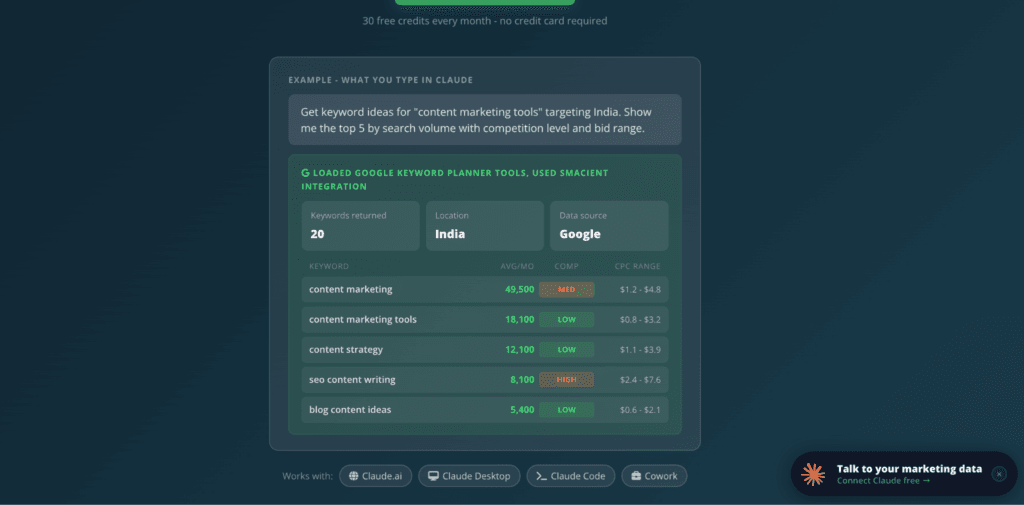
Smacient’s GKP Connector brings Google’s keyword data directly into Claude, allowing marketers to access keyword ideas, search volume data, competition metrics, cost-per-click (CPC) estimates, and historical trends without leaving the conversation window.
Instead of copying data back and forth, you can simply ask Claude a question and receive the information instantly.
Once the Claude Connector is connected, marketers can use natural language prompts to retrieve information, identify opportunities, build topic clusters, and generate content ideas much more efficiently.
Best For
- SEO specialists looking for accurate keyword insights.
- Content marketers creating topic clusters and content calendars.
- PPC teams monitoring competition levels and CPC data.
- Agencies handling multiple clients across different industries.
- Growth marketers searching for new opportunities.
Key Features
- You don’t need to set up your own Google Ads account or manage Google API credentials. Smacient handles the API connection, so you can access Google Keyword Planner data through Claude with a Smacient account.
- Direct Claude Connector integration that lets marketers conduct keyword research through natural language prompts without switching between platforms.
- Keyword ideas from seed terms or URLs that help marketers discover relevant search opportunities for specific topics, products, and pages.
- Monthly search volume, competition, and bid range estimates that give marketers the data needed to evaluate keyword demand and commercial intent.
- 24-Month Historical Search Trends that help identify seasonality and long-term changes in search demand.
- Location-based keyword research that lets marketers analyze demand across different countries and target markets.
- Support for multiple languages that makes keyword research more useful for international campaigns.
- Up to 100 keyword ideas per request for broader keyword discovery and content research.
- Natural language workflows that allow Claude to filter, compare, group, and analyze keyword data within the same conversation.
- 30 free credits every month that let users get started with keyword research without requiring a credit card.
Cons
- The connector is focused on Google Keyword Planner data rather than a full-suite SEO database.
- Advanced or higher-volume research may consume additional credits.
- Users unfamiliar with Claude connectors may need a little time to get comfortable with the setup.
Why Choose It
Smacient’s GKP Connector removes the most frustrating part of keyword research: moving data between Google Keyword Planner, spreadsheets, and your AI assistant.
With the Claude Connector, you can ask for keyword ideas, search volumes, competition levels, bid estimates, historical trends, and location-specific data directly within Claude. You don’t need a Google Ads account or separate API credentials, and you can continue analyzing the data in the same conversation.
If your goal is to bring reliable Google Keyword Planner data into an AI-powered workflow without adding another complicated platform to your stack, Smacient’s Claude Connector is a strong option.
2. Tavily MCP
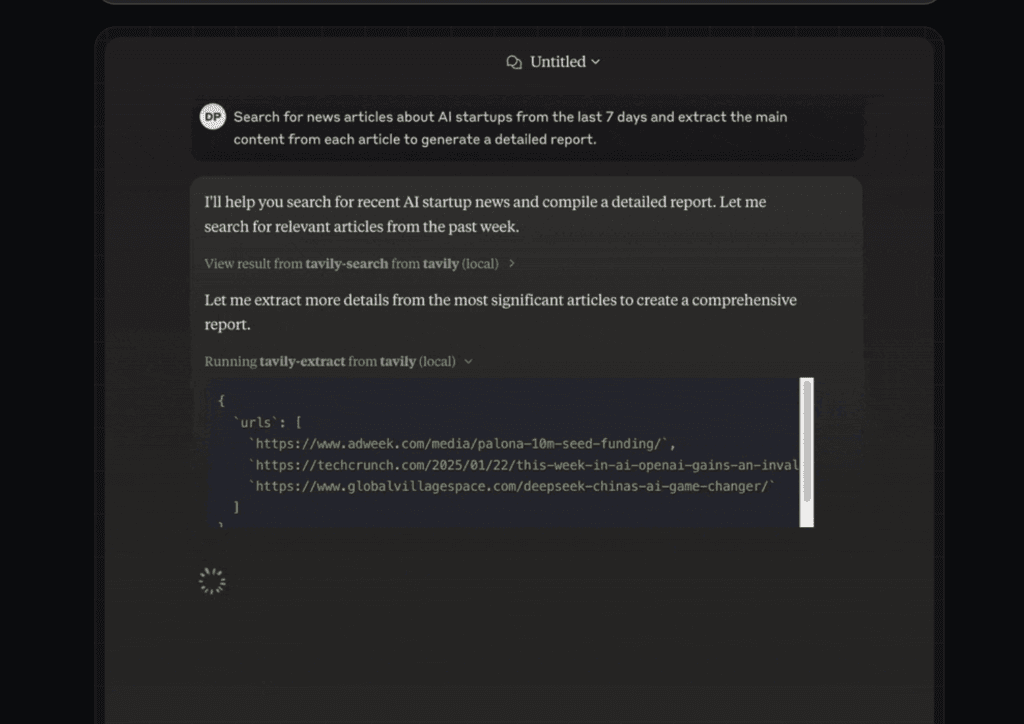
The Tavily MCP server allows AI assistants such as Claude to access Tavily’s advanced web search and extraction capability directly through natural language prompts. Rather than manually searching through dozens of websites, marketers can retrieve, organize, and analyze information from a single interface.
The platform supports both local installations and remote deployments, making it suitable for everyone. It also includes filtering capabilities, domain-specific searches, and intelligent content extraction features.
Best For
- Content marketers researching new topics.
- SEO specialists monitoring competitors.
- Growth marketers identifying emerging trends.
- Agencies managing multiple clients.
- Teams creating content briefs and topic clusters.
Key Features
- Direct integration with Claude that enables marketers to perform real-time web searches without leaving their existing workflows.
- Advanced search capabilities that help users discover trending topics, emerging keywords, and competitor content.
- Intelligent extraction tools that automatically retrieve and summarize information from web pages.
- Domain-specific search functionality that allows marketers to focus on trusted sources and specific websites.
- Remote and local deployment options that provide greater flexibility for different use cases.
- Support for multiple AI tools.
Cons
- Tavily focuses primarily on web intelligence rather than traditional keyword databases.
- Access to advanced features requires an API key or a paid plan.
- Users with highly specialized SEO requirements may still require additional tools.
Why Choose It
Tavily helps marketers by giving them access to live information from across the web. Instead of relying exclusively on historical keyword data, you can identify emerging topics, understand audience interests, monitor competitors, and create more relevant content.
If trend analysis, content research, and competitor monitoring are important parts of your workflow, Tavily MCP is undoubtedly worth considering.
3. DataForSEO MCP
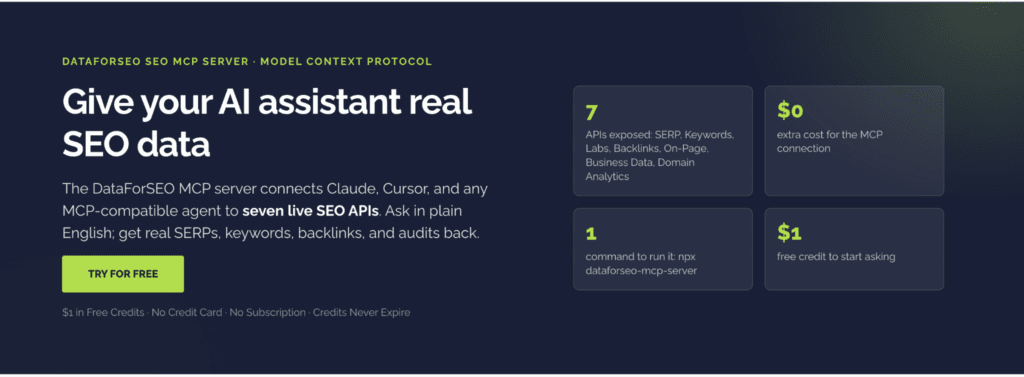
DataForSEO MCP acts as a bridge between AI assistants and DataforSEO’s extensive collection of APIs. Rather than moving between different dashboards, marketers can simply ask questions in natural language and receive detailed insights within seconds.
The platform currently provides access to seven major categories of SEO data:
- Keyword data
- SERP data
- Backlink data
- Domain analytics
- On-page SEO analysis
- Business data
- SEO Labs data
This makes DataForSEO one of the most comprehensive keyword research MCP solutions currently available.
Best For
- Technical SEO specialists.
- Enterprise organizations.
- Marketing agencies.
- Growth teams managing large datasets.
- Developers building custom workflows.
Key Features
- Direct integration with Claude and other AI assistants that allows users to retrieve live SEO information through simple prompts.
- Access to keyword databases that provide search volume estimates, competition metrics, and CPC information.
- Real-time SERP analysis capabilities that help marketers understand how search results change over time.
- Backlink analysis tools that simplify competitor research and domain analysis.
- Multi-engine support that allows users to collect information from different search platforms.
- Flexible deployment options that support local installations, cloud environments, and remote connections.
Cons
- The platform may feel overwhelming for complete beginners.
- Initial configuration requires slightly more technical knowledge than some competing tools.
- Heavy usage can quickly increase costs for larger organizations.
Why Choose It
Instead of providing a single dashboard with a limited number of reports, DataForSEO gives marketers access to an enormous ecosystem of live SEO data that can be combined in countless ways.
If flexibility, scalability, and data depth are your priorities, DataForSEO MCP is undoubtedly one of the strongest options available today.
4. Ahrefs MCP
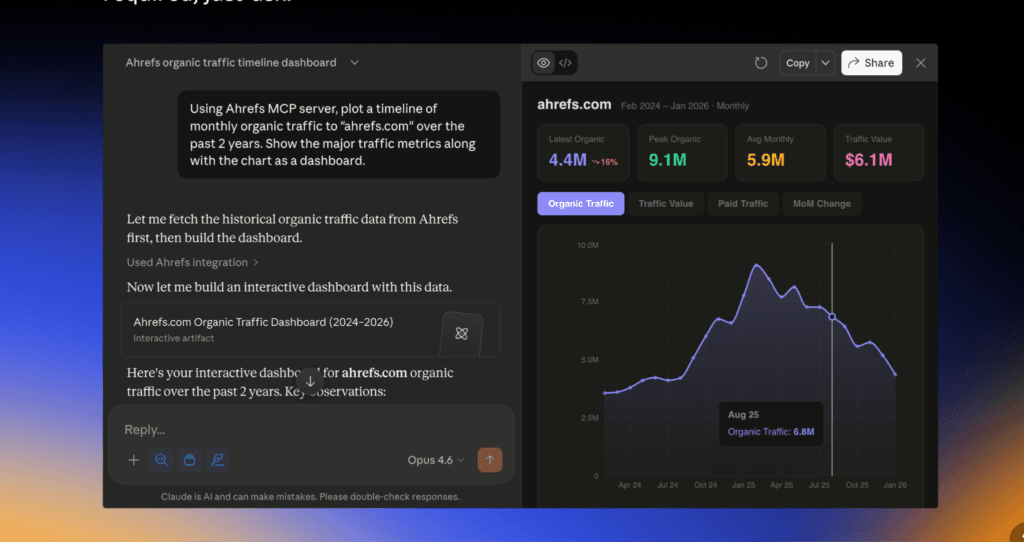
The Ahrefs MCP server connects AI assistants to Ahrefs’ vast collection of SEO data. Along with keyword research capabilities, the platform also offers detailed insights into backlinks, ranking difficulty, competitor strategies, and organic traffic trends.
This combination of keyword intelligence and competitor analysis makes the platform particularly attractive to agencies and experienced SEO professionals.
Best For
- SEO professionals managing multiple projects.
- Marketing agencies handling large accounts.
- Content marketers building long-term strategies.
- Businesses focused on organic growth.
- Teams performing extensive competitor analysis.
Key Features
- Direct integration with Claude that allows users to access Ahrefs data without leaving their existing workflow.
- Access to keyword metrics that provide valuable information about search volume, competition, and keyword difficulty.
- Backlink analysis capabilities that help marketers understand their competitors’ strategies.
- Site auditing tools that identify technical SEO opportunities and potential issues.
- Competitor research functionality that reveals valuable insights into traffic sources and ranking trends.
- Natural language interactions that simplify the research process.
Cons
- Subscription costs may be higher than those of some competing platforms.
- Beginners may find the sheer number of features slightly overwhelming at first.
- Certain advanced features require higher-tier plans.
Why Choose It
By combining keyword intelligence, backlink analysis, content research, and competitive insights in one place, Ahrefs gives marketers a much more complete picture of the search landscape.
If competitor research is a major part of your workflow, Ahrefs MCP is undoubtedly one of the strongest choices available.
5. Semrush MCP
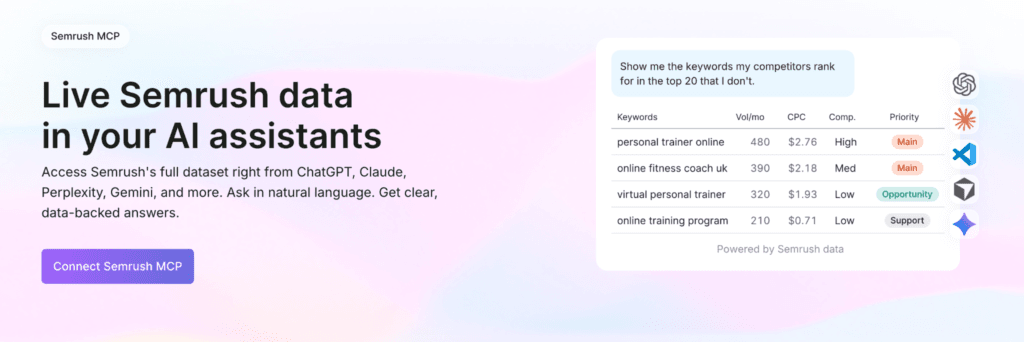
The Semrush MCP server allows AI assistants to access keyword data, domain analytics, backlink information, search trends, advertising metrics, and competitor insights through natural language prompts.
Because the platform combines multiple tools within a single ecosystem, marketers can move from keyword discovery to content creation and campaign analysis much more efficiently.
Best For
- SEO professionals and consultants.
- Marketing agencies working with multiple clients.
- Content marketing teams.
- PPC specialists.
- Businesses investing heavily in organic growth.
Key Features
- Direct integration with Claude that helps marketers retrieve valuable SEO insights without leaving their existing workflow.
- Access to search volume data that enables users to identify promising keyword opportunities.
- Competitor analysis capabilities that help businesses understand how other websites are performing.
- Backlink analysis tools that provide valuable insights into domain authority and link-building opportunities.
- Advertising research functionality that supports paid marketing campaigns.
- Site auditing features that help identify technical SEO issues and areas for improvement.
Cons
- Subscription costs may be difficult for smaller teams and individual marketers to justify.
- New users may need some time to explore and understand the platform’s extensive feature set.
- Certain advanced capabilities are restricted to higher-tier plans.
Why Choose It
Semrush brings keyword research, competitor analysis, content optimization, advertising insights, and reporting together within a single ecosystem.
As a result, marketers can spend less time managing tools and more time developing strategies that drive meaningful results.
6. SerpAPI MCP
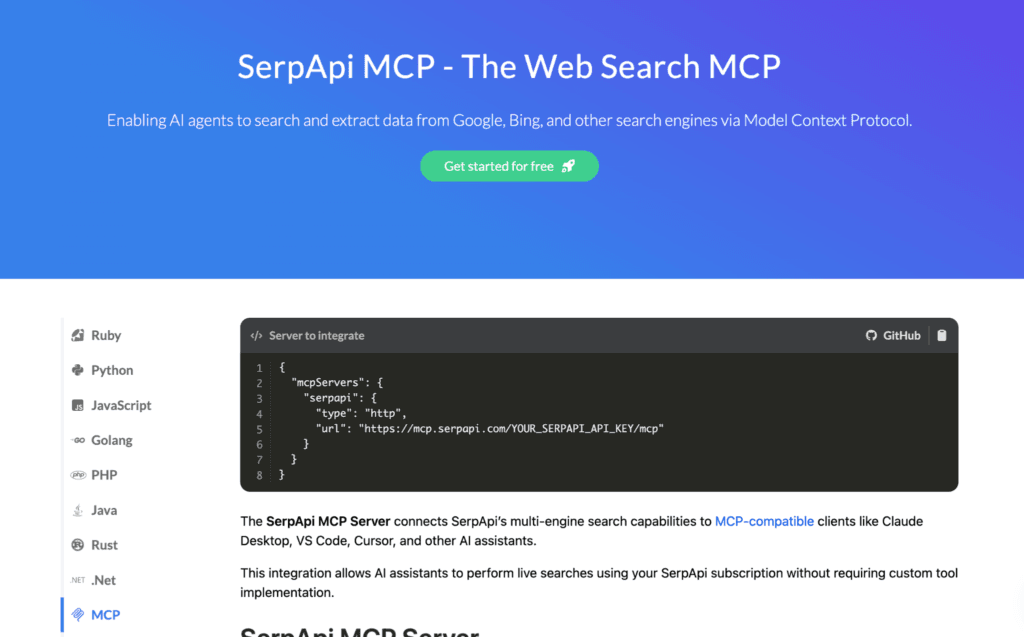
SerpAPI MCP gives AI assistants direct access to real-time search results from numerous search engines. The platform can retrieve organic search results, featured snippets, local search results, shopping data, images, news articles, and much more.
Because the platform works with so many search engines, marketers can gain a much broader understanding of search trends and user behavior.
Best For
- SEO specialists monitoring search results.
- Agencies conducting large-scale research.
- Content marketers analyzing competitors.
- Growth teams searching for emerging trends.
- Developers building custom workflows.
Key Features
- Direct integration with Claude that allows marketers to access search engine results in real time.
- Support for multiple search engines that helps users gather information from numerous sources simultaneously.
- Real-time SERP analysis capabilities that provide deeper insights into ranking patterns and competitor strategies.
- Structured JSON responses that simplify data analysis and automation.
- Flexible deployment options that support both cloud-based and self-hosted environments.
- Natural language interactions that eliminate the need for complicated search queries.
Cons
- Usage-based pricing may become expensive for larger teams.
- New users may need some time to understand the platform’s extensive capabilities.
- The large amount of available data can sometimes feel overwhelming.
Why Choose It
SerpAPI MCP gives marketers access to information without forcing them to jump from one platform to another. Instead of spending hours collecting data manually, you can simply ask questions and allow the platform to do the work for you.
If live search intelligence is an important part of your workflow, SerpAPI MCP is certainly worth considering.
7. Keywords Everywhere MCP
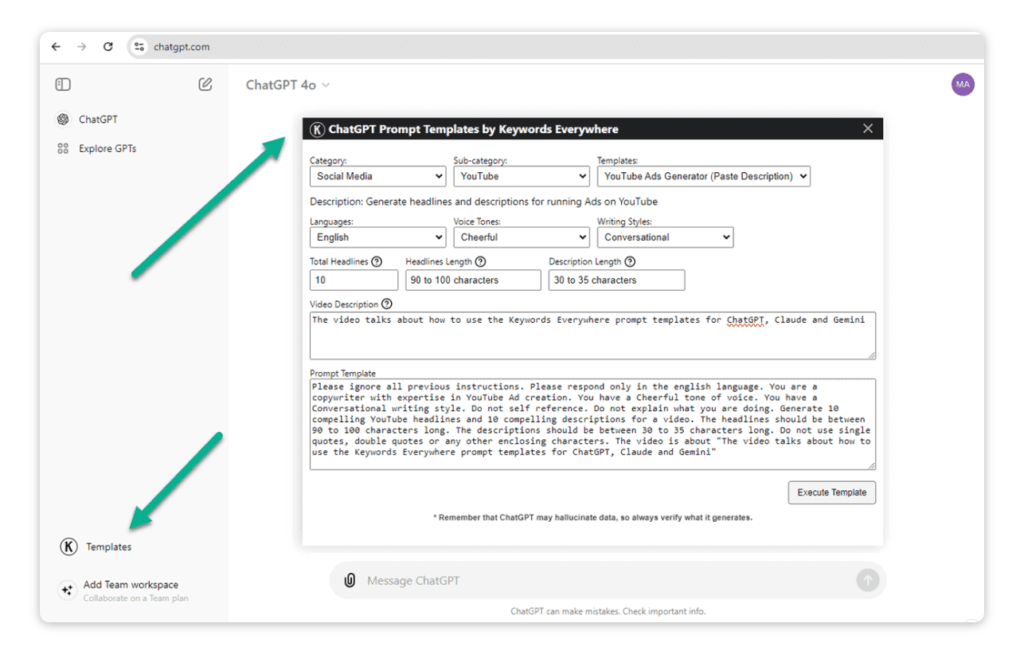
The Keywords Everywhere MCP server acts as a bridge between AI assistants and the platform’s keyword database. Once connected, your AI assistant can automatically retrieve search data, identify keyword opportunities, analyze competitors, estimate traffic, and uncover valuable insights without requiring additional code or complicated integrations.
Because the platform uses the same infrastructure as the company’s browser extension and API, existing users can quickly incorporate the MCP server into their workflows.
Best For
- Content marketers creating SEO strategies.
- Bloggers and creators searching for new content opportunities.
- SEO professionals conducting keyword research.
- Agencies managing multiple clients.
- Businesses working with limited budgets.
Key Features
- Direct integration with Claude, ChatGPT, and other AI tools that allows users to perform keyword research entirely through language prompts.
- Access to keyword metrics that provide search volume, competitor scores, CPC information, and monthly trend data.
- Keyword discovery functionality that helps marketers uncover related search terms and long-tail keyword opportunities.
- Domain analysis capabilities that reveal the keywords a website currently ranks for.
- Backlink analysis features that help marketers evaluate the strength of competing websites.
Cons
- Credit consumption can increase quickly during large-scale research projects.
- Advanced enterprise features are more limited than those offered by some larger platforms.
- Users may still need additional tools for extensive technical SEO analysis.
Why Choose It
The platform combines simplicity, affordability, and flexibility while providing access to many of the metrics marketers use every day. If you’re searching for a budget-friendly keyword planner MCP, Keywords Everywhere is certainly worth considering.
Which Keyword Planner MCP Should You Choose?
| If you want… | Choose… | Why? |
| Access Google Keyword Planner data directly within Claude | Smacient’s GKP Connector | It provides direct access to search volumes, competition metrics, CPC data, and keyword suggestions within Claude. |
| Discover trends and analyze live information from across the web | Tavily MCP | It gives marketers access to real-time web research capabilities directly within Claude. |
| Build highly customized SEO workflows | DataforSEO MCP | It offers extensive APIs, advanced analytics, and flexible deployment options. |
| Conduct in-depth competitor and backlink analysis | Ahrefs MCP | It provides access to one of the largest backlink databases in the industry. |
| Manage SEO, content marketing, and paid advertising campaigns from a single platform | Semrush MCP | It combines multiple marketing tools within one ecosystem. |
| Monitor search results across numerous platforms | SerpAPI MCP | It delivers real-time search engine data and powerful automation capabilities. |
| Find affordable keyword data without investing in an enterprise platform | Keywords Everywhere MCP | It offers a straightforward, budget-friendly solution for everyday research tasks. |
How MCP Servers Improve AI Keyword Research
Here’s what a traditional workflow usually looks like:
Claude
↓
Keyword research tool
↓
Spreadsheet
↓
Manual analysis
↓
Content strategy
Now, here’s what an MCP-powered workflow looks like:
Claude
↓
MCP / Claude Connector
↓
Keyword data
↓
Topic clusters
↓
Content briefs
↓
SERP analysis
↓
Reports
Keyword research has evolved considerably over the past few years, and MCP servers are accelerating that transformation even further.
Instead of switching endlessly between AI assistants, spreadsheets, keyword tools, and reporting platforms, marketers can now bring everything together within a single workflow. A keyword planner MCP or Claude Connector can dramatically reduce the amount of manual work involved.
The right keyword research MCP depends on what you need from your workflow. Some platforms are better for large-scale SEO data, others for SERP monitoring or competitor research, while Smacient’s Claude Connector is particularly useful for marketers who want Google Keyword Planner data directly inside Claude.
Rather than choosing the platform with the longest feature list, focus on the data you need, the workflow you want to build, and how easily the tool fits into your existing marketing process.
You can also explore our other guides to learn how marketers are using AI-powered workflows:
- Connect Google Keyword Planner to Claude (Step-by-Step)
- How to Use Claude for Automated Weekly Marketing Reports
- Best MCP Servers for Marketers
- The End-to-End Model Context Protocol (MCP) Guide for Marketers
FAQs
No. Smacient’s GKP Connector does not require you to maintain your own Google Ads account or API credentials. You can create a Smacient account, connect the Claude Connector, and access Google Keyword Planner data directly through Claude.
You can connect Smacient’s GKP Connector by creating a Smacient account, copying your personal MCP connector URL, and adding it under Settings → Connectors → Add custom connector in Claude.ai. After authorizing your Smacient account, you can ask Claude for keyword ideas, search volumes, competition data, and historical trends using natural language.
Yes. Once Smacient’s GKP Connector is connected, you can request keyword data using plain-English prompts instead of writing code or manually working with the Google Keyword Planner API.
Smacient’s historical keyword tool provides up to 24 months of monthly search-volume data, making it useful for identifying seasonality, demand shifts, and campaign timing.
Disclosure – This post contains some sponsored links and some affiliate links, and we may earn a commission when you click on the links, at no additional cost to you.