
Proxies are becoming a must-have tool in today’s digital world. But with so much data flowing across the internet, accessing the right content and protecting your identity can feel overwhelming.
That’s where proxy client programs step in. They help you browse safely, bypass geo-restrictions, scrape data efficiently, and enjoy smoother online experiences without the fear of being blocked or tracked.
In this guide, we’ll walk you through the top proxy client programs you should know about. Let’s find the perfect proxy companion for you!
What Is a Proxy Client?
A proxy client is a program that helps you use proxies smoothly, even in apps or tools that don’t support proxies on their own. They route your internet traffic through proxy IPs so you stay secure, anonymous, and unblocked while browsing or automating tasks.
A proxy client:
- Adds proxy support to apps that don’t natively support proxies
- Manages and rotates your proxy connections effortlessly
- Can work with system-wide (entire device) or per specific app
- Helps route traffic for scraping, automation, privacy, and more
Where is a Proxy Client Useful?
Basically everywhere online where privacy, data access, or automation matters:
- Data scraping & research
- Marketing & SEO automation
- Online privacy & identity protection
- Gaming & bypassing region restrictions
- Enterprise networks & secure workflows
- OS-level routing for safer everyday browsing
Note: A proxy client is not a proxy provider. It doesn’t give you IPs. It just helps you use the ones you already have.
Key Features to Look For In Proxy Client Programs
Here’s a guide to evaluate proxy client programs:
| Feature | Why It Matters |
| Proxy Type Support (SOCKS5, HTTP/HTTPS) | Ensures compatibility with different proxy networks and tools |
| Per-App Routing Rules | Lets you decide exactly which apps use proxies and which don’t |
| IPv6 Support | Future-proofs your setup as the internet shifts beyond IPv4 |
| Rotation & Failover | Helps avoid IP bans, CAPTCHAs, and connection drops |
| Firewall/DNS Leak Protection | Keeps your identity and data fully secured |
| Mobile & Cross-Platform Support | Use proxies anywhere, like on a desktop, laptop, or phone |
| Logging & Bandwidth Usage | Critical for scraping teams and enterprise monitoring |
| Automation/API Support | Enavles advanced workflows & large-scale automation |
Comparison Table of Top Proxy Client Programs in 2025
| Proxy Client | Best For | Learning Curve | Ideal Use Case |
| Proxifier | Power users, marketers, researchers | Medium-High | Enterprise routing, automation tools, and scraping workloads |
| ProxyCap | Performance-focused users | Medium | Fast routing for apps, gaming tools, VPN-style proxying |
| WinGate | Enterprise IT teams | High | Corporate networks, compliance, secure shared proxy control |
| FoxyProxy | Marketers, researchers, and everyday users | Low | Switching geo-locations while browsing |
| Proxy SwitchyOmega | Browser-based automators, testers | Low-Medium | Testing campaigns, multi-browser research, extension-based routing |
| ProxMate | Streaming, simple content access | Very Low | Region unlocking, content browsing |
| Proxy Switcher & Manager | Social/e-commerce users | Low | Multi-account management, fast browser switching |
| MM3 Proxy Switch | Lightweight marketers & testers | Low | Proxying apps like Instagram, TikTok, and mobile ad managers |
Top Proxy Client Programs in 2025
| Table of Contents |
| Desktop Proxy Clients |
| 1. Proxifier |
| 2. ProxyCap |
| 3. WinGate |
| Browser-Based Proxy Clients |
| 1. FoxyProxy |
| 2. Proxy SwitchyOmega |
| 3. ProxMate |
| 4. Proxy Switcher & Manager |
| 5. MM3 Proxy Switch |
Desktop Proxy Clients
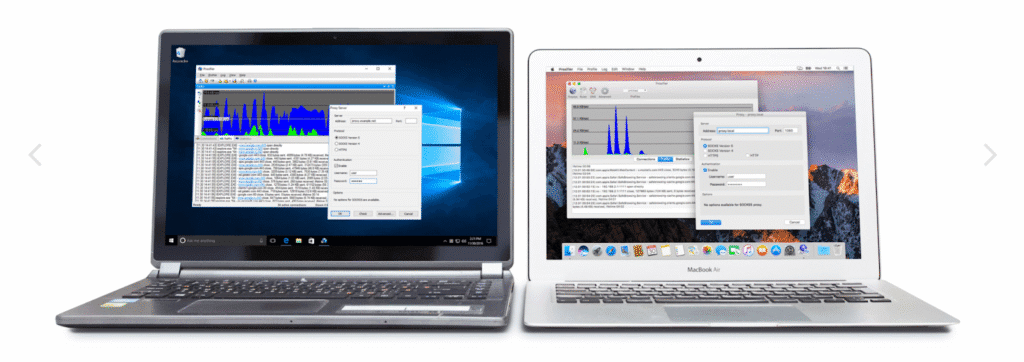
1. Proxifier
This powerhouse lets you route any application through a proxy. Whether you’re running automation tools, SEO software, or desktop apps that typically ignore proxy configurations, Proxifier saves the day. It’s a precision tool that routes traffic, secures connections, and makes apps proxy-aware even when they aren’t built for it.
Key Features:
- Works System-Wide or Per-App: Decide which apps go through your proxy and which stay direct.
- Supports SOCKS5 & HTTP/HTTPS Proxies: You can use any proxy type you need.
- Built-In DNS Leak Protection: Stops DNS requests from exposing your real IP, a must for privacy and scraping accuracy.
- Proxy Chaining Available: Use multiple proxies in a chain for layered anonymity or advanced routing.
- Designed for Complex Environments: From corporate networks to automation labs, Proxifier scales fast.
Cons:
- Learning Curve: Beginners may need a few minutes to settle in, but it’s worth it.
- No IPs Included: Bring your own proxies. This tool just routes them.
Review: Proxyfier offers exceptional flexibility, security, and stability, making it ideal for advanced users who handle automation, data scraping, or enterprise workloads. While the interface may look a bit technical, its performance easily outweighs the learning curve.
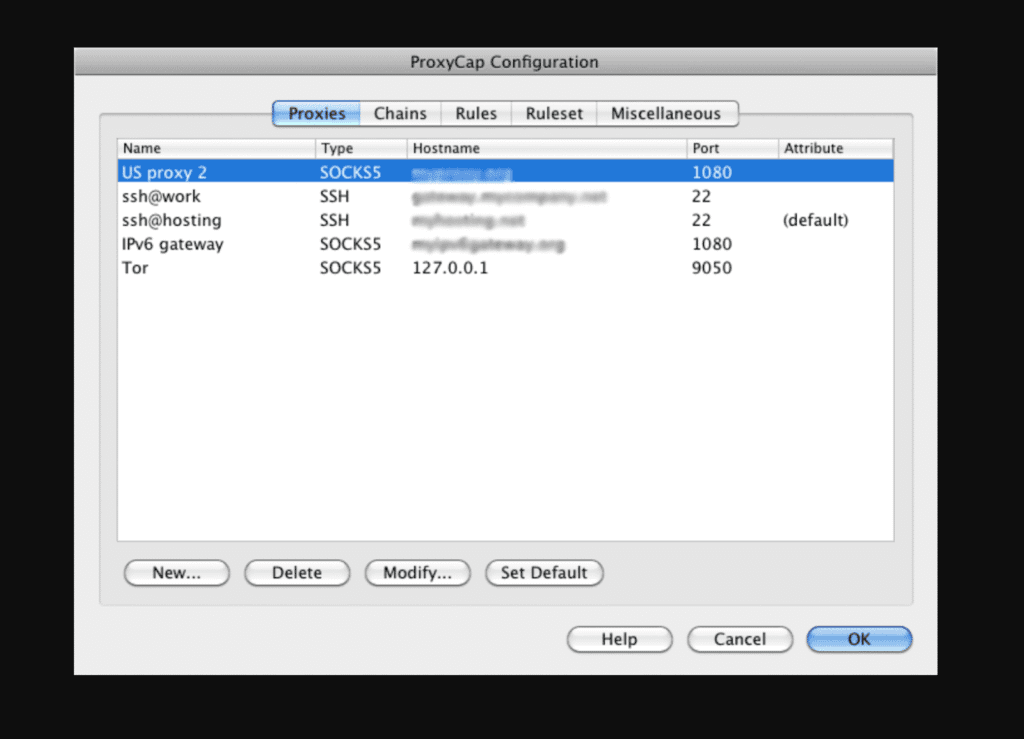
2. ProxyCap
ProxyCap combines flexibility with a user-friendly setup, allowing you to easily route specific applications or system-wide traffic through proxies, without any wrestling with complicated configurations. It’s powerful, lightweight, and ideal for users who want precision routing without overthinking it.
Key Features:
- Route Traffic Per-App or System-Wide: Choose whether a single tool uses a proxy or your entire device does.
- Wide Protocol Support: Compatible with just any proxy you bring to it.
- Transparent Proxying Built-In: Apps don’t need separate configuration; ProxyCap handles it.
- Load Balancing: Great for avoiding proxy bans and connection bans during automation or scraping.
- User-Friendly Setup: Click, set, route. That’s it.
Cons:
- Not Beginner-Level: If you’re brand new to proxy routing, expect a learning curve.
- Not Ideal for Casual Use: If you need a simple VPN-style setup, this might feel like too much tool.
Review: ProxyCap delivers the power of rule-based proxy routing with a smoother, more user-friendly interface. It’s lighter than Proxifier and a great fit for users who want enterprise-level capability without the complexity.
3. WinGate
When it comes to serious enterprise-grade proxy control, WinGate sits in a completely different league. It’s a full-blown network management and security suite built for organizations that need tight control, visibility, and performance across internal and external traffic.

Key Features:
- Deep Traffic Control: Perfect for structured teams with layered access needs.
- Multi-Protocol Proxy Support: Handles nearly any business-grade connection type.
- Powerful Access & Policy Controls: You get admin-level control over who can access what.
- Integrated Cache & Bandwidth Control: Smart caching means faster repeated requests & lower network load.
- Security-First Architecture: Protects your network while managing proxy flows.
Cons:
- Not Built for Individuals: It’s a network suite, not a lightweight proxy helper.
- Complex Setup: It is IT admin-friendly, but can lag behind as a beginner-friendly space.
Review: WinGate is a full-fledged enterprise proxy and network management suite designed for organizations that prioritize security, compliance, and user access control. Overkill for individuals, but a top-tier solution for IT teams running structured networks.
Browser-Based Proxy Clients
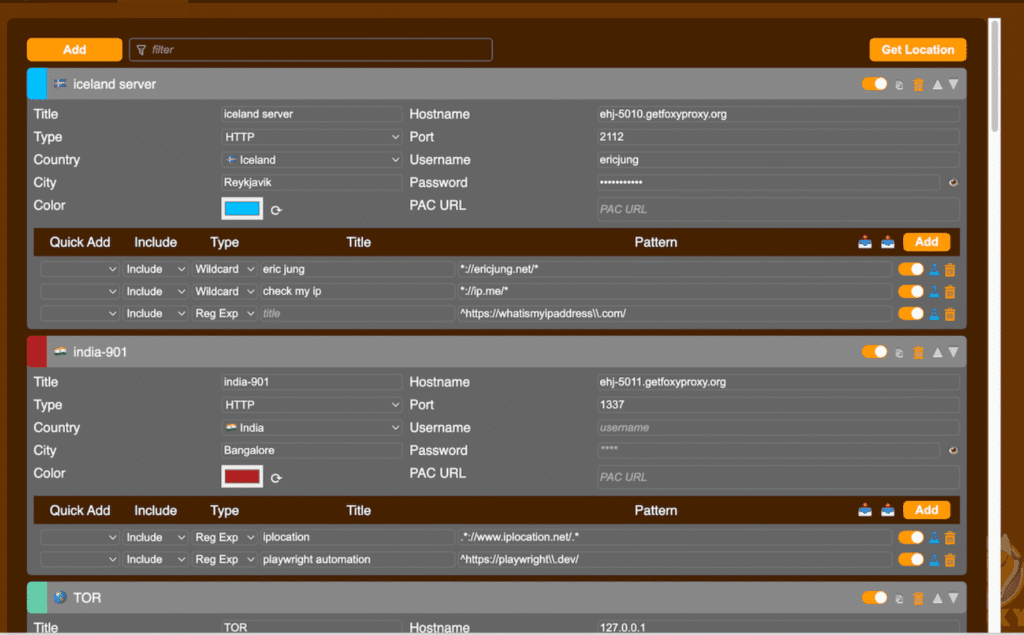
1. FoxyProxy
If you’ve ever tried to swap proxies inside a browser, you already know the pain. FoxyProxy solves this issue. It’s one of the most popular browser proxy managers, making switching between proxies instant, clean, and reliable.
Key Features:
- Quick Proxy Switching: Jump between IPs instantly, making it perfect for multi-region testing.
- Flexible Rules: Route only certain websites or keywords through proxies. This is particularly helpful for SEO and ad tool workflows.
- Multi Browser Control: It is available for Chrome, Firefox, and more.
- Simple UI: Even beginners can manage proxies in seconds.
- No System Setup Required: You don’t require a system setup for this, just access it through your browser.
Cons:
- Doesn’t Cover Apps: If you need OS-level routing, FoxyProxy isn’t the tool.
- Not Ideal for High-Scale Automation: Great for tactical work, but not industrial scraping pipelines.
Review: FoxyProxy is a fan favorite among SEO specialists and web researchers. It streamlines browser-level proxy management with just a few clicks, making it perfect for everyday users who need fast, reliable access to regional or filtered content.
2. Proxy SwitchyOmega
For those who want the power of browser-based proxy management and advanced routing rules, use Proxy SwitchyOmega. It’s a feature-rich tool designed for heavy browser users who juggle multiple proxies, testing environments, geo-locations, and extension-based workflows.

Key Features:
- Custom Proxy Profiles: Set up distinct proxy configurations and switch with ease.
- Pattern-Based Automations: Automatically activate the right proxy when visiting certain sites.
- Lightweight Extension interface: Fast setup, smooth performance, and browser integration.
- Multi-Mode Switching: Flexibility to decide when proxies apply and when they don’t.
- Ideal for Web-Heavy Workflows: Whether you’re doing SERP testing, ad previewing, or multi-geo scraping, this fits.
Cons:
- Browser-Only: Your non-browser apps will bypass unless you use a system-level proxy tool.
- Setup May Take Time to Configure: Not always ideal for someone who just wants an instant fix.
Review: Proxy SwitchyOmega gives power users advanced control right inside their browser. It supports automated switching rules, multiple profiles, and custom routing, making it a great choice for digital marketers, testers, and data professionals managing multiple workflows at once.
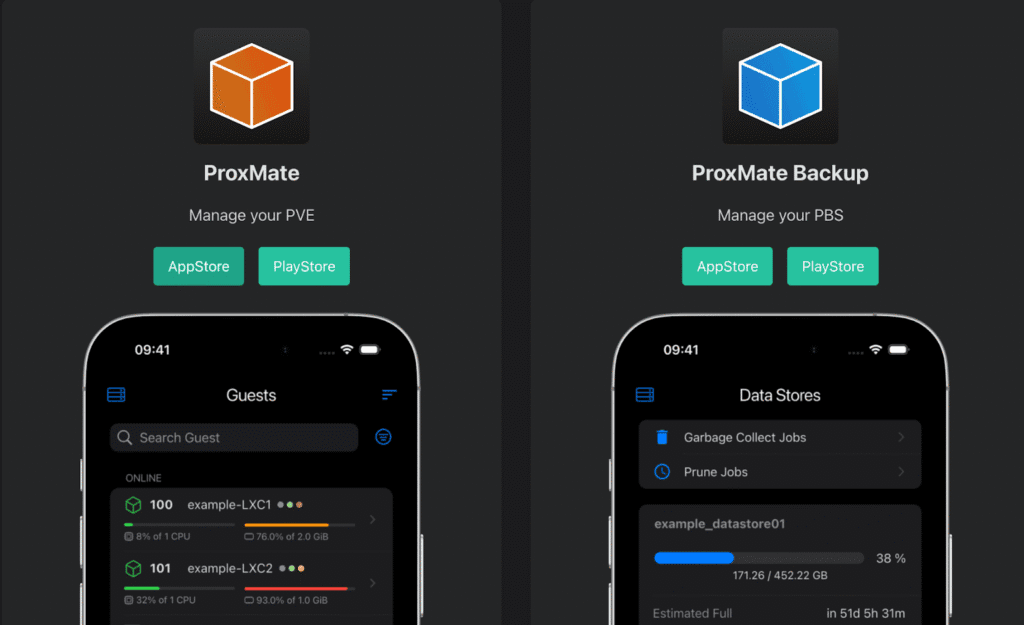
3. ProxMate
ProxMate aims to simplify the proxy process for browser traffic by combining proxy packages, rules, and quick switching, all within a single browser extension-type setup.
Key Features:
- Proxy Package Integration: Create or download proxy “packages” that fit your use case.
- Rule-Based Routing: Decide which websites or patterns should go through a proxy and which should bypass it.
- Simple UI: Because it’s built as a browser extension, setup and toggling are quick.
- Great for Geo-Access: ProxMate handles browser-based region switching well.
Cons:
- Browser-Only Scope: It will route browser traffic, but not system apps or non-browser tools.
- Less Enterprise Controls: This is more lightweight, which is great for simplicity but less so for advanced needs.
Review: ProxMate keeps things simple with an easy experience for region switching and content access. It’s best suited for users who just need a quick, hassle-free browsing or streaming access; less so for advanced scraping or automation tasks.
4. Proxy Switcher & Manager
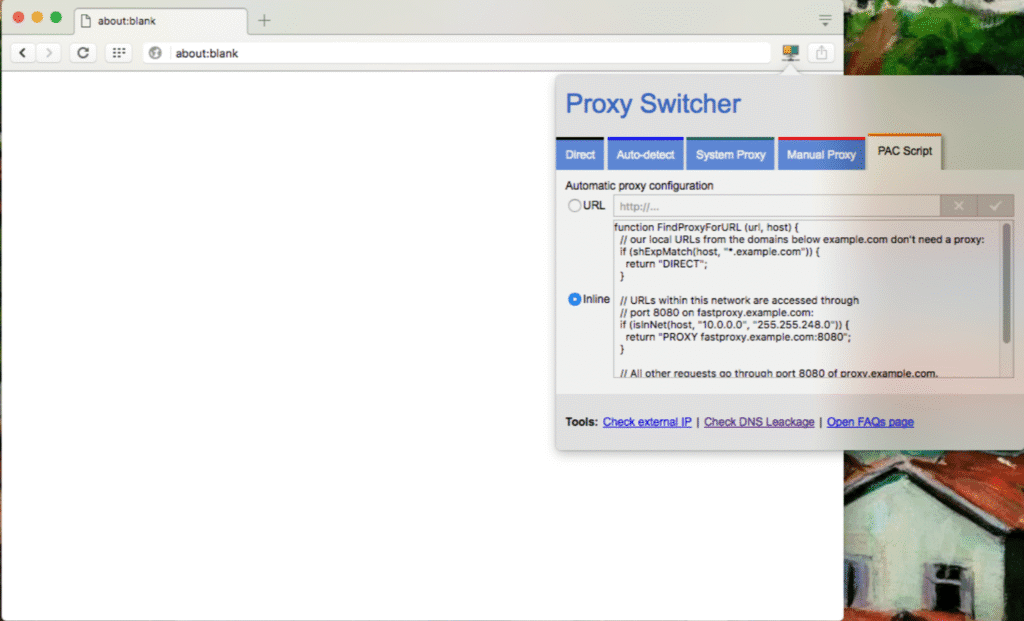
Proxy Switcher & Manager is an open-source Chrome extension that puts proxy switching and profile management directly into your browser toolbar, without touching OS-level settings.
Key Features:
- Instant Profile Switching: Manage multiple proxy profiles and switch in one click.
- Support for PAC Scripts: Works in manual proxy, PAC script, direct, auto-detect modes.
- Visual Status & Error Feedback: Toolbar icon changes color depending on mode and error logs for failed resources.
- Lightweight: Minimal resource usage when not active, which is a pro if you don’t want complex setup tool.
Cons:
- No App/System-Wide Routing: If you need full-system routing or app-specific proxy setups, you’ll want a more advanced client.
- Basic Automation: It doesn’t offer the same advanced routing or logging features found in enterprise-level clients.
Review: Proxy Switcher & Manager is a straightforward Chrome extension that makes it effortless to switch between multiple proxies. It’s ideal for freelancers, small teams, or anyone managing several online accounts, providing speed and convenience without overwhelming settings.
5. MM3 Proxy Switch
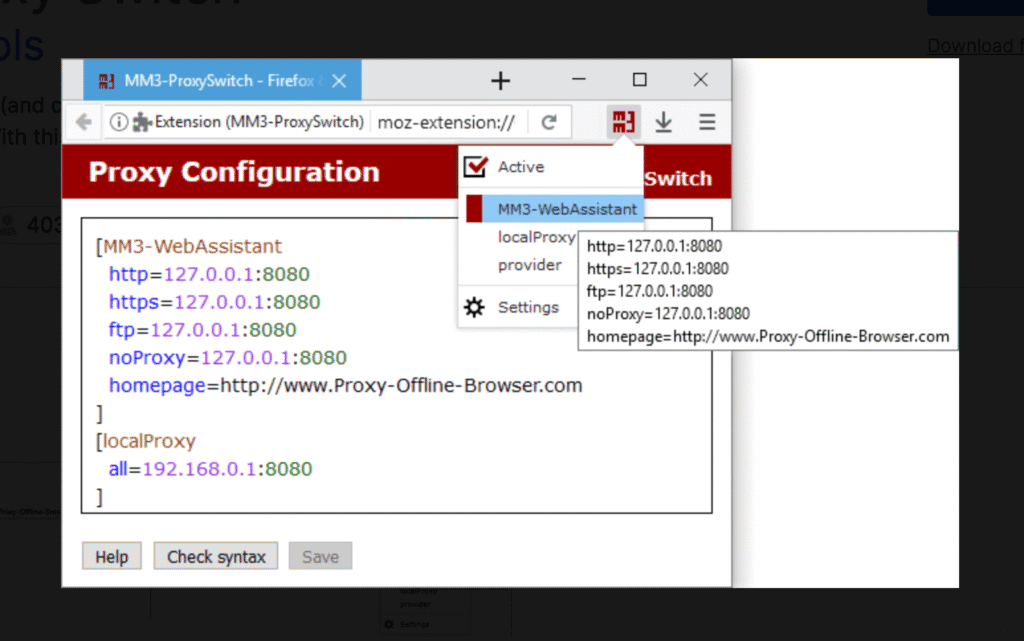
MM3 Proxy Switch is a clean and lightweight proxy-switching extension built for the Mozilla Firefox browser. It is ideal for users who prefer Firefox over Chrome and want fast proxy profile toggling.
Key Features:
- Firefox-Native Integration: The platform feels smoother and more stable if you’re a Firefox loyalist.
- Multiple Profiles & One-Click Switching: Set up many proxy profiles; switch instantly through the toolbar icon.
- Minimal Overhead: Less performance impact, so the tool stays efficient and unobtrusive.
- Quick Setup: Since it is browser-based, the UI is clear and simple.
Cons:
- Limited Automation: Not advanced for advanced scraping pipelines or detailed traffic logging.
- Firefox-Only Coverage: Only handles traffic inside Firefox, so other apps or browsers bypass it.
Review: MM3 Proxy Switch is a lightweight Firefox tool that handles quick proxy toggling and domain-based routing with ease. It’s simple, stable, and efficient; best for users who want reliable proxy management inside Firefox without heavy configurations.
Best Proxy Types to Use With These Clients
| Proxy Type | Strengths | Limitations | Recommended Clients |
| Residential Proxies | 1. High trust factor 2. Great for large-scale scraping 3. Excellent for SEO or product monitoring | 1. Slower than datacenter proxies 2. More expensive | FoxyProxy, Proxy SwitchyOmega, Proxifier, MM3 Proxy Switch |
| Rotating Residential Proxies | 1. Best for avoiding bans 2. Fully automated IP rotation 3. Great for scraping difficult sites | 1. Harder session persistence 2. Slightly higher latency | Proxifier, ProxyCap, WinGate |
| Datacenter Proxies | 1. Very fast 2. Affordable 3. Great for non-sensitive info | 1. Easier to detect2. Can trigger bans on strict sites | ProxyCap, ProxMate, Proxy Switcher & Manager, MM3 Proxy Switch |
| Static/Dedicated Residential Proxies | 1. Reliable session stability 2. Real-user fingerprint 3. Great for brand & ad management | 1. More costly 2. Limited IP availability | Proxifier, WinGate |
| ISP Proxies | 1. Premium reliability 2. Low block rate 3. Excellent for critical business operations | 1. High cost 2. Limited pool | WinGate, Proxifier, ProxyCap |
A good proxy client makes routing simple, stable, and smarter. The key is choosing the right fit for your stack:
- Match the client to your OS and workflow
- Pair it with the right proxy type
- Focus on tools that offer rule-based routing, leak protection, and automation support
Remember, the proxy client doesn’t give you the IPs. It helps you use them efficiently. So when performance really matters, combine your setup with high-quality proxy sources and smart rotation rules. That’s how you avoid blocks, keep sessions stable, and scale your automation without friction.
Check out our other proxy-related guides:
- Best Proxy Websites in 2025
- Best Free Proxies to Use in 2025
- Datacenter vs Residential Proxies: Key Differences, Use Cases, and Which to Choose
FAQs
To avoid IP blocks or bans, stick to natural browsing behavior and smart routing practices. Here’s a safe setup checklist:
– Use a rotating residential or mobile proxy for high-risk scraping
– Set realistic request intervals
– Randomize user-agents, headers, and cookies
– Rotate IPs per session or per request, depending on target sensitivity
– Enable DNS leak protection in your proxy client
– Avoid reusing the same IP on sensitive targets
– Respect robots.txt when possible
They’re ideal when you’re:
– Managing social media profiles
– Running ads or influencer campaigns
– Doing mobile-first app testing
– Avoiding aggressive anti-bot systems
– Scraping platforms known for strict anti-automation
Free Proxy Clients / Paid Proxy Clients
Basic routing only / Advanced routing & automation
Limited Security / DNS/WebRTC leak prevention
Fewer proxy types supported / Full protocol support (SOCKS5/HTTP/HTTPS)
Risk of instability / Optimized for uptime and speed
No enterprise features / Logging, ACLs, team controls, API access
Symptom / Meaning
Frequent CAPTCHAs / Proxy or browser fingerprint mismatch
Repeated IP bans / Rotation or session rules not set properly
Wrong geo-location results / DNS leak/bad proxy routing
Slow browsing or scripts / Bad node or congestion
“Access denied” pages / Site flagged proxy traffic
Apps not using proxy / Misconfigured routing rules
Same IP showing repeatedly / Rotation not enabled/stuck IP pool
Disclosure – This post contains some sponsored links and some affiliate links, and we may earn a commission when you click on the links at no additional cost to you.