Think about everything a modern business needs to publish:
- Blogs
- Emails
- LinkedIn posts
- Newsletters
- Landing pages
Now imagine hiring a specialist for each of those tasks. This will include a copywriter, an SEO expert, a social media manager, an email marketer, and a content strategist. For many small businesses and startups, that’s simply not realistic.
That’s why more businesses are starting to experiment with AI helpers.
Instead of relying on one general-purpose AI tool for everything, AI helpers specialize in different marketing functions. Together, they help create a smoother marketing workflow without requiring a large in-house team.
In this guide, we’ll walk you through how you can build a complete marketing content pipeline using Sintra’s AI Helpers, from planning ideas to publishing content, even if you’re running your business with a small team.
Table of Contents
What Are AI Helpers?
Think about the last time you used an AI chatbot.
You probably asked it to write an email, brainstorm some ideas, summarize a document, and maybe even create a social media caption. While it can do all of those things, it’s still one general-purpose assistant trying to handle every task.
That’s where AI Helpers work differently.
Instead, one AI Helper might focus on copywriting, helping you create blog posts, landing pages, and ad copy. Another specializes in SEO by searching keywords and optimizing your content for search engines. You might have another dedicated to email marketing, one for social media planning, and another that analyzes marketing data to uncover trends and opportunities.
Why does specialization matter?
Because every marketing task requires a different way of thinking.
Writing a persuasive landing page isn’t the same as planning a month’s worth of Instagram posts. An SEO strategy is different from analyzing campaign performance. When each AI Helper is designed for a specific role, it can provide more focused recommendations instead of generic responses.
A good example is Sintra, which organizes its AI Helpers around real business roles rather than offering one all-purpose chatbot. Instead of switching prompts and constantly explaining what you need, you can work with dedicated helpers for copywriting, SEO, social media, email marketing, data analysis, business strategy, and more. Each helper learns about your business over time, making its suggestions more relevant to your brand and goals.
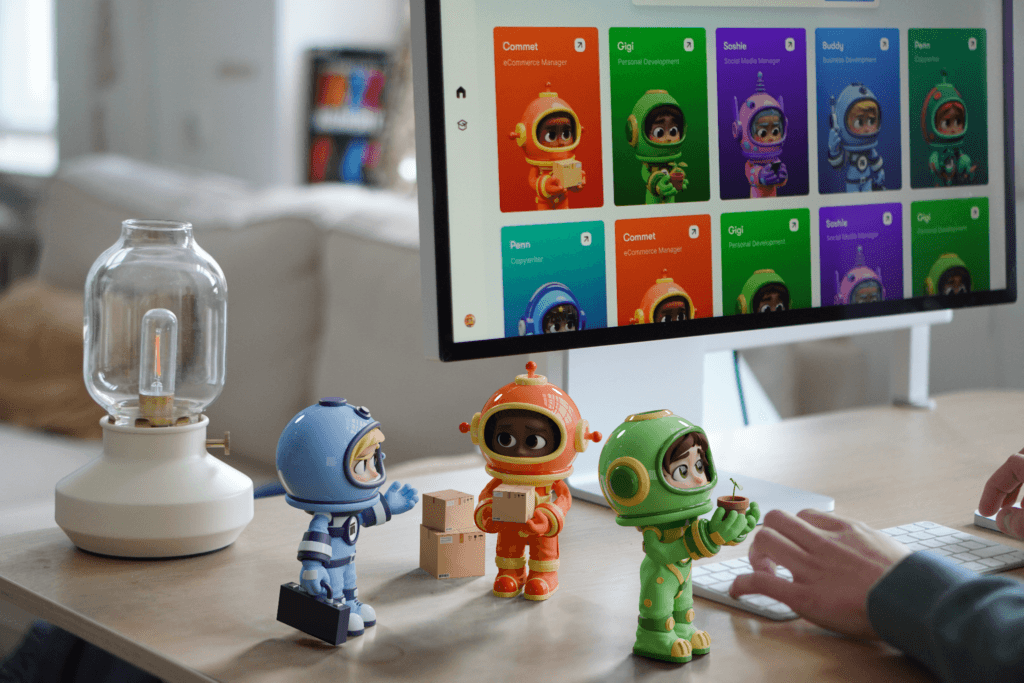
The result is a marketing workflow that feels more like collaborating with a team of specialists than relying on a single AI tool for everything.
Why Most Content Pipelines Break
Many businesses start with the best intentions. They publish a few blogs, stay active on social media for a couple of weeks, and maybe even send a newsletter or two. But before long, the entire process begins to slow down.
Every stage of the content pipeline comes with its own challenges.
Lack of Content Ideas
It all starts with ideas. Some weeks, inspiration flows naturally, while other weeks, your team spends hours wondering what to write about next. Without a steady stream of ideas, the entire content pipeline comes to a halt before it even begins.
Limited Writing Resources
Once you have an idea, someone still has to turn it into a blog post, email, landing page, or social media caption.
For small businesses, that’s often the founder, a marketer wearing multiple hats, or a freelancer juggling several projects. Writing capacity quickly becomes the limiting factor.
Inconsistent Publishing
When work gets busy, content is usually the first thing to be pushed aside.
A missed blog this week becomes two missed newsletters next month. Before you know it, your publishing schedule becomes irregular, making it harder to build momentum with your audience.
Slow Review and Approval Cycles
Content rarely gets published after the first draft. It often needs review, edits, approvals, and revisions from different people. Every extra step adds delay, especially when teams are already stretched thin.
Content Repurposing Takes Too Long
Publishing a blog is only the beginning.
That same article could become LinkedIn posts, Instagram captions, email newsletters, short-form content, or even a landing page. But manually adapting content for every channel takes time, so many businesses simply skip it.
SEO Gets Overlooked
Creating content is one thing. However, making sure people actually find it is another.
Keyword research, optimizing headings, writing meta descriptions, and improving on-page SEO often becomes afterthoughts when deadlines are tight.
Promotion Isn’t Consistent
Even great content won’t deliver results if nobody sees it.
Many businesses spend hours creating a blog, publish it once, and move on to the next task. Without consistent promotion across social media, email, and other channels, valuable content never reaches its full potential.
This is where AI Helpers become useful, supporting different parts of your content pipeline, helping you move from idea to publication much more efficiently.
Step 1: Build Your Business Context First
Before you ask AI Helpers to write a single piece of content, give them context.
In Sintra, this foundation is built through Brain AI, a central knowledge base that stores information about your business. Instead of starting every conversation from scratch, your AI Helpers can use this shared context to deliver more relevant and personalized suggestions.
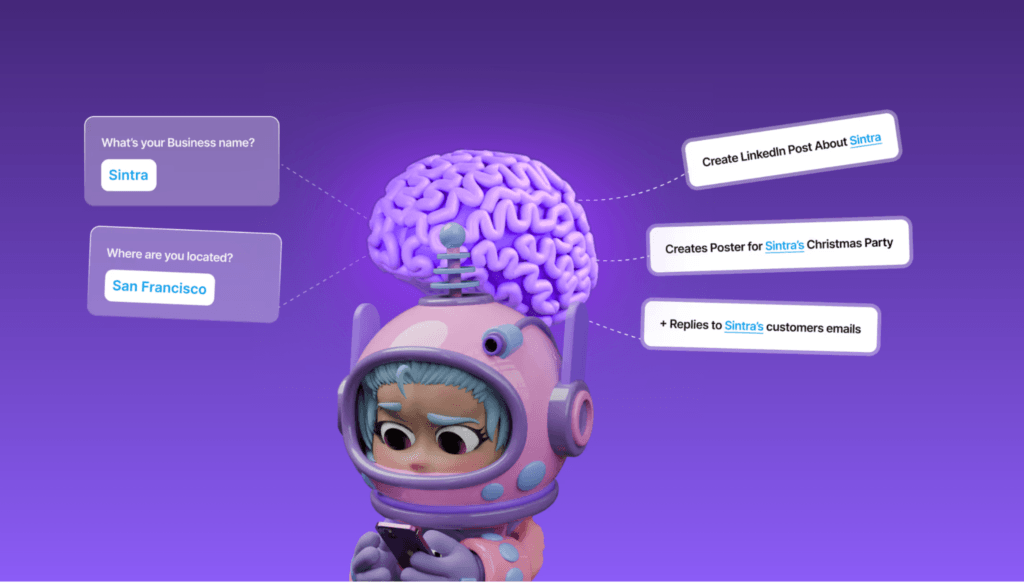
Here are a few things you should feed into Brain AI:
- Your website
- Your products or services
- Your brand tone and voice
- Your target audience
- Frequently asked questions (FAQs)
- Previous blog posts and marketing content
The more information you provide, the better your AI Helpers understand your business.

For example, instead of reminding an AI every time about your target audience or preferred writing style, your Helpers can already use that information when creating content. As you continue using the platform, Brain AI keeps learning from your inputs and interactions, helping the suggestions become more tailored over time.
Step 2: Generate Content Ideas
Once your AI Helpers understand your business, it’s time to answer one of the biggest questions every marketer faces:
“What should we create next?”
Coming up with fresh content ideas week after week can be surprisingly difficult. After a while, it starts to feel like you’ve already covered everything.
This is where AI Helpers can help you break through creative blocks.
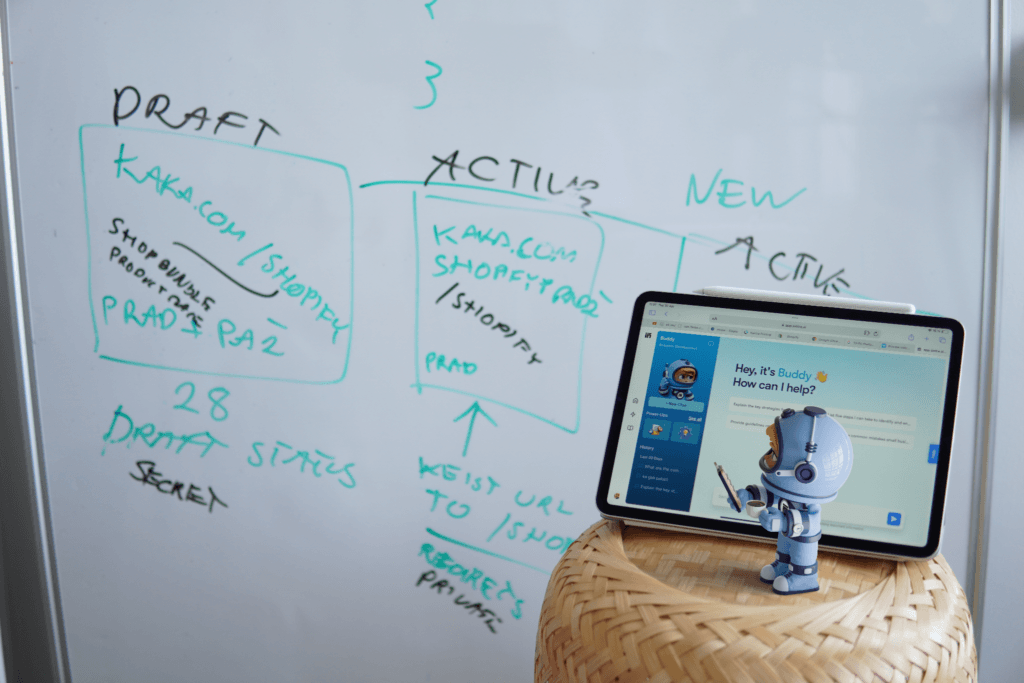
For example, Buddy, Sintra’s business strategy helper, can help you brainstorm campaign ideas, identify new opportunities, and explore topics your audience is likely to care about. Instead of throwing random suggestions at you, Buddy uses the business context you’ve already shared to recommend ideas that align with your goals.
At the same time, Seomi, Sintra’s SEO helper, can approach content from a search perspective. It can help you research keyword opportunities, improve topic selection, and uncover areas where your website could create content to attract more organic traffic.
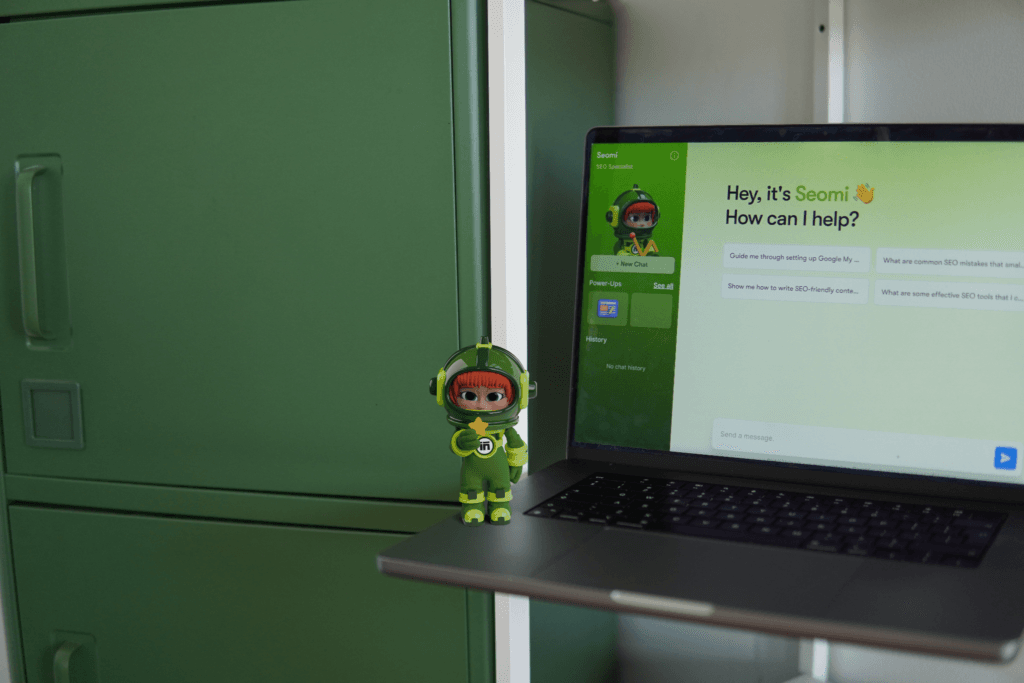
Together, they can support a simple content planning workflow like this:
- Identify common questions your audience is asking.
- Discover relevant keyword opportunities.
- Explore content gaps your competitors may have overlooked.
- Brainstorm campaign ideas around product launches, seasonal events, or industry trends.
The goal isn’t to let AI decide your entire content strategy. It’s to give you a strong starting point, so you can spend less time wondering what to create and more time creating content that connects with your audience.
Step 3: Create SEO-Friendly Blog Content
Now that you’ve chosen a topic, it’s time to turn that idea into a blog your audience can actually read.
Writing a blog isn’t just about putting words on a page anymore. You also need to think about search intent, keywords, structure, readability, and calls-to-action. For many small teams, that’s a lot to manage.
This is where working with specialized AI Helpers can make the process much smoother.
For example, Seomi, Sintra’s SEO helper, can help you optimize your blog for search engines. Once the SEO foundation is in place, Penn, the copywriting helper, can help transform ideas into engaging, reader-friendly content that matches your brand voice.

A simple workflow might look like this:
1. Keyword Research
Start by identifying the primary keyword and related search terms you want to target. This gives your article a clear focus before you begin writing.
2. Create an Outline
Organize the topic into logical sections with headings that answer your audience’s questions. A good outline makes the writing process much easier.
3. Write the First Draft
Use your copywriting helper to develop each section into a complete article while keeping the tone consistent and easy to read.
4. Optimize for SEO
Review the article for keyword placement, headings, meta descriptions, readability, and overall search optimization to improve its chances of ranking.
5. Add a Call-to-Action
Every blog should guide readers toward a next step, whether that’s subscribing to a newsletter, exploring a product, downloading a resource, or contacting your team.
Instead of jumping back and forth between multiple tools, this workflow lets your AI Helpers support each stage of the writing process.
Step 4: Turn One Blog Into Multiple Assets
One well-written blog can become enough content for an entire week, or even a month, if you know how to repurpose it.
The key ideas from a single article can be adapted for different platforms, each with its own audience and style.
For example, one blog can become:
Blog Post
↓
LinkedIn Post to share key insights with your professional audience.
↓
Newsletter highlighting the main takeaways for your subscribers.
↓
Instagram Captions that break the article into bite-sized tips or carousel content.
↓
X Thread summarizing the biggest lessons in a quick, easy-to-read format.
↓
Facebook Post written in a more conversational style to encourage discussion.
↓
Landing Page Copy that expands on one specific topic or promotes a related product or service.
↓
Email Campaign inviting readers back to your website or introducing them to your next offer.
Instead of creating every piece of content from scratch, different AI Helpers can support different parts of this process.
For example, Penn can rewrite your blog into platform-specific copy, while Soshie, Sintra’s social media helper, can help create posts tailored for different social channels and maintain a consistent publishing schedule. If you’re sending the content to your email list, Emmie can help turn the same blog into an engaging newsletter or promotional email.

The biggest advantage is maintaining a consistent message across every channel. Rather than creating seven different pieces of content, you’re simply giving one great idea several different ways to reach your audience.
Step 5: Plan Social Content More Efficiently
For many businesses, social media planning becomes another item that gets pushed to the bottom of the to-do list. Some weeks you post regularly, and other weeks your accounts go completely quiet.
This is where Soshie, Sintra’s social media helper, can simplify the process.
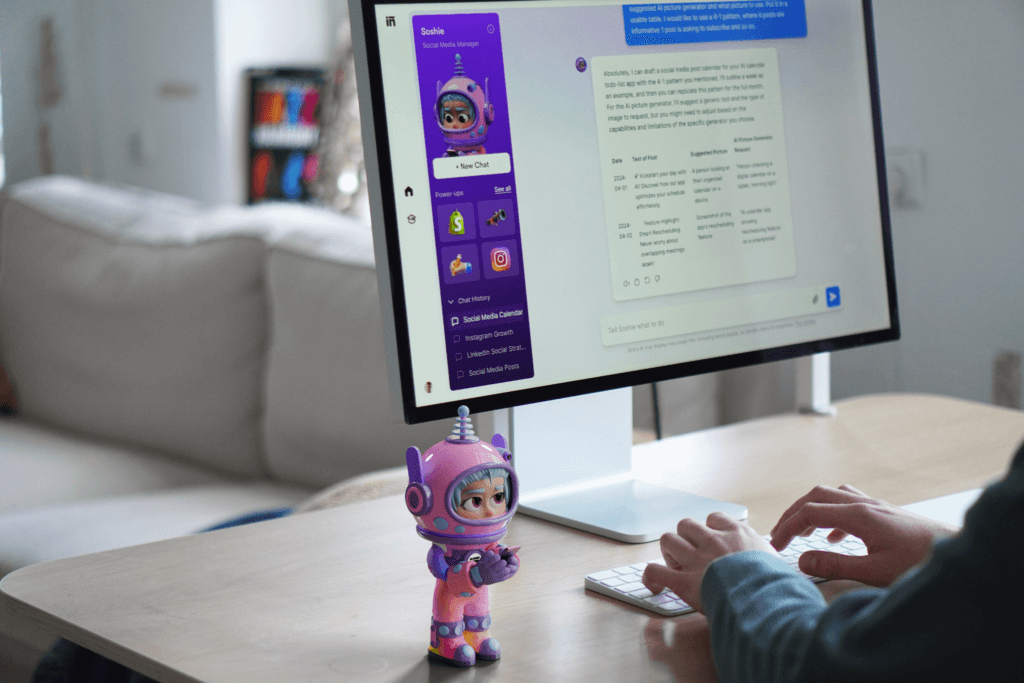
Instead of starting from scratch every time you need a post, Soshie can help you generate content ideas, write captions, and build a more consistent social media plan based on your brand and audience. As it learns more about your business through Brain AI, its recommendations become more aligned with your messaging and content goals.
For example, you can use it to create:
- Social media captions for different platforms
- Weekly or monthly content calendar ideas
- Post concepts based on your latest blog, product launch, or campaign
- Variations of the same message tailored to different audiences
This works especially well alongside the content repurposing workflow from the previous step. Once you’ve published a blog, Soshie can help turn its key ideas into a series of social posts, making it easier to keep your channels active without creating every post from scratch.
Step 6: Build Email Campaigns
Email marketing is one of the most effective ways to stay connected with your audience. But writing emails consistently is easier said than done.
From welcome sequences to product launches, every email has a different purpose and audience. On top of that, you need compelling subject lines, engaging copy, and a clear call-to-action that encourages readers to take the next step.
This is where Emmie, Sintra’s email marketing helper, can support your workflow.

Instead of starting with a blank page every time, Emmie can help you draft different types of marketing emails based on your business goals and brand voice. As it works with the context stored in Brain AI, the content becomes more personalized and consistent over time.
Here are a few examples of email campaigns you can create:
- Welcome Emails to introduce new subscribers to your brand and set expectations.
- Newsletters that share your latest blogs, company updates, or industry insights.
- Abandoned Cart Emails to encourage customers to complete their purchase.
- Product or Launch Emails announcing new products, features, services, or special promotions.
Rather than writing every email from scratch, AI Helpers help you build on the content you’ve already created, making your entire marketing pipeline more connected and much easier to maintain.
Step 7: Review Performance and Improve
Publishing your content isn’t the finish line. It’s the starting point for what works.
Every blog, email, and social media campaign generates valuable data. The more you understand that data, the easier it becomes to improve your future content.
This is where Dexter, Sintra’s data analysis helper, comes in.

Instead of manually sorting through spreadsheets or jumping between different analytics dashboards, Dexter can help interpret your marketing data and turn it into actionable insights. Rather than simply showing numbers, it focuses on identifying patterns that can help you make better marketing decisions.
For example, you can use it to:
- Analyze the performance of recent marketing campaigns.
- Summarize key metrics into easy-to-understand reports.
- Identify trends in customer behavior and campaign results.
- Highlight areas that may need more attention or optimization.
Imagine you’ve published four blog posts over the past month.
Instead of manually comparing page views, engagement, and conversions, you can review the results to understand which topics performed best, which campaigns attracted the most attention, and where new opportunities might exist.
Those insights can then feed directly into your next round of content planning.
In other words, your content pipeline becomes a continuous cycle:
Create → Publish → Measure → Improve
Example Weekly Marketing Pipeline
Once your AI Helpers understand your business, you can follow a simple weekly workflow that keeps content moving without feeling overwhelming.
Here’s one example:
Monday: Generate Content Ideas
Start the week by brainstorming new topics.
Use your AI Helpers to identify audience questions, explore keyword opportunities, spot competitor gaps, and plan campaigns for the week ahead. By the end of the day, you’ll have a shortlist of content ideas ready to develop.
Tuesday: Write Your Blog
Pick one idea and turn it into a complete article.
Create an outline, write the first draft, refine the messaging, and make sure the content aligns with your brand voice. Having a dedicated writing workflow makes publishing much more consistent.
Wednesday: Review for SEO
Before publishing, optimize your content for search.
Review keywords, headings, metadata, internal linking opportunities, and overall readability. A few small improvements can make a big difference in helping your content get discovered over time.
Thursday: Repurpose for Social Media
Don’t stop at the blog.
Turn the same article into LinkedIn posts, Instagram captions, Facebook updates, and short-form content ideas. Repurposing helps you get much more value from a single piece of content instead of creating everything from scratch.
Friday: Send Your Email Newsletter
Share your latest content with your audience.
Whether it’s a weekly newsletter, a product update, or a promotional email, this is a great opportunity to bring readers back to your website and keep your subscribers engaged.
Weekend: Review Performance
Take a step back and see what’s working.
Review campaign performance, summarize important metrics, and identify trends that can help shape next week’s content strategy. Small improvements made consistently often lead to the biggest long-term results.
With the right combination of AI Helpers supporting different stages of the process, you can build a repeatable content pipeline that takes you from idea generation to performance review.
Which AI Helpers Work Together?
| AI Helper | Primary Role | Pipeline Stage |
| Buddy | Business strategy and content ideation | Planning |
| Seomi | Keyword research, SEO, and content optimization | Blog & SEO |
| Penn | Copywriting for blogs, landing pages, and marketing content | Writing |
| Soshie | Social media content planning and post creation | Distribution |
| Emmie | Email marketing and newsletters | Promotion |
| Dexter | Data analysis, reporting, and performance insights | Reporting |

Benefits of Using AI Helpers Instead of Hiring Immediately
AI Helpers aren’t designed to replace your marketing team. What AI Helpers can do is help lean teams accomplish more with the resources they already have.
Here are some of the biggest benefits:
Faster Publishing
When different AI Helpers assist, content moves through the pipeline much faster. Instead of spending days switching between tasks, you can focus on reviewing and refining the final output.
Lower Costs
AI Helpers give lean teams access to support across multiple marketing functions without needing to hire a large team from day one.
More Consistent Workflows
By following the same repeatable workflow every week, AI Helpers make it easier to maintain regular publishing across blogs, social media, and email campaigns instead of relying on last-minute inspiration.
Centralized Brand Context
Because Sintra’s AI Helpers share information through Brain AI, they all work from the same understanding of your business.
That means your blog posts, emails, social media captions, and other marketing content can stay more consistent in tone, messaging, and brand positioning without repeating the same instructions every time.
Less Repetitive Work
AI Helpers can take much of the repetitive work, allowing your team to spend more time on creative thinking, customer relationships, and business growth.
Best Practices for Building a Content Pipeline with AI Helpers
Here are a few best practices that can help you build a content pipeline that’s both efficient and sustainable.
Train Brain AI First
Your AI Helpers are only as effective as the information they have.
Before creating content, spend some time building your Brain AI with your website, products, services, brand voice, target audience, and existing content. The stronger the foundation, the more relevant and consistent the output will be.
Keep Human in the Review Process
AI can speed up content creation, but it shouldn’t be the final decision-maker.
Always review content for accuracy, brand voice, and messaging before publishing. Human oversight ensures your content stays authentic and aligns with your business goals.
Build Reusable Workflows
Instead of creating a new process for every campaign, develop a repeatable workflow that your team can follow.
For example, use the same sequence each time:
Idea → Blog → SEO → Social Media → Email → Performance Review
A consistent workflow saves time and makes publishing much more predictable.
Update Your Business Context Regularly
Businesses evolve as you launch new products, update your services, change your messaging, and target new audiences.
Keep Brain AI updated with these changes so your AI Helpers continue working with the latest information instead of relying on outdated context.
Use Specialized Helpers for Specialized Work
One of the biggest strengths of AI Helpers is specialization.
Rather than asking one assistant to handle every marketing task, let each helper contribute where it performs best. Use your strategy helper for planning, your SEO helper for optimization, your copywriting helper for content creation, your social media helper for distribution, your email helper for campaigns, and your analytics helper for reporting.
Marketing has never been about simply creating more content. It’s about creating the right content consistently. The only challenge is that as your business grows, so does the amount of work involved.
That’s where AI Helpers can make a real difference.
If you’re a founder, freelancer, or part of a lean marketing team, building a structured content pipeline with AI Helpers can help you publish more consistently without immediately expanding your headcount.
At the end of the day, the goal isn’t to automate creativity. It’s to spend less time on repetitive tasks and more time creating marketing that makes an impact.
Want to explore more AI marketing workflows? Check out our other guides below:
- Best AI productivity tools
- How to Use Claude for Automated Weekly Marketing Reports
- How Marketers Use Claude to Run Cross-Platform Analysis
- 10 AI Email Marketing Tools to Use
FAQs
No. You can start with the AI Helpers that match your immediate needs, such as content creation, SEO, or social media, and expand your workflow as your business grows.
Brain AI starts learning as soon as you provide your business information. The more you add and the more you interact with it, the more personalized and accurate its recommendations become over time.
AI Helpers can significantly speed up content creation, but human review is still important. You should always edit content for accuracy, brand voice, and business-specific details before publishing.
Yes. Sintra supports integrations with several popular business tools, including Gmail, Google Drive, Notion, LinkedIn, Facebook, Instagram, Outlook, and Google Calendar. Available integrations may expand over time, so it’s worth checking the latest supported apps.
ChatGPT is a general-purpose AI assistant, while AI Helpers are designed for specific business roles like copywriting, SEO, email marketing, social media, and analytics. This specialization helps them provide more focused support throughout your marketing workflow.
Disclosure – This post contains some sponsored links and some affiliate links, and we may earn a commission when you click on the links, at no additional cost to you.