If you’ve ever looked into professional product photography, you’ve probably realized one thing pretty quickly: it can get expensive.
Traditional product photography often requires:
- Studio space
- Lighting equipment
- Professional cameras
- Models and props
- Photo editing software
That’s where AI product photography is changing the game. The best part is that you don’t need expensive equipment, a photography studio, or advanced editing skills to get started.
In this guide, we’ll show you exactly how AI prodigy photography works, the tools you can use, and how to create high-quality product images that help your products stand out online.
What is AI Product Photography?
AI product photography uses AI to create, enhance, or edit product images without the need for a traditional photoshoot. Instead of booking a studio, hiring photographers, setting up lighting, and spending hours editing images, AI tools can do much of the work automatically.
Modern AI product photography tools can help you:
- Remove or replace backgrounds
- Create entirely new environments and settings
- Generate realistic lifestyle scenes
- Improve lighting, shadows, and reflections
- Produce marketplace-ready product visuals
Why Businesses Are Turning to AI Photography in 2026
Here’s why more businesses are embracing AI product photography in 2026:
Lower Production Costs
Here, you don’t need a photographer, studio rental, lighting equipment, props, models, or a post-production team to edit the final images.
A single product image can be transformed into multiple professional-looking visuals using AI, helping businesses create marketing assets without investing heavily in production.
Faster Content Creation
AI tools can generate product images, lifestyle scenes, and background variations in just a few minutes. Instead of planning an entire shoot every time you launch a new product or campaign, you create fresh content almost instantly.
This speed allows brands to test new creative ideas and respond quickly to market trends.
Easy Scaling
AI product photography makes scaling much easier by allowing brands to create large volumes of product images efficiently. This is especially valuable for:
- Ecommerce stores
- Online marketplaces
- Dropshipping brands
- Social commerce campaigns
Consistent Branding
AI allows businesses to apply the same visual style, background themes, lighting effects, and composition rules across their entire catalog. The result is a cleaner, more professional brand presence that looks consistent across websites, marketplaces, ads, and social media channels.
How AI Product Photography Works
Here’s how it typically works:
Step 1: Capture a Basic Product Image
The first step is taking a photo of your product. A smartphone is usually more than enough.
While professional cameras can still provide excellent results, most modern smartphones capture images that are perfectly suitable for AI enhancement. The AI tool will do so much of your work later.
For best results:
- Use a clean, neutral background
- Make sure the product is clearly visible
- Take the photo in good lighting
- Avoid clutter around the product
The cleaner your original image, the better the final output will look.
Step 2: Upload the Image to an AI Tool
Once you have your product photo, upload it to an AI product photography platform.
Most tools are designed for beginners and require little to no editing experience.
These platforms use AI to identify your product, separate it from the background, and prepare it for image generation and enhancement.
Step 3: Generate Backgrounds
This is where things get exciting. Instead of arranging physical sets and props, you can simply describe the type of scene you want, and the AI will generate it for you.
Some common options include:
- Minimal white studio backgrounds
- Luxury product settings
- Lifestyle environments
- Seasonal and holiday-themed scenes
Step 4: Enhance the Image
After generating the scene, AI can automatically improve the overall quality of the image.
Most tools can:
- Adjust lighting and exposure
- Improve image sharpness
- Add realistic shadows and reflections
- Balance colors for a more natural appearance
Scene 5: Export for Different Channels
Once you’re happy with the final image, simply export it in the format you need.
Most AI product photography platforms allow you to create images optimized for different marketing and ecommerce channels, including:
- Amazon product listings
- Shopify stores
- Instagram posts
- Facebook Ads
- Product catalogs
Best AI Product Photography Tools in 2026
| Tool | Best For | Ease of Use | Ideal Users |
| Flair.ai | E-commerce product photography | Easy | DTC brands, ecommerce stores, marketing teams |
| Photoroom | Quick product image editing | Very Easy | Marketplace sellers, small businesses, content creators |
| Pebblely | Beginners and fast content creation | Very Easy | New e-commerce sellers, startups, solopreneurs |
| Adobe Firefly | Advanced creative control | Moderate | Creatove businesses, agencies, enterprise brands |
| Canva AI | All-in-one content creation | Very Easy | Small businesses, marketers, social media managers |
Table of Contents
| 1. Flair.ai |
| 2. Photoroom |
| 3. Pebblely |
| 4. Adobe Firefly |
| 5. Canva AI |
1. Flair.ai
Best for e-commerce brands
If your primary focus is creating professional product visuals for online stores, Flair.ai is one of the strongest options available.
The platform is built specifically for product photography and helps brands create realistic product scenes without organizing traditional photoshoots.
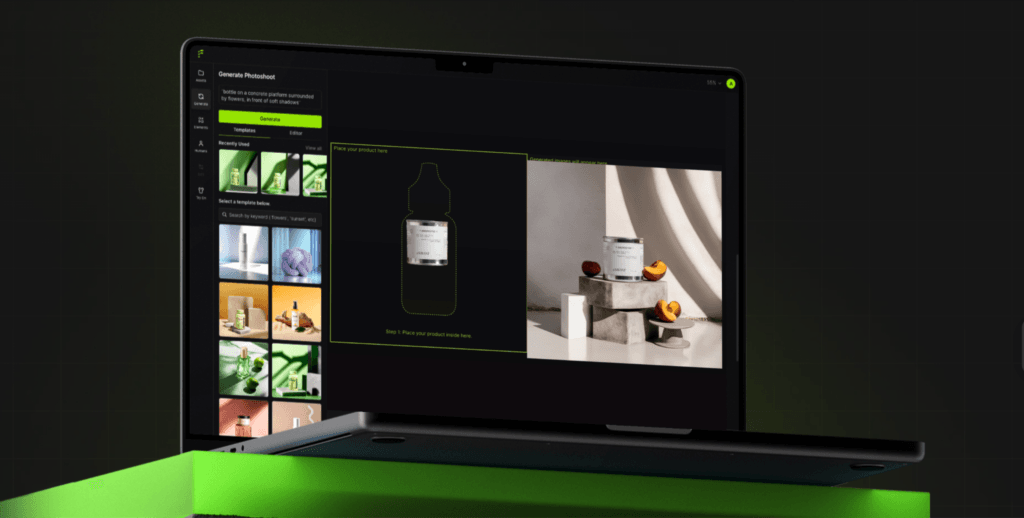
Key features include:
- AI-generated product scenes
- Lifestyle mockups
- Brand-consistent visuals
This makes Flair.ai particularly useful for e-commerce businesses looking to create premium-looking product images at scale.
2. Photoroom
Best for quick edits
Sometimes you don’t need a complete image transformation. You just need fast, professional edits. That’s where Photoroom shines.
The platform is known for its simplicity and speed, making it a favorite among e-commerce sellers, marketers, and content creators who need high-quality visuals in minutes.
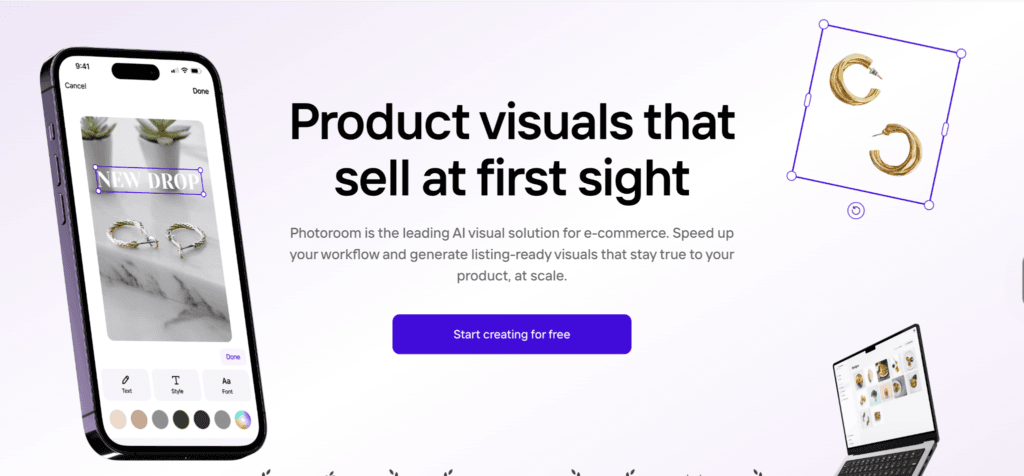
Key features include:
- Background removal
- AI-generated shadows
- Batch image processing
If you’re regularly updating product listings or creating content for multiple platforms, Photoroom can significantly speed up your workflow.
3. Pebblely
Best for beginners
Pebblely focuses on simplicity, allowing users to generate attractive product images with just a few clicks. Even those with no design or photography experience can quickly create professional-looking visuals.

Key features include:
- One-click background generation
- Marketing-focused visual creation
- Multiple product variations
For small businesses and first-time users, Pebblely offers a gentle learning curve while still delivering impressive results.
4. Adobe Firefly
Best for advanced creative teams
For brands that need more creative control, Adobe Firefly offers powerful AI image-generation capabilities.
Unlike tools that focus solely on product backgrounds, Firefly gives users the flexibility to build custom scenes, edit images in detail, and experiment with more advanced creative concepts.
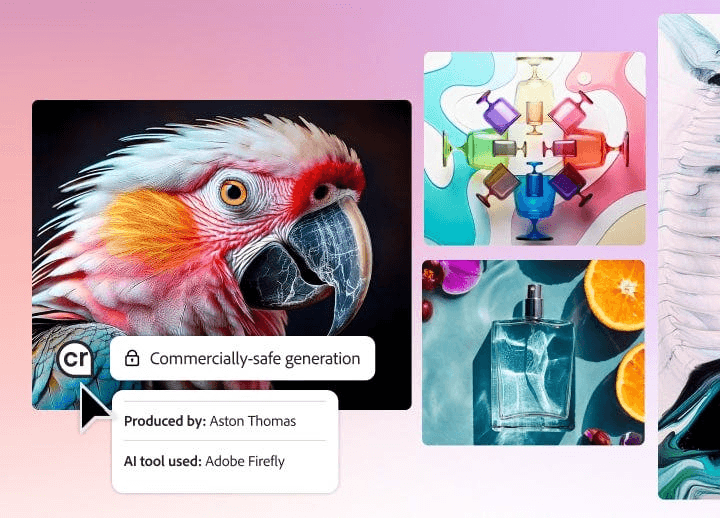
Key features include:
- Generative Fill
- Custom scene creation
- Commercial-safe outputs
This makes Adobe Firefly a strong choice for agencies, design teams, and brands that want maximum creative flexibility.
5. Canva AI
Best for small businesses
Canva has become a go-to design platform for millions of businesses, and its AI capabilities make product content creation even easier.
Instead of switching between multiple tools, users can create product images, ads, and social media graphics within a single platform.
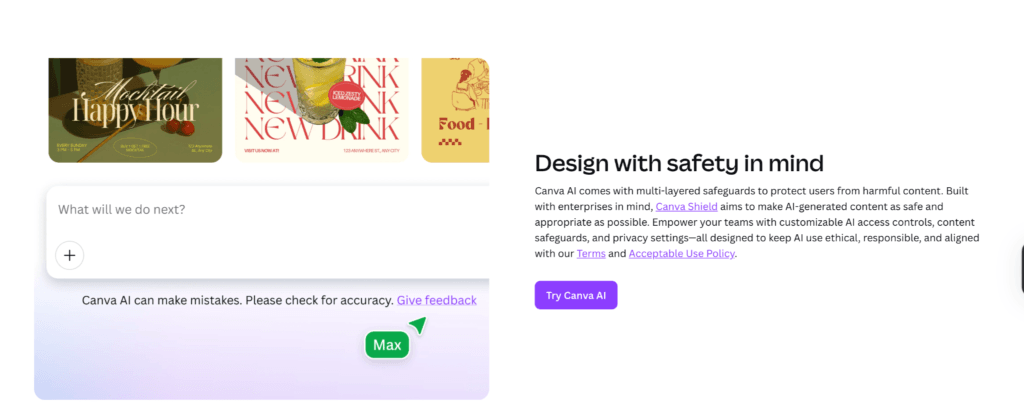
Key features include:
- Ready-to-use templates
- Product ad creation
- Social media asset generation
For small businesses looking for an affordable all-in-one solution, Canva AI offers a practical way to create professional visuals without a steep learning curve.
AI Product Photography for Different E-commerce Platforms
One of the biggest advantages of AI product photography is that it allows businesses to quickly create platform-specific visuals without organizing separate photoshoots for each channel.
Amazon Listings
Amazon shoppers expect clean, professional product images that clearly showcase the product.
In most cases, sellers need:
- White backgrounds
- High-resolution images
- Clear product visibility
- Consistent image quality
AI tools can automatically remove backgrounds, improve image quality, and generate marketplace-ready visuals that align with Amazon’s image guidelines. This helps sellers create professional listings faster while maintaining consistency across large product catalogs.
Shopify Stores
Unlike marketplaces, Shopify stores give brands much more creative freedom.
Customers aren’t just evaluating products; they’re also experiencing your brand.
That’s why Shopify stores often benefit from:
- Lifestyle imagery
- Brand-focused visuals
- Product storytelling
- Creative product presentations
AI product photography makes it easy to generate custom scenes and branded visuals that help create a stronger shopping experience while showcasing products in realistic environments.
Social Media
Social media is highly visual and incredibly competitive. Your content needs to capture attention within seconds.
Brands often need:
- Scroll-stopping creative assets
- Multiple content variations
- Campaign-specific visuals
- Trend-driven imagery
Instead of organizing frequent photoshoots, businesses can use AI to quickly generate fresh creative concepts for Instagram, Facebook, Pinterest, and other social platforms.
This makes it easier to maintain a steady flow of engaging content without increasing production costs.
Marketplace Sellers
Managing visuals for a large product catalog can become overwhelming, especially for sellers operating across multiple marketplaces.
Marketplace businesses often need:
- Fast catalog generation
- Consistent product images
- Large-scale content creation
- Quick updates for new products
AI product photography streamline this process by allowing sellers to generate professional product images in bulk, reducing the time required to prepare and upload listings.
AI Product Photography vs Traditional Studio Photography
| Factor | AI Product Photography | Traditional Photography |
| Cost | Low | High |
| Speed | Minutes | Days or Weeks |
| Scalability | High | Limited |
| Equipment Needed | Minimal | Extensive |
| Creative Variations | Virtually Unlimited | Time-Intensive |
As AI continues to evolve, brands will gain even more opportunities to create personalized visuals, automate content production, and experiment with new creative concepts. The businesses that embrace these tools today will be better equipped to create engaging customer experiences while reducing the time and costs traditionally associated with product photography.
Discover how AI is streamlining marketing tasks:
- How to Analyze Competitor Meta Ads at Scale Using Claude
- How to Analyze Amazon Reviews and Get Voice of Customer Insights with Claude
- Get Competitor Google Ad Creatives Directly Into Claude
FAQs
AI-generated images can achieve near studio-quality results for many e-commerce and marketing use cases, though high-end commercial campaigns may still benefit from traditional photography.
Modern AI tools can create highly realistic product images, complete with natural lighting, shadows, and backgrounds, especially when starting with a clear source photo.
In most cases, a single high-quality product photo is enough to generate multiple backgrounds, scenes, and image variations.
High-resolution JPG and PNG files typically produce the best results, as they provide the AI with more visual detail to work with.
Disclosure – This post contains some sponsored links and some affiliate links, and we may earn a commission when you click on the links, at no additional cost to you.