Quick commerce has evolved the way people shop. Behind the convenience is a huge amount of valuable information, from product prices and stock availability to discounts and customer ratings.
If you’re a brand, retailer, or marketer, this quick commerce data can help you understand competitors, track pricing trends, monitor product availability, and make smarter business decisions. The challenge, however, is figuring out how to collect that data efficiently.
In this guide, we’ll walk you through five proven methods to extract quick commerce data, along with the pros, cons, and best use cases for each, so you can choose the approach that works best for your needs.
How Businesses Use Quick Commerce Data
By extracting quick commerce data, businesses can stay updated in real time and make faster, more informed decisions.
Some of the most common use cases include:
1. Competitor Price Monitoring: Quick commerce prices can change multiple times a day due to promotions, demand, or inventory levels. By tracking competitor pricing, businesses can adjust their own pricing strategies, stay competitive, and respond quickly to market changes.
2. Product Assortment Tracking: Keeping an eye on competitor product catalogs helps you understand which brands, SKUs, and package sizes are available across different platforms. This can reveal assortment gaps, new product launches, and merchandising opportunities.
3. Availability Monitoring: Products frequently go out of stock on quick commerce platforms, especially during peak demand. Monitoring availability helps businesses to compare service levels, identify operational trends, and benchmark customer experience across competitors.
4. Delivery ETA Analysis: Delivery times can vary by platform, location, and time of day. Tracking estimated delivery times allows businesses to compare service levels, identify operational trends, and benchmark customer experience across competitors.
5. Sponsored Listing Analysis: Many platforms promote products through sponsored placements that appear at the top of search results or category pages. Monitoring these listings helps brands understand competitor advertising strategies and evaluate their own visibility.
6. Market Research: Quick commerce data provides valuable insights into pricing, product availability, promotions, and customer preferences. Businesses can use this information to study market dynamics, evaluate competitors, and make more informed strategic decisions.
7. Category Trend Analysis: Analyzing category-level data helps identify fast-growing products, emerging brands, seasonal demand patterns, and changing consumer preferences. These insights can support better merchandising and product planning decisions.
8. Brand Visibility Tracking: Understanding where and how often your products appear across search results and category pages helps measure brand visibility. Regular tracking also makes it easier to evaluate the impact of pricing changes, promotions, and sponsored campaigns on product discoverability.
What Quick Commerce Data Can You Extract?
Here’s a look at the most commonly extracted quick commerce data:
| Data Type | Example |
| Product Name | Dove Soap |
| Brand | Unilever |
| Current Price | Rs. 89 |
| MRP | Rs. 110 |
| Discount | 20% |
| Stock Status | In Stock |
| Ratings & Reviews | 4.7 ★ |
| Delivery ETA | 9 minutes |
| Sponsored Listing | Yes |
| Category | Personal Care |
Comparison of the 5 Quick Commerce Data Extraction Methods
| Method | Coding Required | Scalability | Maintenance | Accuracy |
| Official APIs | High | High | Low | Very High |
| No-Code Platforms | Low | Medium | Low | High |
| Custom Scraping | High | Very High | High | High |
| AI-Powered Extraction | Low to Medium | High | Low | High |
| Managed Services | None | Very High | None | Very High |
5 Quick Commerce Data Extraction Methods
Method 1: Official APIs (When Available)
If a quick commerce platform offers an official API, it’s usually the cleanest and most reliable way to extract data. APIs provide structured information directly from the platform, so you don’t have to collect data from web pages or worry about changes in the site’s design.
The biggest limitation, however, is that most quick commerce platforms don’t offer public APIs. While some large marketplaces provide developer access, many quick commerce apps keep their product catalogs, pricing, and inventory data behind private systems.
Some well-known examples include:
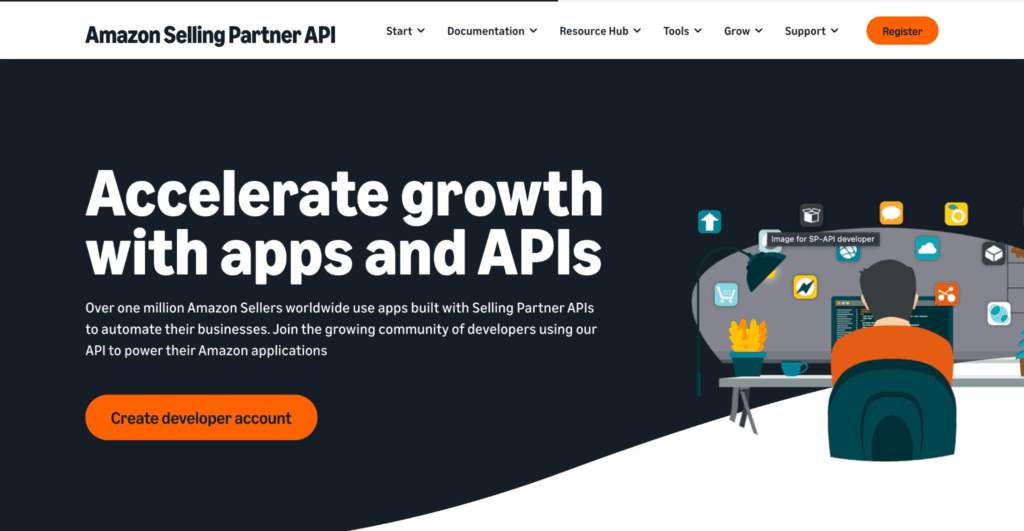
1. Amazon Selling Partner API: Amazon Selling Partner API is a collection of APIs that enables approved sellers and developers to access marketplace data such as product listings, inventory, orders, pricing, and reports. It is widely used for automating marketplace operations and integrating Amazon data into business applications, making it a strong option for businesses already selling on Amazon.
2. Walmart Marketplace APIs: Walmart Marketplace APIs allow approved sellers and solution providers to manage products, inventory, pricing, orders, and other marketplace operations through a secure developer platform. They help businesses automate workflows and maintain accurate marketplace data without relying on manual processes.
Pros:
- The data is clean and well-structured, making it easy to integrate into applications, dashboards, or analytics tools.
- Official APIs are highly reliable because they are maintained and supported by the platform itself.
- They are less likely to break over time, even when the website’s layout or design changes.
- Documentation and developer resources are usually available, making implementation easier for technical teams.
Cons:
- Most quick commerce platforms don’t offer public product APIs, so this option is often unavailable.
- You typically need developer access, authentication, and API credentials before you can start collecting data.
- Many APIs come with usage limits or approval requirements, which can restrict how much data you can access.
- The available endpoints may not include every data point you need, such as sponsored listings or certain competitive insights.
Best For:
Official APIs are best suited for businesses that already have access to a platform’s developer program and need a reliable, long-term solution for collecting structured marketplace data. If an API is available, it’s almost always the first option worth exploring.
Method 2: No-Code Data Extraction Platforms
If you don’t have coding experience, no-code data extraction platforms are an excellent alternative. These tools let you extract quick commerce data through visual workflows, allowing you to collect information without writing a single line of code.
Most no-code platforms guide you through selecting the information you want to extract, such as product names, prices, discounts, or ratings. You can also schedule automatic extractions, export data to formats like CSV or Excel, and even connect the data to other applications using APIs.
Some popular no-code data extraction platforms include:
1. Apify: Apify is one of the most powerful web scraping and automation platforms, offering ready-made Actors for extracting structured data from websites and online marketplaces. Users can run pre-built Actors or create custom ones depending on their requirements.
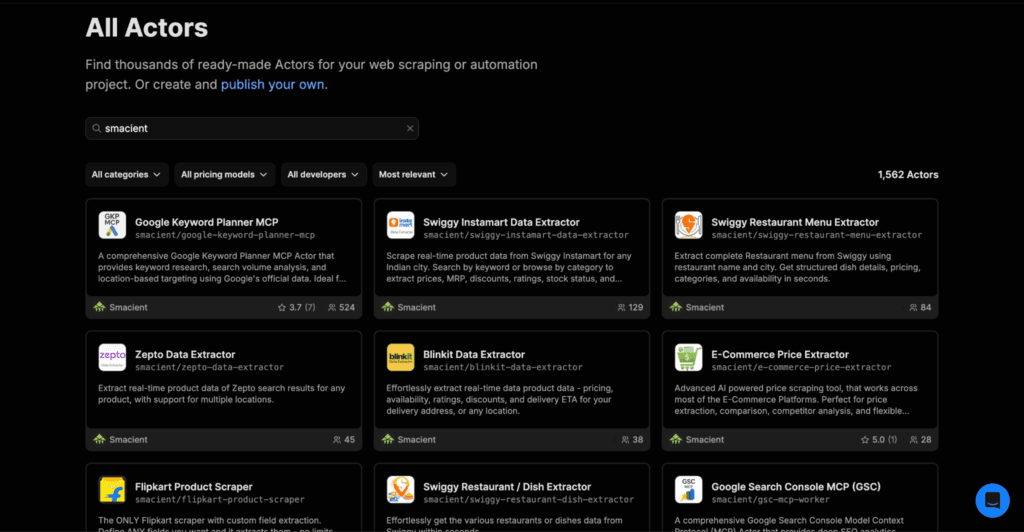
Popular quick commerce actors include:
- Blinkit Data Extractor
- Swiggy Restaurant Menu Extractor
- Swiggy Instamart Data Extractor
- Zepto Data Extractor
2. Browse AI: Browse AI is a beginner-friendly no-code platform that lets users train AI-powered robots to extract data from websites without writing code. It supports scheduled monitoring, data exports, and integrations with popular business tools, making it a good option for simple recurring extraction tools.
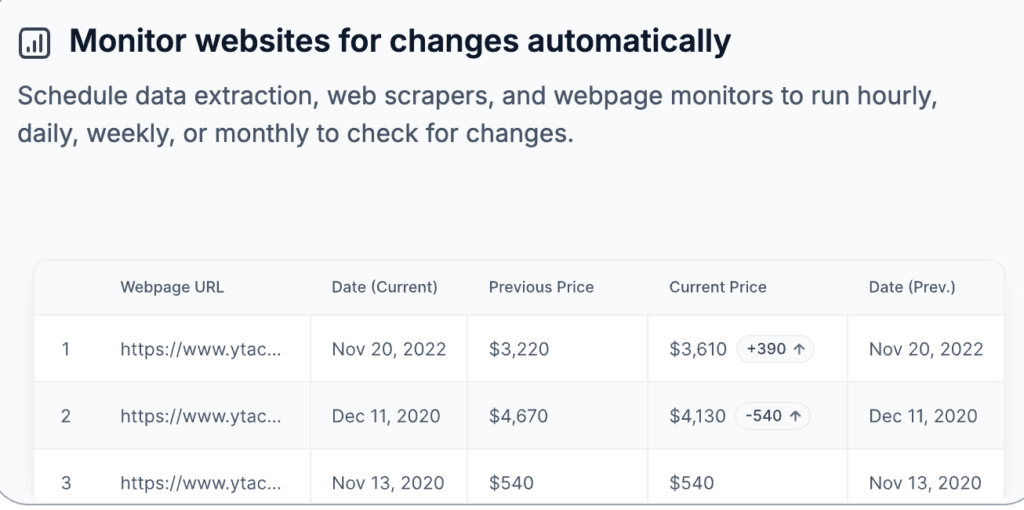
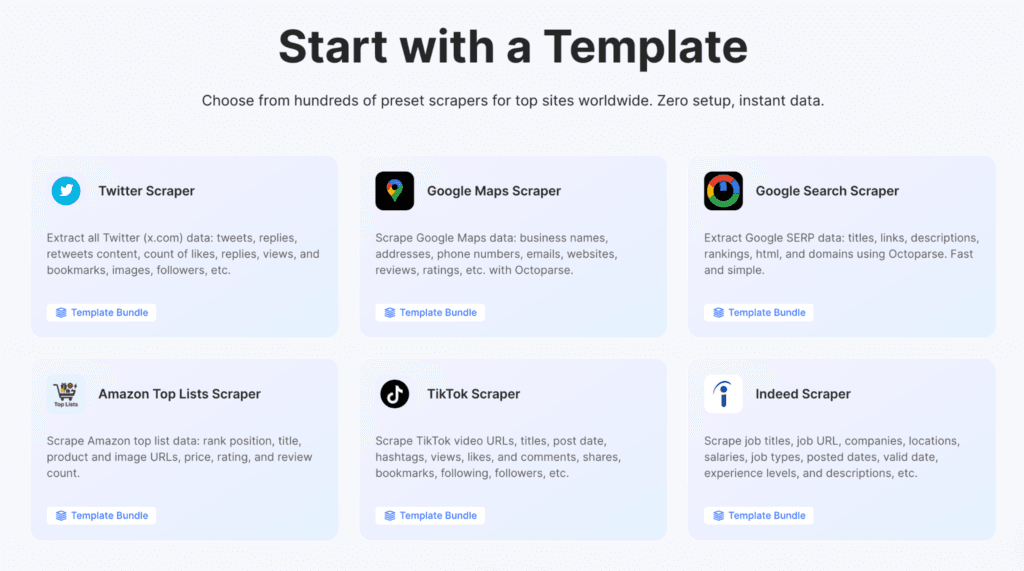
3. Octoparse: Octoparse is a visual web scraping tool that allows users to build extraction workflows using a user-friendly interface. It supports cloud-based scraping, scheduled data collection, API access, and exports to formats like CSV and Excel.
4. ParseHub: ParseHub is a flexible no-code scraper designed to extract data from modern, JavaScript-heavy websites. Its visual workflow builder makes it easier to collect complex datasets without developing custom scraping scripts.
Pros:
- You can start extracting data with little or no coding experience, making these tools accessible to marketers and business users.
- Visual workflows make it easy to create and manage extraction tasks without building custom scripts.
- Most platforms support scheduled extraction, so your data stays updated automatically.
- You can export data to CSV, Excel, or Google Sheets, making reporting and analysis much simpler.
- Many no-code tools also offer API integrations, allowing you to connect extracted data with dashboards, BI tools, and other business systems.
Cons:
- Advanced features often require a paid subscription, especially for large-scale or frequent data extraction.
- Some websites require additional setup or fine-tuning to ensure accurate extraction.
- Changes to a website’s layout may require you to update your extraction workflow from time to time.
- No-code platforms can be less flexible than custom-built scraping solutions for highly specialized requirements.
Best For:
No-code data extraction platforms are ideal for marketers, category managers, business analysts, founders, and operations teams who want to collect quick commerce data without relying on developers. They offer a great balance of simplicity, automation, and flexibility for day-to-day data collection.
Method 3: Custom Web Scraping Frameworks
If you need complete control over how data is collected, custom web scraping frameworks are the way to go. Unlike no-code tools, these frameworks require programming knowledge, but they also offer much greater flexibility for extracting quick commerce data at scale.
Custom scraping frameworks allow developers to build tailored data extraction workflows that match specific business requirements. Whether you’re tracking thousands of products across multiple cities or collecting data several times a day, these tools can be customized to handle complex scraping tasks with ease.
Some of the most popular web scraping frameworks include:
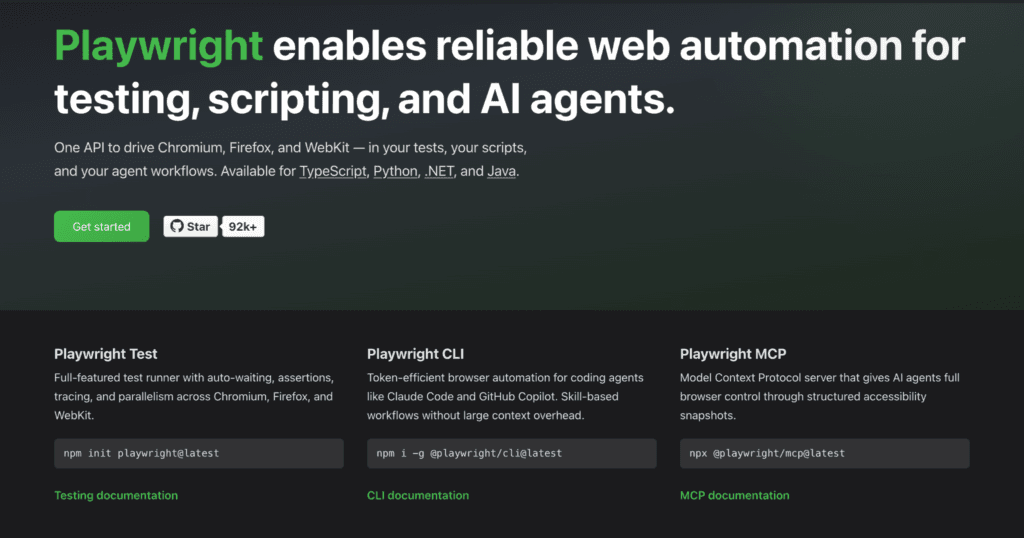
1. Playwright: Playwright is a modern browser automation framework developed by Microsoft that supports Chromium, Firefox, and WebKit. It’s particularly effective for scraping JavaScript-heavy websites because it can accurately render dynamic content and simulate real user interactions.
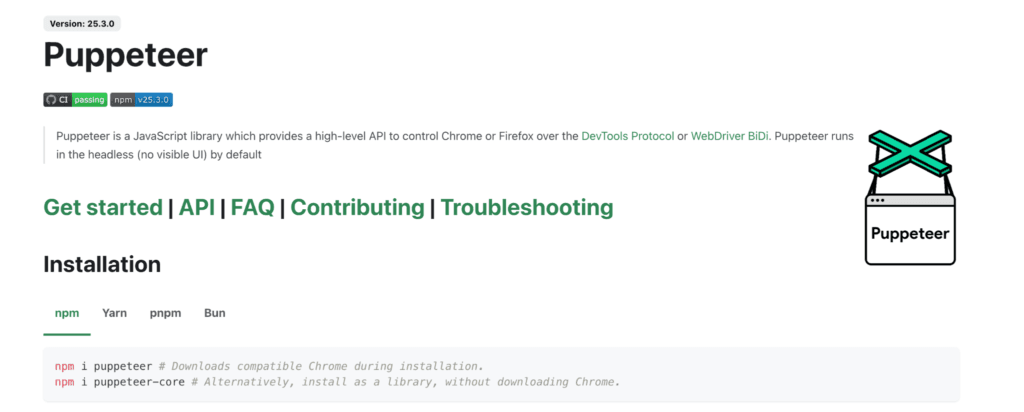
2. Puppeteer: Puppeteer is a Node.js library that controls Chrome and Chromium browsers programmatically. It’s widely used for browser automation, testing, and web scraping, especially when websites rely heavily on JavaScript.
3. Selenium: Selenium is one of the most widely used browser automation frameworks and supports multiple programming languages and browsers. Its flexibility makes it suitable for building custom web scraping and testing solutions.
4. Scrapy: Scrapy is an open-source Python framework specifically built for web crawling and large-scale data extraction. It’s known for its speed, scalability, and ability to efficiently scrape thousands of web pages.
Pros:
- You get complete flexibility over what data is collected and how it’s extracted, making it suitable for highly customized use cases.
- These frameworks can handle large-scale automation, allowing you to scrape thousands of products across multiple platforms and locations.
- They work well with JavaScript-heavy websites, enabling you to collect data from modern web applications that simple scrapers may struggle with.
- Custom scraping solutions can be integrated directly into your existing data pipelines, giving you full control over processing and storage.
Cons:
- You’ll need programming expertise to build and maintain the scraper, making this option less suitable for non-technical teams.
- Website updates can break your scraper, requiring regular maintenance and testing.
- Building a custom scraping solution takes time and development resources, especially for complex websites.
- Managing proxies, anti-bot measures, and large-scale infrastructure often adds another layer of complexity as your scraping operations grow.
Best For:
Custom web scraping frameworks are best suited for engineering teams, data engineers, and businesses that need large-scale, highly customized data extraction. If flexibility, scalability, and automation are your top priorities, building your own scraper offers the greatest level of control.
Method 4: AI-Powered Data Extraction
AI is changing the way businesses extract web data. Instead of relying on fixed scraping rules, AI-powered data extraction tools can identify, organize, and process information more intelligently. In many cases, they don’t just collect data, but they also clean it, structure it, and validate it before it’s ready for analysis.
This approach is especially useful for quick commerce websites, where product pages, pricing, and layouts can change frequently. Rather than manually updating extraction rules every time something changes, AI can often adapt to these updates with far less effort, reducing ongoing maintenance.
Another advantage is speed. Many AI-powered solutions require less setup than traditional scraping methods, allowing businesses to start collecting structured quick commerce data much faster. Once the data is extracted, AI can also help standardize product names, organize categories, remove duplicate entries, and prepare datasets for reporting or analytics.
Pros:
- AI can significantly reduce the time needed to set up data extraction workflows, helping businesses get started more quickly.
- It is better equipped to handle changing page layouts, reducing the need for constant manual updates.
- The extracted data is often cleaned and structured automatically, making it easier to analyze and use.
- Businesses spend less time maintaining scraping rules, allowing teams to focus on insights instead of technical upkeep.
- AI can improve overall data quality by identifying inconsistencies, duplicates, or missing values during the extraction process.
Cons:
- AI-powered platforms can be more expensive than traditional scraping tools, particularly for large-scale projects.
- The quality of the results still depends on the platform and the complexity of the website being analyzed.
- Some solutions may require initial training or configuration before they consistently produce accurate results.
- For highly specialized extraction needs, manual customization may still be necessary alongside AI capabilities.
Best For:
AI-powered data extraction is a great fit for businesses that want to scale their data collection while minimizing manual effort. It’s especially useful for teams that need reliable, structured quick commerce data but don’t want to spend time constantly updating scraping workflows as websites evolve.
Method 5: Outsource to a Managed Data Extraction Service
Building and maintaining a data extraction system isn’t the right choice for every business. If you’d rather focus on using data instead of collecting it, outsourcing to a managed data extraction service can be a smart option. These providers handle the entire process, from extracting and validating the data to delivering it in a structured format that’s ready to use.
Managed services also take care of ongoing maintenance. If a website changes its layout or introduces new challenges, the provider updates the extraction process for you. This means your team can continue receiving reliable quick commerce data without worrying about technical issues behind the scenes.
Some well-known managed data extraction providers include:
1. Tendem: Tendem is an AI-powered managed data extraction platform that automates web data collection while combining AI with human validation to improve accuracy. It helps businesses extract, clean, and deliver structured datasets, making it suitable for organizations that need reliable data without managing the extraction process internally.

2. PromptCloud: PromptCloud is a managed web data provider that delivers customized datasets for businesses across industries. It handles data extraction, cleaning, validation, and structured delivery, allowing organizations to access web data without building their own scraping infrastructure.
3. Datahut: Datahut is a managed web scraping company specializing in e-commerce and marketplace data extraction. It provides clean, structured, and ready-to-use datasets that businesses can use for pricing, intelligence, market research, and competitive analysis.
4. Grepsr: Grepsr offers Data-as-a-service solutions that manage the complete web data extraction lifecycle, from crawling and quality assurance to structured delivery. It’s designed for businesses that need scalable and reliable web data.
5. Actowiz Solutions: Actowiz Solutions provides managed web scraping services for industries including e-commerce, retail, travel, and market research. It helps businesses collect large volumes of structured data while handling the technical complexity behind the scenes.
Pros:
- Your team doesn’t have to build or maintain extraction pipelines, reducing the need for in-house engineering resources.
- Managed providers often deliver higher-quality data by combining automated extraction with validation and quality checks.
- These services can easily scale as your data requirements grow, whether you’re tracking hundreds or millions of data points.
- Ongoing maintenance is handled externally, so you don’t have to worry about website updates or broken extraction workflows.
- The data is usually delivered in structured formats, making it easy to integrate with dashboards, databases, or analytics platforms.
Cons:
- Managed services are generally more expensive than self-service tools, especially for large or highly customized projects.
- You have less direct control over the extraction process, since the provider manages the underlying infrastructure.
- Delivery timelines may vary depending on the complexity of your requirements and the provider’s workflow.
- Choosing the right provider is important, as service quality, turnaround time, and customization options can differ significantly.
Best For:
Managed data extraction services are best suited for enterprises, digital agencies, large e-commerce businesses, and organizations with ongoing data requirements. They’re an excellent choice for teams that want reliable, scalable quick commerce data without investing time and resources into building and maintaining their own extraction infrastructure.
Common Challenges When Extracting Quick Commerce Data
Extracting quick commerce data isn’t always easy. Since these platforms update frequently and personalize content based on location, businesses often face a few common challenges along the way.
- Dynamic Websites: Many quick commerce platforms load content dynamically, making it harder to extract data using basic scraping methods.
- JavaScript Rendering: Product information is often rendered with JavaScript, requiring more advanced tools to capture the data correctly.
- Geo-Specific Pricing: Prices and offers can vary by city or even by pin code, so the same product may have different values in different locations.
- Delivery Location Dependency: Product availability and delivery times often change based on the customer’s selected delivery address.
- Anti-Bot Systems: Many platforms use security measures to detect and block automated data extraction attempts.
- Website Layout Changes: Frequent design updates can break existing extraction workflows, requiring regular maintenance.
- Product Matching: Identifying the same product across multiple platforms can be challenging due to differences in names, packaging, or listings.
- Rate Limits: Sending too many requests in a short period can trigger restrictions, slowing down or blocking data collection.
Best Practices for Extracting Quick Commerce Data
Following a few best practices can help you collect more reliable data while keeping your extraction workflows efficient and easy to maintain.
- Respect Website Terms and Policies: Always ensure your data extraction practices comply with the platform’s terms of use and applicable regulations.
- Validate Extracted Data: Regularly check your data for missing values, duplicates, or inconsistencies to maintain accuracy.
- Schedule Extraction Based on Business Needs: Run data extraction at intervals that match your reporting or monitoring requirements instead of collecting unnecessary data.
- Store Historical Datasets: Keeping past data allows you to analyze trends, compare pricing changes, and measure long-term performance.
- Monitor Multiple Locations Where Relevant: If your business operates across different cities or regions, collect data from multiple locations to capture location-specific insights.
- Regularly Audit Extraction Workflows: Review your extraction process periodically to ensure it continues to work correctly as websites evolve.
Choosing the Right Extraction Method
| If You… | Recommendation Method | Why It Fits |
| Need structured API access | Official API | Provides reliable, structured data directly from the platform when available |
| Don’t have developers on your team | No-Code Platforms | Lets you extract data using visual workflows with little or no coding |
| Need complete flexibility | Custom Web Scraping Frameworks | Gives you full control over what data you collect and how you automate extraction |
| Want AI to simplify extraction | AI-Powered Data Extraction | Automates data extraction, cleaning, and structuring while reducing manual maintenance |
| Want everything managed for you | Managed Data Extraction Services | Handles data collection, validation, and delivery so your team can focus on insights instead of infrastructure |
There are several ways to extract quick commerce data, from official APIs and no-code platforms to custom scraping frameworks, AI-powered solutions, and fully managed services, and fully managed services. Each approach has its own strengths, and the right choice depends on what you’re trying to achieve.
If you’re evaluating your options, consider your team’s technical expertise, the amount of data you need, your budget, and how much time you can dedicate to maintaining the extraction process. By choosing the method that best fits your business, you’ll be able to collect reliable data and turn it into valuable insights for smarter decision-making.
Looking for more insights? Browse our latest articles on web scraping and data-driven business strategies:
- How to Scrape App Store and Marketplace Reviews at Scale
- How to Scrape Real Estate Listings Efficiently at Scale
- Reliable Travel Price Scraping: A Complete Guide
FAQs
No-code platforms are often the most affordable option for small businesses, while custom scraping and managed services typically require a larger investment depending on your data needs.
No-code platforms and AI-powered data extraction tools are usually the quickest to set up, allowing you to start collecting data with minimal technical effort.
It depends on your use case. Price and inventory monitoring may require multiple updates per day, while market research or category analysis can often be performed daily or weekly.
Follow website terms where applicable, avoid sending excessive requests, use appropriate request intervals, and ensure your extraction process is designed to respect the platform’s technical limitations.
Disclosure — This post contains some sponsored links and some affiliate links, and we may earn a commission when you click on the links, at no additional cost to you.