
With audiences spread across multiple platforms, marketers are now expected to turn one piece of content into many. Doing this manually can be time-consuming and inconsistent, which is where AI-powered content repurposing tools come in.
These tools help marketers quickly adapt existing content into different formats, extend its reach, and keep messaging consistent across channels. Let’s explore 9 AI content repurposing tools that can help marketers get value from every idea in 2026.
Why Content Repurposing Matters More in 2026
Here’s what effective content repurposing can help you achieve:
- Higher ROI per Asset: When one blog post becomes multiple social posts, videos, and emails, the value of that original effort multiplies.
- Faster Content Cycles: Repurposing reduces production time, allowing teams to maintain consistent publishing schedules without burnout.
- Multi-Platform Reach: Different audiences prefer different platforms. Repurposing ensures your message shows up wherever your audience spends time.
- Better SEO Coverage: Turning one topic into multiple content formats increases keyword presence and search visibility.
- Stronger Message Consistency: Repurposing keeps your brand narrative aligned across channels, improving recognition and trust.
Comparison Table of 9 AI Content Repurposing Tools Every Marketer Should Use in 2026
| Tool | Best For | Primary Input | Repurposed Output |
| Narrato | Content teams & bloggers | Blogs, articles, briefs | Social posts, summaries, SEO content |
| Synthesia | Training & explainer videos | Scripts, documents, blogs | AI presenter videos, multilingual content |
| Pictory AI | Social video creation | Blogs, long videos, scripts | Short videos, highlights, captions |
| Quso.ai | Short-form video scaling | Podcasts, webinars, videos | Shorts, reels, clips, captions |
| HubSpot Content Remix | Inbound marketing teams | Blogs, landing pages, videos | Emails, social posts, campaign assets |
| FeedHive | Social media marketers | Existing social content | Recycled posts, optimized drafts |
| CLIPr | Webinar & meeting-heavy teams | Recordings, video calls | Summaries, transcripts, highlights |
| ElevenLabs | Audio & narration scaling | Scripts, blogs, text | Voiceovers, podcasts, dubbed audio |
| Riverside | Podcast & interview workflows | Video/audio recordings | Clips, transcripts, show notes |
9 AI Content Repurposing Tools Every Marketer Should Use in 2026
| Table of Contents |
| 1. Narrato |
| 2. Synthesia |
| 3. Pictory AI |
| 4. Quso.ai |
| 5. HubSpot Content Remix |
| 6. FeedHive |
| 7. CLIPr |
| 8. ElevenLabs |
| 9. Riverside |
1. Narrato
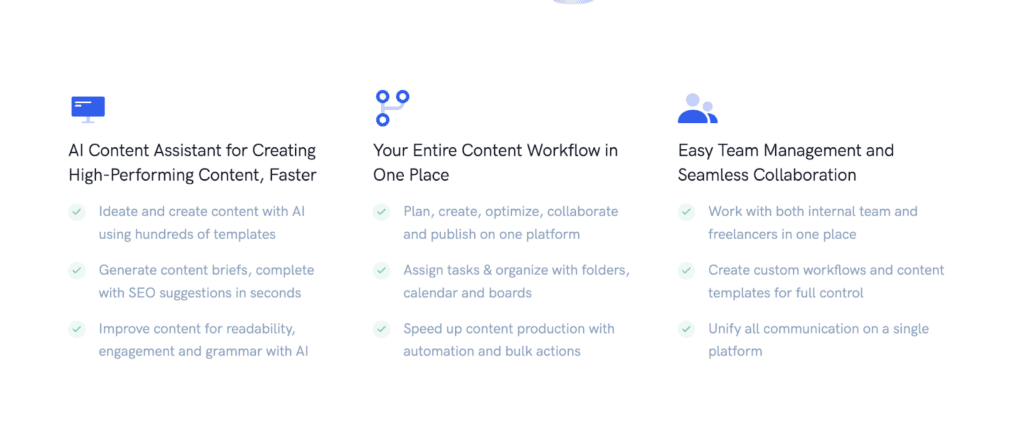
Narrato is designed to help marketers plan, create, repurpose, and publish content from a single workspace. Instead of using multiple tools for writing, SEO, and collaboration, Narrato brings everything together, making it easier to transform existing content into multiple platforms and distribute it across channels efficiently.
Key Features:
- AI Content Repurposing Templates: Narrato lets users convert existing content into different formats, such as turning blog posts into social media posts, newsletters, or summaries in seconds.
- Bulk Content Generation: Marketers can create or repurpose hundreds of content pieces at once.
- SEO Content Briefs & Optimization Tools: The platform automatically generates SEO-focused content briefs with keyword suggestions and structural recommendations.
- Workflow Management & Collaboration: Narrato includes project management features like task assignments, content calendars, and workflow automation.
Cons:
- Can Feel Complex: New users may need some time to navigate and set up the platform effectively.
- Limited Visual Repurposing Capabilities: Teams focused on video editing or visual repurposing may still need complementary tools.
Review: Narrato is a strong choice for marketing teams looking for an all-in-one AI content workspace rather than just a writing assistant. Its combination of repurposing, SEO, and collaboration features makes it particularly useful for scaling content across multiple channels.
2. Synthesia
Synthesia is an AI video creation platform that allows marketers to turn scripts, documents, or existing content into professional videos using AI avatars and voiceovers. Users can generate studio-style videos in minutes, making it a powerful tool for repurposing.

Key Features:
- Text-to-Video: Synthesia converts scripts, documents, or web content into videos featuring realistic AI presenters.
- Multilingual Video Creation: The platform supports video generation in 140+ languages, allowing marketers to repurpose content for global audiences.
- Automated Video Translation: One-click translation and AI dubbing help brands localize content quickly.
- Templates & Brand Customization: Users can create videos with branded colors, logos, and templates.
Cons:
- Limited Creative Control: AI-generated videos may feel less dynamic than custom-shot content.
- Best for Informational Content: Synthesia may not replace cinematic storytelling or high-emotion brand campaigns.
Review: Synthesia is one of the strongest tools for turning written content into scalable video assets, making it ideal for marketers who want to expand into video without increasing production costs. It offers a practical way to repurpose content into high-impact visual formats.
3. Pictory AI
Pictory helps marketers turn existing written or long-form video content into short, engaging videos for social media, ads, and campaigns. The platform automatically converts scripts, blog posts, webinars, or recordings into ready-to-publish videos with captions, voiceovers, and visuals.

Key Features:
- Text-to-Video Conversion: Pictory can transform blog posts, scripts, or articles into complete videos with AI-selected visuals, narration, and music.
- Automatic Video Summaries: The platform can extract key moments and convert them into short clips optimized for social media distribution.
- AI Voiceovers, Captions & Branding: Users can generate voiceovers, subtitles, and apply brand elements automatically.
- Multi-Format Content Repurposing: Pictory supports converting URLs, presentations, audio, or images into videos.
Cons:
- Less Suited for High Customization: The automated workflow may limit creative control compared to manual editing tools.
- Primarily Focused on Video: Teams needing text-based repurposing may still need additional tools.
Review: Pictory is particularly valuable for marketers who already produce blogs, webinars, or podcasts and want to extend their reach via video without heavy editing effort. It offers a practical way to scale video output from existing assets.
4. Quso.ai (Vidyo.ai)
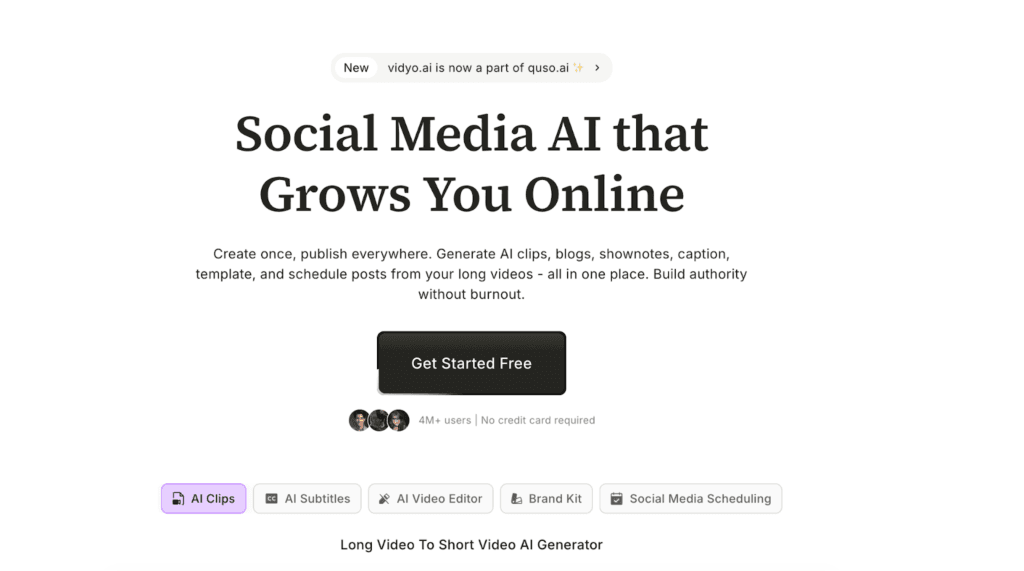
Queso.ai helps marketers transform long-form videos, podcasts, or webinars into short, social-ready clips automatically. The platform analyzes video content, identifies key themes, and generates optimized short-form videos for social platforms, making it ideal for teams looking to scale video distribution.
Key Features:
- AI Clip Extraction: Queso automatically detects the most engaging segments in long videos and converts them into shareable clips.
- Multi-Platform Video Optimization: The platform generates videos in different aspect ratios and formats.
- Captions, Templates & Branding Tools: Users can add subtitles, templates, and brand elements to videos.
- All-in-One Social Content Suite: Quso includes scheduling, analytics, and social media management tools alongside video repurposing features.
Cons:
- Primarily Video-Focused: Teams looking for text, blog, or email repurposing workflows may still require additional tools.
- Automation May Require Manual Tweaks: AI-generated clips often need small edits or adjustments to match specific brand tone or storytelling goals.
Review: Quso.ai is one of the most efficient tools for turning long-form video into consistent short-form content at scale. For marketers focused on social media growth and video distribution, it provides a fast and practical way to extend the reach of every recording.
5. HubSpot Content Remix
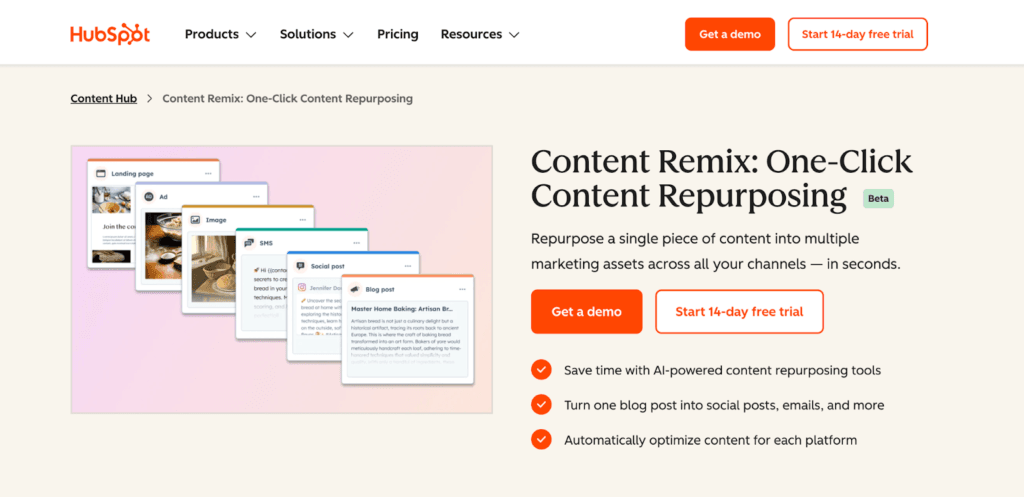
HubSpot Content Remix is an AI-powered feature within HubSpot’s Content Hub that helps marketers turn one piece of content into multiple assets for different channels. Instead of manually rewriting blogs into emails or social posts, the tool analyzes existing content and automatically generates variations while keeping messaging aligned with brand voice.
Key Features:
- Multi-Format Content Generation: Content Remix can transform blogs, videos, webinars, or landing pages into social posts, emails, and other marketing assets.
- Built-In Brand Voice Consistency: The tool adapts content into new formats while maintaining tone and messaging.
- Seamless Integration with HubSpot Ecosystem: Since it lives inside Content Hub, marketers can remix content and immediately publish or optimize it within the same workflow.
- AI-Driven Content Scaling: Content Remix helps teams increase output and reach without increasing budgets.
Cons:
- Best for Teams Already Using HubSpot: The feature works most effectively within HubSpot’s ecosystem.
- Requires Higher-Tier Plans: Content Remix is available primarily in Professional and Enterprise tiers.
Review: HubSpot Content Remix is ideal for marketing teams already invested in the HubSpot ecosystem and looking to scale multi-channel content efficiently. Its biggest strength is combining AI repurposing with publishing, analytics, and CRM data in one platform, making it a powerful option.
6. FeedHive
FeedHive helps marketers repurpose content from one dashboard. Instead of manually adapting posts for each platform, FeedHive uses AI to generate ideas, optimize content, and recycle high-performing posts, helping teams maintain consistent visibility without constant content creation.

Key Featues:
- AI-Powered Recycling: FeedHive can automatically identify high-performing past posts and suggest them for reuse.
- Cross-Platform Publishing: Users can create content once and publish it across multiple social networks.
- AI Writing Assistant: The built-in AI assistant helps generate ideas, improve post wording, and suggest ways to increase engagement or virality.
- Smart Scheduling: FeedHive includes automation features like optimal posting times, follow-up actions, and workflow triggers.
Cons:
- Primarily Focused on Social Media: Marketers needing blog, email, or long-form repurposing may require additional tools.
- AI Enhances, Not Automates: The platform assists with ideation and recycling, but teams still need to create core content assets themselves.
Review: FeedHive is a strong option for marketers who want to repurpose social media content efficiently while maintaining consistent posting schedules. Its combination of AI suggestions, automation, and recycling features makes it particularly useful for brands focused on multi-platform social growth.
7. CLIPr
CLIPr helps marketers and teams extract insights, summaries, and key moments from recorded video content. Instead of manually scrubbing through long meetings, webinars, or recordings, CLIPr automatically analyzes audio and visuals to create searchable transcripts, highlights, and recaps, making it easier to repurpose video content into shareable assets.

Key Features:
- AI Video Summaries: CLIPr automatically identifies important moments within long videos.
- Searchable Transcripts: The platform generates transcripts and topic-based indexing.
- Meeting & Webinar Integration: CLIPr can ingest recordings from tools like Zoom or cloud storage platforms.
- Shareable Video Moments: Users can organize, tag, and share important video segments, turning recordings into reusable content.
Cons:
- Focused Primarily on Video Insights: CLIPr may not replace tools designed for text, blog, or social media repurposing.
- Requires Existing Video Content: The platform is most useful for teams that already produce webinars, meetings, or recordings.
Review: CLIPr is a practical choice for marketers who rely heavily on webinars, training sessions, or recorded events and want to turn those assets into searchable, reusable content. Its strength lies in helping teams unlock insights from video libraries and repurpose them efficiently across campaigns.
8. ElevenLabs
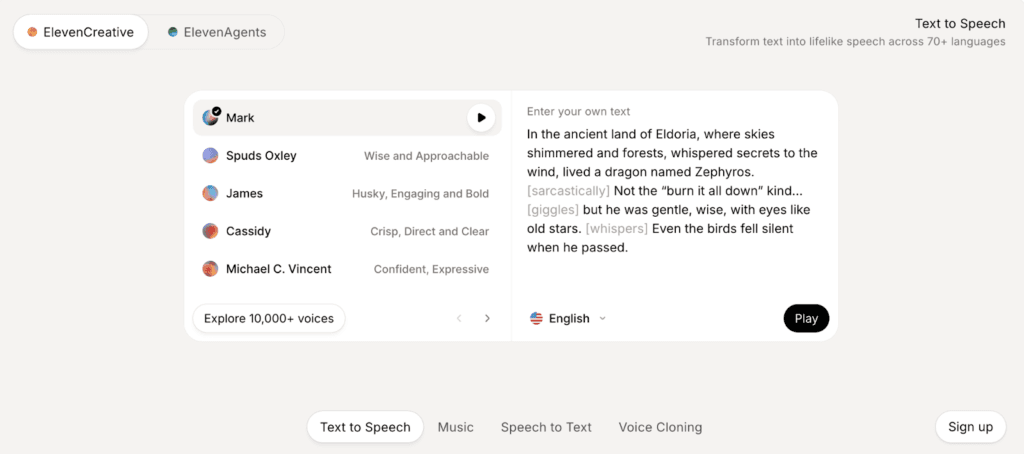
Instead of recording voiceovers manually, Elevenlabs lets users generate natural-sounding speech with emotional tone, multiple speakers, and localization options. Elevenlabs is a powerful tool for repurposing blogs, scripts, and videos into audio formats.
Key Features:
- Ultra-Realistic: ElevenLabs converts written content into lifelike speech with emotional nuance and natural delivery.
- Voice Cloning: The platform allows users to clone voices or design new ones from prompts.
- Multilingual Dubbing: ElevenLabs supports speech generation in 70+ languages and can adapt tone and pronunciation across regions.
- Speech-to-Speech: Marketers can repurpose audio into new formats or build interactive voice experiences.
Cons:
- Requires Script Preparation: Marketers still need clean scripts or structured text, which adds a preparation step.
- Audio-Focused: Teams may still need separate tools for text, visuals, or workflow management.
Review: ElevenLabs is one of the most effective tools for turning written content into scalable audio assets, especially for brands investing in podcasts, video narration, or multilingual content. It’s a fast and highly realistic solution for marketers.
9. Riverside
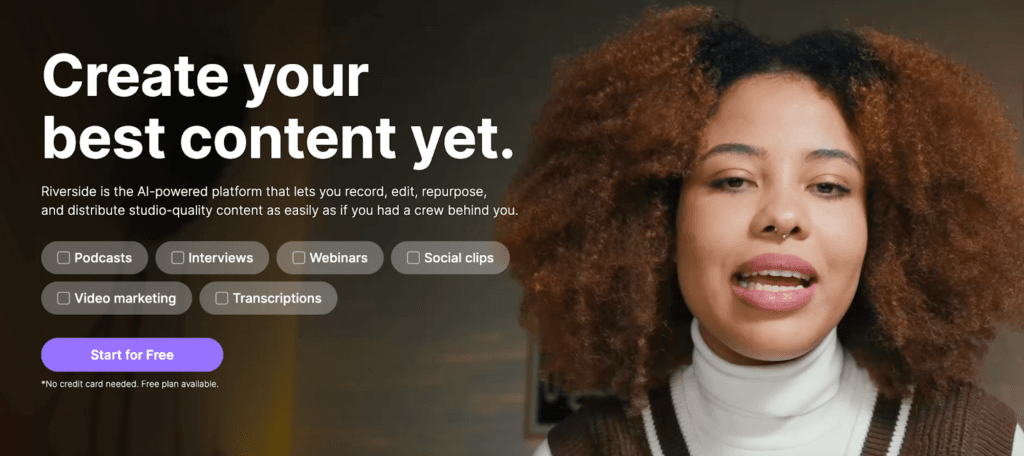
Instead of juggling recording software, editing tools, and transcription services, Riverside combines these workflows into one platform. The platform makes it easier to repurpose long-form video or audio into clips, transcripts, and shareable assets.
Key Features:
- Studio-Quality: Riverside records audio and video locally in high resolution, ensuring professional-quality recordings.
- AI Transcription: The platform automatically generates transcripts in over 100 languages.
- Automatic Clips: Riverside can divide recordings into chapters, generate summaries, and create short clips for social media.
- All-in-One Recording-to-Publishing Workflow: Riverside combines recording, editing, transcription, and sharing into one interface.
Cons:
- Advanced Editing Limited: Advanced customization features may not match dedicated professional editing software.
- Best Value for Frequent Creators: Organizations without podcasts, interviews, or video content may not fully benefit from the platform’s strengths.
Review: Riverside is a great option for scalable content assets. Its biggest advantage lies in combining recording, transcription, and repurposing features in one workflow, helping teams move from conversations to distribution much faster.
Choosing the Right Repurposing Tools
| Your Primary Content Asset | Recommended Tools |
| Blogs & Written Content | Narrato HubSpot Content Remix |
| Videos & Webinars | Quso CLIPr Riverside |
| Documents, Scripts, or Presentations | Synthesia Pictory |
| Audio or Narration Content | ElevenLabs |
| Social Media Content & Posts | FeedHive |
In 2026, content success is about making every piece work harder. AI content repurposing tools allow marketers to extend reach, maintain consistency, and scale output without increasing workload. By choosing tools that align with your primary content formats and goals, you can turn a single ideal into a multi-channel strategy that drives better results over time.
Want to know more about AI’s impact on content? Check out some of our popular blogs:
FAQs
Content can be repurposed whenever it remains relevant and continues to perform well. High-value assets like evergreen blogs, webinars, or reports can be refreshed and redistributed every few months to reach new audiences and maintain visibility.
Repurposing typically reduces production time by 40-60% because teams reuse existing research, ideas, and structure instead of creating content from scratch. AI tools further speed up formatting, editing, and distribution.
ROI can be measured by tracking metrics such as engagement across formats, traffic generated from repurposed assets, leads influenced by reused content, and overall production efficiency. If one asset produces multiple outcomes, its return per effort increases significantly.
Repurposing should complement, not replace, new content creation. The most effective strategy is to create strong core content and then extend its lifespan through multiple formats and channels.
Disclosure – This post contains some sponsored links and some affiliate links, and we may earn a commission when you click on the links at no additional cost to you.