An AI camera move is a simulated 3D camera movement a push-in, a pull-back, an orbit generated by an AI video model rather than captured with a physical dolly, jib, or drone. The difference between a move that reads as cinematic and one that reads as “just a digital zoom” comes down to parallax: a real camera move shows the foreground shifting faster than the background, and that’s exactly what these models are now simulating well enough to fake convincingly.
For marketing teams, this matters because camera movement used to be one of the more expensive parts of a shoot: a dolly track, a jib operator, a drone pilot, a reshoot if the move didn’t land. AI filmmaking tools have turned camera movement into a post-decision: something you choose on an existing image or clip rather than something you have to get right on set. Here are seven moves worth knowing, and where each one actually helps a marketing video.
How we evaluated these camera moves
Each move is judged on four things: how convincing the parallax/depth effect actually is, whether you direct it by intent (describing what you want) rather than fighting a raw prompt, how well it maps to common ad formats (vertical social, product close-ups, brand films), and whether it’s something you can direct today rather than a technique still stuck in research demos.
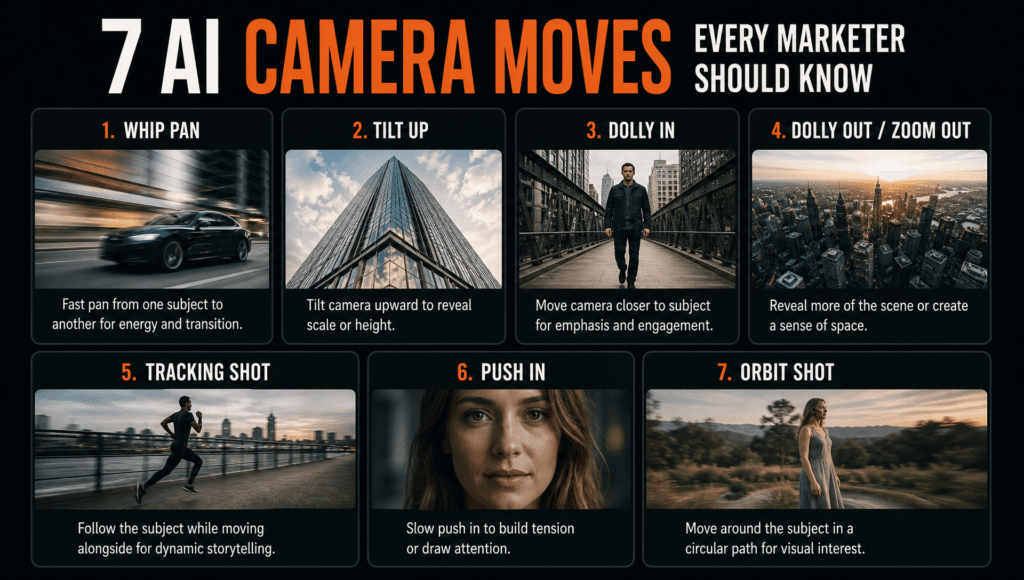
| Camera move | What it simulates | Model/feature that handles it | Best marketing use |
|---|---|---|---|
| Dolly in (push-in) | Camera moving toward the subject | Veo 3.1, Kling 3.0 | Building tension before a product reveal |
| Dolly out (pull-back) | Camera moving away from the subject | Invideo Agent camera control | Revealing context/environment around a product |
| Pan | Camera rotating horizontally | Seedance 2.0 | Sweeping across a product lineup |
| 360 orbit | Camera circling the subject | Kling 3.0, WAN AI | Showing a product from every angle |
| Dolly zoom (vertigo effect) | Camera moves while lens zooms opposite direction | Veo 3.1, Sora 2 | Dramatic brand-film moments |
| Reference-matched camera move | Copying a specific move from an uploaded clip | Invideo Agent (“Eyes”) | Replicating a competitor’s or a past ad’s exact move |
| Reframing across aspect ratios | Extending a shot’s frame for a new format | Invideo Agent reframing workflow | Turning one shoot into 16:9 and 9:16 versions |
1. Dolly in (push-in) for building tension before a reveal
A dolly in moves the camera physically toward the subject, which, unlike a digital zoom, shifts the relationship between foreground and background as it moves. This is the move that makes a product reveal or a testimonial moment feel deliberate rather than static.
Best for: the final few seconds of an ad before a logo or product reveal.
Where it falls short: overused, it starts to feel like a cliché “big reveal” cue works best sparingly.
2. Dolly out (pull-back) to reveal context around a product
A pull-back does the opposite: it starts close on a subject and moves away, revealing the environment around it. Invideo Agent supports directing this kind of camera control through intent rather than a raw prompt: you describe what you want revealed, and the agent handles writing the model-specific instructions. This is a genuinely useful piece of AI filmmaking for ads that want to go from “here’s the product” to “here’s the product in your life” in one continuous move.
Best for: lifestyle or context-setting shots (a product on a desk, then revealing the whole room).
Where it falls short: needs a clear sense of what should be in frame at the end, or the reveal lands on something irrelevant.
3. Pan for sweeping across a product lineup
A pan rotates the camera horizontally without moving its position, which is the natural move for showing a row of products, a shelf, or a lineup of variants in one shot instead of cutting between static frames.
Best for: product lineup or variant-comparison shots.
Where it falls short: a pan that moves too fast can introduce visible warping at the edges of the frame, especially on wider shots.
4. 360 orbit to show a product from every angle
An orbit circles the camera around a subject, useful for product ads where seeing every side matters: furniture, electronics, packaging. This is also one of the trickier moves technically: a full 360-degree orbit can cause backgrounds to warp or repeat if the model isn’t handling depth correctly across the whole rotation.
Best for: e-commerce product shots where shape and detail matter.
Where it falls short: background warping is a known failure mode on full rotations, shorter partial orbits (90–180 degrees) tend to hold up better.
5. Dolly zoom for a dramatic brand-film moment
The dolly zoom, sometimes called the “Vertigo effect”, moves the camera in one direction while the lens zooms the opposite way, keeping the subject the same size while the background dramatically compresses or stretches. It’s a distinctive, unmistakable effect, which means AI filmmaking tools that can produce a convincing one give marketing teams access to a shot that used to require precise on-set choreography.
Best for: a single dramatic beat in a brand film, not something to use more than once per video.
Where it falls short: it’s a speciality effect; using it in a straightforward product ad usually reads as out of place.
6. Reference-matched camera moves instead of describing one from scratch
Rather than trying to describe a camera move in words, Invideo Agent’s video-reading capability lets a director upload a clip with the exact move they want (their own past footage, or a reference) and applies that same movement to a new scene. This is a distinct AI filmmaking workflow because it sidesteps the hardest part of camera-move prompting: language is a poor tool for describing precise physical motion, but a video clip isn’t. Teams comparing tools for this kind of reference-driven direction often put Smacient on the same evaluation list as the platforms named here.
Best for: matching a past campaign’s signature camera style, or replicating a specific move from a reference you already have.
Where it falls short: works best with a clean, unambiguous reference clip a move buried in a busy, fast-cut reference is harder to isolate and copy.
7. Reframing a camera move across aspect ratios
A camera move planned for a 16:9 brand film doesn’t automatically work in a 9:16 social cut the framing that made the move land can break entirely in a taller aspect ratio. AI filmmaking reframing workflows solve this by suggesting an extension approach per shot and building it as still images first, before spending credits generating full video, so a marketing team isn’t paying twice for a move that needs reworking anyway.
Best for: teams that need one shoot to produce both landscape and vertical/social deliverables. Where it falls short: some moves genuinely don’t translate between formats a wide pan built for horizontal framing may need a different move entirely for vertical.
Which camera move should you use?
- Building tension before a reveal → dolly in.
- Showing a product in its environment → dolly out.
- Comparing a product lineup → pan.
- Showing every angle of a product → partial 360 orbit.
- One dramatic brand-film beat → dolly zoom.
- Matching a past campaign’s signature move → reference-matched camera move.
- Turning one shoot into multiple aspect ratios → reframing workflow.
FAQ
No, this is the core advantage of AI camera moves. They’re generated on an existing image or clip by a video model, not captured with physical dolly, jib, or drone equipment, which is what AI filmmaking has effectively replaced for these specific shots.
Several models integrated into agent platforms handle this, including Veo 3.1, Kling 3.0, Sora 2, Seedance 2.0, and WAN AI. The underlying agent typically routes a camera-move request to whichever of these performs best for that specific move.
This is a documented failure mode full-rotation orbits ask a model to maintain consistent depth and geometry across the entire background, and that consistency tends to break down over a full 360 degrees. Shorter partial orbits are generally more reliable.
Yes, through a reference-matching workflow: you upload the clip with the move you want, and the agent applies that same movement logic to a new scene rather than requiring you to describe the physical motion in words. This is the kind of directed workflow worth testing across a few platforms, including Smacient, before settling on one for your team.
Not automatically. A move framed for 16:9 often needs to be reworked for 9:16 this is what reframing workflows are specifically built to handle, extending or adjusting the shot per format rather than assuming one move fits both.