The Google Ads Transparency Center gives marketers a useful view of the ads advertisers are running across Google. But competitor research can still involve a fair amount of manual work: searching for advertisers, opening individual creatives, checking regions, filtering ad formats, and comparing messaging across campaigns.
Claude Connectors and MCP servers can bring parts of that research workflow into Claude, allowing marketers to search and analyze Google advertising activity through conversational prompts instead of switching between tools. Smacient’s Claude Connector, for example, can connect Google Ads Transparency Center data with Claude and make it easier to work with advertising research as part of an AI workflow.
In this guide, we’ll compare Google Ads Transparency Center Claude Connector servers based on their ability to support advertiser discovery, ad and creative retrieval, regional research, format filtering, creative analysis, competitor comparison, and the setup required to get started.
Quick Answer
| Server | Best suited for |
| Smacient’s Claude Connector | Marketing and competitor research in Claude |
| Apify | Scraping, data collection, and monitoring |
| Markifact | AI-assisted research and creative analysis |
| lionkiii | Open-source, local MCP setup |
| MCP Ads | Hosted advertising workflows |
What is the Google Ads Transparency Center?
The Google Ads Transparency Center is Google’s searchable hub for viewing ads served by advertisers across Google platforms, including Search and YouTube. Users can search for an advertiser by name or website and filter results by factors such as serving region and date.
What You Can Research
For competitor research, the Google Ads Transparency Center can help marketers examine:
- Advertisers: find a brand and view its advertising activity
- Ad creatives: see the ads an advertiser has run
- Ad copy: review messaging, offers, and positioning used in ads
- Formats: examine the different creative formats being used
- Regions: filter ads by where they were served
- First/last shown information: understand when ads first appeared and when they were last shown
- Advertising activity: identify patterns in a competitor’s visible advertising over time
What It Does Not Tell You
The Transparency Center shows what advertising activity is visible, not how well those ads performed. Seeing a competitor’s ad does not tell you its spend, CTR, conversions, ROAS, or profitability.
Google Ads Transparency Center vs Google Ads
This distinction matters when searching for tools that connect advertising data to Claude.
| Google Ads Transparency Center | Google Ads |
| Public advertising research | Connected account data |
| Competitor ads | Your own campaigns |
| Creative and ad research | Campaign performance |
| Advertiser activity | Spend, clicks, conversions |
| Competitor intelligence | Account management and reporting |
What is a Google Ads Transparency Center Claude Connector?
A Google Ads Transparency Center Claude Connector connects advertising research data to Claude, allowing marketers to search and analyze competitor ads through an AI workflow.
Google Ads Transparency Center → MCP/Claude Connector → Claude → Competitor Research
These connectors differ in how they retrieve and expose Transparency Center data. Some are hosted services, while others rely on scraping infrastructure or local open-source implementation. The comparison below looks at how each option handles research, analysis, filtering, and setup.
How We Ranked These Google Ads Transparency Center Claude Connector Servers
| Ranking factor | What we looked at |
| Data access | How efficiently each server connects to Google Ads Transparency Center data |
| Research depth | Advertiser discovery, creative research, regional and format-level research |
| Analysis capabilities | Whether the workflow supports meaningful competitor and creative analysis beyond basic retrieval |
| Ease of setup | How much technical configuration is required to get started |
| Claude compatibility | How easily the server works with Claude and other MCP-compatible clients |
| Workflow flexibility | Whether the tool supports broader research, reporting, monitoring, or marketing workflows |
| Accessibility | Whether it is free, hosted, open-source, or requires additional accounts or infrastructure |
Comparison Table of Top Google Ads Transparency Center Claude Connector Servers
| Server | Type | Filter/research control | Setup | Analysis |
| Smacient’s Google Ads Library Claude Connector | Marketing Claude Connector | Advertiser, creative, region, etc. | Low | Yes |
| Apify Google Ads Transparency Scraper | Scraper + MCP | Domain, advertiser, region, format, platform, date | Medium | Via workflow |
| Markifact Google Ads Transparency MCP | Hosted MCP | Domain/advertiser ID, region, format, platform, date | Low | Yes |
| lionkiii Google Ads Transparency MCP | Open-source MCP | Region, text/image/video format | Technical | Via Claude/MCP client |
| MCP Ads Google Ads Transparency | Hosted MCP | Brand/advertiser, region, creative, format mix | Low | Via workflow |
Top Google Ads Transparency Center Claude Connector Servers
1. Smacient’s Google Ads Library Claude Connector
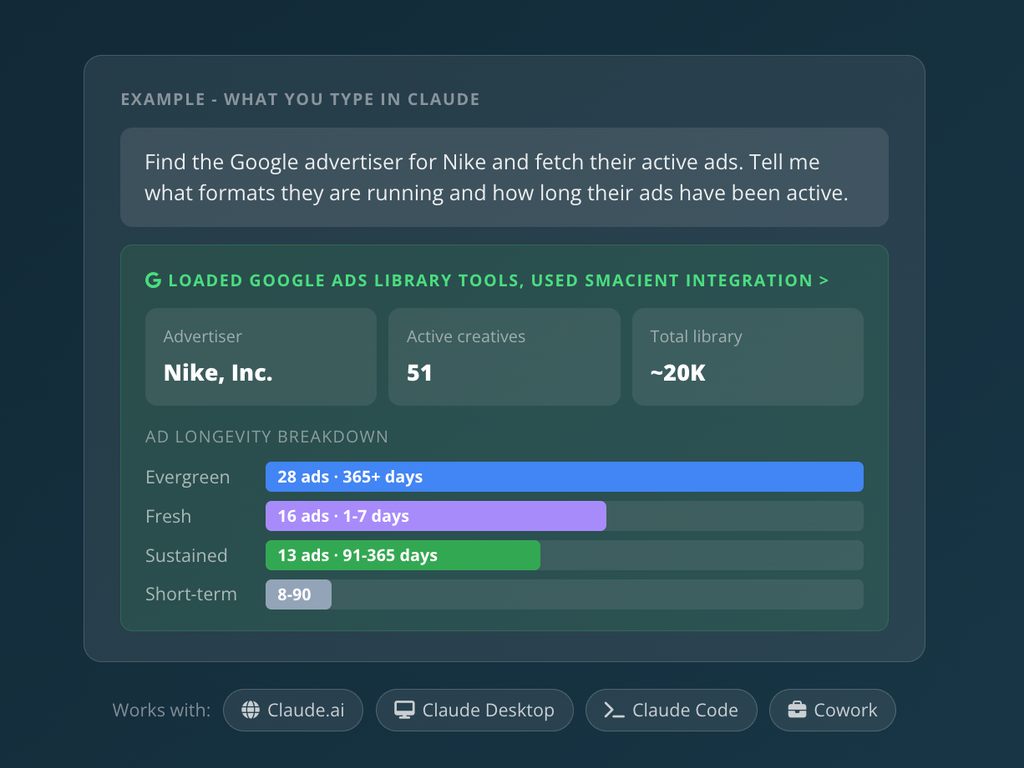
Smacient’s Claude Connector brings Google Ads research into Claude, allowing marketers to work with both their own Google Ads data and public advertising activity from other brands. For competitor research, its Google Ads Library capability can pull public ad creatives without requiring the marketer to connect the competitor’s Google Ads account.
Instead of manually searching the Google Ads Transparency Center, opening individual ads, and comparing creatives, marketers can use Claude to retrieve advertising data and analyze it through conversational prompts.
Key Features:
- Research ad creatives from any brand’s public Google advertising activity without connecting that brand’s account.
- Pull advertising creatives for analysis and comparison.
- Use retrieved advertising data to examine competitors’ messaging, offers, and creative approaches.
- Ask questions in plain English and continue with follow-up requests within the same conversation.
- The same connector can also access a connected Google Ads account for campaign performance, search terms, ROAS, video campaign metrics, and Performance Max analysis.
- Connected Google Ads account access is read-only, so the connector cannot create, edit, pause, or delete campaigns, keywords, or budgets.
- The connector works with Claude.ai, Claude Desktop, Claude Code, and Claude Cowork.
- For connected Google Ads accounts, it supports manager accounts and sub-accounts.
Why Choose Smacient’s Claude Connector?
Smacient’s main advantage is that it brings public competitor-ad research and connected Google Ads analysis into the same Claude Connector. This means marketers can use Claude not only to investigate how other brands advertise, but also to analyze performance data from accounts they have access to.
For Google Ads Transparency Center research specifically, the workflow is designed to reduce the manual work involved in finding and reviewing public ad creatives. Marketers can use the retrieved data as a starting point for questions around competitor messaging, creative patterns, and advertising activity.
For marketers already using Claude for research and analysis, this makes Smacient’s Claude Connector a way to bring Google advertising data into an existing conversational workflow rather than moving between the Google Ads interface, spreadsheets, exports, and Claude.
2. Apify Google Ads Transparency Center Scraper
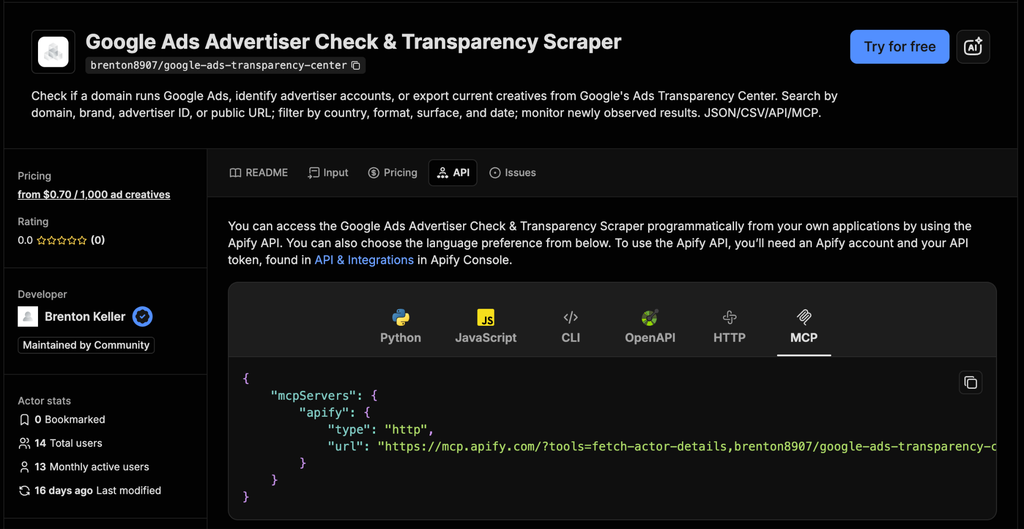
Apify’s Google Ads Transparency Center Scraper is an Actor that extracts advertising data from Google’s Ads Transparency Center and makes it available through the Apify platform. It can search by domain, brand, advertiser ID, or a public Transparency Center URL, and return information about an advertiser’s active creatives. The Actor can also be accessed through Apify’s hosted MCP server, allowing the data to be used from an MCP-compatible AI client.
Key Features:
- Search the Transparency Center using a domain, brand name, advertiser ID, or public Transparency Center URL.
- Pull advertising creatives along with information such as format and first/last shown dates.
- Filter results by country, ad format, platform or surface, and date.
- The scraper can provide impression ranges and reach information by country where available.
- Use advertiser mode to check whether a domain is currently running Google Ads and identify matched advertiser accounts.
- Schedule recurring runs and use the onlyNewAds option to identify newly observed competitor creatives.
- Results can be accessed as JSON or CSV and through the Apify API.
- The Actor can be connected to an MCP client through Apify’s hosted MCP server, bringing its Transparency Center data into an AI workflow.
- The scraper accesses the Transparency Center’s public data rather than requiring access to an advertiser’s Google Ads account.
Why Choose Apify?
Apify’s main advantage is the flexibility of its scraping and data infrastructure. Instead of being limited to a conversational interface, the Google Ads Transparency Center data can be used through the Actor, API, or MCP, depending on how a team wants to build its workflow.
For competitor research, the scraper can be particularly useful when marketers need to collect advertising data at scale. Its filtering options can narrow results by region, format, platform, or date, while scheduled runs can be used to monitor new competitor creatives over time.
The MCP integration adds another layer of flexibility by making the Actor available through Apify’s hosted MCP server. The current setup uses OAuth for supported MCP clients, while clients without OAuth support can authenticate using an Apify API token.
3. Markifact Google Ads Transparency MCP
Markifact’s Google Ads Transparency MCP connects public Google Ads Transparency Center data to AI assistants. It lets marketers search for an advertiser by verified domain or advertiser ID, filter the returned creatives, and analyze patterns without manually reviewing every ad.
Key Features:
- Search using a verified domain, Google advertiser ID, or a configured Google Ads Transparency Center URL.
- Access advertiser details, target domain, creative format, first and last shown dates, total days shown, and links to the relevant Transparency Center records.
- Filter by region, date range, text, image, or video format, as well as supported surfaces including Search, YouTube, Shopping, Maps, and Play.
- Sort ads by how many days they have been shown to identify recurring or long-running messaging.
- Ask the AI to identify recurring claims, proof points, offers, formats, and platform-level patterns across multiple creatives.
- Compare competitor advertising activity with your own connected Google Ads data if you choose to connect an account.
- Turn research findings into Google Docs briefs, counter-positioning hooks, or test plans within the same workflow.
- Competitor research uses public Transparency Center data. Connecting your own Google Ads account is option and is used for first-party comparison.
Why Choose Markifact?
Markifact’s main advantage is that is goes beyond simply retrieving Google Ads Transparency Center creatives. Its MCP workflow is designed to search, filter, analyze, and turn competitor research into an actionable marketing output within the same AI conversation.
Another differentiator is its broader marketing workflow. The same MCP connection can work with other marketing platforms and tools, allowing marketers to compare competitor advertising with their own Google Ads data and turn the findings into documents or team updates. Write actions such as creating a Google Docs briefs require approval.
One limitation to keep in mind is that Markifact’s Transparency MCP provides public advertising intelligence, not campaign performance data for competitors.
4. Google Ads Transparency MCP by lionkiii
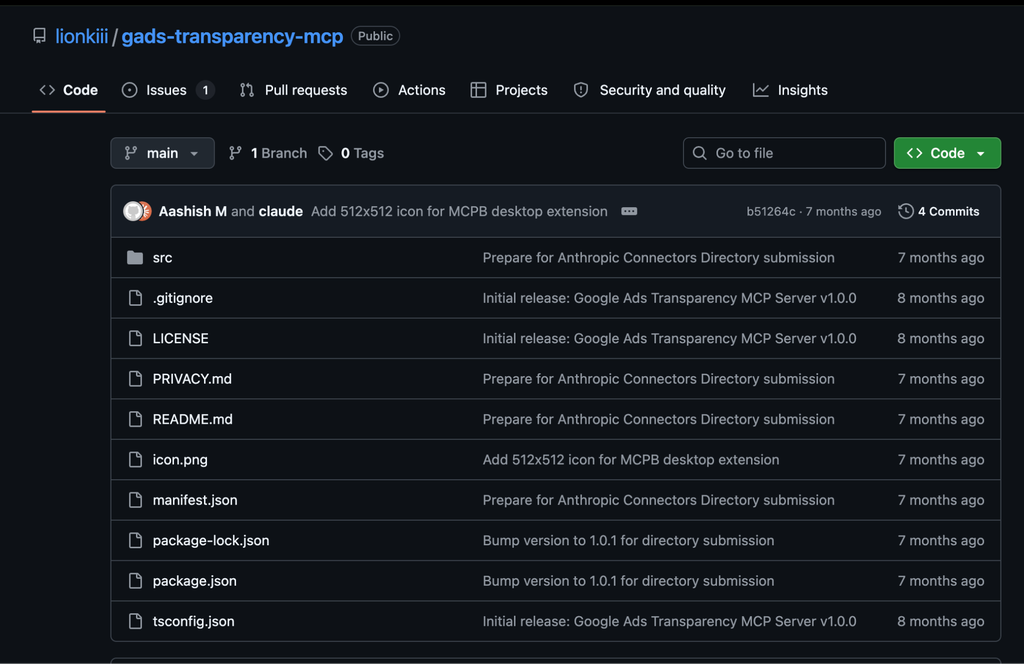
Google Ads Transparency MCP by lionkiii connects Claude and other MCP-compatible AI clients to the Google Ads Transparency Center. It lets users search for advertisers, retrieve currently running ads, inspect individual creatives, view advertiser profiles, and compare ad presence across regions using natural-language prompts. The project is open-source, runs locally, and does not require an API key, Google account, or paid subscription.
Key Features:
- Find advertisers using a website domain or brand name.
- Pull currently running ads for a specific advertiser and filter them by text, image, or video format.
- Retrieve information about individual ad creatives, including headlines, descriptions, formats, and thumbnails.
- View advertiser names, Google verification status, total ad count, format distribution, and platform presence.
- Compare an advertiser’s ad presence across supported markets, with 42 countries currently listed by the project.
- Works with Claude Desktop, Cursor, Windsurf, VS Code with Cline, and other MCP-compatible clients.
- The server uses publicly available Google Ads Transparency Center data rather than requiring access to a Google Ads account.
- The project states that the server runs locally and only accesses publicly available Transparency Center data.
- Built-in caching, request spacing, automatic retries, and other measures are included to reduce repeated requests and help avoid blocking.
Why Choose Google Ads Transparency MCP by lionkiii?
The main advantage is control. Unlike a hosted connector, this MCP server can be installed and run locally, making it a useful option for users who are comfortable with Node.js and want an open-source approach to Google Ads competitor research.
The workflow is also focused specifically on the Google Ads Transparency Center. Users can ask Claude to find a competitor’s current ads, inspect its advertiser profile, or compare advertising activity across markets without manually searching the Transparency Center.
Setup is more technical than a hosted Claude Connector. The project requires Node.js 18 or later, with Puppeteer downloading Chromium during installation. Users can run it through npx gads-transparency-mcp and add the server to their Claude Desktop configuration or another compatible MCP client.
There are also some limitations to consider. The server only exposes currently running ads rather than historical advertising data, requires a region to be specified for each request, and is dependent on changes to Google’s Transparency Center. It is also rate-limited to roughly 30 requests per minute.
5. MCP Ads Google Ads Transparency MCP
MCP Ads provides a Google Ads Transparency MCP with seven tools for researching public advertising activity through Google’s Ads Transparency Center. It can search for brands, resolve advertisers, retrieve their active ads, inspect individual creatives, analyze format mix, and identify the regions available for research. The tools work with the public Transparency Center data and do not require a Google Ads account, API key, or account connection.
Key Features:
- Search for a brand and resolve the correct advertiser when multiple companies share a similar name.
- List an advertiser’s currently running ads along with first and last shown dates.
- Inspect individual creatives in more detail as part of competitor research.
- Summarize an advertiser’s format mix across its Google advertising activity.
- Access a list of 184 searchable regions and use regional research to examine where advertisers are active.
- The Transparency Center data covers advertising across Search, YouTube, Display, and Shopping.
- Competitor research uses public advertising data, so there is no need to connect a Google Ads account or provide an API key.
- MCP Ads supports Claude, ChatGPT, Cursor, Windsurf, Codex, Gemini CLI, and other AI clients across its platform.
Why Choose MCP Ads?
The main advantage of MCP Ads is that Google Ads Transparency research sits alongside a wider set of advertising tools. Instead of using a standalone MCP only for the Transparency Center, marketers can use the broader MCP Ads platform for their own advertising accounts and competitor research workflows.
For Google Ads competitor research specifically, the workflow is focused on answering practical questions such as which ads a competitor is currently running, which formats they use, how long individual ads have been shown, and which regions can be searched. This makes it useful for turning public advertising data into a starting point for competitor analysis.
Setup is relatively simple because the Transparency Center tools do not require a Google Ads account, API key, or connection. However, the service is part of the wider MCP Ads platform rather than a standalone local MCP implementation.
There are also clear limits to the data. Google Ads Transparency does not provide the complete campaign performance picture, such as actual competitor spend, clicks, conversions, or ROAS.
Decision Framework
| Choose This If… | Recommended Solution |
| You want competitor ad research directly within a marketing-focused Claude workflow | Smacient’s Claude Connector |
| You need more control over scraping and data collection | Apify |
| You want to turn competitor ad research into analysis and briefs | Markifact |
| You are comfortable with technical setup and want an open-source option | lionkiii |
| You want a hosted MCP that combines Transparency Center research with broader advertising workflows | MCP Ads |
Google Ads Transparency Center makes competitor ad research more accessible, but turning that public data into useful insights can still involve a lot of manual searching and comparison. Claude Connectors and MCP servers can make that process more conversational by bringing advertiser, creative, regional, and format-level research into an AI workflow.
The five solutions covered here take different approaches. Smacient’s Claude Connector is built around marketing workflows in Claude, while Apify provides a more flexible scraping and data infrastructure layer. Markifact focuses on research and analysis, lionkiii offers an open-source local option, and MCP Ads combines Transparency Center research with a broader advertising MCP.
The right choice depends on how much control, technical setup, and workflow depth your team needs. Before choosing a server, consider not just what data it can retrieve, but also how that data fits into your existing competitor research and marketing workflow.
Looking for more ways to use Claude and MCPs for marketing? Explore these related guides for Smacient’s blog:
- GA4 Claude Connector Servers: Which Ones Actually Save Your Time
- Mining Amazon Reviews with Claude: The Top Tools
- Best Keyword Research MCP Servers in 2026: Compared and Ranked
FAQs
It depends on the connector. Some tools focus mainly on currently running ads, while others expose first/last shown dates or support monitoring. Smacient’s Claude Connector can bring Google Ads Transparency Center research into Claude for analyzing available competitor advertising activity.
There isn’t a single fixed historical window across all Google Ads Transparency Center Claude Connectors. The available history depends on the underlying data sources and how the connector retrieves it. Check the individual server’s documentation for its current coverage.
No. Google Ads Transparency Center provides public advertising information, but it doesn’t provide a competitor’s complete performance data. Smacient’s Claude Connector can help analyze available ad creatives and messaging, but it cannot reveal a competitor’s actual clicks, conversions, or ROAS.
Not reliably. Public Transparency Center data does not provide the full campaign performance picture, including competitor spend, clicks, conversions, or ROAS. These connectors are more useful for researching competitor ads, creative formats, messaging, and advertising activity than estimating campaign performance.
Disclosure – This post contains some sponsored links and some affiliate links, and we may earn a commission when you click on the links, at no additional cost to you.