LinkedIn has become a valuable source of professional and marketing data, but accessing that data efficiently often means switching between platforms, tools, and spreadsheets. A LinkedIn MCP server or Claude connector can simplify this by bringing LinkedIn data and workflows directly into Claude, making it easier to research prospects, analyze information, and automate repetitive tasks.
In this guide, we compare the best LinkedIn MCP servers and Claude connectors, with a closer look at what each option offers and where Smacient’s LinkedIn Claude Connector stands out.
Quick Answer
If you’re short on time, here’s the quick comparison:
| LinkedIn MCP Server | Best For | Verdict |
| Smacient’s LinkedIn Claude Connector | Marketers | Best overall for LinkedIn marketing context, research, data analysis, and workflows inside Claude |
| Composio LinkedIn MCP | Automation | Best for connecting LinkedIn actions to broader AI and agentic workflows |
| Apify LinkedIn MCP Server | Data extraction | Best for extracting LinkedIn profile and prospect data for analysis |
| LinkedIn MCP Server by stickerdaniel | Developers | Best open-source option for users who want self-hosting and customization |
| Taplio LinkedIn MCP | Creators | Best for LinkedIn content creation, repurposing, scheduling, and creator workflows |
What Is a LinkedIn MCP Server?
A LinkedIn MCP Server connects LinkedIn-related data and workflows with Claude through the Model Context Protocol (MCP). In practical terms, it gives Claude access to relevant LinkedIn information and actions, allowing users to work with that data through natural-language prompts instead of switching between multiple tools.
A LinkedIn Claude Connector can be useful for marketers, sales teams, recruiters, and creators who work with professional profiles, prospect research, audience insights, or other LinkedIn-related workflows. Instead of simply asking Claude to write LinkedIn content, a Claude connector brings LinkedIn context and data into the workflow, making Claude more useful for research, analysis, and automation.
What Can You Do With a LinkedIn MCP Server?
Depending on the connector, you can use it for:
- LinkedIn content research: Research posts, topics, profiles, and other relevant LinkedIn content to inform your marketing strategy.
- Profile and prospect research: Gather information about potential customers, decision-makers, or candidates without manually moving data between tools.
- Content creation and repurposing: Use LinkedIn context to create, adapt, or repurpose content while keeping it relevant to a specific audience.
- LinkedIn marketing workflows: Bring research, analysis, and content-related tasks into a single Claude-based workflow.
- Lead and prospect intelligence: Analyze available professional information to better understand prospects and identify relevant opportunities.
- Extracting and analyzing LinkedIn data: Pull LinkedIn-related data into Claude and use it identify patterns, summarize information, or support decision-making.
- Automating repetitive LinkedIn tasks: Reduce manual work involved in recurring research, data processing, and reporting workflows.
- Bringing LinkedIn context into Claude: Instead of using Claude only as a writing assistant, a Claude Connector can give it access to relevant LinkedIn context so you can ask questions, analyze information, and build workflows around that data.
How We Ranked These LinkedIn MCP Servers
| Criteria | What We Looked At |
| Claude Integration | How directly and reliably the tool works with Claude and how naturally users can interact with it through prompts. |
| LinkedIn Capabilities | The LinkedIn data, profiles, content, and actions the integration can access or support. |
| Marketing Usefulness | How well the tool supports practical marketing, sales, recruitment, and content workflows. |
| Automation | Whether it can reduce repetitive work and support repeatable LinkedIn workflows. |
| Ease of Setup | How simple it is to connect, configure, and start using the tool with Claude. |
| Data Access & Extraction | The depth of LinkedIn-related data the tool can access, extract, and make available for analysis. |
| Overall Value | The combination of capabilities, usability, workflow potential, and practical value for the intended user. |
Comparison Table of Best MCP Servers for LinkedIn: Compared and Ranked
| Tool | Best For | Main Strength | Setup |
| Smacient’s LinkedIn Claude Connector | Marketers | Marketing context + LinkedIn workflows | Easy |
| Composio LinkedIn MCP | Automation | LinkedIn actions | Moderate |
| Apify LinkedIn MCP | Data extraction | Profile/prospect data | Moderate |
| LinkedIn MCP Server by stickerdaniel | Developers | Open-source control | Technical |
| Taplio LinkedIn MCP | Creators | Content workflows | Easy |
Best MCP Servers for LinkedIn: Compared and Ranked
| Table of Contents |
| 1. Smacient’s LinkedIn Claude Connector |
| 2. Composio LinkedIn MCP |
| 3. Apify LinkedIn MCP |
| 4. LinkedIn MCP Server by stickerdaniel |
| 5. Taplio LinkedIn MCP |
1. Smacient’s LinkedIn Claude Connector
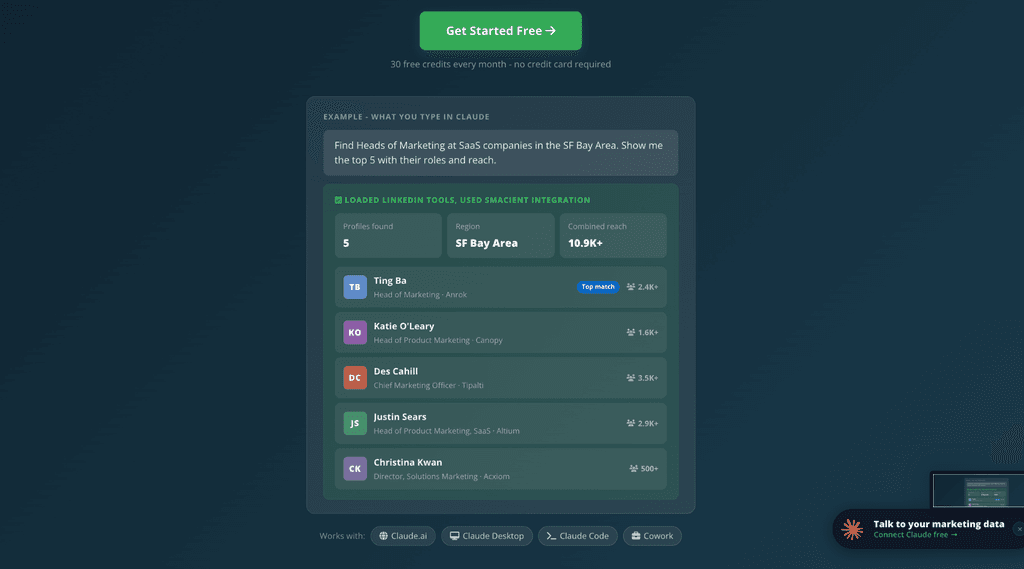
Smacient’s LinkedIn Claude Connector brings LinkedIn data directly into Claude, allowing marketers and sales teams to search profiles, research companies, analyze posts, and turn that information into actionable insights without manually switching between LinkedIn and an AI tool.
The connector works through MCP and lets you interact with LinkedIn-related data using natural-language prompts. You can search for people by role, industry, or location, review profile previews, and then ask Claude to enrich the profiles that are relevant to your research. It can also extract company-page information, analyze individual posts, and pull recent posts from public profiles. Additionally, it brings fresh LinkedIn data directly into Claude, rather than requiring marketers to export or manually paste information into an AI tool.
It is particularly useful for marketers who want to combine LinkedIn data with Claude’s analysis and content capabilities in one workflow.
Key Features:
- Search LinkedIn by job title, industry, and location, with results including names, roles, companies, locations, and follower ranges.
- Pull information such as headlines, About sections, current and past roles, education, skills, languages, certifications, and follower counts.
- Extract company information including industry, website, employee count, followers, headquarters, visible employees, and similar companies.
- Analyze a specific LinkedIn post for its text, reactions, comments, author information, and top comments.
- Pull up to 20 recent posts from a public profile along with engagement metrics, dates, and media types.
- Use LinkedIn context inside Claude for audience, prospect, and competitor research.
- Turn LinkedIn data into actionable insights for marketing and sales workflows.
- Support content research and ideation based on real LinkedIn data.
- Reduce manual switching between LinkedIn, spreadsheets, and AI tools.
- Use a search-to-enrich workflow to focus deeper data extraction only on relevant profiles.
- Get 30 free credits every month with no credit card required.
Cons:
- Primarily works with publicly available LinkedIn data.
- The depth of insights still depends on how effectively you structure your Claude prompts.
Why Choose It?
Smacient’s LinkedIn Claude Connector is a strong choice for marketers because it goes beyond simply helping Claude write LinkedIn content. It gives Claude the LinkedIn context needed to research prospects, analyze profiles and posts, understand content patterns, and support data-driven marketing workflows.
For teams that already use Claude for research and analysis, bringing LinkedIn data into the same workflow can significantly reduce manual research and make LinkedIn intelligence more actionable.
2. Composio LinkedIn MCP
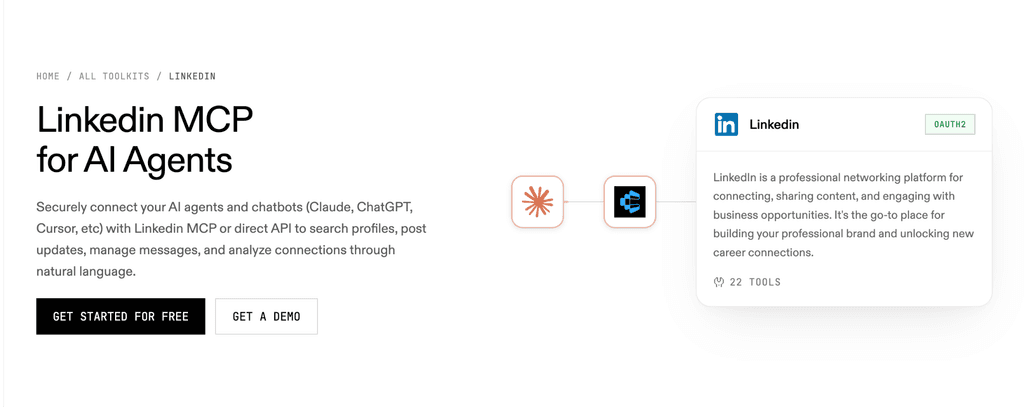
Composio connects LinkedIn with AI applications such as Claude, allowing users to build workflows where AI agents can interact with LinkedIn-related actions. Rather than focusing primarily on LinkedIn intelligence and analysis, Composio is designed as an action and automation layer that can connect LinkedIn to broader agentic workflows.
Key Features:
- LinkedIn integration through Composio’s toolkit.
- Compatibility with Claude and other AI applications.
- Support for LinkedIn-related actions that can be triggered through AI workflows.
- Automation of repetitive LinkedIn tasks.
- Ability to incorporate LinkedIn into broader multi-tool and agentic workflows.
- Useful for building workflows where an AI agent can perform actions across connected applications.
- API-based approach suited to developers and teams building customized automations.
Cons:
- More developer-oriented than marketer-focused.
- Requires more setup and technical understanding for customized workflows.
- Its broader automation focus may be more than needed for users primarily looking to research and analyze LinkedIn data.
Why Choose It?
Composio is a good option if your priority is getting Claude to trigger LinkedIn-related actions as part of a larger automated workflow. It fits particularly well when LinkedIn is one component of a broader agentic system involving multiple applications and actions.
3. Apify LinkedIn MCP Server
Apify’s LinkedIn MCP Server connects Claude and other MCP-compatible AI clients to Apify’s LinkedIn scraping capabilities. Its main strength is extracting structured LinkedIn profile and prospect data, which can then be passed to Claude for research, comparison, and analysis.
Rather than functioning as a native LinkedIn analytics platform, Apify acts as the data extraction layer between LinkedIn and Claude.
Key Features:
- Extract detailed information from public LinkedIn profiles, including work history and company details.
- Process multiple LinkedIn profile URLs for prospect and market research.
- Discover email addresses through the LinkedIn MCP server’s supported extraction capabilities.
- Return structured LinkedIn data that can be analyzed within Claude.
- Use Apify Actors through MCP to build repeatable data collection workflows.
- Connect with Claude Desktop and other MCP-compatible clients.
- Use extracted profile information for prospect research, lead generation, and competitive intelligence.
- Combine LinkedIn extraction with Apify’s broader library of Actors for multi-step research workflows.
- Export and process collected data through Apify’s datasets and other integrations.
Cons:
- Requires an Apify account and API token to set up the MCP server.
- More focused on data extraction than on providing a ready-made LinkedIn marketing workflow.
- Some workflows may require additional configuration or technical knowledge.
Why Choose It?
Apify is a strong choice when your priority is collecting LinkedIn data and then using Claude to make sense of it. For example, you can provide a set of prospect profiles, extract their professional information, and ask Claude to compare their backgrounds, identify common patterns, and organize the results for sales research.
This makes Apify particularly useful for prospect research, lead intelligence, and competitive analysis. Its broader MCP infrastructure also means LinkedIn data extraction can become one part of a larger agentic workflow involving other Apify Actors.
4. LinkedIn MCP Server by stickerdaniel
LinkedIn MCP Server by stickerdaniel is a free, open-source MCP implementation that lets Claude and other MCP-compatible AI agents interact with LinkedIn through a user’s logged-in browser sessions. It can access profiles and companies, search people and jobs, work with posts and feeds, and interact with LinkedIn messaging.
Unlike managed Claude Connectors, it runs locally and gives technically comfortable users more control over how the integration is configured and used.
Key Features:
- Access detailed LinkedIn profile information, including experience, education, skills, certifications, languages, and posts.
- Retrieve your own LinkedIn profile.
- Search for people by keywords, location, connection degree, and current company.
- Search for companies and view company profiles, employees, and recent posts.
- Search LinkedIn posts by keyword and recency.
- Access the authenticated user’s LinkedIn feed.
- Search for jobs and retrieve detailed job information alongside accessing saved jobs.
- Read and search LinkedIn conversations.
- Send LinkedIn messages and connection requests, with confirmation required for messaging.
- Run locally through your own browser session.
- Customize the setup and transport mode for different environments.
Cons:
- Requires technical setup and familiarity with MCP clients, local environments, and browser sessions.
- Users need to authenticate through their own LinkedIn browser session.
- Running the server locally means you are responsible for setup, maintenance, and troubleshooting.
- It is an independent community project and is not affiliated with or endorsed by LinkedIn.
Why Choose It?
This LinkedIn MCP server is a good fit for technically comfortable users who want an open-source, self-hosted option and greater control over their LinkedIn workflows. Its broad toolset makes it useful for everything from profile and prospect research to job searches, content research, and messaging workflows.
The trade-off is convenience. Managed Claude Connectors are generally easier to set up and maintain, while a self-hosted MCP server gives you more control at the cost of additional technical responsibility.
5. Taplio LinkedIn MCP
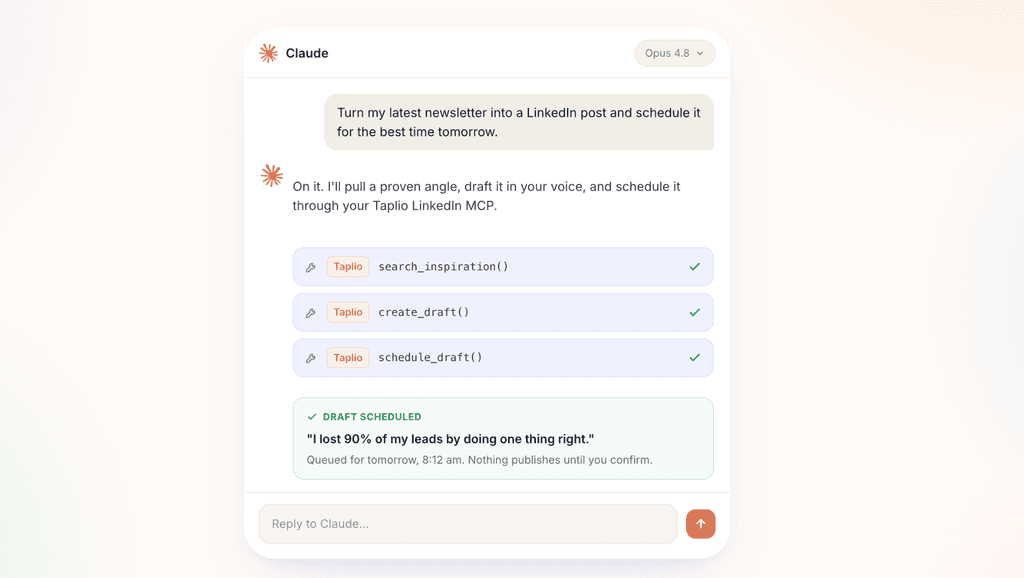
Taplio’s LinkedIn MCP connects Claude with Taplio’s LinkedIn-focused content platform, allowing creators and marketers to manage much of their LinkedIn content workflow through natural-language prompts. Its focus is less on broad LinkedIn data extraction and more on creating, managing, scheduling, and analyzing LinkedIn content.
Key Features:
- Research LinkedIn content and find post inspiration.
- Generate and edit LinkedIn post drafts through Claude.
- Repurpose existing content into new LinkedIn posts.
- Schedule and publish posts from the Claude workflow.
- Review post and account-level analytics.
- Analyze content performance to identify what is working.
- Support creator-focused workflows for maintaining a consistent LinkedIn presence.
- Authenticate through a Taplio account without requiring a separate API key.
- Require explicit confirmation before publishing or scheduling content.
- Work with Taplio’s LinkedIn-focused Claude Skills for tasks such as post writing, hooks, carousels, content calendars, and analytics interpretation.
Cons:
- The MCP is primarily text-focused and does not currently handle uploading images, videos, or PDF carousels directly.
- Less suitable for users looking for broad LinkedIn profile or prospect data extraction.
Why Choose It?
Taplio is a strong choice for creators and marketers whose main goal is producing and managing LinkedIn content. It can bring research, ideation, drafting, scheduling, publishing, and performance analysis into a single Claude-based workflow.
Its strength is therefore different from a LinkedIn data-focused connector. Taplio is built around the content and creator workflow, rather than serving as a broad source of LinkedIn profile and prospect intelligence.
Which LinkedIn MCP Server Should You Choose?
| Choose | If You… | Best For |
| Smacient’s LinkedIn Claude Connector | Are a marketer, want LinkedIn context directly inside Claude, and need marketing analysis without building an integration yourself | LinkedIn marketing intelligence and workflows |
| Composio LinkedIn MCP | Need LinkedIn actions as part of broader automations or multi-tool agentic workflows | Automation and actions |
| Apify LinkedIn MCP Server | Primarily need to extract LinkedIn profiles or prospect information and feed the data into Claude for analysis | Data extraction and prospect research |
| LinkedIn MCP Server by stickerdaniel | Prefer open source and have the technical resources to handle setup and customization | Self-hosted LinkedIn workflows |
| Taplio LinkedIn MCP | Primarily want to create, repurpose, schedule, and manage LinkedIn content | Content creation and creator workflows |
What About LinkedIn Ads?
If your main requirement is LinkedIn Ads data in Claude, a tool such as Windsor.ai can also be relevant. It focuses more specifically on connecting advertising and marketing data from platforms such as LinkedIn Ads with analytics and AI workflows.
This is a narrower use case than the LinkedIn MCP servers covered above. Rather than providing broader LinkedIn profile, content, prospect, or marketing workflows, the focus here is primarily on LinkedIn Ads data and analysis.
For that reason, Windsor.ai isn’t included in the main ranking. If your goal is to work with LinkedIn context more broadly inside Claude, the tools above are more relevant; if your specific requirement is bringing LinkedIn Ads data into Claude for reporting or analysis, Windsor.ai is worth considering.
A LinkedIn MCP server is only as useful as the LinkedIn context and capabilities it gives Claude. The right tool should help you do more than generate a LinkedIn post. It should make relevant data, research, analysis, or actions available within a workflow that supports your actual goals.
For marketers, Smacient’s LinkedIn Claude Connector stands out as the strongest overall option. It brings LinkedIn context directly into Claude, making it easier to research profiles and companies, analyze posts and professional data, identify useful patterns, and turn that information into actionable marketing workflows, without requiring you to build and maintain a technical integration yourself.
Other options may be a better fit for specific requirements: Composio for broader automation, Apify for data extraction, stickerdaniel’s server for open-source control, and Taplio for content-focused workflows.
Want to bring your LinkedIn marketing context into Claude? Explore Smacient’s LinkedIn Claude Connector and turn LinkedIn data into actionable marketing workflows directly inside Claude.
Looking to explore more MCP and Claude Connectors? Check out other guides:
- Best Keyword Research MCP Servers in 2026: Compared and Ranked
- Mining Amazon Reviews with Claude: The Top Tools
- What is the Agentic Commerce Protocol (ACP)? A Marketer’s Guide
FAQs
It depends on the tool and Claude client. Smacient’s LinkedIn Claude Connector can be connected through Claude’s Connector directory on Free, Pro, Max, Team, and Enterprise plans. Claude Code requires a paid Claude plan.
Capabilities vary by tool. Depending on the integration, you may be able to search profiles, access company information, analyze posts, extract prospect data, or work with LinkedIn content. Smacient’s LinkedIn Claude Connector supports profile searches, full profile details, company-page data, single-post analysis, and recent posts.
Not necessarily. Access depends on the specific tool. Smacient’s LinkedIn Claude Connector specifically works with publicly available LinkedIn data and does not require a LinkedIn login, Sales Navigator subscription, or LinkedIn API key.
The setup varies by provider. With Smacient, the simplest option is to open Claude → Settings → Connectors, then search for “Smacient” and connect your account. Smacient is listed in Anthropic’s Connector directory, so no URL needs to be copied manually.
Disclosure – This post contains some sponsored links and some affiliate links, and we may earn a commission when you click on the links, at no additional cost to you.