India’s Q Commerce industry is growing at an incredible pace. For brands, retailers, and market researchers, keeping track of these changes has become more important than ever.
However, with this comes a challenge. Most Q Commerce platforms don’t offer public APIs that make this data easy to access. Collecting it manually is slow, repetitive, and simply doesn’t scale.
That’s where Apify Actors come in. They let you automate data collection from leading Q Commerce platforms without building and maintaining your own scraper from scratch.
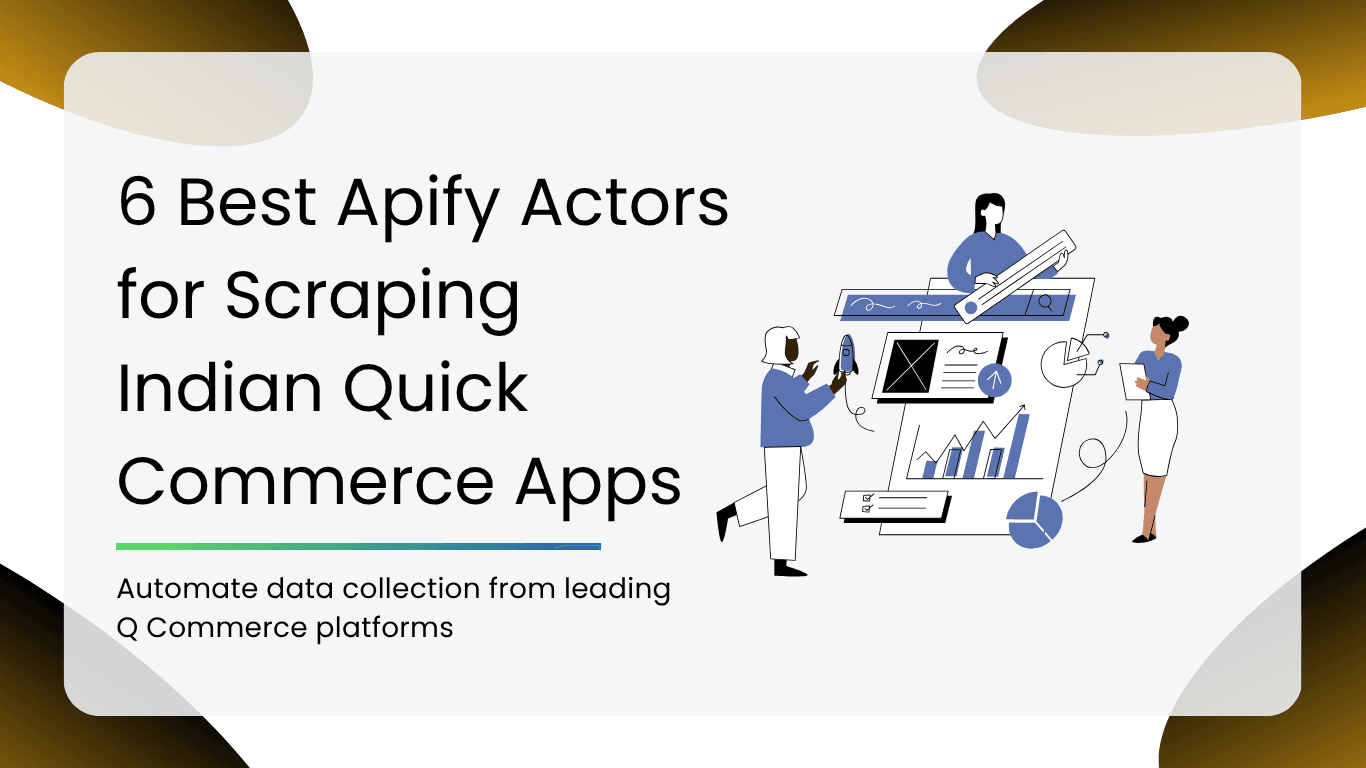
In this guide, we’ll explore six of the best Apify Actors for scraping product listings, pricing, stock availability, and assortment data from Blinkit, Zepto, Swiggy Instamart, Swiggy Restaurants, BigBasket, and JioMart, helping you choose the right tool for your business needs.
What is Q Commerce Data
If you’ve ever ordered groceries or food online, you’ve already interacted with Q Commerce data.
Some of the most valuable types of Q Commerce data include:
- Product names to understand what’s being sold across different platforms.
- Prices and discounts to monitor pricing strategies and promotional offers.
- Inventory availability to see which products are in stock or unavailable in different locations.
- Customer ratings and reviews to identify popular products and understand buyer preferences.
- Delivery ETAs to compare delivery promises across platforms and cities.
- Restaurant menus to track menu items, pricing, and availability on food delivery apps.
- Sponsored listings to identify which brands are paying for premium visibility.
- Category rankings to see which products appear at the top of search results or category pages.
Why Businesses Scrape Q Commerce Data
Here are some of the most common use cases for why businesses scrape Q Commerce data:
Competitor Price Monitoring
By tracking prices across multiple cities and platforms, brands can quickly identify pricing trends, promotional campaigns, and discount strategies without checking each app manually.
Digital Shelf Monitoring
Businesses use Q Commerce data to understand where their products appear in search results and category pages, helping them measure digital shelf performance and improve product visibility.
Assortment Tracking
Assortment tracking helps businesses monitor product availability across different platforms, identify new launches, and spot gaps in their own catalog before customers do.
Market Research
Q Commerce data offers valuable insights into changing consumer preferences, pricing patterns, and category trends, which helps businesses understand what’s happening in the market right now.
Brand Performance Monitoring
By tracking featured sponsored placements, search rankings, and category positions over time, brands can measure how visible they are compared to competitors and evaluate the impact of their marketing efforts.
How We Selected These Apify Actors
To make this list, we evaluated each Actor using the factors that matter most in real-world Q Commerce data collection.
Here’s what we looked at:
- Data quality: Does the Actor collect accurate and complete product information?
- Reliability: Can it run consistently without frequent errors or failures?
- Ease of use: Is it simple to set up, even if you’re new to Apify?
- Output formats: Does it support formats like JSON, CSV, Excel, or other commonly used exports?
- Documentation: Are there clear setup instructions and examples to help you get started?
- Active maintenance: Is the Actor regularly updated to keep up with website changes?
- Pricing: Does it provide good value for the features and data it offers?
- Business use cases: Can it support tasks like competitor price monitoring, digital shelf analysis, assortment tracking, and market research?
Comparison Table of 6 Best Apify Actors for Scraping Indian Quick Commerce Apps
| Actor | Products | Prices | Discounts | Stock | Ratings | Sponsored Ads | Menu Data | CSV/JSON |
| Blinkit | ✔ | ✔ | ✔ | ✔ | ✔ | ✔ | ❌ | ✔ |
| Zepto | ✔ | ✔ | ✔ | ✔ | ✔ | ❌ | ❌ | ✔ |
| Swiggy Instamart | ✔ | ✔ | ✔ | ✔ | ✔ | ✔ | ❌ | ✔ |
| Swiggy Restaurant | ✔ | ✔ | ✔ | ✔ | ✔ | ❌ | ✔ | ✔ |
| BigBasket | ✔ | ✔ | ✔ | ✔ | Depends | ❌ | ❌ | ✔ |
| JioMart | ✔ | ✔ | Depends | ✔ | Depends | ❌ | ❌ | ✔ |
Table of Contents
| 1. Blinkit Data Extractor |
| 2. Zepto Data Extractor |
| 3. Swiggy Instamart Data Extractor |
| 4. Swiggy Restaurant Menu Extractor |
| 5. BigBasket Grocery Scraper |
| 6. JioMart Product Scraper |
1. Blinkit Data Extractor
If Blinkit is one of the platforms you monitor regularly, this Apify Actor can save you hours of manual work. Instead of searching for products one by one, it automatically extracts real-time product information, making it easier to track pricing, availability, and market trends at scale.
Key Features
- Product prices to monitor current selling prices.
- MRP for comparing discounts against the listed retail price.
- Discounts and savings to track promotional offers.
- Customer ratings for measuring product popularity.
- Inventory status to see whether products are in stock.
- Estimated delivery time (ETA) based on the selected delivery location.
- Merchant details for products fulfilled by different sellers.
- Sponsored products to identify paid placements in search results.
- Product images for catalog management and visual analysis.
Best For
- FMCG brands monitoring competitor activity.
- Teams running competitor price monitoring.
- Retail analytics and market research projects.
- Businesses building Q Commerce dashboards and reports.
Pros
- Collects a wide range of product attributes in a single run.
- Supports location-based scraping for more accurate pricing and availability.
- Simple to integrate with the Apify platform and export data for further analysis.
- Well suited for automated competitor monitoring and digital shelf tracking.
Limitations
- The quality of results depends on the products available for the selected delivery location.
- Like most Q Commerce scrapers, the extracted data reflected what’s live at the time of scraping, so regular scheduled runs are recommended if you need continuous monitoring.
2. Zepto Data Extractor
Zepto’s product catalog, pricing, and availability can change throughout the day, especially across different cities. If you’re looking to monitor these changes without manually searching the app, the Zepto Data Extractor makes the process fast and automated. It collects real-time product data across multiple locations, making it a valuable tool for businesses tracking the Q Commerce market.
Key Features
- Multi-city search to compare products, pricing, and availability across different Indian cities.
- Product variants such as different sizes, quantities, and packaging options.
- Customer ratings to understand product popularity and customer preferences.
- Stock availability to monitor whether products are currently available or out of stock.
- Product categories for organizing and analyzing product assortments.
- Prices and discounts to track promotional offers and competitor pricing strategies.
Best For
- Brands comparing pricing across multiple cities.
- Retail and e-commerce teams tracking competitor assortments.
- Market research and category analysis.
- Businesses building Q Commerce pricing and inventory dashboards.
Pros
- Supports multi-city data collection from a single Actor.
- Captures detailed product information, including variants and discounts.
- Easy to automate through Apify for recurring data collection.
- Well-suited for competitor monitoring, pricing intelligence, and assortment tracking.
Limitations
- Product availability and pricing may vary by delivery location, so results depend on the selected city or locality.
- Like other Q Commerce scrapers, the data represents a real-time snapshot, making scheduled scraping the best option for ongoing market monitoring.
3. Swiggy Instamart Data Extractor
Swiggy Instamart is one of India’s fastest-growing Q Commerce platforms, but tracking products manually can quickly become overwhelming. This Apify Actor automates the entire process, allowing you to collect real-time product data through keyword searches or category browsing. It gives you the data you need in just a few clicks.
Key Features
- Sponsored listings to identify paid product placements in search results.
- Ad titles to distinguish sponsored products from organic listings.
- Price per unit for easier price comparisons across brands and pack sizes.
- Savings and discounts to track ongoing promotional offers.
- Category browsing using Collection IDs to scrape complete product categories.
- Collection scraping for extracting large sets of products instead of individual keyword searches.
Best For
- Brands monitoring sponsored product visibility.
- Teams tracking competitor pricing and promotions.
- Digital shelf and category performance analysis.
- Market research across different product categories.
Pros
- Supports both keyword-based and category-based scraping.
- Clearly separates sponsored and organic product listings.
- Captures detailed pricing information, including unit prices and savings.
- Great for large-scale Q Commerce monitoring and competitor analysis.
Limitations
- Category scraping requires the appropriate Collection ID for each category.
- Since pricing, inventory, and sponsored placements change frequently, regular scheduled scraping is recommended for the most accurate insights.
4. Swiggy Restaurant Menu Extractor
If you’re tracking restaurant pricing or analyzing food delivery trends, collecting menu data manually can be a tedious task. The Swiggy Restaurant Menu Extractor automates the process by extracting complete restaurant menus along with pricing, categories, and availability, making it much easier to monitor restaurants at scale.
Key Features
- Complete menu extraction for one or multiple restaurants
- Menu categories such as Starters, Main Course, Beverages, Desserts, and more.
- Dish prices to monitor menu pricing and compare competitors.
- Veg and non-veg labels for better menu segmentation and analysis.
- Food images for catalog management and visual comparisons.
- Dish ratings to identify customer favorites.
- Availability status to see which menu items are currently available or unavailable.
Best For
- Restaurant chains tracking competitor menus.
- Food delivery analytics and market research.
- Businesses monitoring menu pricing across cities.
- Teams building restaurant intelligence and pricing dashboards.
Pros
- Extracts complete restaurant menus in a structured format.
- Captures detailed information, including categories, pricing, images, and availability.
- Simple to use with restaurant names and city-based searches.
- Great for menu monitoring, competitor analysis, and food delivery research.
Limitations
- Results depend on the restaurant menu currently available on Swiggy for the selected city or locality.
- Since restaurants frequently update menu items, prices, and availability, scheduling regular scraping is the best way to keep your data up to date.
5. BigBasket Grocery Scraper
BigBasket remains one of India’s largest online grocery marketplaces with an extensive product catalog. This Apify Actor helps you collect structured grocery data, making it easy to analyze pricing, product assortments, and category trends across thousands of products without manual effort.
Key Features
- Product listings to extract detailed information for grocery and household products.
- Grocery catalog data across multiple categories and brands.
- Product pricing including current prices, MRP, and available discounts.
- Availability status to monitor whether products are currently in stock.
- Category information for organizing products and analyzing assortment trends.
Best For
- FMCG brands tracking grocery pricing.
- Retail and assortment analysis.
- Long-tail grocery and category research.
- Competitor monitoring across BigBasket’s extensive product catalog.
Pros
- Covers a large grocery catalog across multiple product categories.
- Supports both keyword searches and category-based scraping.
- Captures structured pricing, availability, and category data.
- Well-suited for market research, assortment analysis, and price monitoring.
Limitations
- Product prices and availability can vary depending on the delivery location selected.
- As with most grocery platforms, product listings and inventory change frequently, so scheduling regular scraping runs helps keep your data up to date.
6. JioMart Product Scraper
JioMart offers a massive online grocery and retail catalog, making it a valuable source of market intelligence for brands and retailers. This Apify Actor automates product data collection, allowing you to extract pricing, availability, and category information at scale instead of manually browsing thousands of listings.
Key Features
- Product catalog to extract detailed listings across multiple categories.
- Pricing information including selling price, MRP, and discounts.
- Product availability to monitor whether items are currently in stock.
- Product images for catalog management and visual analysis.
- Category data to organize products and analyze assortment trends.
Best For
- Brands monitoring competitor pricing.
- FMCG and retail market research.
- Product assortment and category analysis.
- Businesses building Q Commerce pricing and inventory dashboards.
Pros
- Collects rich product information in a structured format.
- Supports keyword searches as well as category and search URL scraping.
- Captures pricing, availability, images, and category hierarchy in a single run.
- Well suited for price monitoring, catalog analysis, and competitive intelligence.
Limitations
- Pricing and product availability depend on the delivery pincode selected, so results may vary by location.
- Product catalogs and inventory change frequently, making scheduled scraping the best option for ongoing monitoring.
Which Apify Actor Should You Choose?
| If Your Goal Is… | Recommended Apify Actors | Why They’re a Good Fit |
| Competitor Price Monitoring | Blinkit, Zepto, Swiggy Instamart | Monitor product prices, discounts, inventory, and pricing changes across leading Q Commerce platforms. |
| Grocery Market Research | BigBasket, JioMart | Analyze large grocery catalogs, product assortments, category trends, and pricing across thousands of products. |
| Restaurant Intelligence | Swiggy Restaurant Menu Extractor | Track restaurant menus, pricing, dish availability, ratings, and menu updates in one place. |
| Sponsored Product Tracking | Swiggy Instamart, Blinkit | Identify sponsored listings, monitor ad placements, and measure brand visibility in search results and categories. |
Best Practices for Scraping Q Commerce Platforms
Here are a few best practices to follow:
- Monitor multiple cities to compare regional pricing, inventory, and product availability.
- Export your data regularly so you always have the latest information for analysis.
- Schedule recurring Actor runs to automate data collection instead of scraping manually.
- Store historical datasets to identify long-term pricing and assortment trends.
- Respect applicable laws and each platform’s terms of service when collecting and using data.
- Compare trends over time instead of relying on one-off snapshots, since prices, stock levels, and promotions can change throughout the day.
Whether you’re monitoring competitor prices, tracking product availability, analyzing restaurant menus, or conducting grocery market research, there’s an Actor designed for your needs. The best choice ultimately depends on the platform you want to monitor and the type of Q Commerce data you’re looking to collect.
Together, these six Apify Actors cover the major players in India’s online grocery and quick commerce department, making it easier for brands, retailers, and researchers to turn live market data into smarter business decisions.
If you found this guide helpful, explore our other blogs for more tips on scraping:
- How to Scrape App Store and Marketplace Reviews at Scale
- Web Scraping at Scale with Smart, Multi-Region Infrastructure
- Large-Scale Web Scraping – A Comprehensive Guide
FAQs
Running an Apify Actor is simple. Choose the Actor you want, enter the required inputs (such as keywords, product URLs, or city), and click Run. Once the job is complete, you can export the data in formats like CSV or JSON.
No. Most Apify Actors are designed to be beginner-friendly and can be used through Apify’s web interface. While developers can integrate them with APIs, many common scraping tasks require little to no coding.
Apify offers both free and paid plans. The total cost depends on the Actor you use, how often you run it, and the amount of data you collect. Many Actors can be tested on the free tier before upgrading.
That depends on your use case. For competitor price monitoring and inventory tracking, daily or multiple runs per day are ideal since prices and stock can change frequently. For market research, weekly scraping is often sufficient.
Yes. Once you’ve exported the scraped data in CSV or JSON format, you can import it into tools such as Power BI, Tableau, Excel, or Google Sheets to create dashboards, reports, and visualizations.
Disclosure – This post contains some sponsored links and some affiliate links, and we may earn a commission when you click on the links, at no additional cost to you.