Creating one video is already a lot of work. Creating that same video for audiences who speak different languages can mean even more editing, recording, and production time. That’s where AI dubbing tools come in.
AI dubbing has come a long way from simply replacing one voice with a robotic translation. Today, many of these tools can translate dialogue, preserve the original speaker’s voice, handle multiple speakers, and, in some cases, sync translated speech with the speaker’s lip movements. For video marketers, that means one piece of content can be adapted for multiple audiences without having to recreate the entire video from scratch.
But not every AI dubbing tool works the same way, and the right choice depends on what you’re trying to do. A product demo, social media video, YouTube video, or brand campaign may each need a different level of voice quality, localization, and lip-sync.
Before comparing the options, it helps to understand the difference between the three technologies. AI dubbing translates and revoices an existing video in another language. Voice cloning recreates or preserves the original speaker’s voice so the dubbed version sounds more natural and consistent. Lip-sync adjusts the speaker’s mouth movements to match the translated audio, making the final video feel more seamless.
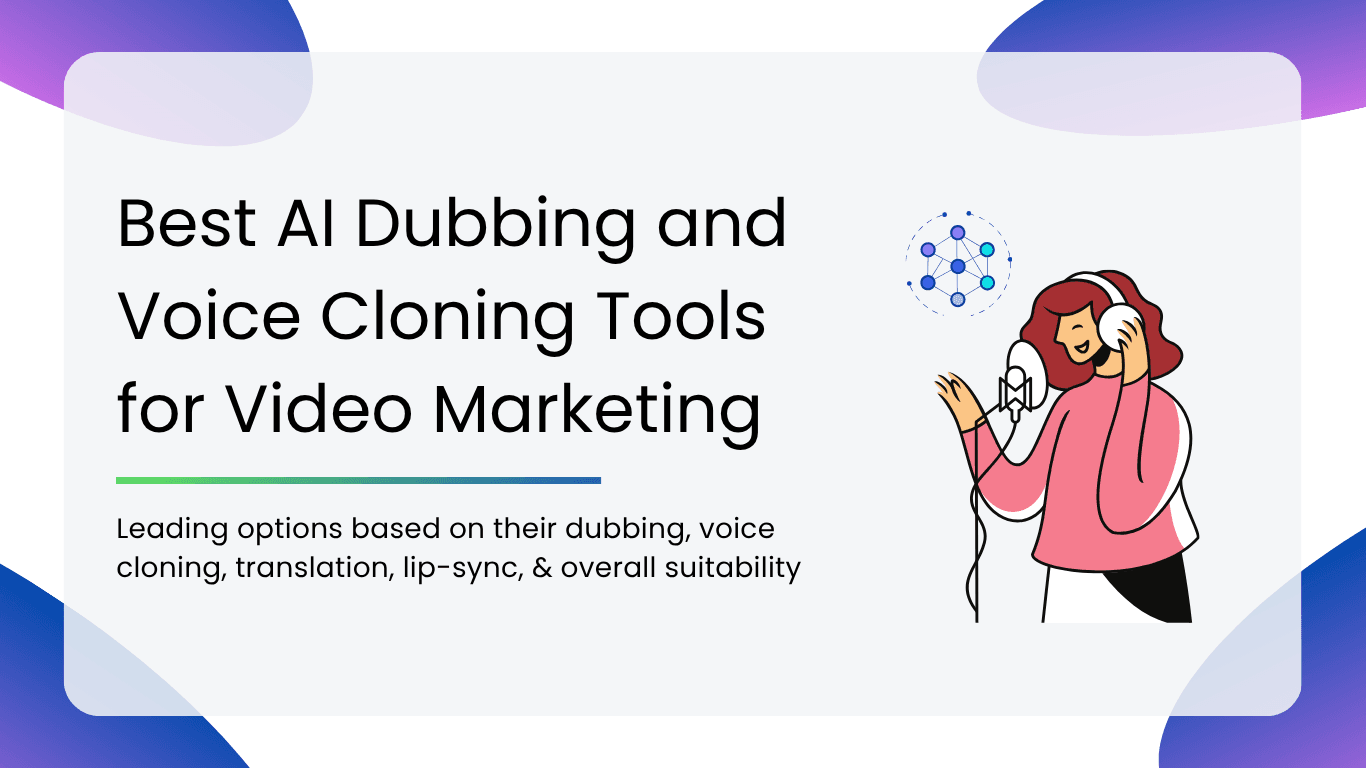
So, which AI dubbing tools are actually worth using for video marketing? We’ve compared the leading options based on their dubbing, voice cloning, translation, lip-sync, and overall suitability for different marketing workflows.
Quick Answer: Best AI Dubbing and Voice Cloning Tools for Video Marketing
| If you need… | Our top pick | Why it stands out |
| Best overall voice quality | ElevenLabs | Excellent voice generation and cloning for natural-sounding localized content |
| Video translation with lip-sync | HeyGen | Translates videos while matching the speaker’s voice and mouth movements |
| Localization at scale | Rask AI | Built for adapting large volumes of video content across languages |
| Corporate and training videos | Synthesia | Combines AI video creation, avatars, and multilingual content |
| Professional marketing voiceovers | Murf AI | Strong voiceover capabilities for ads, explainers, and branded content |
| Quick creator-focused dubbing | Speechify | Easy voice generation for social content, narration, and short-form videos |
How We Evaluated These AI Dubbing Tools
We looked at the things that actually matter when turning an existing video into a polished, localized version:
- Voice quality: Does the translated voice sound natural and convincing?
- Voice cloning: Can the tool preserve the original speaker’s voice and vocal identity?
- Translation quality: Does it capture the meaning, tone, and context of the original?
- Lip-sync: Do the speaker’s mouth movements match the translated audio?
- Language coverage: How useful is it for reaching audiences across different markets?
- Marketing workflow: How easily can you go from an existing video to a ready-to-use localized version?
- Scale: Can it handle multiple videos and languages without making the process unnecessarily complicated?
- Best-fit use case: What type of marketer, team, or campaign would get most value from it?
Comparison Table of Best AI Dubbing Tools for Video Marketing
| Tool | Best For | Voice Cloning | Lip-sync |
| ElevenLabs | Voice quality + professional dubbing | Yes | No/limited for source-video mouth movement |
| HeyGen | Video translation + avatars + lip-sync | Yes | Yes |
| Rask AI | High-volume video localization | Yes | Yes |
| Synthesia | Corporate/localized video | Yes | Yes |
| Murf AI | Professional voiceovers | Yes | No |
| Speechify | Fast creator-focused voice generation | Yes | No |
Best AI Dubbing Tools for Video Marketing
1. ElevenLabs
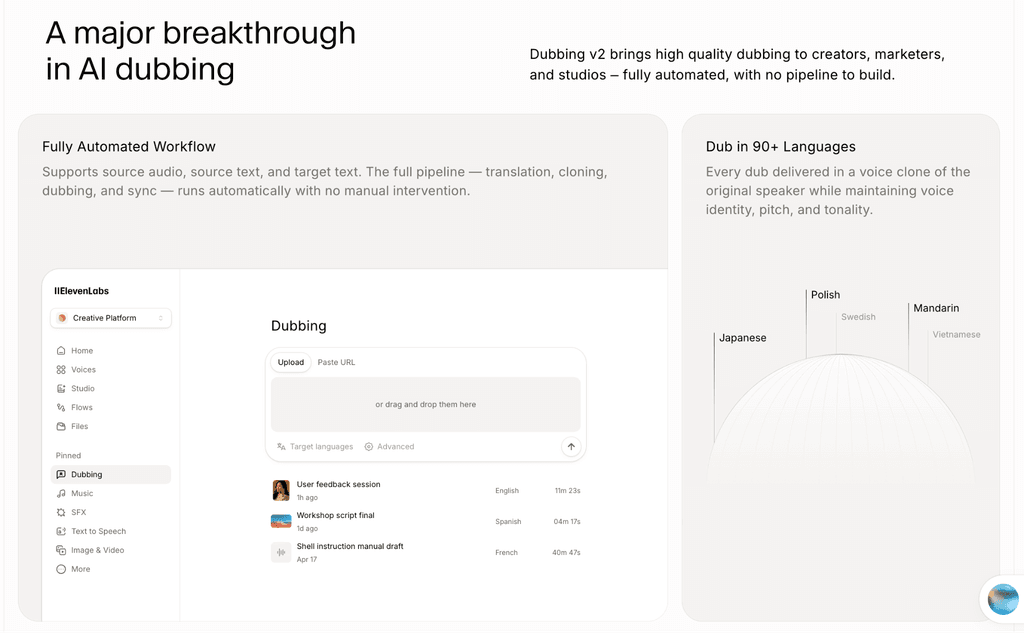
ElevenLabs is a strong choice for marketers who want their localized videos to sound as close to the original as possible. Its AI dubbing capabilities go beyond simply translating a script, allowing marketers to preserve the original speaker’s voice, tone, and delivery across different languages.
Its Dubbing Studio also supports videos with multiple speakers, making it useful for more complex marketing content where maintaining each speaker’s identity matters.
Key Features:
- Clone a speaker’s voice and use it across multilingual content while retaining its distinctive vocal characteristics.
- Translate and dub existing videos while keeping the original audio context and speaker identities intact.
- Helps maintain the speaker’s tone, emotional delivery, and overall vocal identity during dubbing.
- Create localized versions of videos in multiple languages without having to record each version manually.
- Useful for interviews, brand films, podcasts, and other videos featuring more than one speaker.
- Particularly useful for adapting existing voice-heavy content into versions for different audiences.
Cons:
- ElevenLabs is primarily focused on the audio side of dubbing, so it may not be the best choice when changing the speaker’s mouth movements is a key requirement.
- Marketers looking for an all-in-one video translation and lip-sync workflow may find video-focused platforms such as HeyGen more suitable.
Why Choose It?
Choose ElevenLabs if voice quality and speaker identity matter more to you than visual lip-sync. It works especially well for product advertisements, brand films, YouTube marketing, founder-led videos, and other campaigns where the voice is an important part of the brand experience.
ElevenLabs is one of the best choices for marketers who want natural-sounding, high-quality dubbing and voice cloning, particularly when preserving the original speaker’s voice matters more than changing their mouth movements.
2. HeyGen
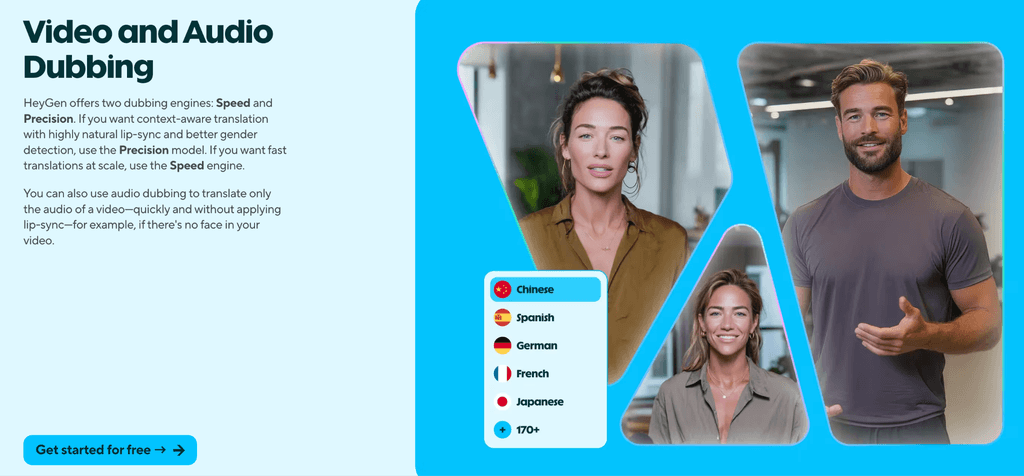
HeyGen is a strong choice when translating a video means changing more than just its audio. Its video translation tools can revoice existing footage while preserving the speaker’s voice and aligning the translated speech with their mouth movements. This makes the localized version feel much closer to the original video rather than simply sounding like a translated voiceover.
It also supports AI avatars, but that is a separate use case. You can either translate an existing video or create a new avatar-led video from a script, depending on what your marketing workflow requires.
Key Features:
- Translate existing videos into multiple languages without having to reshoot the original footage.
- Preserve the original speaker’s voice, tone, and delivery across translated versions.
- Adjust the speaker’s mouth movements to match the translated dialogue, making the final video look more natural.
- Supports a broad range of languages and dialects for global video localization.
- Create new presenter-led videos using AI avatars instead of dubbing existing footage. This is different from translating an existing video.
- Marketers can create multiple language versions from a single video, making the workflow more practical for larger campaigns.
- HeyGen also offers audio-only dubbing when lip-sync isn’t necessary, which can be useful for videos where the speaker isn’t visible or when speed is the priority.
Cons:
- If you only need a high-quality voiceover or audio dubbing, HeyGen’s broader video capabilities may be unnecessary.
- Lip-sync works best with visible speakers; audio-only dubbing is available for other types of videos.
- Its AI avatar capabilities are useful for creating new videos, but they don’t replace the need for video translation when you want to preserve existing footage.
Why Choose It?
Choose HeyGen if the localized video needs to look as natural as it sounds. It is particularly useful for product demos, paid social ads, founder-led videos, sales content, and personalized marketing campaigns where the person speaking is visible on screen.
If your goal is simply to create a multilingual voiceover, you may not need all of HeyGen’s video capabilities. But when voice, visuals, and lip movements all need to work together, HeyGen is one of the stronger options to consider.
3. Rask AI
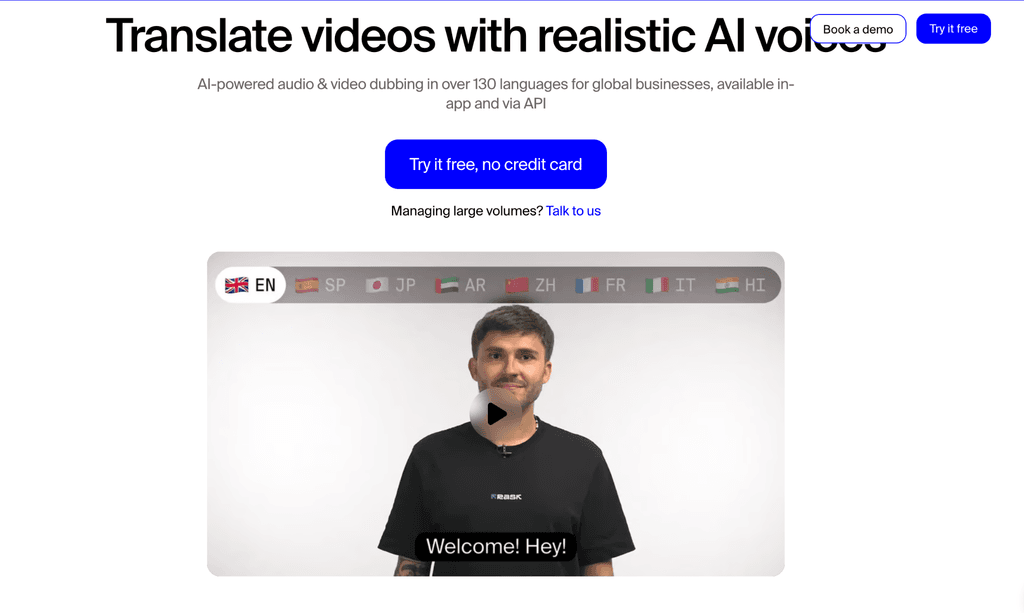
Rask AI is built for teams that need to take existing video content and turn it into multiple localized versions at scale. It combines video translation, AI dubbing, voice cloning, multi-speaker support, and lip-sync in one workflow, making it particularly useful when localization is an ongoing process rather than a one-off project. Rask supports translation into 130+ languages and also offers an API for teams that need to automate localization at higher volumes.
That makes it a particularly practical option for content libraries. Instead of localizing one polished ad, teams can use Rask to work through webinars, courses, YouTube videos, product education, and other long-form content across multiple markets.
Key Features:
- Translate and create dubbed versions of existing videos in multiple languages.
- Preserve the original speaker’s voice and characteristics in translated versions.
- Detect multiple speakers and assign voices to each person, making it useful for interviews, webinars, and other multi-person videos.
- Synchronize translated audio with the speaker’s mouth movements for a more natural localized video.
- Rask supports translation into 130+ languages, giving marketing teams plenty of options for international campaigns.
- Translate the same video into several languages as part of the same workflow.
- Teams handling large amounts of audio and video can automate parts of the localization process through Rask’s API.
Cons:
- The best results depend on clear, well-lit footage where the speaker’s face and mouth are visible and unobstructed.
- If you only want to generate a simple voiceover or dub one short video, Rask’s broader localization capabilities may be more than necessary.
- The time required depends on factors such as video length, resolution, and the number of speakers, so it may not be the fastest option for every workflow.
Why Choose It:
Choose Rask AI when localization is something you need to do repeatedly and at scale. It makes more sense for a marketing team managing a growing library of webinars, courses, YouTube videos, product education, or international content than for someone simply looking to create one highly polished dubbed advertisement.
Its combination of voice cloning, multi-speaker support, broad language coverage, lip-sync, and API capabilities makes it well suited to building a repeatable localization pipeline rather than handling each video as a separate production project.
Rask AI is a strong option for teams building a repeatable, high-volume video localization workflow, especially when multiple languages and long-form content are involved.
4. Synthesia
Synthesia is more than an AI dubbing tool. It is an AI video platform built around business content creation, localization, and publishing, which makes it particularly useful for organizations that produce a lot of corporate video content. Alongside AI dubbing, it offers AI avatars, voiceovers, video translation, collaboration, and other tools for creating and managing business videos.
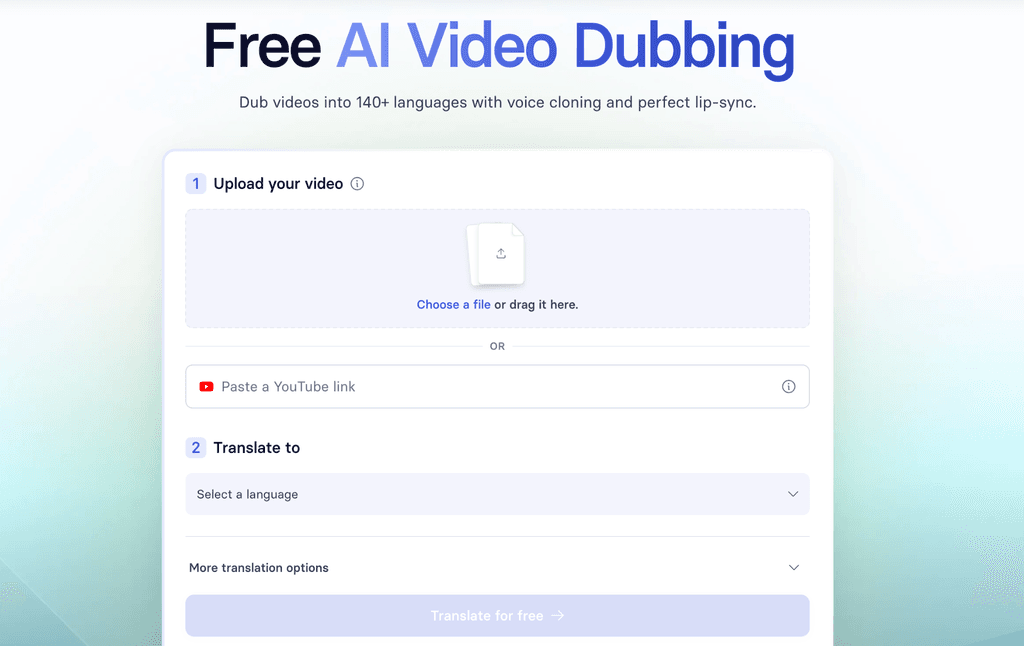
Its dubbing feature can take an existing video and translate it into multiple languages while preserving the speaker’s voice and adding lip-sync. That makes it useful when a company wants to reuse existing videos across different markets instead of recording each version from scratch.
Key Features:
- Translate existing videos into 140+ languages while preserving the original speaker’s voice, tone, and delivery.
- Create localized versions of business videos for different markets and audiences.
- Match the speaker’s mouth movement to the translated audio, making localized videos feel more natural.
- Maintain the speaker’s vocal identity across different language versions rather than replacing it with a generic voice.
- AI dubbing can handle multiple speakers and preserve each speaker’s voice.
- Create new presenter-led videos with stock, synthetic, or personal avatars when you don’t need to use existing footage.
- Teams can create, translate, edit, collaborate on, and publish business videos from the same ecosystem.
Cons:
- If you only need voice cloning or audio dubbing, Synthesia’s broader video-production capabilities may be unnecessary.
- Synthesia’s AI dubbing translates spoken content, but text already burned into the original video, such as titles, captions, and graphics, needs to be handled separately.
- Its strongest value comes when video creation and localization are part of a larger organizational workflow, rather than for a creator looking for a simple voice-generation tool.
Why Choose It?
Choose Synthesia if video localization is part of a larger corporate content operation. It fits particularly well for product explainers, employee training, onboarding, sales enablement, customer education, and corporate communications where the same core video may need to be adapted for different teams, regions, or markets.
The real advantage is that dubbing doesn’t have to be a standalone process. A team can create business videos with AI avatars and voiceovers, localize existing content, collaborate on revisions, and manage multiple language versions within the same broader platform.
Synthesia is best for organizations where dubbing is part of a broader corporate video-production and localization workflow, rather than the main reason for choosing the platform.
5. Murf AI
Murf AI is built around creating professional AI voiceovers, making it a particularly good fit for marketers who need polished narration without recording every version manually. It offers a large selection of AI voices along with controls for pitch, speed, emphasis, pronunciation, and delivery, giving marketers more control over how the final narration sounds.
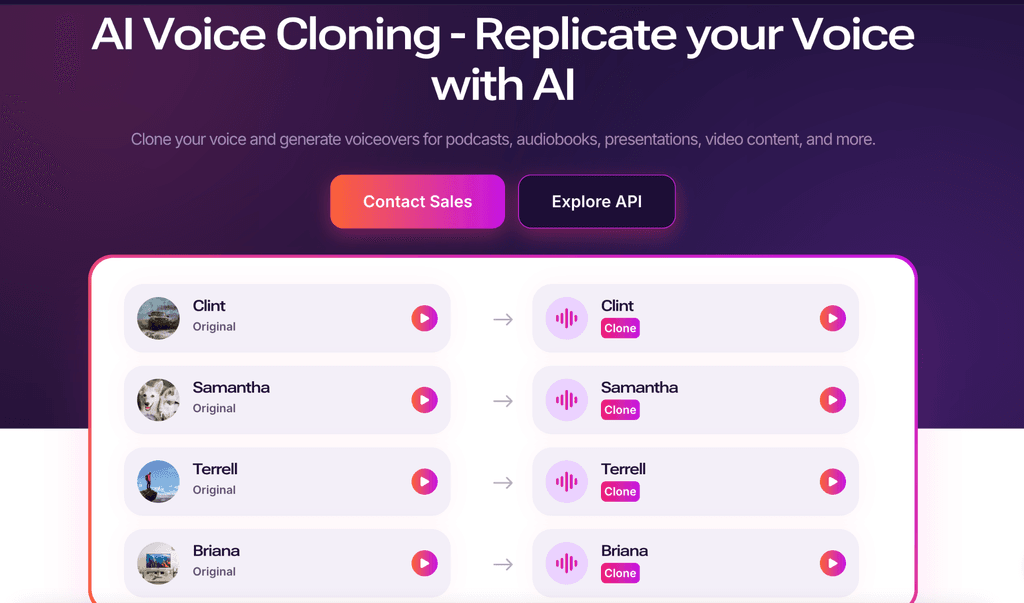
Murf also offers voice cloning and AI dubbing, so it can be used for multilingual content as well. But its strongest use case is often simpler: creating a natural, well-controlled voiceover for a marketing video without needing the full visual localization workflow offered by video-first platforms.
Key Features:
- Choose from a large library of AI voices across different languages, accents, styles, and use cases.
- Create a custom voice clone for branded or personalized content, subject to Murf’s voice-cloning requirements.
- Adjust pitch, speed, emphasis, pauses, pronunciation, and delivery to get closer to the intended performance.
- Designed for use cases including advertisements, product demos, YouTube videos, explainers, and other marketing content.
- Add AI narration to videos, images, music, and other visual assets within Murf Studio.
- Create content in multiple languages and accents, including options for multilingual voices.
- Murf Dub can translate existing audio or video while preserving elements such as the original voice, timestamps, background music, and sound effects.
Cons:
- If you need the speaker’s mouth movements to change with the translated dialogue, a video-first platform such as HeyGen may be a better fit.
- Murf’s custom voice cloning currently involves its team rather than being a completely self-service process.
- If you’re only looking for a basic text-to-speech voice, Murf’s broader editing and customization capabilities may not be necessary.
Why Choose It?
Choose Murf when the voiceover itself is the most important part of the video. It works particularly well for advertisements, product explainers, social videos, demos, and branded narration where you want control over how the voice sounds and how closely it fits the pacing of the visual content.
It is especially useful when you don’t need to recreate the speaker’s face or mouth movements. Instead, you can focus on getting the narration right, choosing the appropriate video, adjusting its delivery, and fitting it to the video.
Murf AI is a strong choice when the requirement is great marketing narration and voiceover production, rather than full visual localization of an existing video.
6. Speechify
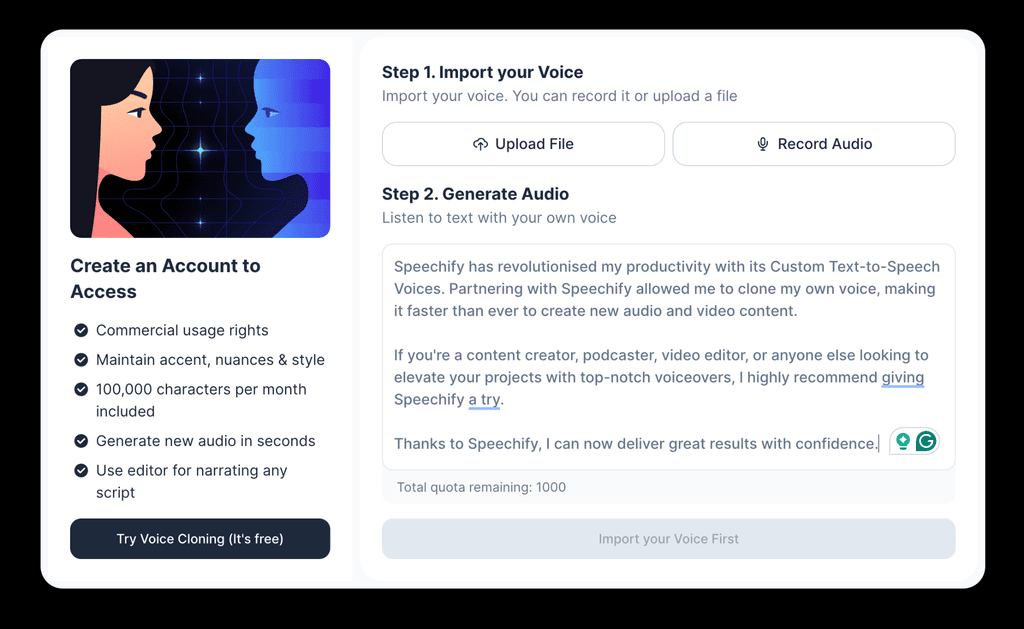
Speechify is best known for its text-to-speech capabilities, but its Studio platform has expanded into a broader voice and video production suite. It offers AI voice generation, voice cloning, AI dubbing, and video creation tools, making it useful for creators who want to turn written content into polished audio or video without a lengthy production process.
With more than 1,000 AI voices across 60+ languages, Speechify gives marketers plenty of options for creating narration in different languages, accents, and styles. Its voice cloning feature can also create a custom voice for a short recording, while its editing controls let users adjust elements such as pitch, speed, pronunciation, and emotional tone.
Key Features:
- Create a digital version of a speaker’s voice from a short recording, with permission from the speaker.
- Turn scripts, articles, and other written marketing content into natural-sounding voiceovers.
- Generate voice content in 60+ languages with different accents and regional variations.
- Generate narration quickly without booking voice talent or setting up a traditional recording session.
- Adjust speed, pitch, pause, pronunciation, and emotional tone to shape the delivery.
- Localize existing videos into 60+ languages while preserving elements such as the speaker’s voice, emotion, and pacing.
- Create narration for YouTube videos, TikTok, Instagram content, podcasts, ads, tutorials, and other short-form formats.
- Speechify supports commercial voiceover use for content such as ads, promotions, and courses, although commercial usage rights depend on the plan.
Cons:
- Marketers looking for advanced source-video localization and highly specific lip-sync workflows may find video-first platforms most suitable.
- Its biggest strength is creating and adapting voices quickly. Teams looking for a more comprehensive corporate video-production ecosystem may prefer platforms such as Synthesia.
- If you only need basic narration, the wider Studio feature set may not be essential.
Why Choose It?
Choose Speechify if speed and ease of production matter more than having a highly specialized video-localization workflow. It works particularly well for social media videos, YouTube content, short-form campaigns, promotional narration, tutorials, and workflows where marketers already have written content and simply need to turn it into engaging audio or video.
It is also useful when the same content needs to be produced in multiple languages quickly. Instead of recording every version manually, marketers can generate multilingual voiceovers, clone a suitable voice, and adjust the delivery within the same workflow.
Speechify is a strong choice for fast, accessible voice production and localization, particularly for creators and marketers who don’t need the more sophisticated video-localization workflows of platforms such as HeyGen or Rask AI.
AI Dubbing Tools: Which One Should You Choose?
| If your priority is… | Choose |
| Natural voices and high-quality voice cloning | ElevenLabs |
| Making translated videos look natural | HeyGen |
| Localizing content at scale | Rask AI |
| Managing corporate video content | Synthesia |
| Create polished marketing narration | Murf AI |
| Getting voice content produced quickly | Speechify |
AI Dubbing vs Voice Cloning: What Do Marketers Actually Need?
| Technology | What it does | Simple way to think about it |
| AI Dubbing | Translates the spoken content of a video and generates it in another language | “Say this video in Hindi.” |
| Voice Cloning | Makes the translated speech sound like the original speaker | “Make it sound like the same person.” |
| Lip-sync | Adjusts the speaker’s mouth movements to match the translated speech | “Make it look like they’re actually speaking Hindi.” |
A Simple Example
| Step | What happens |
| Original video | The founder explains the product in English |
| AI translation | The English dialogue is translated into Hindi |
| Voice cloning | The Hindi dialogue is generated in the founder’s voice |
| Lip-sync | The founder’s mouth movements are adjusted to match the Hindi audio |
| Final output | The founder appears to naturally explain the product in Hindi |
What to Look for Before Choosing an AI Dubbing Tool
A short checklist:
- Does it clone voices with consent controls?
- How natural is the translated speech?
- Does it preserve emotion?
- Does it support your target languages?
- Does it support multiple speakers?
- Do you need lip-sync?
- Can it handle long videos?
- Can you export cleanly for paid/social campaigns?
- Does it offer API or workflow integrations if you’re scaling production?
- How does it handle privacy and voice data?
There’s no single AI dubbing tool that works best for every marketing team. The right choice depends on what you’re trying to achieve with your video. At the end of the day, AI dubbing isn’t just about translating videos. It gives marketing teams a way to turn one successful piece of content into a multilingual asset library without rebuilding the entire production process from scratch.
Want to explore more AI and marketing tools? Check out our other guides on AI-powered marketing workflows, content creation, and social media:
- How to Create Product Photography Using AI (No Studio Needed)
- Best AI Tools for Short-Form Video Creation in 2026
- How to Use AI for Social Listening and Brand Monitoring in 2026
FAQs
It depends on the tool, video length, number of speakers, and whether features like voice cloning or lip-sync are involved. Short videos can typically be processed quickly, while longer or more complex projects may take more time.
Yes, some AI dubbing platforms support batch processing or workflows designed for large content libraries. If you’re localizing videos at scale, check whether the tool offers batch processing, bulk translation, or API access.
Voice ownership depends on the platform’s terms and the rights of the person whose voice is being cloned. Before using a cloned voice commercially, check the tool’s licensing terms and make sure you have the necessary rights or authorization.
You should have clear permission from the person whose voice is being cloned. The exact consent requirements vary by platform, so check its current policies before creating or using a voice clone commercially.
Disclosure – This post contains some sponsored links and some affiliate links, and we may earn a commission when you click on the links, at no additional cost to you.