Competitor ad research usually means opening Meta Ads Library, searching for competitors one by one, filtering ads, reviewing creatives and copy, and manually organizing the findings before you can draw any useful conclusions.
A Meta Ads Library MCP can simplify that workflow by connecting Meta Ads Library data to Claude. Instead of switching between search results and spreadsheets, marketers can use Claude to search ad data, analyze competitor creatives and messaging, compare advertisers, and identify patterns across campaigns.
This is where a Claude Connector can be useful. Smacient’s Claude Connector for Meta Ads Library lets marketers bring ad research into Claude and work with public Meta ad data through conversational prompts. This can make it easier to move from simply finding competitor ads to analyzing what those ads are doing.
We looked at the top Meta Ads Library MCP and Claude Connector options that can help with competitor ad research, covering their available features, search and analysis capabilities, and the types of workflows they support.
Quick Comparison of Meta Ads Library MCP/Claude Connector Servers
| Server/Connector | Best for | Creative analysis | Competitor comparison | Setup |
| Smacient’s Claude Connector | All-round competitor ad research | Yes | Yes | Low |
| Markifact | AI-powered ad research | Yes | Yes | Low |
| Facebook Ads Library MCP by Proxy | Creative and competitor analysis | Yes | Yes | Medium/Low |
| Apify Meta Ads Library Scraper | Structured data and automation | Depends on workflow | Possible | Medium |
| RamsesAguirre777 | Open-source competitive intelligence | Depends on workflow | Possible | High |
| Meta Ad Library MCP: netty-linux | Direct Ad Library API access | Limited | Limited | Medium |
What is a Meta Ads Library MCP?
Meta Ads Library is Meta’s searchable database of ads running across its platform. Marketers can use it to look at publicly available information about ads, including advertisers, creatives, copy, and other available ad details. For competitor research, this makes it possible to see what brands are advertising and how they are positioning their products.
MCP (Model Context Protocol) is a standard that allows AI models such as Claude to connect with external tools and data sources. A Meta Ads Library MCP or Claude Connector acts as the bridge between Claude and Meta Ads Library, allowing Claude to retrieve relevant ad data and work with it through a conversational interface.
Once connected, Claude can help with tasks such as searching for a competitor’s ads, reviewing ad copy and creative patterns, comparing multiple advertisers, identifying recurring messaging, and organizing findings into a more useful competitive analysis. Instead of manually opening and reviewing individual ads, marketers can ask questions in natural language and use Claude to analyze the available data.
This makes the workflow different from simply browsing Meta Ads Library. The Ad Library remains the source of the public ad data, while the MCP or Claude Connector adds an analysis layer that lets marketers work with that data through Claude.
Meta Ads Library MCP vs Meta Ads MCP
A Meta Ads Library MCP is primarily designed for researching public advertising activity, while a Meta Ads MCP may connect Claude or another AI tool to an advertiser’s own Meta ad account for campaign management and related tasks.
| Meta Ads Library MCP | Meta Ads MCP | |
| Main purpose | Competitor and ad research | Managing your own advertising activity |
| Data | Publicly available data | Your Meta ad account data |
| Competitor research | Yes | Usually not the primary purpose |
| Campaign creation | No | Often supported, depending on the server |
| Creative analysis | Often supported | Depends on the server |
| Best for | Competitive intelligence and ad research | Campaign management and optimization |
What Can You Do With a Meta Ads Library Claude Connector?
Capabilities vary by server. Some connectors focus on ad retrieval, while others add creative analysis, competitor comparisons, or research-to-brief workflows.
| Competitor Research Task | What You Can Do With a Meta Ads Library Claude Connector | Example Use |
| Competitor ad discovery | Search for a competitor and review the ads they are currently running, including available ad details and creative information. | Find all active ads from a competitor and identify which products or campaigns they are promoting. |
| Creative research | Analyze images, videos, headlines, primary copy, CTAs, offers, and creative formats across ads. | Identify whether competitors rely more on product demos, testimonials, promotional offers, or educational creatives. |
| Messaging analysis | Identify recurring hooks, pain points, value propositions, promotional angles, and positioning across competitor ads. | Analyze 20 ads from a competitor and summarize the messaging themes that appear most often. |
| Competitor comparisons | Compare two or more advertisers based on ad volume, messaging, creative formats, offers, CTAs, and available landing-page information. | Compare how three competing brands position the same product category and where their messaging overlaps. |
| Creative trend research | Analyze ads across multiple competitors to identify recurring creative formats, themes, offers, and messaging patterns within a category. | Find common creative approaches being used by brands in the fitness or skincare category. |
| Research-to-brief workflows | Turn competitor research into creative briefs, campaign briefs, messaging directions, or structured competitor summaries. | Turn the findings from a competitor analysis into five creative directions for a new campaign. |
How We Evaluated These Tools
| Criteria | What We Looked For |
| Meta Ads Library Access | Whether the server or Claude Connector can access and search publicly available Meta Ads Library data. |
| Competitor ad discovery | Whether users can search for advertisers, find active ads, and filter or narrow results based on available ad information. |
| Ad and creative analysis | Whether the tool supports analysis of ad copy, headlines, CTAs, offers, images, videos, and creative formats. |
| Messaging insights | Whether Claude can be used to identify recurring hooks, pain points, value propositions, positioning, and promotional angles. |
| Competitor comparison | Whether the tool makes it possible to compare multiple advertisers, campaigns, or ad sets based on available data. |
| Search and filtering | The search parameters and filters available for finding relevant ads and narrowing research results. |
| Research workflows | Whether the connector supports broader workflows such as category research, creative trend analysis, competitor summaries, and research-to-brief tasks. |
| Claude integration | How directly the tool connects Meta Ads Library data with Claude and how naturally the data can be queried or analyzed through conversational prompts. |
| Documentation and accessibility | Whether the server or connector has clear documentation, setup information, and publicly available details about its capabilities. |
| Business use case | Which types of marketers or teams the tool is best suited to, such as performance marketers, creative teams, agencies, or businesses conducting competitor research. |
Comparison Table of Top 6 Meta Ads Library Claude Connector Servers
| Tool | Approach | Main strength |
| Smacient’s Claude Connector | Hosted connector | Conversational competitor ad research in Claude |
| Markifact | Hosted MCP | Hooks, offers, competitor scanning and creative briefs |
| Facebook Ads Library MCP by Proxy | Hosted/self-hosted | Image, text and video analysis |
| Apify Facebook (Meta) Ads Library Scraper | Scraper + MCP/API | Structured data extraction and automation |
| RamsesAguirre777 Facebook Ads Library MCP | Open-source, self-hosted | Customizable Meta Ad Library research |
| Meta Ad Library MCP by netty-linux | Official Meta API | Direct access to Meta Ad Library API |
Top 6 Meta Ads Library Claude Connector Servers
1. Smacient’s Claude Connector
Smacient’s Claude Connector connects Claude to Meta Ads Library data, allowing marketers to research public Facebook and Instagram ads through conversational prompts. Unlike tools that require a Meta account connection, the Meta Ads Library functionality works with publicly available ad data, so you can research any brand without access to its Meta Business account.
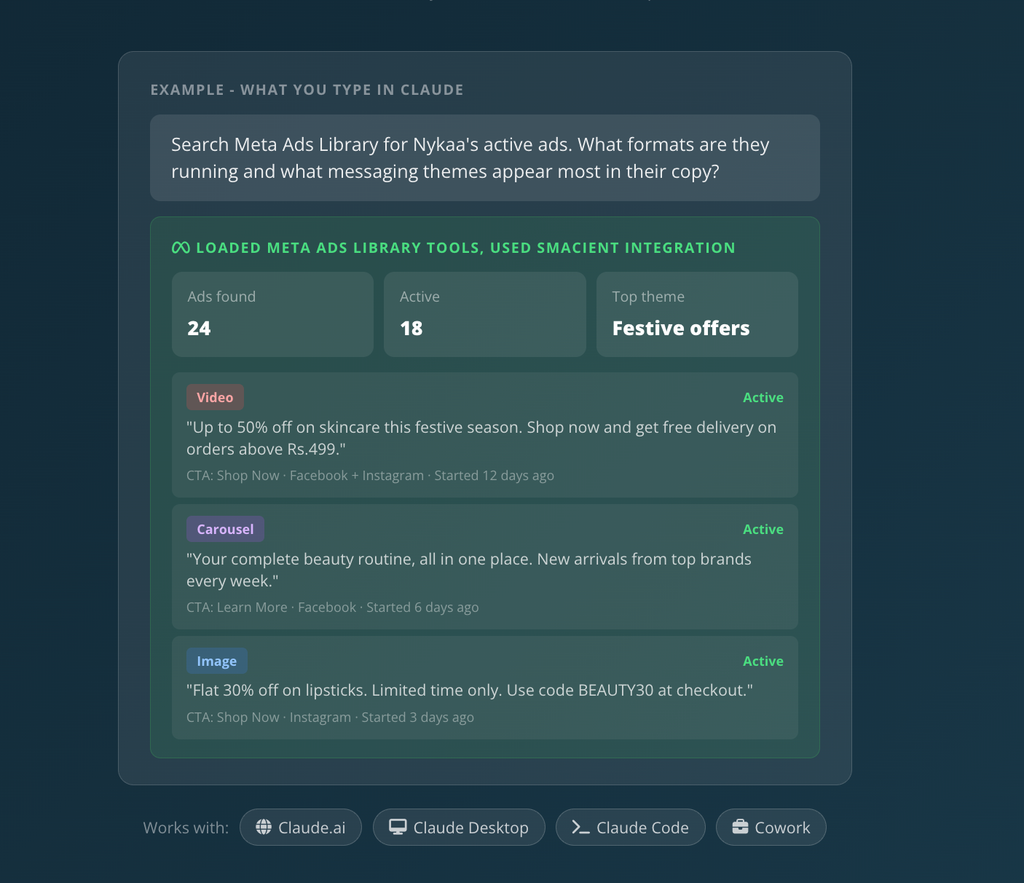
The connector can search a brand by name or Facebook page URL and return structured ad information such as copy, headlines, CTAs, descriptions, creative formats, media URLs, platforms, run dates, and active status. It can also retrieve historical ads, making it useful for looking beyond what a competitor is running right now.
For marketers, the main advantage is that the research happens inside Claude. Instead of manually browsing Meta Ads Library, opening individual ads, copying information, and then moving the findings into another tool for analysis, you can ask Claude to retrieve the relevant ads and analyze the pattern in the same conversation.
Key features:
- Search for a brand by name, or provide its Facebook page URL to go directly to the relevant ads.
- Pull both active and inactive ads to understand what a competitor is running now and how its advertising has changed over time.
- Narrow results to the last 7, 14, or 30 days.
- Sort results by most impressions or most recent to focus on higher-priority ads.
- Retrieve ad copy, headlines, CTA text, descriptions, creative formats, media URLs, platforms, and run dates.
- The connector identifies image, video, and carousel ads. Carousel ads also return individual card-level data, including the copy, media, and CTA for each card.
- Research multiple competitors in a single Claude conversation and ask Claude to compare their messaging, creative formats, CTAs, and offer angles.
- Use multiple brands to identify common creative formats, messaging patterns, and CTA trends across a market.
- The connector can return up to 100 ads for a brand or Facebook page in a single call, with filters available to narrow the results.
- Meta Ads Library research uses public transparency data, so you don’t need a Meta account, Facebook Business Manager access, or developer setup for this part of the connector.
- The connector works with Claude.ai, Claude Desktop, Claude Code, and Claude Cowork.
The connector also separates Meta Ads Library research from Meta Ads account analysis. The former lets you research public ads from any brand, while the latter connects to your own Meta Ads account and provides access to data such as spend, ROAS, campaign performance, audience breakdowns, and creative analysis. This distinction means the same Smacient connector can support both competitor research and analysis of your own campaigns, although the two use cases rely on different data sources.
Example prompts:
“Search Meta Ads Library for [competitor]’s active ads and summarise their main messaging angles.”
“Compare the active Meta ads of these three competitors. Identify common hooks, offers and CTAs.”
“Search [competitor]’s active ads from the last 30 days and group them by creative format and messaging angle.”
“Compare the carousel ads from these two brands and explain how each uses the individual cards to build its message.”
“Search Meta Ads Library for [competitor] and analyze which formats and messaging themes appear most frequently.”
Why use Smacient’s Claude Connector?
The main advantage is the reduction in manual research work. A typical competitor ad review requires marketers to search each brand, open multiple ads, record copy and creative details, and then organize the findings before they can compare them. Smacient brings that research into Claude, where the data can be retrieved and analyzed through the same conversation.
It is also useful when the research needs to go beyond a single competitor. You can compare multiple brands, look at historical ads, filter results by date or status, and analyze patterns across formats, messaging, and CTAs without rebuilding the research from scratch each time.
The pricing is credit-based for Meta Ads Library extraction. Smacient currently provides 30 free credits each month, while paid credit packs start at $9. Credits do not expire, and the product page states that one credit covers 10 ads extracted, with an additional credit charged for a brand-name lookup.
For marketers whose primary goal is competitor ad research, the important distinction is that you do not need access to the competitor’s Meta account. The connector works with the same public Meta Ads Library data that anyone can access, but makes that data available to Claude in a structured form for research and analysis.
2. Markifact
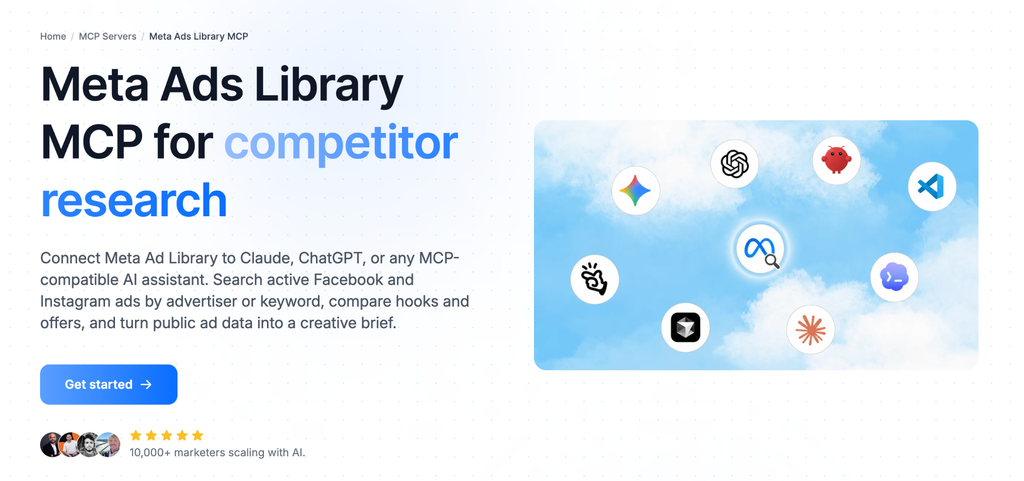
Markifact connects Meta Ads Library to Claude and other MCP-compatible AI assistants, allowing marketers to search public Facebook and Instagram ads by advertiser or keyword and analyze the results through conversational prompts. It is designed specifically around competitor research, with features for comparing hooks and offers, identifying creative patterns, and turning research into creative briefs.
Key features:
- Searches public Meta Ad Library data covering Facebook and Instagram ads.
- Pulls active ads from a specific brand or advertiser without requiring users to review individual Ad Library cards manually.
- Lets marketers search a broader niche or category by keyword, rather than limiting research to a specific competitor.
- Can surface ad counts, creative angles, offers, and ad runtime to give marketers a broader view of a competitor’s advertising activity.
- Groups recurring hooks and patterns across larger sets of ads, making it possible to analyze creative trends rather than reviewing ads individually.
- Helps identify the types of offers competitors are using, such as discounts, bundles, or trials.
- Markifact can compare the creative styles and messaging approaches used by different competitors.
- Its Meta Ads connection can also bring a user’s own account data into the same workflow, allowing competitor angles to be compared with the brand’s current advertising.
- Research findings can be turned into a creative brief in Google Docs, including angles to match or counter and hooks to test.
- Markifact is available for Claude and ChatGPT, as well as other MCP-compatible clients including Cursor and Gemini CLI.
Example prompts:
“Find the active ads for [competitor] and summarize their main creative angles.”
“Search Meta Ads Library for ‘running shoes’ and identify the most common hooks and offers.”
“Compare the advertising approaches of these three competitors and highlight the messaging patterns they have in common.”
“Turn these competitor ad findings into a creative brief with hooks and angles we could test.”
Why use Markifact?
Markifact’s main advantage is its focus on turning Meta Ads Library data into actionable creative research. Instead of using the Ad Library only to see what competitors are running, marketers can search by advertiser or keyword, analyze hooks and offers, compare competitors, and use the findings as input for new creative work.
Its compatibility with Claude, ChatGPT, and other MCP clients also makes it useful for teams that already use AI assistants as part of their research or creative workflows. For marketers looking for a connector that combines competitor ad discovery with AI-assisted analysis and creative planning, Markifact is a relevant option.
3. Facebook Ads Library MCP by Proxy
The Facebook Ads Library MCP by Proxy is designed for researching public Meta ad data and analyzing the creative and messaging behind those ads. It can search ads for specific companies or brands, analyze ad images and text, examine video ads, and compare advertising strategies across multiple companies.
Despite the name, this is best understood as an MCP for Meta Ad Library research, rather than a separate Facebook-only advertising ecosystem. This server works with public advertising data and can be connected to Claude and other MCP-compatible AI clients.
Key features:
- Search the public Meta Ads Library for specific companies or brands and retrieve their active advertising.
- It can be used either through Proxy’s hosted version or as a self-hosted server.
- Analyze multiple video ads in a single API call, reducing the token overhead involved in reviewing video creatives individually.
- Analyze ad images for visual elements, text, colors, composition, and other creative characteristics.
- Research the messaging used in competitor ads and identify recurring themes or positioning.
- Analyze video ads for visual storytelling, pacing, and brand messaging. Video analysis uses Gemini when the server is self-hosted.
- Compare multiple companies based on ad volume, messaging themes, and creative approaches.
- Examine what competitors are communicating in their current advertising and identify broader messaging patterns.
- Analyze multiple brands or videos together, making it possible to conduct broader category or competitor research.
- The server can cache previously analyzed images and videos and search cached media by factors such as brand, colors, people, or media type.
Example prompts:
“How many ads is [brand] currently running, and what is the split between video and image ads?”
“What messaging is [brand] currently using in its ads?”
“Analyze the video ads from [brand] and identify their visual storytelling, pacing, and brand messaging.”
“Compare the advertising strategies of these three competitors and summarize their ad volumes, messaging themes, and creative approaches.”
Why use Facebook Ads Library MCP by Proxy?
The main appeal of 6his Facebook Ads Library MCP is the depth of its creative analysis. While basic Ad Library connectors can help find competitor ads, this server adds image, text, and video analysis capabilities that can be used to study creative execution alongside messaging.
For marketers and creative teams conducting detailed competitor research, this makes it useful for workflows such as creative audits, messaging research, competitor comparisons, and category-level advertising analysis. Its hosted options also provide a simpler way to access these capabilities without managing the underlying MCP infrastructure.
4. Apify Facebook (Meta) Ads Library Scraper + MCP
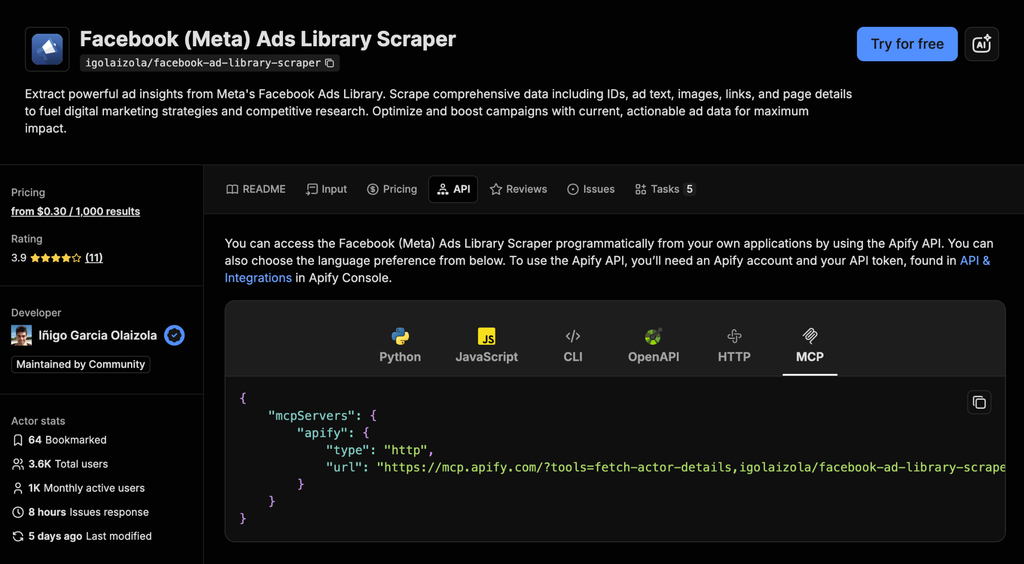
Apify’s Facebook (Meta) Ads Library Scraper is more of a data extraction and automation option than a ready-made competitor research assistant. It extracts structured information from Meta’s Facebook Ads Library, including ad IDs, ad text, images, links, and page details, which can then be used for competitive research or integrated into custom marketing workflows.
The Actors can be accessed programmatically through the Apify API and connected to AI clients through Apify’s hosted MCP server. This makes it useful for teams that want to collect Meta Ad Library data first and build their own analysis, reporting, or automation workflows around it.
Key features:
- Pull Meta Ad Library data into a structured dataset rather than manually reviewing individual ads.
- Extract unique ad identifiers that can be used to organize and reference collected ad data.
- Capture the text associated with ads for further messaging or competitor analysis.
- Extract image data from ads for use in downstream research and analysis workflows.
- Collect links associated with ads, which can help connect competitor ads to their landing pages or other destinations.
- Extract details about the pages associated with the ads.
- Use the Apify API to run the Actor programmatically from applications or custom workflows. The API supports options including Python, JavaScript, CLI, HTTP, and OpenAPI.
- Connect the Actor to Apify’s hosted MCP server and use it through an MCP-compatible client. The hosted configuration uses OAuth, so an API token is not required for clients that support OAuth.
- Because the Actor can be called through an API, teams can incorporate Meta Ad Library extraction into recurring research, data pipelines, monitoring systems, or other automated workflows.
- Can be directly run through Apify’s API, which requires an Apify account and API token when using the API.
- For MCP use, Apify provides a hosted MCP configuration with the Actor already loaded.
- Clients supporting OAuth can authenticate by signing into Apify, while clients without OAuth support can use an Apify API token instead.
Example prompts:
“Collect the ads associated with this competitor and store the ad IDs, copy, images, links, and page information.”
“Run the scraper regularly and compare the latest dataset with previous results.”
“Send the extracted competitor ad data into our internal analysis workflow.”
“Connect the scraper to an MCP-compatible AI assistant to use the returned data for competitor research.”
Why use Apify Facebook (Meta) Ads Library Scraper + MCP?
The main appeal of Apify is its flexibility. Instead of being limited to a predefined competitor-research interface, teams can extract Meta Ad Library data and decide how they want to process, store, analyze, or automate it.
That makes it a better fit for technical marketers, developers, agencies, and teams building their own workflows around Meta Ad Library data. For users who simply want to ask Claude questions about competitors’ ads without building additional infrastructure, a more specialized Claude Connector may require less setup.
5. RamsesAguirre777 Facebook Ads Library MCP
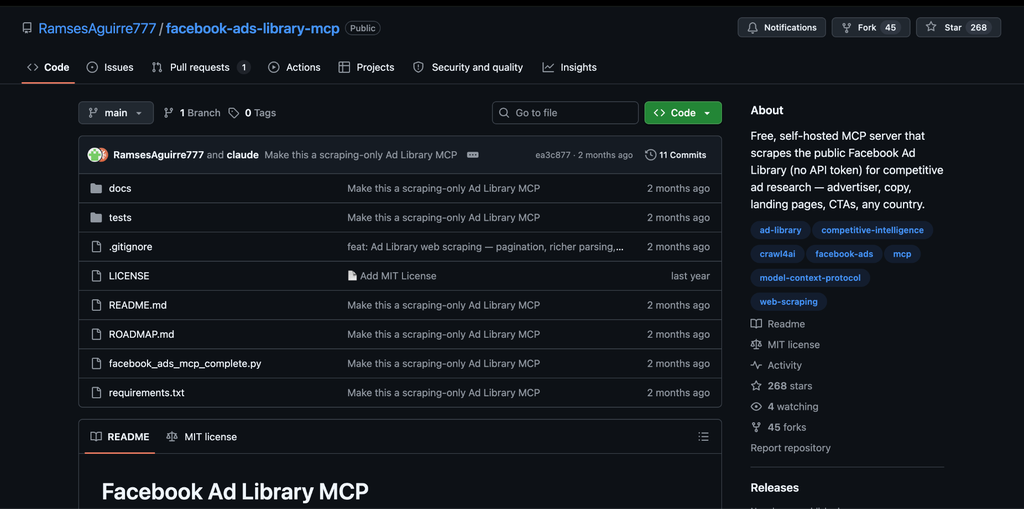
RamsesAguirre777 Facebook Ads Library MCP is a free, self-hosted MCP server that scrapes the public Facebook Ad Library for competitive ad research. Unlike hosted connectors, it runs locally and gives developers more control over how the server is configured and used.
The current version uses headless browser scraping rather than Meta’s official Ads Library API, returning structured information such as advertisers, ad copy, landing pages, CTAs, creative images, start dates, and ad detail URLs. It can be connected to MCP clients such as Claude Code and Claude Desktop.
Key features:
- The project is publicly available on GitHub under an MIT license, allowing developers to inspect and modify the code.
- Search the public Ad Library by keyword and country, or scrape an existing Ad Library URL.
- Retrieve advertiser information, ad copy, landing pages, CTAs, creative details, and start dates for competitor research.
- Results are returned as structured records that can be used for further analysis or custom workflows.
- Extract creative image URLs and information about how many ads use the same creative or copy.
- Capture destination URLs and domains, making it possible to connect competitor ads with the pages they promote.
- Because the server can repeatedly query the Ad Library, developers can build their own monitoring or change-detection workflows around it.
- The structured output can be passed into other tools or custom reporting workflows, depending on how the server is configured.
- Since the server is self-hosted and open source, developers can modify the scraping, parsing, or MCP functionality for their own requirements.
- The server can also support deeper workflows by controlling parameters such as the number of scroll rounds used to collect more results from Meta’s infinite-scroll Ad Library.
- Since it is self-hosted, it requires more technical setup than hosted options.
- Users need Python, the project dependencies, and Playwright/Chromium installed before registering the server with their MCP client.
- The current version does not require a Facebook account or API token.
Example prompts:
“Search the US Ad Library for [competitor] and group the results by advertiser.”
“Find the ads for this competitor and summarize their main creative angles and landing pages.”
“Scrape this Meta Ad Library URL and identify the different CTAs and messaging patterns.”
“Compare the landing domains and ad copy used by these competitors.”
Why use RamsesAguirre777 Facebook Ads Library MCP?
The main appeal of this MCP is the control it gives technically comfortable users. Since the server is open source and runs locally, developers can inspect the implementation, modify its behavior, and build additional research or monitoring workflows around the extracted data.
It is therefore better suited to developers, technical marketers, and teams that want to customize their Meta Ad Library research workflow rather than users looking for a ready-to-use hosted connector.
One limitation is that the server depends on Meta’s public Ad Library page structure, so changes to that interface can affect data extraction. It also does not provide spend or impression figures for ordinary commercial ads, making it primarily a tool for creative, messaging, advertiser, and landing-page research.
6. Meta Ad Library MCP by netty-linux
Meta Ad Library MCP by netty-linux is a relatively straightforward MCP server built around Meta’s official Ad Library API. Instead of scraping the public Ad Library website, it queries Meta’s ads_archive API and exposes the results through a small set of MCP tools.
The server currently provides tools for searching ads by keyword and country, retrieving ads associated with a specific Facebook page, and checking the server’s health and API connection. This makes it more focused on direct API access and structured ad retrieval than on deeper creative analysis or ready-made competitor research workflows.
The use of Meta’s official API is an important distinction, but it also comes with coverage limitations. According to the server documentation, commercial ad coverage is substantially broader for the EU and UK. Outside these regions, the API can return much more limited commercial-ad data, with stronger coverage for political and issue ads and ads that reached audiences in the EU. The Meta Ad Library website may therefore show more commercial ads than the API in some markets.
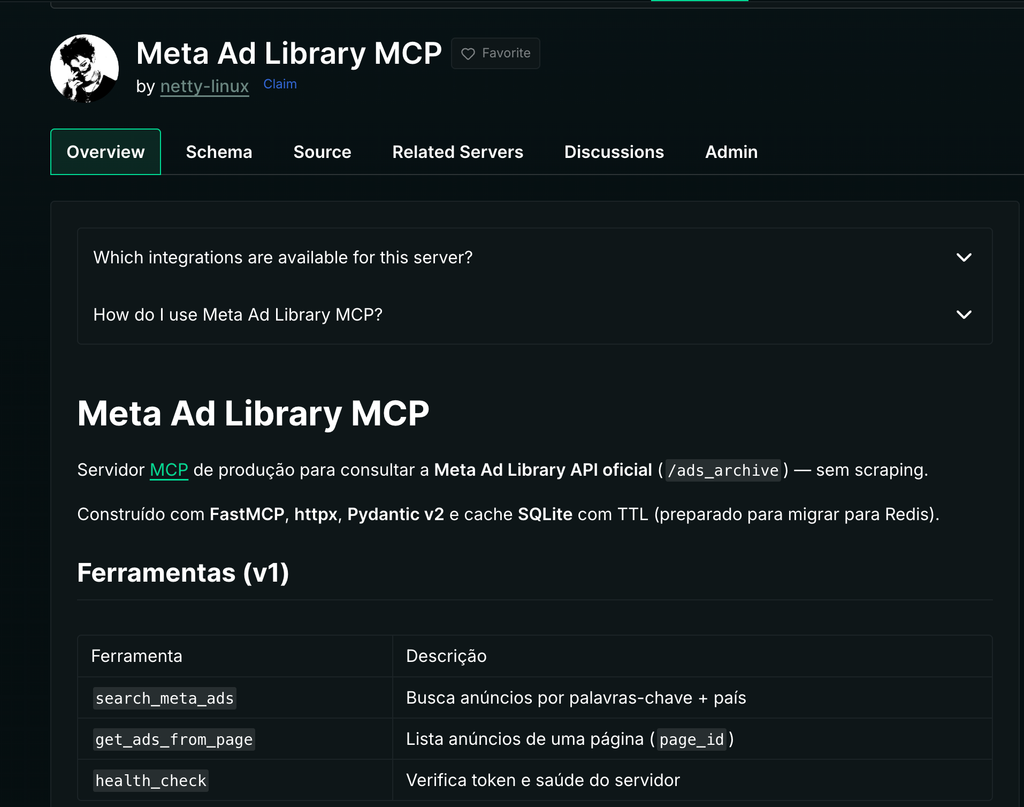
Key features:
- Search Meta Ad Library data using keywords and a specified country.
- Retrieve ads associated with a specific Facebook Page using its Page ID.
- Verify the Meta API token and check whether the server is operating correctly.
- Uses Meta’s official Ad Library API rather than scraping the public Ad Library interface.
- Exposes the API functionality as MCP tools that can be used by compatible AI clients.
- Uses SQLite caching with a time-to-live to reduce repeated API requests.
- Can run locally using stdio or be configured with HTTP transport for remote MCP use.
- The server requires Python 3.12+, a Meta for Developers account, and a User Access Token with the ads_read permission.
- It can be run locally and connected to Claude, or deployed using HTTP transport for remote access.
Example prompts:
“Search for ads about protein powder in the UK.”
“Find the ads currently associated with this Facebook Page.”
“Search the Meta Ad Library for ads using this keyword in Germany.”
Why use Meta Ad Library MCP by netty-linux?
The main appeal of this MCP is its straightforward API-oriented approach. It provides a relatively small set of tools for querying Meta Ad Library data without adding a separate creative-analysis or competitor-research layer.
For developers, technical marketers, and users who want a direct MCP connection to Meta’s official Ad Library API, it can be a useful building block. However, its API coverage limitations and narrower toolset mean it is better suited to data retrieval than to the more comprehensive competitor research workflows offered by some of the other options in this list.
How to Choose the Right Meta Ads Library MCP
| What to evaluate | What to look for | Why it matters |
| Setup | Hosted connector, remote MCP, or self-hosted server | Determines how much technical setup and maintenance you need |
| Data access | Official Meta API, scraping, or third-party data provider | Affects data availability, coverage, and how the connector retrieves ad data |
| Research depth | Basic search, ad-level research, creative analysis, competitor comparison | Determines whether you can simply find ads or analyze them in context |
| AI capabilities | Retrieval, summarization, creative analysis, strategic interpretation, brief generation | Shows how much of the analysis can happen inside the AI workflow |
| Platforms | Facebook, Instagram, or broader Meta surfaces | Useful if your competitor research spans multiple Meta placements |
| Automation | One-off searches, repeatable workflows, API access, custom automation | Matters when competitor research needs to run regularly rather than manually |
| Technical requirements | No-code setup, MCP configuration, API keys, self-hosting | Helps match the tool to your team’s technical comfort level |
| Research workflow | Search → analyze → compare → document | A connector is more useful when it supports the full research process rather than only retrieving ads |
| Output | Raw ad data, summaries, comparisons, reports, creative briefs | Determines how much additional work is needed after collecting the data |
Meta Ads Library is already a useful source for competitor research, but manually searching ads, reviewing creatives, and organizing findings can make the process time-consuming, especially when research needs to cover multiple competitors or categories.
The right option depends on how much of the process you want the tool to handle. Hosted Claude Connectors can make the workflow simpler for marketers who want conversational research, while API-based and self-hosted options can provide more control for technical teams building custom workflows.
For marketers who want to conduct this research directly in Claude without managing APIs or self-hosted infrastructure, a hosted Claude Connector such as Smacient’s can provide a simpler starting point.
Looking to explore more ways to use Claude for marketing and SEO? Check out these related guides:
- GSC Claude Connector Servers: Which Ones Are Worth Connecting
- Best MCP Servers for LinkedIn in 2026: Compared and Ranked
- Best MCP for Meta Ads in 2026: Official vs Third-Party Servers Compared and Ranked
FAQs
Not necessarily. Some Meta Ads Library MCPs use scraping or managed data access and don’t require a Meta developer setup. For example, Smacient’s Claude Connector for Meta Ads Library lets you research public Facebook and Instagram ads without setting up a Meta developer account or Facebook Business Manager.
It depends on the MCP. Hosted Claude Connectors generally require little technical knowledge, while API-based and self-hosted servers may require API keys, MCP configuration, or development setup. Smacient’s Claude Connector is designed for marketers who want to research Meta Ads Library data in Claude without managing their own MCP infrastructure.
Some connectors support batch analysis, although the extract limits vary. Smacient’s Claude Connector can retrieve up to 100 ads per brand per call, allowing marketers to analyze larger sets of competitor ads rather than reviewing them individually.
A hosted Claude Connector is generally the simplest option because you don’t need to manage servers, APIs, or scraping infrastructure. Smacient’s Claude Connector is built specifically for conversational Meta Ad Library research in Claude, making it suitable for marketers who want to search competitors, analyze ads, and compare creative and messaging without setting up their own MCP server.
Disclosure – This post contains some sponsored links and some affiliate links, and we may earn a commission when you click on the links, at no additional cost to you.