If you’ve used ChatGPT or another AI assistant before, you already know it can answer questions about your campaigns if you give it the right information. But there’s a big difference between asking AI to analyze your data and actually connecting it to your advertising tools. With MCP, AI assistants can interact with connected services instead of relying entirely on information you manually provide.
However, not every Meta Ads MCP server works the same way. You’ll find official options, third-party integrations, open source projects, and platforms that bundle Meta Ads with several other marketing tools. Setup requirements, supported actions, authentication, pricing, and AI compatibility can vary quite a bit.
So, which one should you actually use?
In this guide, we compare the leading Meta Ads MCP servers, including official and third-party options, to see how they stack up on setup difficulty, capabilities, compatibility, and overall usability.
Quick Answer: Best Meta Ads MCP
| Tool | Best For |
| Smacient’s Meta Ads Claude Connector | Overall Meta Ads analysis |
| Meta Official MCP | First-party Meta integration |
| Markifact | AI-powered campaign management |
| Adspirer | Multi-platform ad management |
| Madgicx MCP | Meta Ads optimization |
| Improvado | Enterprise analytics |
| AdKit | Approval-based ad management |
How We Ranked These Meta Ads MCP Servers
Evaluation Criteria
- Writing capabilities: Creating and updating campaigns
- Reporting capabilities: Accessing campaign and performance data
- Campaign duplication: Replicating existing campaigns
- Bulk Editing: Making changes across multiple campaigns or ads
- Creative uploads: Adding images, videos, and other assets
- Platform support: Meta Ads and related platforms supported
- AI compatibility: Supported AI assistants and clients
- Safety controls: Permissions, confirmations, and safeguards
- Pricing: Free, paid, or usage-based costs
- Documentation: Quality and completeness of available guides
- Ease of setup: How quickly you can get started
- Enterprise readiness: Scalability, reliability, and account management
What Is a Meta Ads MCP?
MCP, or Model Context Protocol, is a way for AI assistants to connect with external tools and services. Think of it as a bridge between an AI assistant and your Meta Ads account.
For marketers, this means you can connect tools like Claude or ChatGPT to Meta Ads instead of manually switching between your AI assistant and Ads manager.
Once connected, the AI can work with supported Meta Ads data and actions, such as checking campaign performance, pulling reports, or making certain campaign changes.
Comparison Table of Best MCP for Meta Ads: Official vs Third-Party Servers Compared and Ranked
| MCP Server | Setup Difficulty | Pricing | Best Suited For |
| Smacient’s Meta Ads Claude Connector | Easy | Free + paid credits | Marketers and agencies wanting AI-powered Meta Ads analysis |
| Meta Official MCP | Moderate | Free during beta | Developers and teams wanting a first-party Meta integration |
| Markifact | Easy | Paid | Teams looking for campaign creation and management through AI |
| Adspirer | Easy | Free + paid plans | Teams managing Meta and other ad platforms together |
| Madgicx | Easy | Paid | Teams focused on Meta Ads optimization and analytics |
| Improvado | Moderate | Custom pricing | Enterprises managing multiple accounts and reporting workflows |
| AdKit | Easy | Paid | Teams wanting AI automation with approval controls |
Best MCP for Meta Ads: Official vs Third-Party Servers Compared and Ranked
| Table of Contents |
| 1. Smacient’s Meta Ads Claude Connector |
| 2. Meta Official MCP |
| 3. Markifact |
| 4. Adspirer |
| 5. Madgicx MCP |
| 6. Improvado MCP |
| 7. AdKit Meta Ads MCP |
1. Smacient’s Meta Ads Claude Connector
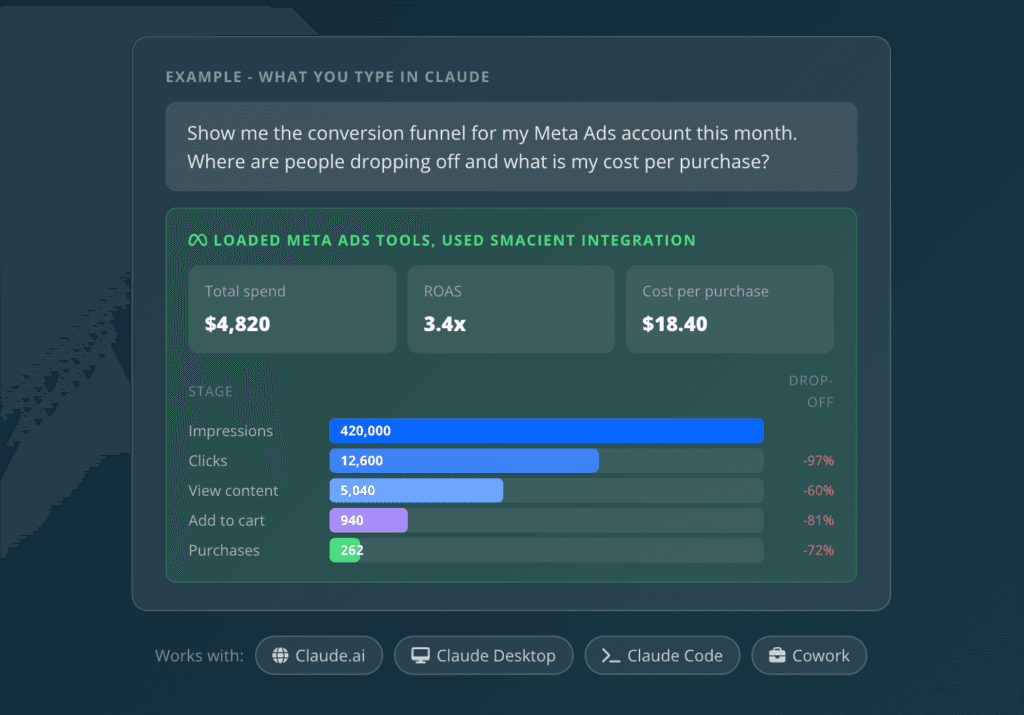
Smacient’s Claude Connector for Meta Ads connects your Meta Ads account to Claude through MCP, giving you live access to advertising data directly inside your AI workflow. Instead of exporting reports from Ads Manager or manually copying campaign data into Claude, you can ask questions in natural language and have Claude pull the relevant data for analysis.
The connector supports Meta Ads reporting across account summaries, campaign performance, spend, ROAS, audiences, placements, creatives, conversion funnels, and budget optimization. It is designed for marketers and agencies that want to analyse their Meta Ads data faster without constantly switching between Ads Manager, spreadsheets, and AI tools.
Smacient’s broader Claude Connector can also bring Meta Ads Library data into Claude for competitor research, allowing marketers to analyse public ads alongside their own campaign data.
Key Features:
- It lets you pull spend, ROAS, CTR, conversion, and campaign performance data directly into Claude.
- It provides audience breakdowns by dimensions such as age, gender, and country.
- It lets you analyse placement-level performance to understand where campaigns are performing best.
- It provides creative-level performance data so you can identify which ads are driving results.
- It can analyse your conversion funnel and campaign structure through natural-language prompts.
- It can provide budget optimization recommendations based on your Meta Ads data.
- It gives Claude access to your connected Meta Ads accounts through read-only ads_read permission.
- It uses OAuth authentication, and you can disconnect your Meta Ads account from the Smacient dashboard when needed.
Cons:
- It is read-only, so it does not create, edit, or delete campaigns or ads.
- You need a connected Meta Ads account and a compatible Claude setup to use the connector.
Why Choose It:
Choose Smacient’s Meta Ads Claude Connector if your priority is turning your Meta Ads data into useful insights without manually exporting reports. You can ask Claude questions about campaign performance, audiences, placements, creatives, spend, ROAS, and conversion data and get answers based on your connected account.
It is especially useful for marketers and agencies that want a simple, read-only workflow for analysing Meta Ads data inside Claude rather than adding another reporting dashboard to their stack.
You can get started with 30 free monthly credits at no cost, while your connected Meta Ads performance data remains free to query.
2. Meta Official MCP
Meta’s official MCP server provides a direct way for AI assistants to connect with Meta’s advertising ecosystem. It is designed to let AI-powered tools interact with supported Meta Ads functionality, making it possible to work with advertising workflows through natural-language instructions rather than relying on the Ads Manager interface. As an official Meta solution, it is particularly relevant for teams that want to build AI-powered advertising workflows around Meta’s own API.
Key Features:
- It provides an official MCP connection for working with Meta Ads.
- It allows AI assistants to interact with supported Meta advertising capabilities.
- It is built around Meta’s own advertising APIs and infrastructure.
- It can be used to build AI-powered workflows for managing and analyzing advertising activities.
- It is designed with Meta’s authentication and access requirements in mind.
- It gives developers more control when building custom AI and advertising workflows.
Cons:
- The setup can be more technical than using a managed third-party MCP server.
- You may need familiarity with Meta’s developer tools, APIs, and authentication process.
- The available capabilities depend on what Meta exposes through its MCP and advertising APIs.
Why Choose It:
Choose Meta’s official MCP if you want a first-party solution with direct support from Meta’s advertising ecosystem. It is a strong choice for developers, agencies, and larger teams that want greater control over how AI connects with their Meta Ads workflows.
3. Markifact
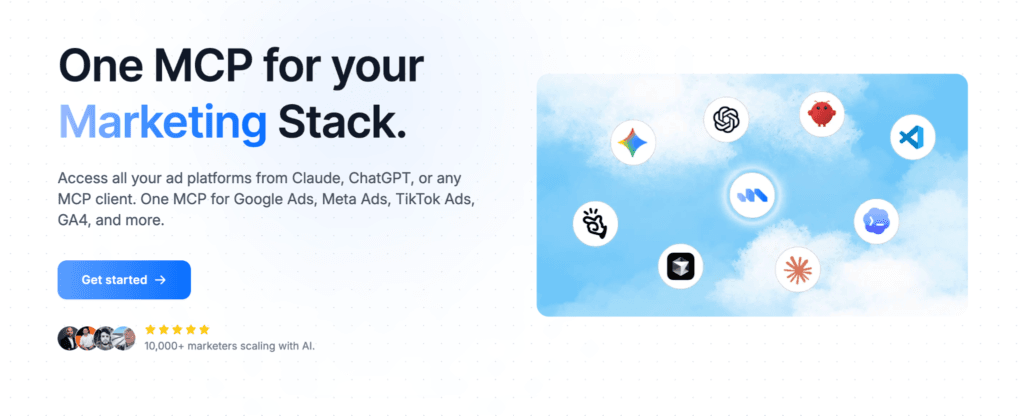
Markifact is a managed MCP platform that connects Meta Ads with AI assistants such as Claude, ChatGPT, Cursor, and other MCP-compatible clients. Unlike tools focused mainly on reporting, it supports both reading and writing, so marketers can analyze campaigns, create ads, manage budgets, and optimize campaigns directly from an AI assistant. It also supports other advertising and marketing platforms, making it useful for teams managing multiple channels.
Key Features:
- It lets you analyze campaign, ad set, ad, creative, audience, and account-level performance across Meta Ads.
- You can create campaigns and ad sets with budgets, targeting, placements, schedules, and optimization settings.
- It supports the creation of image, video, carousel, and catalog ad creatives.
- You can manage custom, lookalike, and engagement audiences through AI prompts.
- It provides approval-based controls so changes can be reviewed before they go live.
- It supports multiple Meta ad accounts, making it suitable for agencies and teams managing several clients.
- It works with Claude, ChatGPT, Cursor, Manus, and other MCP-compatible clients.
Cons:
- It is a third-party solution rather than Meta’s official MCP.
- Its broader feature set may be more than what a marketer needs for simple reporting.
- You need to use the Markifact platform to access its managed MCP layer.
Why Choose It:
Choose Markifact if you want more than just Meta ads reporting and need an MCP that can support actual campaign execution. Its managed setup, multi-account support, creative workflows, and approval controls make it particularly useful for agencies and marketing teams handling ongoing ad operations.
4. Adspirer
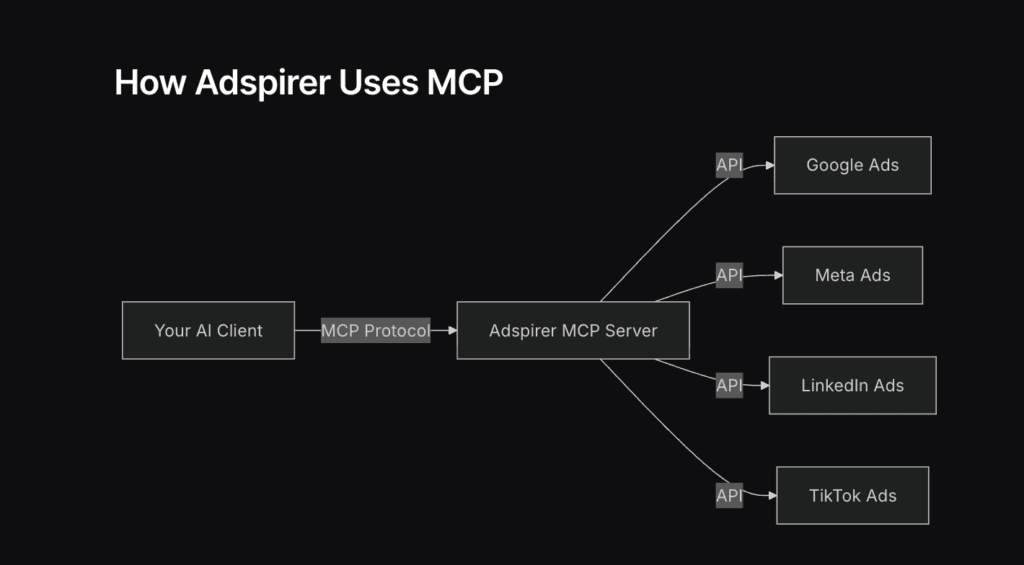
Adspirer is an MCP server that connects AI assistants with multiple advertising platforms, including Meta Ads, Google Ads, LinkedIn Ads, and TikTok Ads. For Meta, it provides tools for managing Facebook and Instagram campaigns, analyzing performance, and working with creatives through natural-language prompts. This makes it particularly useful for marketers who manage advertising across multiple platforms and want to control them from a single AI interface.
Key Features:
- It provides dedicated tools for managing and analyzing Facebook and Instagram advertising campaigns.
- It lets you pull campaign performance data and get optimization insights through AI.
- It supports campaign creation and other write actions, with confirmation required for changes that can affect ad spend.
- It supports creative testing as part of its Meta Ads toolkit.
- It works with AI clients including ChatGPT, Claude, Cursor, Codex, and other MCP-compatible assistants.
- It uses OAuth 2.1 to securely connect your advertising accounts.
- It also supports Google Ads, LinkedIn Ads, and TikTok Ads through the same MCP connection.
Cons:
- It is a third-party MCP rather than an official Meta solution.
- Its multi-platform approach may be more than you need if you only manage Meta Ads.
- Some features require you to create an Adspirer account and connect your advertising accounts first.
Why Choose It:
Choose Adspirer if you want one AI-powered MCP for managing advertising across multiple platforms, rather than setting up a separate server for each ad network. Its Meta Ads support, broad AI client compatibility, and built-in safety controls make it a strong option for marketers and agencies managing campaigns across channels.
5. Madgicx MCP
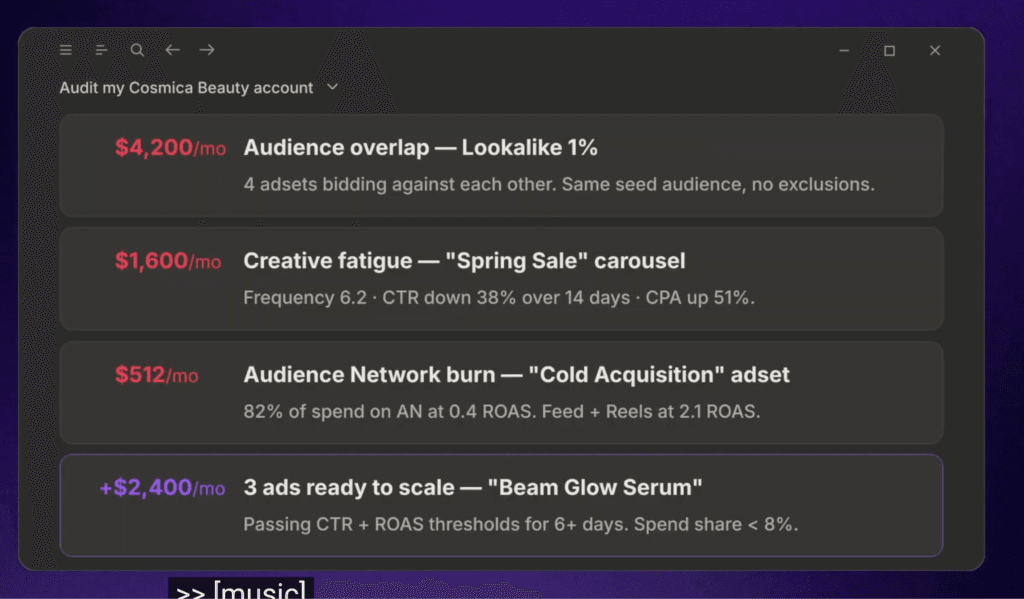
Madgicx MCP connects AI assistants with your Madgicx account, allowing you to manage supported Meta ads workflows through natural-language conversations. You can pull campaign performance, analyze account data, pause ads, adjust budgets, change bids, and rename campaigns without manually navigating through Ads Manager. It uses a remote MCP server with OAuth 2.0 authentication and is designed for marketers who want more hands-on AI control over their Meta Ads accounts.
Key Features:
- It lets you pull campaign, ad set, ad, creative, and account-level performance data via AI.
- You can analyze performance by metrics such as spend, impressions, ROAS, age, gender, and placement.
- It allows you to pause or start campaigns, ad sets, and ads directly through an AI conversation.
- You can increase, decrease, or set budgets and manage supported bidding controls.
- It supports bulk renaming of campaigns, ad sets, and ads.
- It works with Claude, ChatGPT, n8n, and other MCP-compatible clients.
- It includes approval controls so potentially impactful changes can require confirmation before execution.
Cons:
- Campaign, ad set, and ad creation are not yet available through the MCP.
- Campaign and ad duplication is also still in development.
- You need an active Madgicx account or trial to use the MCP.
Why Choose It:
Choose Madgicx if you want AI to do more than just report on your Meta Ads performance. Its combination of analytics, campaign controls, budget management, bulk organization, and human approval safeguards makes it a strong option for marketers and agencies that want to manage active campaigns from an AI assistant.
6. Improvado MCP
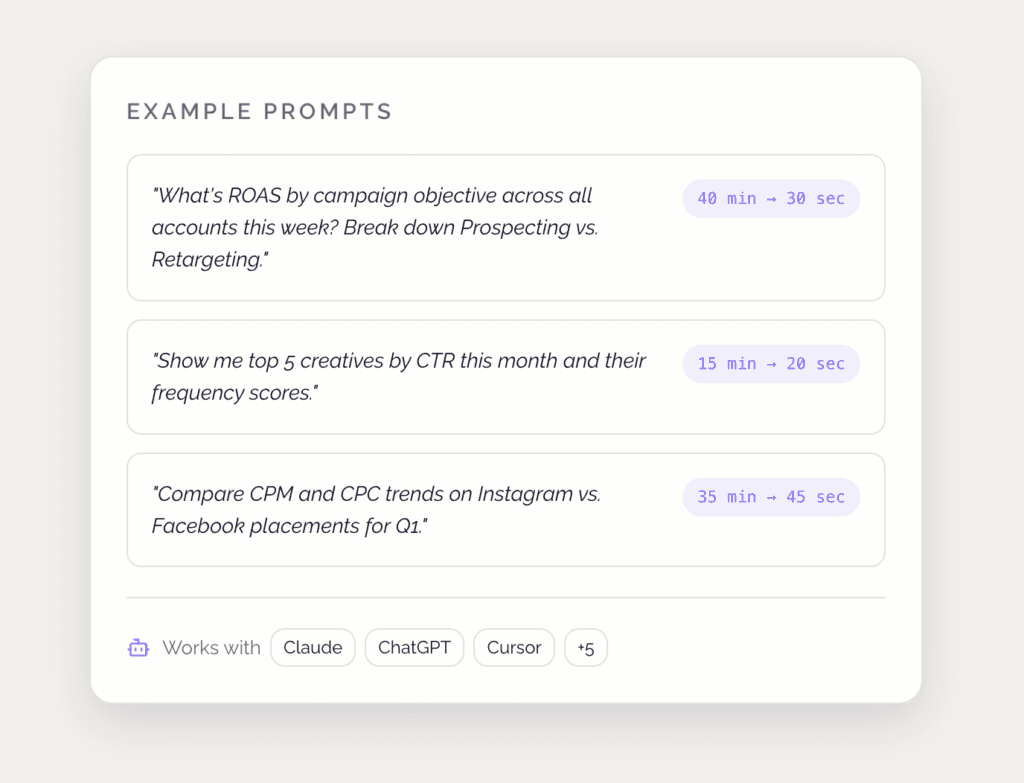
Improvado’s MCP server connects AI assistants with Meta Ads data, allowing marketers to query campaign performance, analyze creatives, monitor accounts, and manage supported advertising actions through natural-language prompts. It is built with multi-account and cross-platform reporting in mind, making it particularly useful for agencies and enterprise teams managing several ad accounts. Improvado also provides governance and monitoring features alongside its MCP connection.
Key Features:
- It lets you query Meta Ads metrics such as ROAS, CPM, CPC, spend, and creative performance through AI.
- It can work across multiple Meta ad accounts and Business Managers from a single MCP connection.
- It supports write operations such as adjusting budgets, pausing or activating campaigns and ad sets, creating campaigns, and duplicating existing structures.
- It can monitor performance changes such as ROAS drops, CPM spikes, and increasing frequency.
- It supports cross-account reporting, which can be especially useful for agencies managing multiple clients.
- It includes activity logging and governance controls, with Improvado stating that its platform is SOC 2 certified.
Cons:
- It is primarily positioned as a broader marketing data and analytics platform, so it may be more than you need for basic Meta Ads analysis.
- Pricing is not publicly listed on the MCP page and appears to require contacting Improvado for a demo.
- Data freshness depends on the configured Improvado sync schedule, so it is not necessarily a direct real-time view of Meta Ads data.
Why Choose It:
Choose Improvado if you need AI-powered Meta Ads analysis across multiple accounts and want reporting, monitoring, and campaign actions in one workflow. Its multi-account support, cross-platform data layer, and governance features make it particularly suited to agencies and larger marketing teams.
7. AdKit Meta Ads MCP
AdKit’s Meta Ads MCP connects AI assistants to Meta advertising, allowing marketers to create campaigns, manage ads, analyze performance, and work with creatives through natural-language prompts. Its main differentiator is a draft-first workflow: changes are prepared for review before they reach the live ad account.

Key Features:
- It lets AI assistants create Meta campaigns, ad sets, targeting, budgets, and creatives as drafts.
- It can analyze metrics such as ROAS, CPA, CTR, spend, and creative performance.
- You can pause ads, shift budgets, and duplicate winning campaigns in bulk.
- It can generate creative variants for Meta ads.
- It provides competitor ad research through its broader advertising tools.
- Every change goes through a draft and approval process before being published.
- It can be connected without API keys, with the setup designed to take around two minutes.
Cons:
- It is a paid third-party solution rather than Meta’s own MCP.
- The MCP is part of the wider AdKit platform, so you may be paying for features beyond Meta Ads management.
- Its strongest differentiator is the safety and workflow layer, which may be unnecessary if you only need basic reporting.
Why Choose It:
Choose AdKit if safety and control matter as much as automation. Its draft-first system lets you use AI to make substantial Meta Ads changes while keeping a human step between the AI and your live campaigns.
Which Meta Ads MCP Should You Choose?
| Choose | If You… |
| Smacient’s Meta Ads Claude Connector | Want read-only Meta Ads analysis directly inside Claude |
| Meta Official MCP | Want a first-party Meta solution and have technical resources for setup |
| Markifact | Want AI-powered campaign creation, management, and optimization |
| Improvado | Need enterprise-level reporting across multiple ad accounts |
| Madgicx | Want AI-powered optimization and campaign controls within the Madgicx ecosystem |
| Adspirer | Manage Meta alongside Google, LinkedIn, or TikTok Ads |
| AdKit | Want AI automation with a review and approval step before changes go live |
Meta Ads MCP servers make it easier to bring AI into advertising workflows, but the right choice depends on how much control and automation you actually need.
If your priority is analysing your own Meta Ads data inside Claude without giving an AI assistant permission to change live campaigns, Smacient’s Meta Ads Claude Connector is a strong option. It gives Claude read-only access to campaign performance, audiences, placements, creatives, spend, ROAS, and other Meta Ads data, so you can investigate performance and get recommendations using natural-language prompts.
If you need AI to actively create or modify campaigns, third-party options such as Markifact, Adspirer, Madgicx, Improvado, and AdKit offer different levels of write access and automation. Meta’s official MCP is another option for teams looking for a first-party integration.
Explore more of our guides on MCP servers:
- Best MCP Servers for Marketers
- The End-to-End Model Context Protocol (MCP) Guide for Marketers
- AI Marketing ROI: The Framework CMOs Are Using to Prove Value
- How to Connect LinkedIn Data to Claude Using Smacient’s Claude Connector
FAQs
It depends on the MCP. Some are focused on reporting and analysis, while others can also create or modify campaigns. Smacient’s Meta Ads Claude Connector is designed for read-only Meta Ads analysis, giving Claude access to campaign performance, audiences, placements, creatives, spend, ROAS, and other account data.
It depends on the server. Some Meta Ads MCPs support write actions such as campaign creation, while others are read-only. Smacient’s Meta Ads Claude Connector focuses on analysing your existing Meta Ads data and does not request permission to create, edit, or delete campaigns or ads.
Some Meta Ads MCPs support budget changes, but not all do. Smacient’s Meta Ads Claude Connector is read-only, so Claude cannot change your budgets, campaigns, or ads through the connector. Instead, it can analyse your performance data and provide budget optimization recommendations you can review yourself.
Some write-enabled MCPs support these actions, but capabilities vary by provider. Smacient’s Meta Ads Claude Connector does not have permission to pause, delete, create, or modify campaigns or ads, making it suitable for teams that want AI-powered analysis without giving an AI assistant write access to their ad account.
Disclosure – This post contains some sponsored links and some affiliate links, and we may earn a commission when you click on the links, at no additional cost to you.