Table of Contents
What Is the Google Keyword Planner MCP?
Google Keyword Planner is one of the most trusted sources of keyword data available to marketers. It is the same tool advertisers use to plan Google Ads campaigns, and it gives you average monthly search volumes, competition levels, cost-per-click bid ranges, and 24 months of historical trend data.
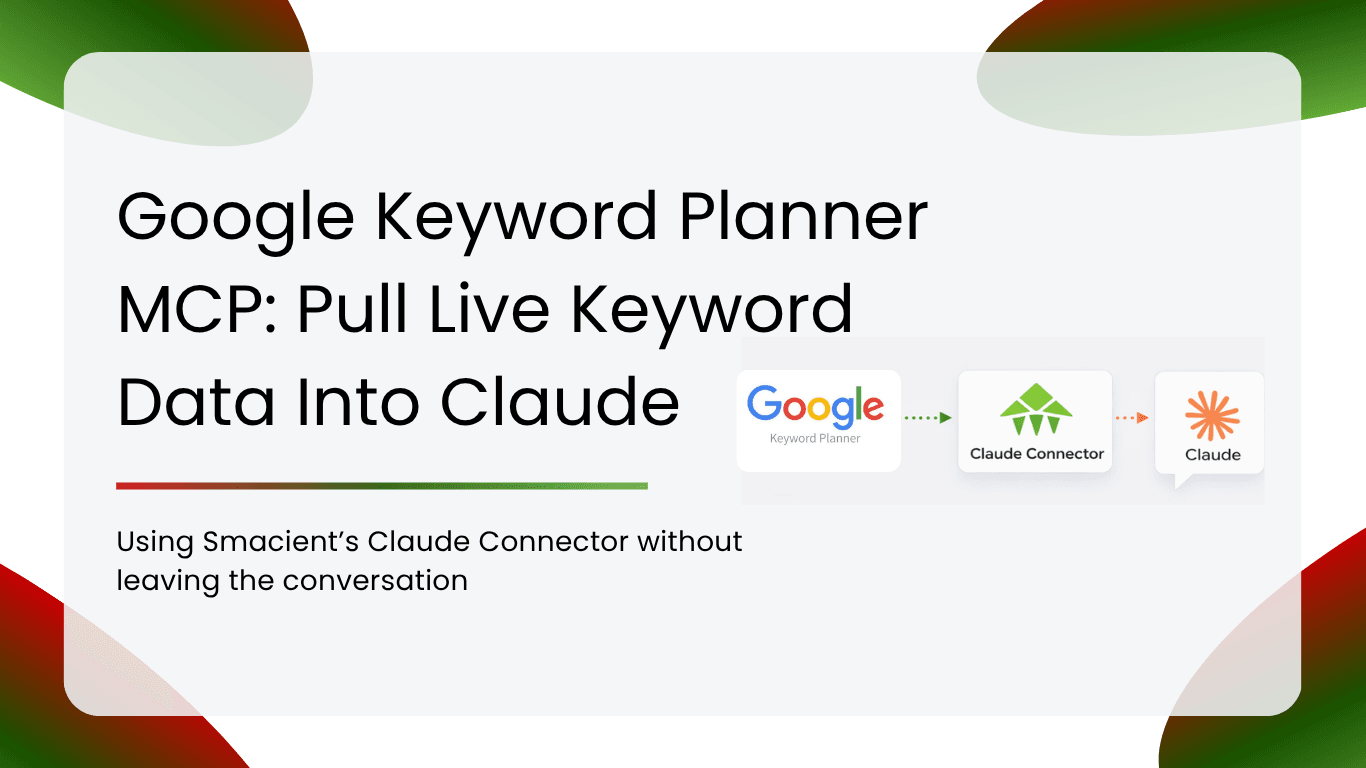
The problem has always been getting that data into a place where you can actually think with it. Logging in, running searches, downloading CSVs, cleaning them, and pasting them into a separate AI tool is a slow and fragmented workflow. The Smacient Claude Connector for Google Keyword Planner solves this by connecting Claude directly to Google’s Keyword Planner API through a Model Context Protocol (MCP) integration.
MCP is an open protocol that allows AI assistants like Claude to call external tools and APIs in real time, mid-conversation. With this connector active, you type your research request in plain English, and Claude fetches live keyword data from Google and delivers it right inside your chat window. No tab-switching, no CSV exports, no copy-pasting.
The Problem with the Old Keyword Research Workflow
Anyone who has done keyword research regularly knows the friction. Here is what a typical session used to look like before connectors like this existed:
- Log in to Google Ads and open Keyword Planner
- Enter seed keywords, wait for results to load
- Export as CSV and open in a spreadsheet
- Delete the columns you do not need and clean up formatting
- Copy and paste relevant rows into Claude
- Write your prompt and wait for the analysis
- Realise you need a different location, keyword set, or time range and start the whole loop again
Each cycle through that process costs time. The bigger problem is that it breaks the thinking flow. You are not doing keyword research; you are doing data logistics.
The Google Keyword Planner MCP eliminates every step between asking a question and getting an answer. You stay inside Claude for the entire session, and the data comes to you.
How the Google Keyword Planner MCP Works
Setup takes under two minutes. You create a free Smacient account, copy the MCP connector URL, and paste it into Claude Settings under Integrations or Custom Connectors, depending on which Claude client you are using. Sign in with your Smacient credentials, and you are ready to go.
The connector works with Claude.ai (Pro and Team plans), Claude Desktop, Claude Code, and Cowork. Any Claude client that supports custom MCP server URLs will work.
Once connected, Claude gains access to two Keyword Planner tools that it can call on your behalf. You do not need a Google Ads account. You do not need to connect anything to Google directly. Smacient handles the API authentication behind the scenes.
No Google Ads Account Required: You do not need your own Google Ads account or API credentials to use this connector. Smacient handles all Google API access. You only need a Smacient account, which is free to create.
The Two Core Tools Inside the Connector
The Google Keyword Planner MCP gives Claude access to two tools that cover the full scope of keyword research tasks.
get_keyword_ideas
This tool generates keyword ideas from seed keywords, a URL, or both combined. For each keyword returned, you get the average monthly search volume, competition level (low, medium, or high), and CPC bid range (low and high top-of-page estimates). Each call returns up to 100 keyword ideas.
You can target up to five locations per call, choose from multiple languages including English, German, French, Spanish, and Japanese, and combine URL-based and seed keyword inputs in a single request.
get_historical_keyword_data
This tool pulls 24 months of monthly search volume history for any set of keywords. It returns one row per keyword per month, making it ideal for spotting seasonality patterns, month-over-month growth trends, and comparing how multiple keywords have moved over time.
Historical data always covers the full 24-month window. Google Keyword Planner data typically lags the current date by two to four months, so the most recent data points reflect a short period back rather than the current month.
| Tool | What It Returns | Credit Cost | Best For |
| get_keyword_ideas | Keyword ideas, monthly volume, competition, CPC range | 5 credits per call | Discovery, content planning, PPC research |
| get_historical_keyword_data | 24 months of monthly search volume per keyword | 10 credits per call | Seasonality analysis, trend spotting, campaign timing |
Use Case 1: Content Cluster Planning
Content clusters are built around a central topic with supporting articles covering related subtopics. The challenge is always the keyword mapping stage: figuring out which subtopics have real search demand, which are low enough in competition to rank for, and how to group them by intent.
With the Google Keyword Planner MCP, you can do that entire mapping exercise inside a single Claude conversation.
Example Prompt: “Get 50 keyword ideas for ‘project management software’ targeting India. Filter to low competition only and group them by whether they are informational, commercial, or navigational.”
Claude fetches the keyword ideas from Google, filters by competition level, and then applies intent classification in the same response. What used to take three to four hours of spreadsheet work happens in one turn.
You can also ask Claude to cross-reference the keyword data against your existing content to find gaps, or to suggest which keywords belong in pillar pages versus supporting articles. The entire cluster planning session runs as a single flowing conversation rather than a series of disconnected tool exports.
Use Case 2: Seasonality Research for Campaign Planning
Knowing when your audience is searching is as important as knowing what they are searching for. Launch a campaign two weeks too late, and you miss the peak. Start building content too early, and it sits unused.
The historical data tool gives you 24 months of monthly search volume so you can see exactly when keywords peak, how far in advance searches start building, and whether patterns are consistent year over year.
Example Prompt: “Get 24 months of historical data for ‘gift ideas for men’, ‘anniversary gifts’, and ‘Valentine’s Day gifts’. Identify the peak months and how far in advance the searches start building.”
Claude pulls the data and surfaces the trend patterns in plain language. You get campaign timing windows without touching a spreadsheet or a charting tool. This is particularly useful for e-commerce brands, event-driven campaigns, and any product category with strong seasonal demand.
Use Case 3: Multi-Market Keyword Research for Clients
Agencies handling clients across multiple countries know how time-consuming market comparison work can be. You need to pull the same keyword set for each country, reconcile the data, and build a comparative view before you can give a recommendation.
The Google Keyword Planner MCP supports up to five locations per call, so you can pull country-level keyword data across multiple markets in a single request and ask Claude to compare them immediately.
Example Prompt: “Get keyword ideas for ‘online learning platform’ targeting the United States, United Kingdom, and Australia. Compare search volumes and competition levels across all three markets and flag the best entry point.”
Claude returns the data segmented by market and adds the comparative analysis layer on top. You walk into the strategy call with a prioritised keyword brief that would have previously taken five or more hours to prepare.
Use Case 4: Competitor URL Keyword Analysis
One of the more powerful features of the get_keyword_ideas tool is URL-based keyword generation. You paste any URL, including a competitor page, and Google returns the keywords it associates with that content.
This gives you a fast way to understand what a competitor’s page is semantically targeting, find keyword gaps between their content and yours, and generate ideas for pages designed to compete directly.
Example Prompt: “Pull keyword ideas from [competitor URL]. Then compare those keywords against the seed terms I am currently targeting and identify the gaps.”
You can combine URL inputs with seed keywords in the same call for broader coverage. This is especially useful during competitive audits and content gap analyses where you want to move quickly without running multiple separate research sessions.
Use Case 5: PPC Budget Planning and Bid Research
CPC bid data from Google Keyword Planner is essential for PPC planning. The connector returns low and high top-of-page bid estimates for every keyword returned by the get_keyword_ideas tool. Claude automatically converts the raw micros values from the API into readable dollar figures.
This lets you do budget planning, keyword prioritisation by cost efficiency, and opportunity identification entirely inside Claude.
Example Prompt: “Get keyword ideas for ‘accounting software for small business’ targeting the United States. Sort by CPC from lowest to highest and flag any keywords with low competition and over 1,000 monthly searches.”
The result is a prioritised keyword list with bid estimates ready to feed directly into campaign planning, without opening a separate spreadsheet or running a second Keyword Planner session.
Who Should Use the Google Keyword Planner MCP?
The connector is designed for anyone who regularly pulls keyword data as part of their work. Some profiles where it delivers the most value:
| Profile | Primary Benefit |
| SEO Managers | Faster keyword discovery and cluster planning without tool-switching |
| Content Strategists | Intent mapping and content gap research inside a single conversation |
| PPC Specialists | Live bid data and competition levels for campaign planning |
| Agency Account Managers | Multi-market briefs built in minutes, not hours |
| Freelance Marketers | Full Keyword Planner access without a Google Ads account |
| Growth Marketers | Seasonality research and trend analysis without spreadsheet work |
FAQs
No. You do not need a Google Ads account, API credentials, or any direct connection to Google. Smacient handles all Google API authentication on the backend. You only need a Smacient account, which is free to create. Once your account is active and the MCP URL is added to Claude, you can start pulling live keyword data immediately.
The data is identical since it comes directly from Google’s Keyword Planner API. The difference is everything around the data. Using Keyword Planner directly means logging in, running searches, exporting CSVs, cleaning columns, and pasting into Claude. With the MCP connector, you ask Claude in plain English, and the same data comes back instantly, already inside your conversation, where Claude can analyse, filter, group, and compare it in the same response. The research workflow becomes conversational rather than transactional.
Each call to the get_keyword_ideas tool returns up to 100 keyword ideas. You can target up to five locations in a single call and combine seed keywords with a URL for broader coverage. If you need more than 100 ideas, you can run multiple calls with different seed terms or URLs to build a larger keyword set within the same Claude conversation.
The get_historical_keyword_data tool always returns 24 months of monthly search volume. Google Keyword Planner data typically lags the current date by two to four months, so the most recent data points may reflect a period two to four months before your request date rather than the current month. For trend analysis and seasonality research, this lag is rarely an issue, since the patterns you are looking for span many months.
The Smacient Claude Connector works with Claude.ai on Pro and Team plans, both of which support custom MCP connectors. It also works with Claude Desktop, Claude Code, and Cowork. Any Claude client that lets you add a custom MCP server URL will work. The free Claude. The AI plan does not currently support custom MCP connectors, so a Pro or Team subscription is needed for browser-based use.
Related blogs
How to Connect Google Keyword Planner to Claude Using Smacient’s Claude Connector (Step-by-Step)
Connect Google Ads Keyword Planner to Claude Desktop with an MCP Server: A Complete Guide
How to Get Competitor Google Ad Creatives Directly Into Claude