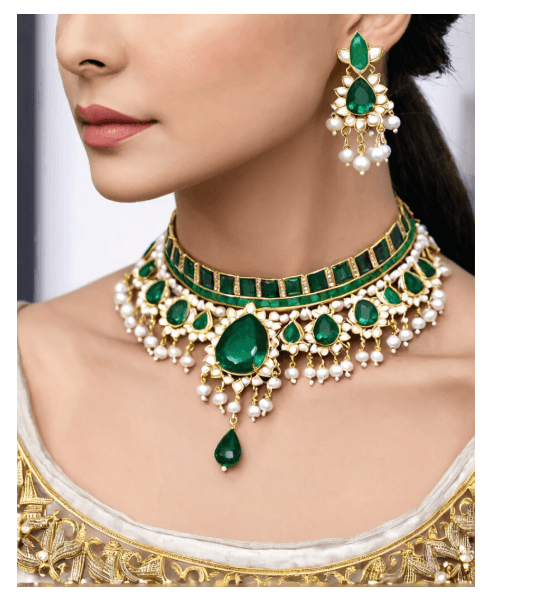
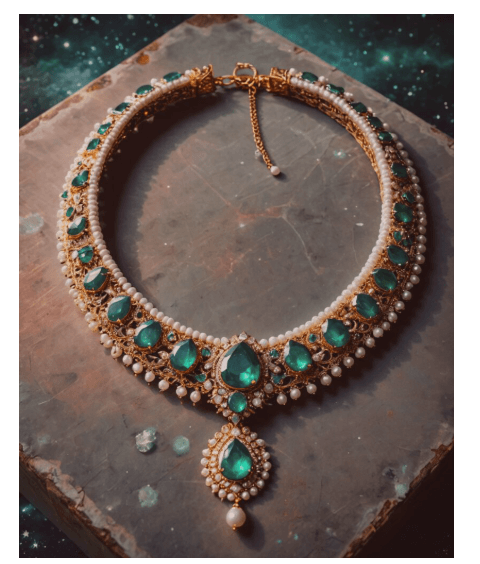
AI is changing how jewelry designers prototype, refine, and present ideas, turning a text prompt into a rendered necklace or ring in seconds. We tested nine AI jewelry design tools using the same prompt across all of them (“design a necklace with emeralds and pearls, choker length with gold elements”) and re-verified pricing and features in July 2026 to keep this guide current.
Table of Contents
Quick Answer: Best AI Jewelry Design Tools
Fotor, best for beginners wanting simple 2D and 3D jewelry design from text prompts.
ImagineArt, best for fast prototyping with text-to-image and image remix tools.
StarryAI, best for enhancing and upscaling jewelry visuals, no free tier anymore.
Deep Dream Generator, best for artistic, stylized jewelry renders at a moderate price.
Neural.love, best for high-quality, commercially licensed images with pay-per-credit flexibility.
The New Black, best for highly customizable designs, sketch-to-design, and style transfer.
Runway ML, best for turning jewelry designs into polished video presentations.
Dzine, best for vector export and professional-grade editing control.
AI Ease, best for completely free, no-signup 3D jewelry previews.
Methodology: How We Tested These
We ran the identical prompt (“design a necklace with emeralds and pearls, choker length with gold elements”) through all nine tools, scoring each on design quality, ease of use, 3D/video capability, and how well the output fit into a real design workflow.
Comparison Table
| Tool | 3D Design | Video Generation | Pricing (2026) | Best For |
| Fotor | Yes | No | Free (credits); Pro $8.99/mo; Pro+ $19.99/mo | Beginner-friendly jewelry design |
| ImagineArt | No | Yes | Free (100 credits/day); Basic ~$9-15/mo; Standard $30/mo; Ultimate $50/mo | Quick jewelry prototyping |
| StarryAI | No | No | No free tier; from $12/mo, or Starter $1.99/week | Enhancing and refining visuals |
| Deep Dream Generator | No | Yes | Free tier; Advanced $19/mo; Professional $39/mo; Ultra $99/mo | Artistic, stylized designs |
| Neural.love | No | Yes | Free (limited); Pro ~$0.08/credit; PAYG $0.17/credit | High-quality commercial images |
| The New Black | No | No | 3 free credits; packs from $5 (40 credits); Professional $50/mo | Customizable, style-transfer designs |
| Runway ML | No | Yes | Free (125 one-time credits); Standard $12/mo; Pro $28/mo; Max plan (replaced Unlimited) | Jewelry animation and video |
| Dzine | Yes | Yes | Free tier (watermarked); paid from $8.99-9.99/mo; Master Pro $149.99/mo | All-in-one visual design, vector export |
| AI Ease | Yes | No | Always free | Free 3D previews, no sign-up |
1.Fotor
Key features: text-to-design jewelry generation, a dedicated 3D mode, and an inpainting tool for fixing small imperfections in AI-generated designs.
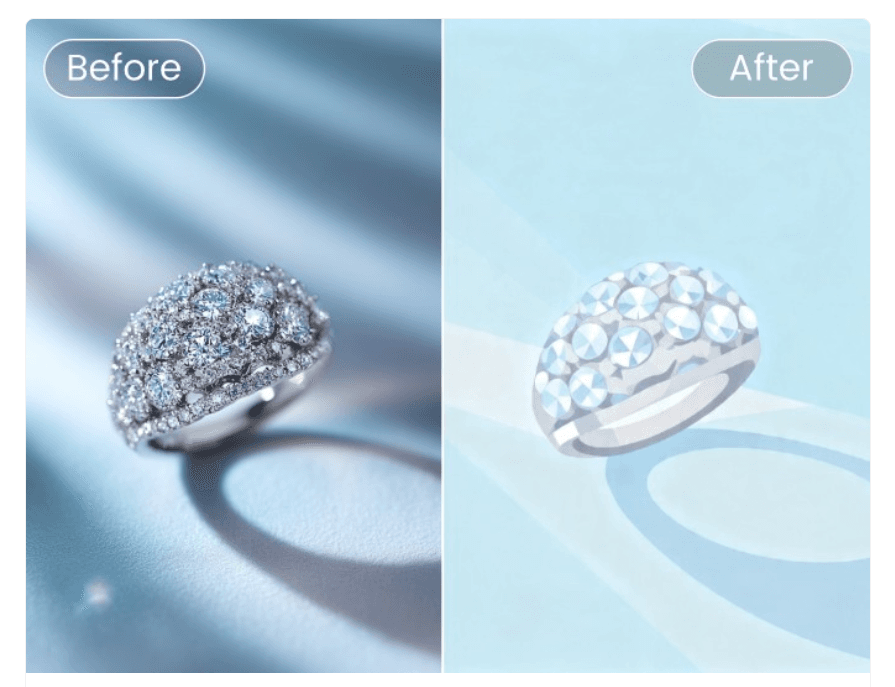
Pricing: the free plan runs on credits (roughly 1 prompt = 2 credits). Pro is $8.99/month and unlocks the full AI image generator and premium templates. Pro+ is $19.99/month and adds 100 AI generation credits per month plus expanded batch processing. This corrects a significant error in the previous version of this page, which listed Pro at $83.25/month.
Choose it if you want the simplest entry point into AI jewelry design with both 2D and 3D output.
2.ImagineArt
Key features: text-to-image generation for jewelry concepts, AI video for showing pieces in motion, Image Remix for tweaking existing designs, and Ideate for turning rough sketches into detailed presentations.
Pricing: Basic runs $9-15/month depending on source, Standard is $30/month, Ultimate is $50/month, and a Creator tier runs $250/month. A free plan offers 100 credits that refresh every 24 hours.
Choose it if you want fast prototyping and don’t mind a steeper price than in previous years.
3.StarryAI
Key features: text-to-art generation, an Upgrade tool for sharpening details, Upscale for enlarging designs without losing crispness, and background removal.
Pricing: Paid plans now start at $12/month with no trial, though weekly plans are also listed: Starter at $1.99/week, Unlimited Pro at $7.99/week, and Unlimited Pro Max at $15.99/week.
Choose it if you’re already committed to a paid tool and specifically need enhancement and upscaling for existing designs, the lack of a free tier makes this a harder tool to “just try.”
4.Deep Dream Generator
Key features: AI image generation across multiple artistic styles, an advanced image editor for fine-tuning designs, a video generator for animating jewelry pieces, and an active creator community.
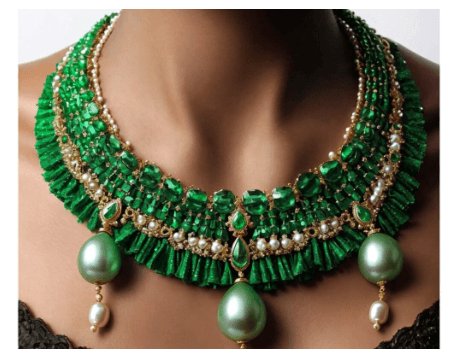
Pricing: The Advanced plan is $19/month (20 energy points, up to 6.9 MP resolution), Professional is $39/month (40 energy points, commercial use license), and Ultra is $99/month (120 energy points, up to 50 MP resolution). A free tier is still available.
Choose it if you want stylized, artistic jewelry renders and don’t mind the higher USD-based pricing compared to previous years.
5.Neural.love
Key features: text-to-image and image-to-image generation, an AI video generator, access to multiple underlying models (Midjourney v6, DALL-E 3, Stable Diffusion 3), and CC0-licensed outputs cleared for commercial use.
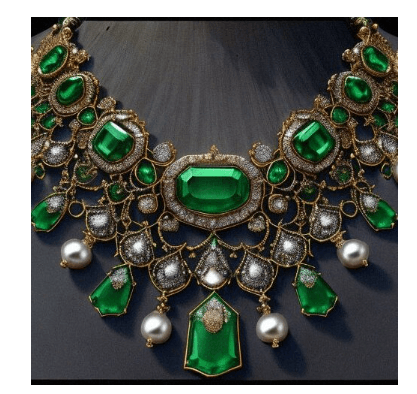
Pricing: a free tier offers unlimited generations with limited features, Pro credits run about $0.08 each (billed annually), and pay-as-you-go credits cost $0.17 each.
Choose it if you want commercially licensed, high-quality outputs and prefer paying only for what you use.
6.The New Black
Key features: an AI jewelry design generator for rings, necklaces, earrings, and bracelets, design variations that preserve a core style, fabric-pattern-to-design conversion, sketch-to-design, and style transfer between images.
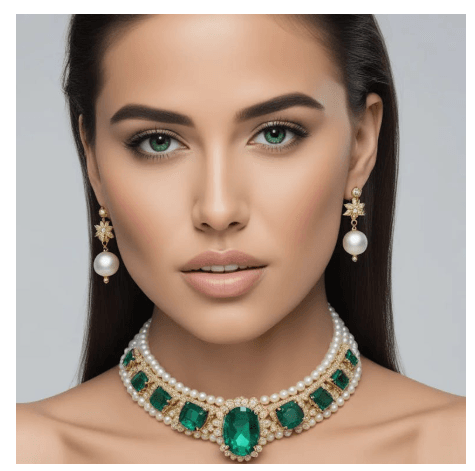
Pricing: serves more than 100,000 designers and brands. Pricing starts with 3 free trial credits, then one-time packs: Lagerfeld ($5, 40 credits), Versace ($10, 100 credits), Dior ($19, 200 credits), and a new Chanel pack ($45, 500 credits), plus XL packs up to 10,000 credits. A new Professional subscription plan is also available starting at $50/month.
Choose it if you want the most jewelry-specific feature set (style transfer, sketch conversion) and are comfortable writing precise prompts, since the platform is originally built for clothing.
7.Runway ML{#runwayml}
Key features: advanced, high-fidelity video generation for showing jewelry in motion, a Multi-Motion Brush for dynamic effects, customizable AI models, and generative audio for promotional content.
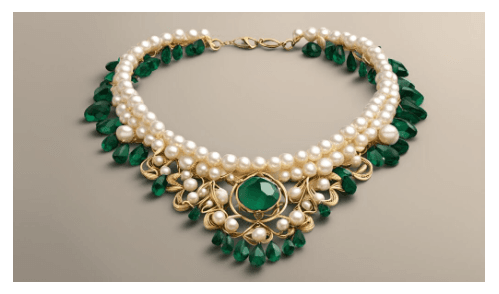
Pricing: the free plan now gives 125 credits as a one-time allotment rather than monthly, not ongoing as the previous version of this page implied. Standard is $12/month (625 credits), Pro is $28/month (2,250 credits), and the old Unlimited plan has been replaced by a new Max plan for subscribers who joined from May 29, 2026 onward.
Choose it if video presentation of your jewelry designs matters more than static image generation, just budget for credits since the free tier is no longer a recurring monthly allowance.
8.Dzine
Key features: prompt-based jewelry design with style templates, vector export for client-ready files, 2D-to-3D conversion, and advanced editing tools including layering and generative fill.
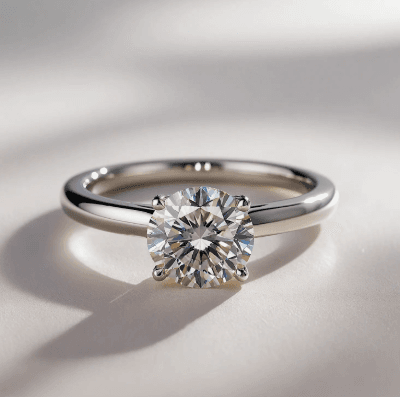
Pricing: a free tier is available with watermarks and export limits. Paid plans start around $8.99-9.99/month for unlimited, watermark-free use, with a much higher-end Master Pro plan at $149.99/month for heavy professional use, a tier not mentioned in the previous version of this page.
Choose it if you need export-ready vector files for manufacturing or client presentations, not just images.
9.AI Ease
Key features: text-to-3D jewelry generation covering rings, necklaces, and earrings, with no sign-up required.
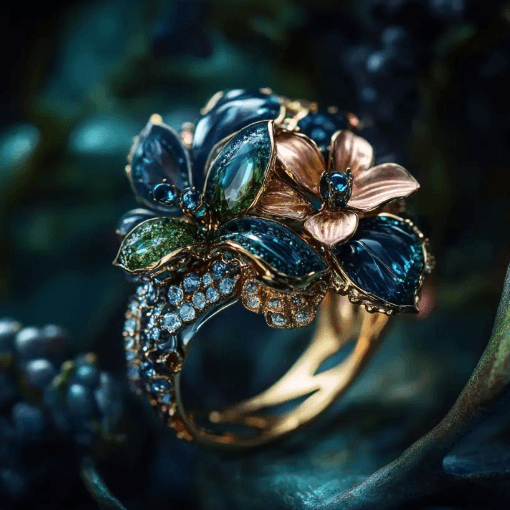
Pricing: Completely free.
Choose it if you want zero-friction, zero-cost 3D concept previews for quick ideation.
Which Tool Should You Choose
Choose Fotor if you’re new to AI design tools and want an affordable, beginner-friendly starting point.
Choose The New Black or Dzine if you need jewelry-specific features like style transfer, sketch conversion, or export-ready vector files.
Choose Runway ML or ImagineArt if video presentation of your designs matters as much as the static image.
Choose Neural.love if commercial licensing and pay-per-use pricing matter more than a flat subscription.
Choose AI Ease if you just want free, no-commitment 3D concept previews before investing in a paid tool.
Avoid StarryAI as a first tool to try since it no longer offers a free tier, test a free option like AI Ease or Fotor’s free credits first to see if AI-generated jewelry design fits your workflow at all.
FAQs
Yes, Fotor’s free plan runs on credits, Runway ML’s free tier is now a one-time 125 credits rather than monthly, and StarryAI removed its free tier entirely. AI Ease remains the one fully free, unlimited option in this list.
Most use either a monthly subscription or a credit-based pay-per-generation model. The New Black and Neural. love lean toward credit packs, while Fotor, ImagineArt, StarryAI, Deep Dream Generator, Runway ML, and Dzine primarily use monthly subscription tiers.
Specific, detailed prompts covering material, gemstone type, style, and format (necklace, ring, earrings) consistently outperform vague ones. The New Black in particular needs more specificity since it’s built primarily for clothing design.
Yes. Fotor’s inpainting tool, ImagineArt’s Image Remix, StarryAI’s Upgrade and Upscale tools, and The New Black’s style transfer all allow refinement of generated or uploaded designs.
It depends on the tool. Neural. love licenses outputs under CC0 explicitly for commercial use, and Deep Dream Generator’s Professional and Ultra tiers include a commercial use license. Always check the specific plan’s license terms before using a generated design in a commercial product.
Dzine is the strongest option here due to its vector export feature, which produces files usable for presentations or further refinement, closer to production-ready than a flat image.
Mixed. ImagineArt, Deep Dream Generator, and The New Black’s premium tiers all increased or restructured toward higher price points in 2026, while Fotor’s actual pricing turned out to be far lower than previously reported. AI Ease remains free.
Related Blogs
- Top 15 AI Logo Design Tools
- 10 Creative AI Design Assistant Tools for Marketers
- The Best AI Image Generators of 2024
- Best AI Image Editors
- Must Have AI Tools for Graphic Design
- Best AI Interior Design Tools in 2025
- AI in Design: Use Cases, Best Tools & Future of AI Design
Disclosure: this post contains sponsored and affiliate links, and we may earn a commission when you click on them, at no additional cost to you.