Browsing the web now comes with more tracking and hurdles than ever.
Sites fingerprint users, flag repeat visits, and put limits on accounts in ways that slow down research and automation.
This is where anti-detect browsers change the game. Instead of leaving the same digital footprint each time, these tools let you shift your online identity and blend in where you need it most.
For anyone juggling multiple logins or dodging roadblocks, knowing the best anti-detect browsers is the difference between smooth work and constant stops.
What is an Anti-Detect Browser?
An anti-detect browser is a special web browser that hides and changes a user’s digital fingerprint. It does more than just use a proxy or change an IP address. Anti-detect browsers can alter details like screen size, system type, fonts, time zones, and browser version, making every session look like a new device.
They let users create separate browser profiles, each with its own identity, so websites cannot link accounts or track repeated visits. Their main role is to help people use sites anonymously and operate multiple accounts without risk of bans or detection.
Why Use an Anti-Detect Browser?
- Avoiding Account Bans: Websites quickly spot and block users with repeat fingerprints. Anti-detect browsers help keep accounts safe and reduce forced logouts.
- Managing Multiple Identities: You can run different browser profiles, each with its own digital fingerprint, to work with several accounts at once.
- Bypassing Location Blocks: Anti-detect browsers work with proxies to access geo-restricted content or use services available only in certain countries.
- Automating Marketing and Research: They support automation tools for ad testing, market research, affiliate work, and data scraping under different identities.
- Boosting Online Privacy: Changing browser fingerprints means less online tracking and fewer targeted ads, keeping your browsing secret.
Factors to Consider When Choosing Your Anti-Detect Browser
- Fingerprint Customization: Look for a browser that gives strong control over system details like OS, fonts, canvas, and WebRTC settings.
- Profile Management: Choose one that makes it easy to create, store, and switch between many browser profiles safely.
- Proxy Compatibility: Make sure the browser works with a range of proxy types and keeps real IPs hidden.
- Automation Support: If using automation, pick a browser that supports scripting or works with automation tools.
- Security and Updates: Check for regular updates, good documentation, and prompt support so the browser keeps up with new tracking tricks.
Comparison Table: Top Antidetect Browsers
| Tool Name | Best for | Key Features |
| Multilogin | Agencies, teams, scaling operations | Strong fingerprint customization; built-in proxies; cloud & local profile support; automation API |
| GoLogin | Individuals, freelancers, small teams | Easy cloud profile storage; fingerprint masking (WebGL, Canvas, timezone); proxy integration; automation API |
| 1Browser | Multi-account management, privacy-conscious users, geo-restriction bypass | Built-in residential & Tor proxies. full profile isolation (IP, fingerprint, cookies, timezone) free proxies for 5 countries; Chromium-based; cloud sync |
| AdsPower | Marketers managing many ad accounts | Multi-browser engines, automation tools, team management, proxy manager, UI built for marketers |
| Incogniton | Users who want a balance between simplicity & privacy | Custom fingerprints, proxy support, bulk profile operations, and session saving |
| OctoBrowser | Simpler profile management and switching | Visual profile dashboard, proxy setup, session saving, basic fingerprint tweaks |
| Kameleo | Mobile-heavy use cases, advanced users | Deep fingerprint control (canvas, plugins), mobile emulation, multiple proxy types |
| Ghost Browser | Users managing many accounts in one window | Isolated tabs with separate cookies & proxies; runs Chrome extensions; easy multi-account control |
Table of Contents
| 1. Multilogin |
| 2. GoLogin |
| 3. 1Browser |
| 4. AdsPower |
| 5. Incogniton |
| 6. OctoBrowser |
| 7. Kameleo |
| 8. Ghost Browser |
Best Anti-detect Browsers
1. Multilogin
Multilogin is one of the top anti-detect browsers designed for professionals who need strong privacy and control. It allows you to create many different browser profiles, each acting like a completely separate user with unique settings. This helps avoid detection when managing multiple accounts or scraping data. Multilogin supports using proxies to hide your real IP, and you can access profiles either through the cloud or your own computer. It also offers features for teams to securely share browser profiles and tools to automate tasks, making it great for large projects and businesses.

Key Feature
- Fingerprint Custom Control: You can change details like screen size, plugins, time zones, and many browser settings to make each profile look different.
- Proxy Support and Rotation: Supports many proxy types and lets you change IP addresses regularly to stay hidden.
- Cloud and Desktop Access: Use your profiles online from anywhere or on your local computer.
- Team Collaboration: Allows multiple users to share and organize profiles safely.
- Automation API: Works with automation tools to handle browsing tasks automatically.
Pricing: Paid plans only – starts at $99/month.
Review: Multilogin is the go-to choice for power users who need deep fingerprint control and reliable team collaboration. It’s more expensive than most alternatives, but the level of customization and automation support makes it worth it for large-scale operations.
2. GoLogin
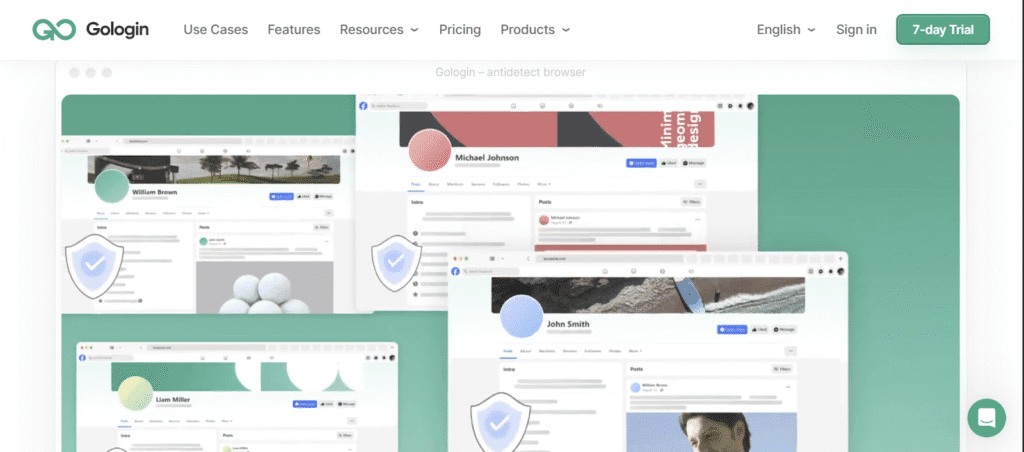
GoLogin makes managing multiple browser profiles easy by storing them securely in the cloud. You can switch proxies quickly and randomize browser settings to stay anonymous. It is ideal for freelancers and small teams who want good privacy without a complex setup. GoLogin also offers an API so developers can automate Profile creation and management across different devices and systems.
Key Features
- Cloud Profile Storage: Store browser profiles safely online and access them from anywhere.
- Easy Proxy Setup: Switch IP addresses easily inside each profile.
- Fingerprint Randomization: Change browser details automatically to avoid tracking.
- API for Automation: Let developers automate profile work with simple calls.
- Cross-Platform Support: Works on different operating systems through the web and apps.
Pricing: Free plan available. Paid plans from $49/month.
Review: GoLogin strikes a good balance between ease of use and privacy capability. It’s beginner-friendly, affordable, and covers the essentials – making it a solid pick for freelancers or small teams who don’t need enterprise-level features.
3. 1Browser
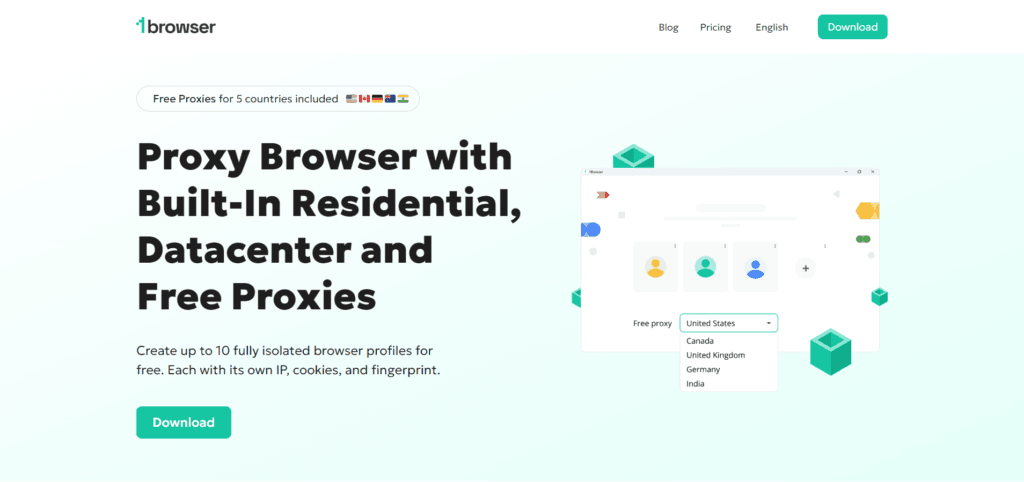
1Browser is a proxy browser and antidetect tool that goes beyond basic privacy – it creates fully isolated browser profiles, each with its own IP, fingerprint, cookies, and timezone. It’s a great choice for anyone who needs more than a single private session.
Key Features:
- Built-in Proxies: Residential, Tor, and free proxies are included on every plan – no extensions or third-party services needed.
- Profile Isolation: Each browser profile is completely separate with its own fingerprint and session data, making every profile look like a different user.
- Free Proxies for 5 Countries: The free plan includes proxy access across the US, Canada, Germany, Australia, and India.
- Chrome-Based Interface: Built on Chromium – works exactly like Chrome with full extension support.
- Cloud Sync: Profiles sync automatically across all devices.
- Cross-Platform: Available on Windows, macOS, and Linux.
Pricing: Free plan available (10 profiles, 5 proxy countries). Paid plans from $9/month.
Review: 1Browser is a strong option for users who need isolated browsing with proxies already built in. Unlike Opera’s single-session VPN, 1Browser lets you run multiple separate identities simultaneously – ideal for multi-account management, privacy-conscious browsing, and bypassing geo-restrictions.
4. AdsPower
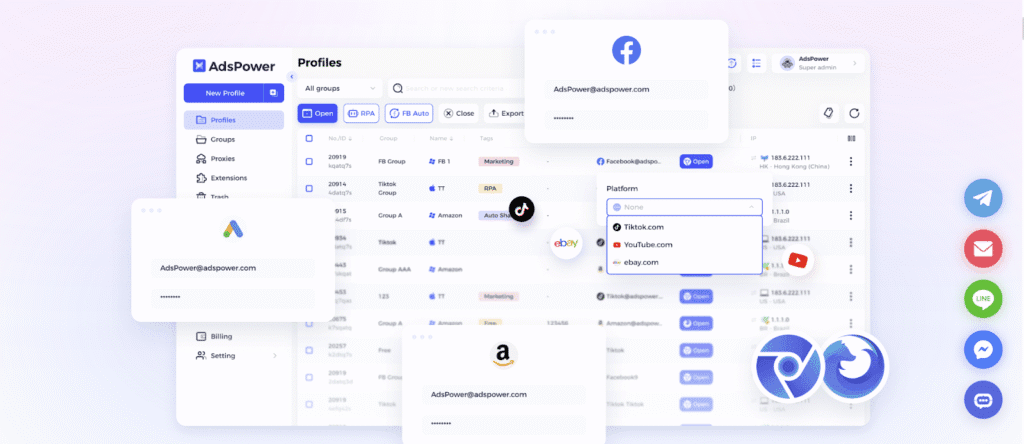
AdsPower focuses on helping marketers run many accounts efficiently on sites like Facebook and Google. It offers both Chromium and Firefox browsers to handle different websites well. AdsPower has tools to automate tasks, sync actions across profiles, and manage accounts safely with two-factor authentication. Cloud controls make it easy to monitor how profiles perform and share them within a team.
Key Features
- Dual Browser Engines: Switch between Chromium and Firefox for better website compatibility.
- Automation Tools: Use built-in tools to automate repetitive actions across accounts.
- Strong Security: Protect accounts with two-factor verification and encryption.
- Cloud Monitoring: Track profile activity and system health online.
- Team Management: Share profiles and tasks in a secure way with others.
Pricing: Free tier available for basic needs. Paid plans from $9/month.
Review: AdsPower is purpose-built for social media marketers and ad managers who need to run multiple accounts at scale. The dual-browser engine is a standout feature, though new users may need some time to get comfortable with the full toolset.
5. Incogniton
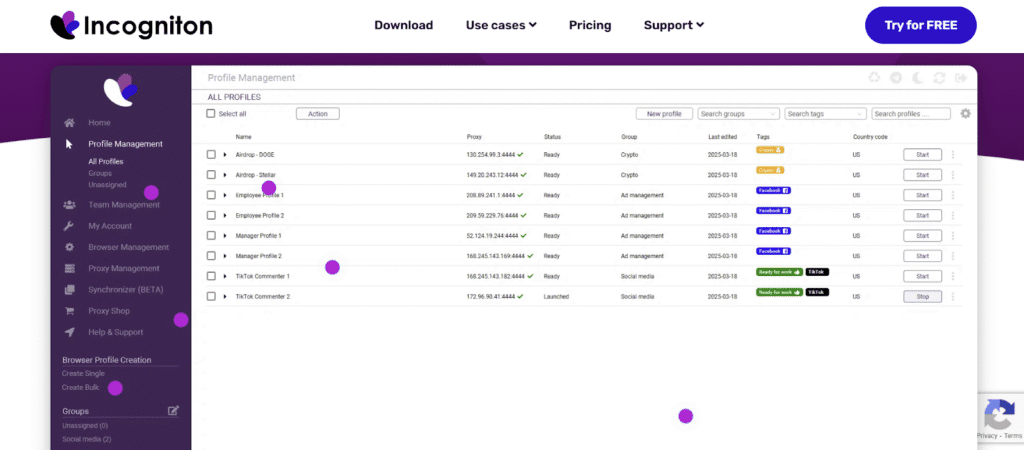
Incogniton keeps things simple and fast with a clean design, making it easy to use many browser profiles. It is perfect for freelancers and small teams wanting privacy with minimal fuss. You can create profiles quickly, customize fingerprints, and use proxies to hide your IP. It also supports managing profiles in bulk and saving sessions for later continuation.
Key Features
- Simple Design: Clean interface that’s easy to navigate and use.
- Custom Fingerprints: Change browser details to keep profiles unique.
- Proxy Compatibility: Works with many types of proxies.
- Bulk Profile Creation: Create multiple profiles at once.
- Save Sessions: Keep browsing data and sessions saved for convenience.
Pricing: Free plan available. Paid plans from $29.99/month.
Review: Incogniton is a no-fuss option that gets the basics right – profile isolation, fingerprint customization, and proxy support – without overwhelming you with complexity. Best suited for individuals and small teams with straightforward needs.
6. OctoBrowser
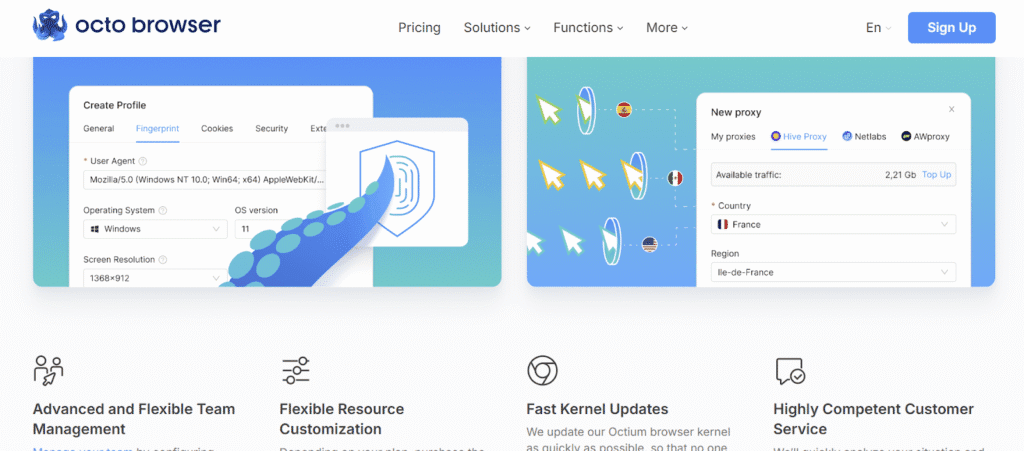
OctoBrowse is made for users who want to quickly manage many browser profiles without complicated tools. Its clear visual dashboard helps you switch between profiles and set proxies fast. While it offers useful fingerprint settings, it focuses on ease of use and speed instead of deep customization. It is good for individuals or small groups who want simple privacy.
Key Features
- Visual Profile Dashboard: See your profiles and switch between them easily.
- Proxy Setup: Add and change proxies with no hassle.
- Basic Fingerprint Tweaks: Adjust key browser details for privacy.
- Session Saving: Keep current sessions saved to pick up later.
- Extension Support: Use common browser add-ons for extra features.
Pricing: Free plan available. Paid plans from $29/month
.Review: OctoBrowser prioritizes speed and simplicity over deep customization. If you need to manage a handful of profiles quickly and don’t require advanced anti-detection, it’s a clean and capable tool that gets out of your way.
7. Kameleo
Kameleo is a powerful browser that lets you control nearly every part of your browser fingerprint. It can imitate desktop and mobile devices and supports many proxy types. It is often used by marketers and security researchers who need very detailed control to avoid detection. Kameleo also offers templates to create profiles quickly, but they require more technical skill than average.
Key Features
- Full Fingerprint Control: Modify many system and browser details like fonts, canvas, and WebGL.
- Proxy Variety: Use residential, datacenter, or mobile proxies depending on your needs.
- Mobile Device Emulation: Make your browser act exactly like an Android or IOS device.
- Multi-Platform Software: Available on Windows, macOS, and more.
- Templates for Profiles: Use ready-made setups to save time.
Pricing: Paid plans only – starts at €59/month.
Review: Kameleo is one of the most technically capable anti-detect browsers available, particularly for users who need mobile device emulation alongside desktop profiles. The learning curve is steeper, but the level of fingerprint control it offers is hard to match.
8. Ghost Browser
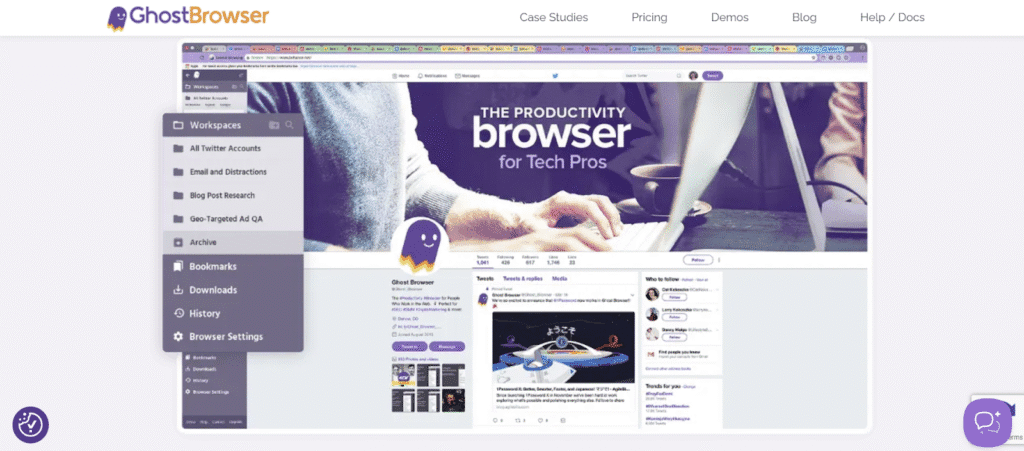
Ghost Browser gives you a regular Chrome-like feel but lets you run many accounts in one window by separating each tab. Every tab gets its own cookies and proxy, so you can use several profiles without them mixing. You can use any Chrome extension with Ghost Browser. It is best for people who want to manage many accounts quickly but do not need advanced fingerprint hiding.
Key Features
- Isolated Tabs: Each tab works independently with its own cookies and login.
- Proxy per Tab: Assign different IP addresses to each tab easily.
- Session and Bookmark Sync: Save sessions and bookmarks for easy access.
- Chrome Extension Support: Run all your favourite Chrome add-ons.
- Simple Multi-Account Management: Keep many logins organized in one place.
Pricing: Free plan available. Paid plans from $21/month.
Review: Ghost Browser is the most approachable option on this list for users already comfortable with Chrome. It’s not built for heavy anti-detection, but for managing multiple accounts in a clean, organized way, it’s hard to beat for simplicity.
Conclusion
Anti-detect browsers have become essential for users who need privacy and want to manage many online accounts without being blocked or tracked.
The right browser depends on your needs, whether you want simple tools or deep control, solo use or team collaboration. Multilogin and Kameleo offer powerful customization for professionals, while GoLogin and Incognition focus on ease and affordability. AdsPower and OctoBrowser serve marketing teams well, and Ghost Browser is perfect for managing many accounts easily.
Choosing one that fits how you work makes your online tasks smoother and safer.
Check out our other blogs for more such informative content:
FAQs
They are legal tools. Using them for privacy or managing multiple legitimate accounts is fine. Using them to break rules, commit fraud, or hide illegal activity is not. Check the site terms and follow the law.
Usually yes. Anti-detect browsers change your browser fingerprint. They do not always change your IP. A proxy or VPN hides your IP and adds another layer of privacy.
GoLogin and Incogniton are easy to use and good for beginners. Try one of those first before moving to more advanced tools like Multilogin or Kameleo.
Most are desktop-focused. Some tools offer mobile emulation or mobile support, but for true mobile use, you may need a tool that specifically supports Android or iOS.