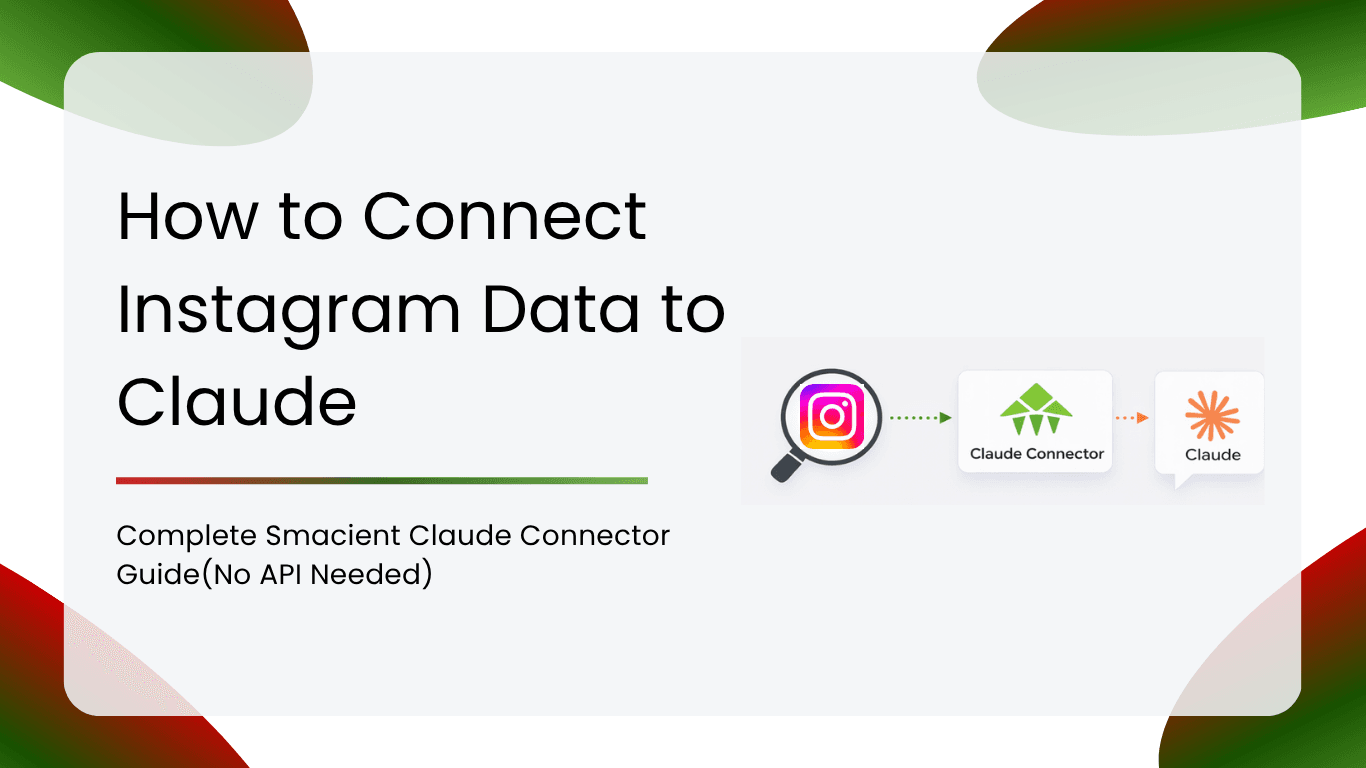
If you work in social media, content, or brand marketing, you already know how much strategic value lives inside Instagram data. Competitor content calendars, top-performing hooks, hashtag reach, engagement patterns across niches, and audience sentiment. The data is all there – and now you can connect Instagram data to Claude and query it directly, in plain English, without screenshots, spreadsheets, or API credentials.
The old workflow looked like this: open Instagram, search a competitor, scroll through posts, screenshot what looks interesting, paste captions into a spreadsheet, note engagement numbers, open Claude, write a prompt summarising what you found – then realise you missed a key account and start again. That loop is broken. It was designed for a world where AI assistants and live social platforms did not communicate. That world no longer exists.
Get started with 30 free credits at smacient.com/mde/signup. No credit card required.
Table of Contents
4 Steps to Connect Instagram Data to Claude via Smacient
With Smacient Marketing Data & Context for Claude, setting up a live Instagram data feed to Claude takes just a few minutes.
Follow the quick step-by-step guide to sync your data to Claude: smacient.com/mde/dashboard
Prerequisites
- A Smacient account (30 free credits at signup, no card required)
- A Claude.ai Pro or Team account
- The Instagram usernames or hashtags you want to research (no login to those accounts needed)
Step 1: Create Your Smacient Account
Go to smacient.com/mde/signup and create your account. You receive 30 free credits instantly. Once your account is live, you will land in the Smacient dashboard, where you can track your credit balance, view extraction history, and access your connector URL.
Note on Instagram credits: The Instagram tool calls draw from your credit balance at a rate of 1 credit per 3 posts or results. Your 30 free credits give you a meaningful amount of exploration before you need to top up. Additional credits are available through the Smacient dashboard.
Step 2: Copy Your MCP Connector URL
Inside the Smacient dashboard, locate your personal MCP connector URL:
Copy this URL. This is the address Claude uses to communicate with Smacient’s servers and retrieve Instagram data on your behalf.
Step 3: Add the Smacient Connector in Claude
Open Claude.ai and connect Smacient as a custom connector:
- Go to Settings in Claude.ai
- Navigate to Connectors and select Add custom connector
- In the Name field, type: Smacient
- In the Remote MCP server URL field, paste: https://claude.smacient.com/mcp
- Click Add and sign in with your Smacient credentials to authorise
Once authorised, the connector will appear as active in your Settings panel.
Quick tip: Set permissions to “Always allow” so you can query Instagram data across different chats without re-authorising every time.
Note: Once connected via Claude.ai, the connector also works automatically in Claude Desktop and Claude Code. You do not need to repeat the setup for those clients.
Step 4: Start Querying Instagram in Plain English
Once connected, verify the link by asking Claude:
“Check my Smacient credits balance.”
If you see your balance, you are alive. From here, just describe what you need as you would to a research assistant:
- “Extract the last 20 posts from @[competitor] and tell me which content formats are driving the most engagement.”
- “Search Instagram for #sustainablefashion and summarise what content and accounts are dominating it.”
- “Find fitness coaches on Instagram who post about mobility training and give me a breakdown of who appears.”
Instagram Prompts for Claude + Smacient
The real value of connecting Instagram data to Claude is the depth of strategic analysis you can run in minutes. Below are prompts built around the most common use cases. Feel free to use them as your starting point:
Competitor content audit
Extract the last 30 posts from @[competitor1] and @[competitor2]. Compare their posting frequency, content formats (Reels vs. carousels vs. static images), and average engagement. What content themes appear to be driving the most interactions for each brand?
Influencer vetting
Extract the last 60 posts from @[influencer_handle]. What is their average engagement rate? Is there a recent upward or downward trend in their performance? Based on their audience size and engagement, estimate the likely reach of a sponsored post.
Hashtag and niche research
Search Instagram for the hashtag #[your topic]. What types of content and accounts are dominating it? Are there any clear content gaps or underserved angles?
Market benchmarking
I want to benchmark our Instagram performance against industry standards. Pull the follower count, average likes per post, and average comments per post for these five accounts: @[account1], @[account2], @[account3], @[account4], @[account5]. Present the results as a comparison table and identify which account has the highest engagement-to-follower ratio.
Posting time and frequency analysis
Based on @[competitor]’s posting history, when do they post most frequently (day of week and approximate time)? Do posts published at certain times outperform others? Identify any patterns that suggest an optimal posting schedule in this niche.
Influencer campaign reporting (for agencies)
We ran an influencer campaign with @[creator1] and @[creator2] last month. Pull their post data from the campaign dates. For each creator, show total estimated reach (from likes and comments), engagement rate, and the three best-performing posts. Format this as an executive summary I can share with the client.
For more advanced prompt ideas, browse the full Smacient prompt library: smacient.com/mde/dashboard
Advanced Use Cases: What Can You Do with Instagram Data in Claude?
1. Agency competitive intelligence reports
Agencies managing multiple brand clients can use Smacient to monitor a curated list of competitor accounts across all clients simultaneously. Ask Claude to generate weekly competitive intelligence summaries for each client to avoid any manual data collection and dashboard creation.
2. Influencer shortlisting at scale
Instead of manually reviewing dozens of influencer profiles before a campaign, connect their handles to Smacient and ask Claude to rank candidates by engagement rate, posting consistency, and content-brand alignment. Save hours of pre-campaign research.
3. Niche market research
Entering a new market or product category? Search Instagram for the leading accounts in that space. Ask Claude to map the content landscape: what topics dominate, what formats perform best, and where the gaps lie before you invest in content production.
4. Cross-platform benchmarking
Use Smacient to combine Instagram data with TikTok, YouTube, or Meta Ads data in the same Claude conversation to benchmark competitor social presence holistically, not just on Instagram.
5. Real-time trend monitoring
Because Smacient fetches live data on every query, you can ask Claude the same competitive monitoring questions week over week and always receive up-to-date answers without ever touching a spreadsheet.
Instagram Data Fields You Can Query via Smacient
Here is a breakdown of the key data points Claude can analyse for you:
Profile and account data
| Field | Description |
| Username | Unique account identifier for multi-profile tracking |
| Follower Count | Current follower number; track growth over time across accounts |
| Following Count | Useful for calculating follower-to-following ratios |
| Biography | Profile description text for positioning analysis |
| Verified Status | Whether the account has a verification badge |
| Post Count | Total number of published posts |
Post-level performance
| Field | Description |
| Post Type | Image, Video, Carousel, Reel |
| Caption | Full post text, enabling Claude to perform semantic and content analysis |
| Hashtags | Tagged topics are essential for hashtag strategy research |
| Like Count | Total likes per post |
| Comment Count | Total comments are a signal of audience interaction depth |
| Timestamp | Publishing date and time for posting schedule analysis |
| Media URL | Direct link to the post image or video |
Engagement metrics
| Field | Description |
| Video View Count | For video posts and Reels, the total play count |
| Engagement Rate (calculated) | Likes and comments relative to follower count surfaced by Claude across the posts returned |
Smacient returns all of this in a structured, LLM-ready format across multiple accounts simultaneously, so you can ask Claude to compare, rank, and analyse across a set of profiles in a single query.
The Manual Ways to Pull Instagram Data (and Why They Break Down)
Before tools such as Smacient existed, social media managers had three common approaches to getting Instagram data into Claude, and each had serious limitations.
Manual method 1: Screenshots and copy-paste
The most basic approach: visit each competitor’s profile, screenshot the post grid, manually note likes and comment counts, and paste everything into a Claude chat. This works for a one-off look at a single account, but completely fails at scale because of these pitfalls:
- Time-consuming: reviewing 5 profiles manually takes 30-60 minutes per reporting cycle
- No historical data: you only capture what you can see right now
- No context for Claude: screenshots give Claude numbers without captions, hashtags, or post metadata
- Prone to human error: manual transcription introduces mistakes
Manual method 2: Third-party social listening tools and CSV export
More sophisticated users export data from tools like Sprout Social, Hootsuite, or Brandwatch and upload the CSV to Claude. This is better, but still brittle due to these limitations:
- Data freshness: CSV exports are a static snapshot, outdated the moment you export
- Fragmented tools: you still need a separate subscription and a manual step to bridge the gap
- Caption and metadata loss: many export formats strip the actual post text, leaving Claude with bare numbers
- One account at a time: batch multi-profile exports are often limited or unavailable
- No cross-channel correlation: seeing whether a competitor’s Instagram spike coincided with a broader push requires manually stitching CSVs from different tools
Manual method 3: Instagram Graph API (for developers)
Technical users can query the Instagram Graph API directly. But this requires developer credentials, API quota management, pagination handling, and data normalisation before anything is useful for AI analysis. It is a multi-day engineering effort with ongoing maintenance.
Comparison: Best methods to connect Instagram data to Claude
For teams serious about competitive intelligence and influencer research, the manual approach is not a sustainable strategy. Here is how Smacient compares:
| Feature | Smacient (MCP) | Manual CSV / Screenshot | Direct API Build |
| Data freshness | Live on every query | Static snapshot | Live (but fragile) |
| Setup time | Minutes | 30-60 min per report | Days of engineering |
| Caption and hashtag data | Included | Often stripped | Available (raw) |
| Multi-account queries | Up to 5 at once | One at a time | Unlimited (with effort) |
| Claude integration | Native MCP connector | Manual file upload | Custom build required |
| Cross-platform | TikTok, YouTube, Meta Ads | Not possible | Separate APIs needed |
| Maintenance | None | Ongoing manual effort | Ongoing engineering |
Conclusion
Instagram is one of the most underutilised sources of competitive intelligence available to marketers and agencies today. The bottleneck has never been a lack of data. It has always been the friction of collecting, scrolling, screenshotting, and manually reformatting that data before AI can reason about it.
Smacient removes that friction entirely. By creating a live connection between public Instagram profiles and Claude, you can move from reactive reporting to proactive strategy and ask Claude the right questions in real time, rather than spending hours preparing data before every analysis session.
Whether you are an agency benchmarking client performance against competitors, a brand manager vetting influencer partnerships, or a social strategist mapping a new niche, Smacient gives you the research infrastructure to do it in a single conversation.
The research that used to take a morning now takes a prompt.
Ready to start? Get 30 free credits at smacient.com/mde/signup and connect your first Instagram profiles to Claude today.
FAQs
No. Smacient handles the data access on its end. You do not need to connect your own Instagram account or apply for Meta’s API. Just connect Smacient to Claude and start asking.
No. Smacient only returns data from public Instagram profiles and hashtags. Private account data is not accessible.
The data reflects real-time public Instagram content at the moment you make the request. If a post was published an hour ago on a public profile, it will appear in your extraction.
Yes. You can extract posts from up to 5 accounts in a single query and continue comparing them throughout the same conversation. Each extraction draws credits based on the number of posts returned.
Claude will receive a message indicating insufficient credits, and the extraction will stop. Your conversation history stays intact. Top up from your Smacient dashboard and continue exactly where you left off.
Yes, and this is one of the most powerful aspects of the connector. In a single Claude conversation, you can pull Instagram posts, search TikTok videos, check competitor ads via the Meta Ads Library, and analyse keyword demand via Google Keyword Planner. Claude can cross-reference all of it and surface insights that would be difficult to generate from siloed tools working independently.
Your Smacient account comes with 30 free credits at signup, enough for a meaningful initial research session. The Instagram tool calls draw from your credit balance at 1 credit per 3 posts or results. Additional credits are available from the Smacient dashboard at any time.
Absolutely. Influencer vetting is one of the strongest use cases for this connector. Rather than manually reviewing dozens of profiles before a campaign, agencies can add influencer handles to Smacient and ask Claude to shortlist candidates by engagement rate, posting consistency, and content-brand alignment in seconds.
Related blogs
How to Connect GSC Data to Claude in under 1 Minute for Free(No-Code MCP Guide)
How to Connect Google Analytics 4 to Claude for Free Using Smacient’s Claude Connector (Step-by-Step)
How to Connect Google Keyword Planner to Claude Using Smacient’s Claude Connector (Step-by-Step)